
I watched a friend wave their first-gen Switch at my new Switch 2 like it could magically slip inside. The host console held the key, and for a thrilling thirty seconds we almost had co-op—until a menu hiccup yanked us back to single-player. If you own Pokémon Pokopia on Switch 2 and want to play with someone on a Switch 1, here’s how to get past that snag and what it will (and won’t) let you do.
How to use GameShare in Pokémon Pokopia
I noticed players at launch clustering at Palette Town like it was a service desk. You need the game on a Nintendo Switch 2 to start GameShare—there’s no native install for the Switch 1—so the Switch 2 acts as the host. GameShare behaves as a temporary loan: Pokémon Pokopia runs from the Switch 2 while a nearby Switch 1 views and interacts.
- Boot Pokémon Pokopia on your Switch 2 and head toward Palette Town.
- Use the big bridge from Withered Wasteland or fast-travel with a Ditto Home to reach Palette Town.
- Enter the first Pokémon Center there.
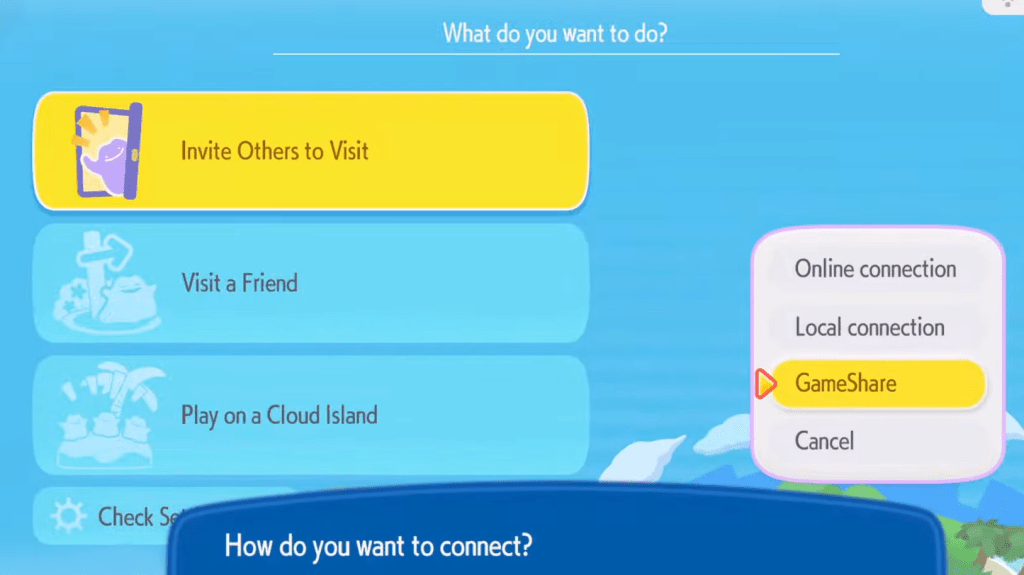
- Open Link Play, choose Invite Others to Visit, and select the GameShare option.
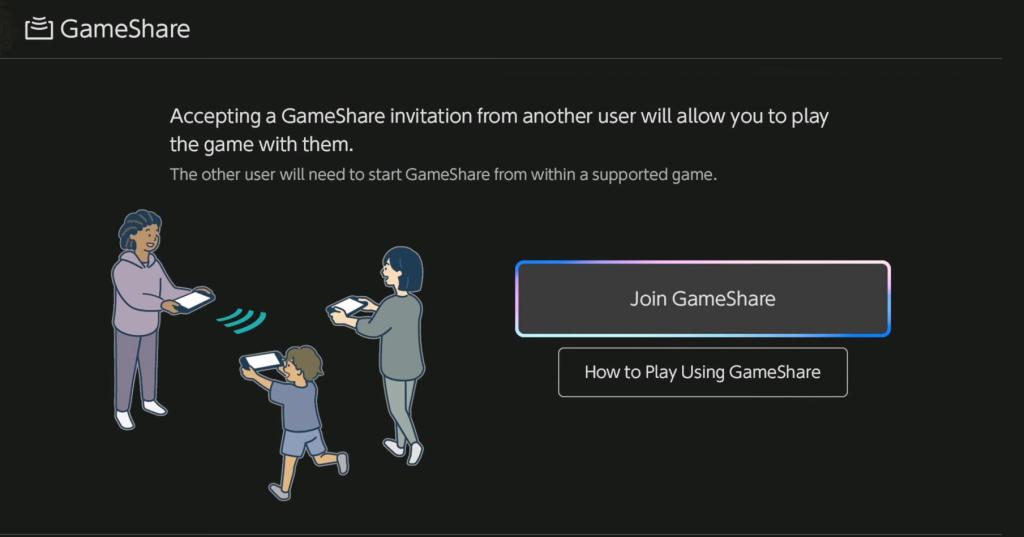
- The guest on the Switch 1 selects Join on their console; once connected you begin the session.
Can I play Pokémon Pokopia on Switch 1?
Short answer: not directly. The game is exclusive to the Switch 2, but GameShare lets a Switch 1 act as a guest while the Switch 2 host runs the game. That guest experience is streamed locally, so the Switch 1 doesn’t possess the software—your Switch 2 does.
How does GameShare work in Pokémon Pokopia
On launch day I saw two-player lobbies form and then fizzle when an item pickup refused to register. GameShare mirrors much of native multiplayer, but with sharp limits: sessions support only two players, and both must be in Palette Town to start and maintain the link.
Technically, the Switch 2 runs the session and sends state to the guest. You can interact with the world together—you can cut trees, water plants, and grab items—but the guest can’t craft anything while connected. Anything the guest finds doesn’t travel home with them; picked-up items go to the Lost and Found by the Pokémon Center.
Think of GameShare as a borrowed key to your castle: it opens doors for a visitor but doesn’t hand them the deeds. The connection itself is a paper bridge—you can cross it with care, but it won’t carry heavy cargo or more than one extra traveler.
How many players can join a GameShare session?
Two, no more. Native multiplayer in Pokémon Pokopia supports up to four players, but GameShare reduces that ceiling to a host plus one guest. If you want a true four-player session, everyone will need Switch 2 hardware.
What items and actions are restricted during GameShare?
Guests can pick up items in-world, but those items stay behind in the Lost and Found when the session ends. Guests cannot craft new items, and certain persistent changes—inventory transfers and some player-specific progress—won’t carry back to the guest’s console.
For now GameShare is an elegant workaround for playing with someone who hasn’t upgraded to Switch 2, but it feels like an early beta—handy, limited, and occasionally fragile; that leaves me wondering: will Nintendo expand GameShare into full cross-gen support, or is this just a temporary truce between old and new hardware?