I was two exits from my friend’s apartment when my phone calmly suggested a coffee shop that didn’t exist. The navigation voice told me to “turn left now” and a honking chorus disagreed. In that instant I understood: my map had become a passenger with an opinion.
I write about tech for a living, and you drive more than you probably admit — so let’s be blunt: Google just reconfigured Maps around Gemini, its AI assistant, and it wants to talk to you while you’re on the road. This is not a quiet update. It rearranges how Maps answers questions, shows the road, and uses what Google already knows about your habits.
At 5:30 p.m. on a weekday your phone will suggest a place to charge — and ask if you mind waiting
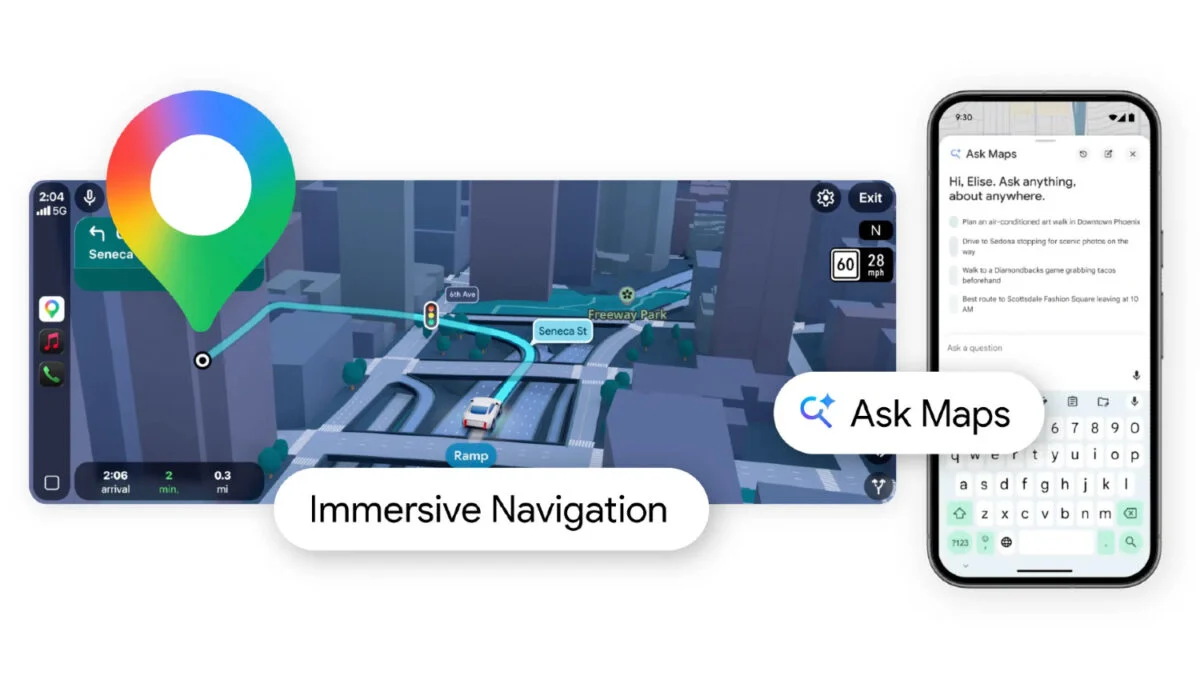
Google rolled out “Ask Maps,” a new button that summons Gemini in conversational form. Press it and you can ask natural questions — for example, “My phone is dying — where can I charge it without having to wait in a long line for coffee?” — and get a specific, immediate answer rather than sifting through review snippets.
Gemini is a backseat librarian, rifling through user-submitted data, business info, and the web to surface locations and timely context. Google says its database spans more than 300 million places and includes reviews from over 500 million contributors, so the assistant is working with a dense mountain of signals.
How does Gemini in Google Maps work?
Ask Maps pulls from Google’s long-collected business data, user reviews, and live web information, then layers your personal history if you’ve opted in to Personal Intelligence. Results are personalized: if you usually favor vegan spots and you ask for a cozy table for four at 7 p.m., Maps will bias those recommendations. The feature is live in the U.S. and India on Android and iOS today, with desktop and wider rollouts coming.
At an unfamiliar exit you’ll see buildings, crosswalks, and where you should stand to be picked up
Google is also updating the navigation view. The map will be three-dimensional in more places, flattening out less of the world so overpasses, buildings, and terrain read like actual landmarks. It will also emphasize safety cues — crosswalks, traffic lights, stop signs — and add clarity for the final mile: building entrances, parking, and which side of the street you should be on.
Maps is a three-dimensional paper map come alive, folding overpasses and curb cuts into view so you can make quicker decisions when time is short.
At the moment you miss an exit, the voice should tell you what to do next with fewer mental gymnastics
Voice guidance has been refined to reduce confusion. Instead of abstract instructions, Google says Maps will give clearer cues: “Go past this exit and take the next one for Illinois 43 South.” That level of specificity aims to cut wrong turns and frantic lane changes, especially in dense urban driving.
Will Ask Maps use my personal data?
Yes, if you opt into Personal Intelligence. Google will use search history, photos, and past destinations to personalize answers. The company frames this as convenience — showing you spots that match your tastes — but it also means your travel habits and searches inform what Gemini recommends. If privacy matters to you, you’ll need to check which permissions are active and what Google stores.
At launch some features are immediate, others will trickle to your dashboard or car
Ask Maps is available now in the U.S. and India on Android and iOS; desktop support is coming. Immersive Navigation — the visual overhaul — will roll out over the coming months to eligible iOS and Android phones and to CarPlay and Android Auto. That staggered release means you might get the conversational assistant before the 3D street layout arrives in your vehicle.
I’ll be watching how this behaves in real traffic. You should too. Will you trust a chatty passenger who personalizes your route and your stops, or are you keeping the map on silent?