I froze on the Recruit screen when a familiar silhouette didn’t appear. You can feel the tug—there’s a Pokémon you know exists, but it refuses to join unless you stitch two games together. I want to tell you which ones, and how to get them into Pokémon Champions, without the guesswork.
A collector will flinch at missing entries: Complete list of transfer-only Pokémon in Champions
If you’ve been scanning Recruit after Recruit and still feel the roster is incomplete, this is why. These monsters won’t show up through normal captures or recruits inside Champions. You have to bring them in from elsewhere.
- Floette
- Vivillon
- Furfrou
Worth noting: Vivillon and Furfrou come with multiple appearances—patterned wings and decorative trims—so you can transfer different forms and keep the variety in your party.
Which Pokémon are transfer-only in Pokémon Champions?
Short answer: the three above. I’ll say it plainly so you can move on to the practical steps: Floette, Vivillon and Furfrou are exclusive to transfers in the current version.
You find a rare variant on another platform and your hands itch: How to get transfer-only Pokémon in Champions
Think of the process as carrying a prized artifact between museums—one careful step, and the exhibit appears where you want it. Here’s the straight path I use when I want a specific form in my roster.
Step 1: Catch or obtain the Pokémon in another supported game. For example, Furfrou and its trims were made widely available in Pokémon Go during a Feb–March event where Niantic allowed free trim changes.
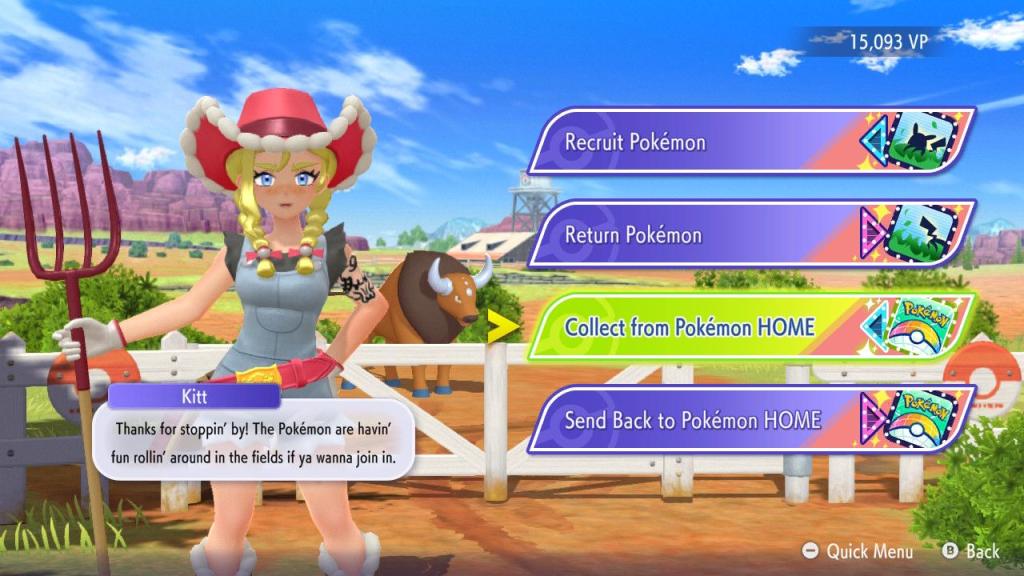
Step 2: Send that Pokémon to Pokémon HOME. The Nintendo Account linked to HOME must be the same account you use with Pokémon Champions. Treat the accounts like matching passport stamps so transfers are recognized.
Step 3: From Pokémon HOME, send the chosen Pokémon on a visit to Champions. Open Pokémon Champions, accept the incoming transfer, and the Pokémon will appear in the Recruit section—ready to recruit.
Remember: as long as the transferred Pokémon’s moves are allowed by the game’s rules, you can use it in any battle mode. If a move is restricted, it may need to be changed before transfer.
How do I transfer Pokémon to Pokémon Champions?
Use Pokémon HOME as the bridge. Link the same Nintendo Account to both services, move the Pokémon into HOME, then send it to Champions as a visit and accept it in-game. If you use Pokémon Go, Niantic’s events are often the easiest source of special trims and patterns.
I’ve done this enough times to know where things break: mismatched accounts, unsupported forms, or moves that the game rejects. Check your Nintendo Account settings before you start to avoid that one-minute disaster that costs you an event window.
If you want the rare trims for flair, watch Niantic event windows in Pokémon Go, or check migration opportunities from other mainline games through Pokémon HOME. Treat those event dates like a small window that closes fast—if you miss it, that specific look might take time to return.
Which transfer would you add first, and what does that choice say about the way you play?