
You load The Division 2, the maintenance timer finally hits zero, and the game drops you into a silent, numbered waiting room. I sat through the countdown while my squad pinged me in Discord. That small “queued” message suddenly feels like a barrier between you and the session you planned.
The Division 2 login queue explained
On patch day the forum threads fill up with complaints and screenshots — a clear sign something is happening behind the scenes. I’ll tell you straight: the queue exists to keep the servers alive when a surge hits after downtime. Massive Entertainment and Ubisoft route logins through Ubisoft Connect, Steam, PlayStation Network or Xbox Live and then feed authenticated players into the game servers at a controlled pace.
The queue is a dam holding back a torrent: it protects the backend from a simultaneous rush that would otherwise cause outages, lost progress, or repeated disconnects. That throttle applies across PC and consoles, which multiplies demand the minute the server doors open.
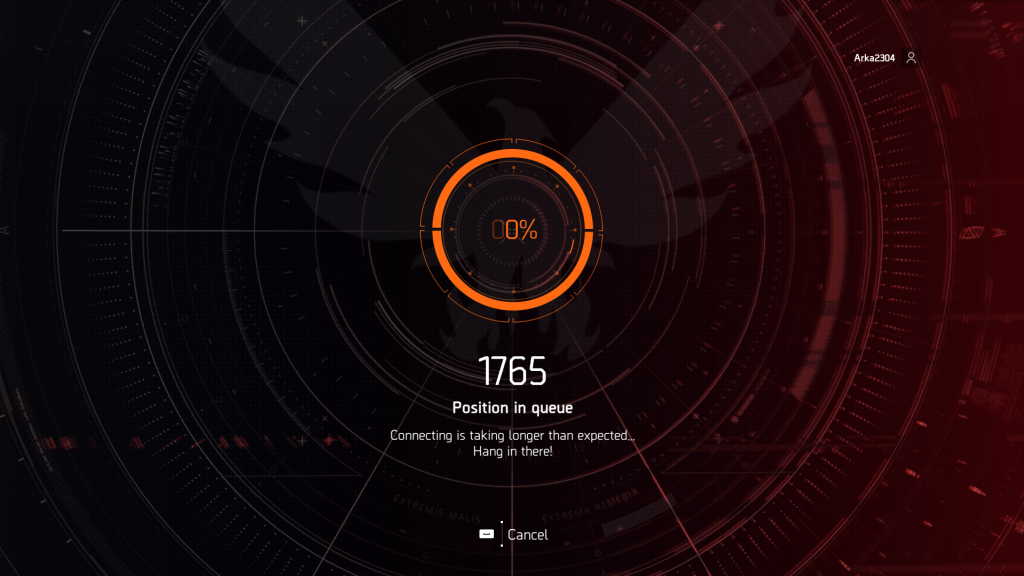
Why is there a login queue in The Division 2?
Because millions of concurrent logins create a fragile moment for online games. You’re not being punished — you’re being funneled. Ubisoft’s systems will authenticate you, then hold you until the game can accept another batch of players without collapsing matchmaking, social services, or world persistence.
I follow server status pages and developer tweets; when they schedule maintenance, expect a queue afterward. It’s routine for any live service that spans PC, PS, and Xbox.
What to expect after maintenance
On most maintenance windows you’ll see the queue spike immediately and then slowly fall — that pattern shows up every time. If you’re patient, the wait usually ends without incident.
How long will the login queue last?
Typical windows clear within an hour or two once the peak logins subside. If a patch caused instability, it can last longer while engineers at Massive and Ubisoft monitor and adjust server capacity. Your best read on duration is developer tweets, the Ubisoft Support account, and Steam or console storefront notices.
It acts as a traffic cop for millions of logins: the pace is deliberate so the systems downstream don’t trip their safety limits.
Can I avoid or bypass the login queue?
Short answer: no reliable bypass exists. I recommend you don’t quit and relaunch — that sends you to the back of the line. If the wait is unbearable, do something else for 30–90 minutes, then try again. Watch Ubisoft Connect, Steam, the PlayStation Network status page, or the official Division X socials for updates.
Third-party services don’t offer shortcuts because authentication and session allocation are handled server-side by Ubisoft’s infrastructure.
If you want something constructive to do while the queue moves: patch notes, inventory planning, or a quick build tweak pay off later — and they won’t cost you a cent (€0 EUR). So do you sit in the queue and grumble, or use the time to come back smarter and sharper?