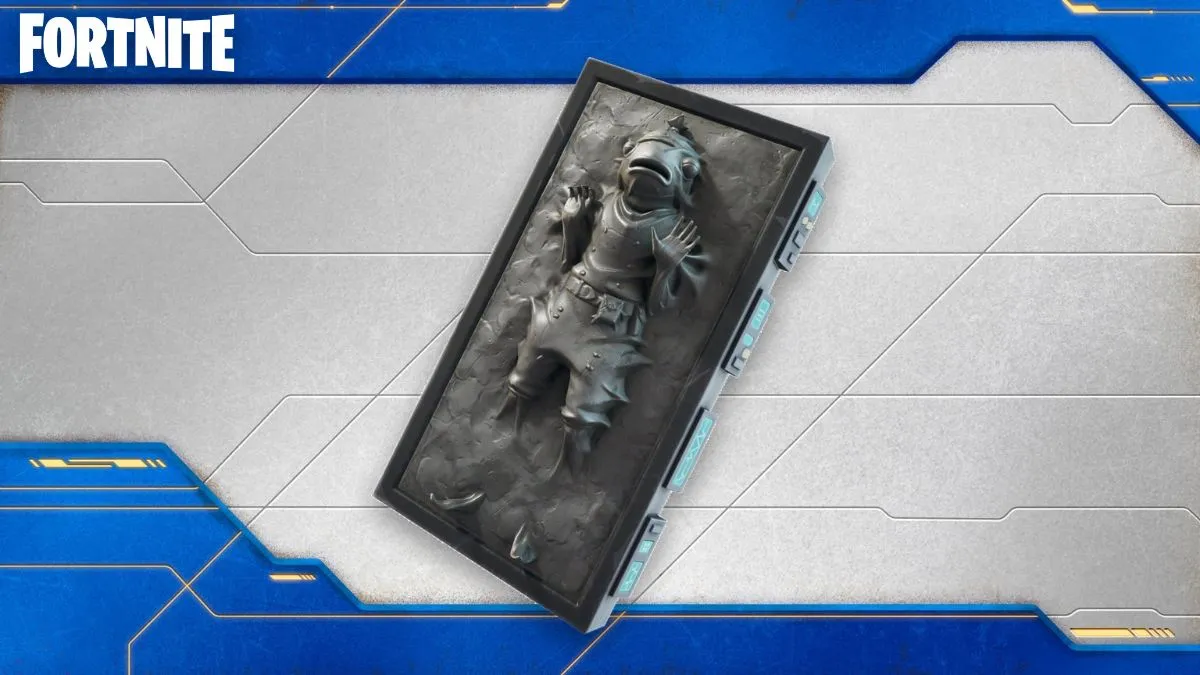
I dropped into the lobby, saw Fishstick suspended in a slab of carbonite, and laughed out loud. You feel that sudden urge to have it in your locker. I’ll give you the exact clicks so you don’t miss it.
I’ve chased promo drops across Epic Games and Disney pages enough times to know which steps waste time and which get results. Follow me — this is quick, safe, and free.
Players are already sharing screenshots of the frozen Fishstick — How to Get Carbonite Fishstick Back Bling in Fortnite for Free
Observation: feeds are full of players showing off the new carbonite gag. Analysis: Epic Games added the Carbonite Fishstick back bling as a free tie-in with MyDisney account linking. You and I can get it in minutes by pairing your Epic Games account to your MyDisney account. It sits in your locker like a movie prop, ready to pair with any skin you choose.
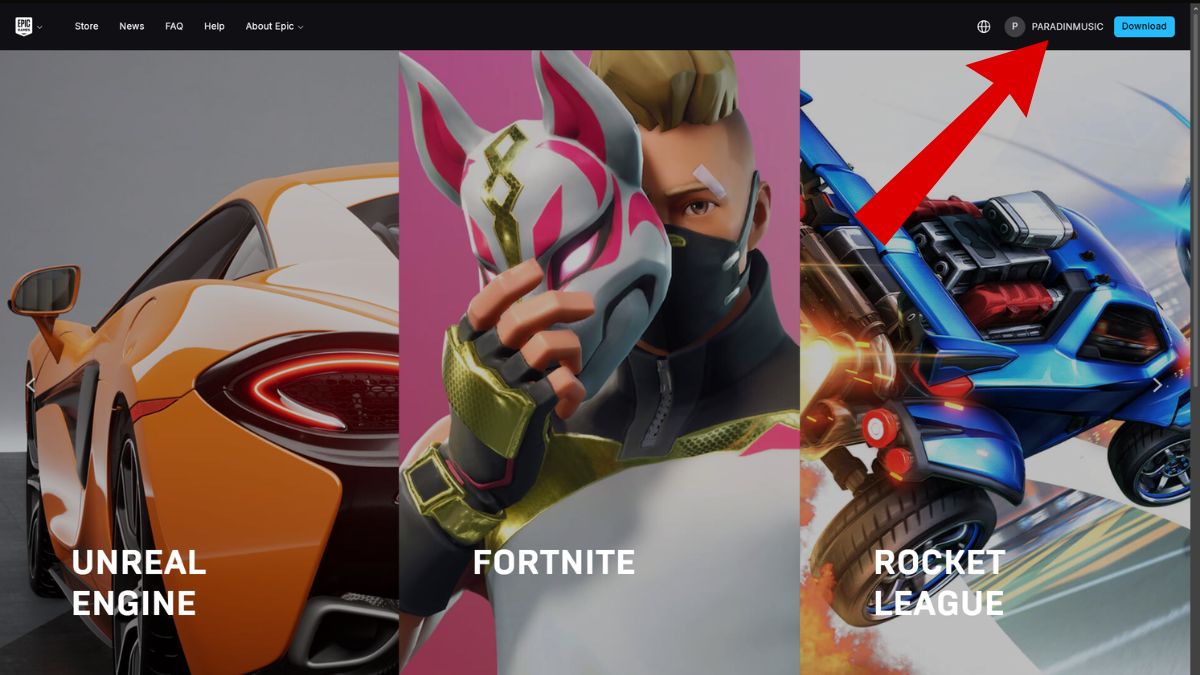
- Open the Epic Games website and sign in with the Fortnite account you play on.
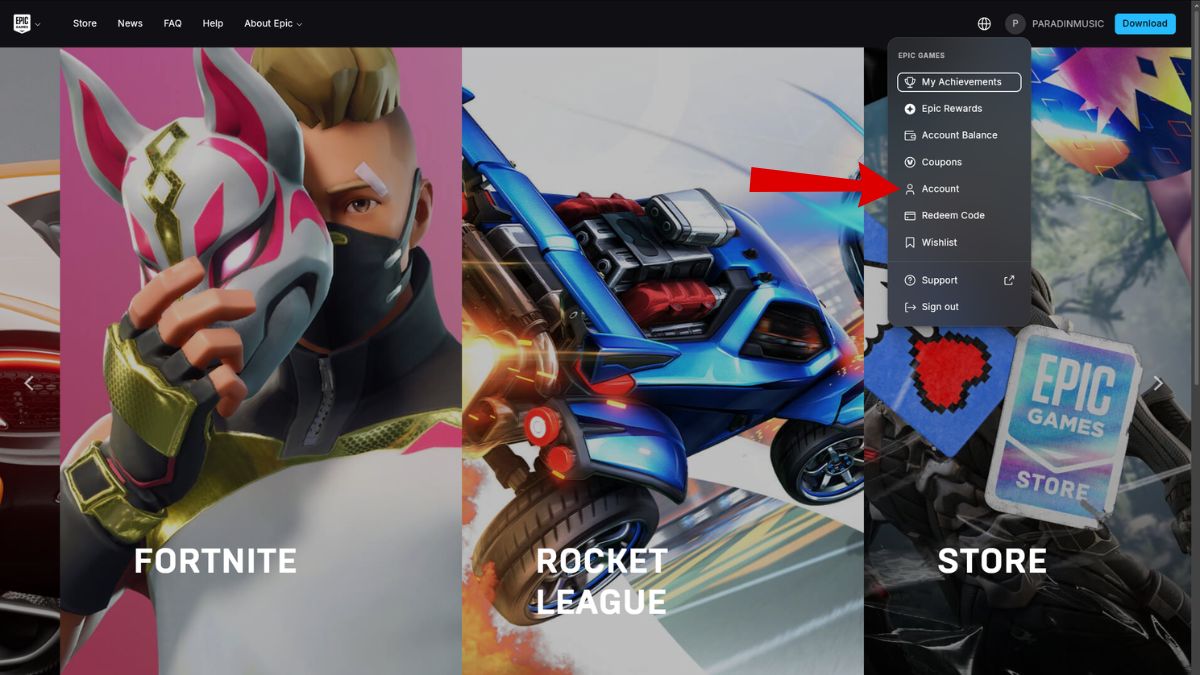
- Click your username in the top-right corner, then select Account from the menu.
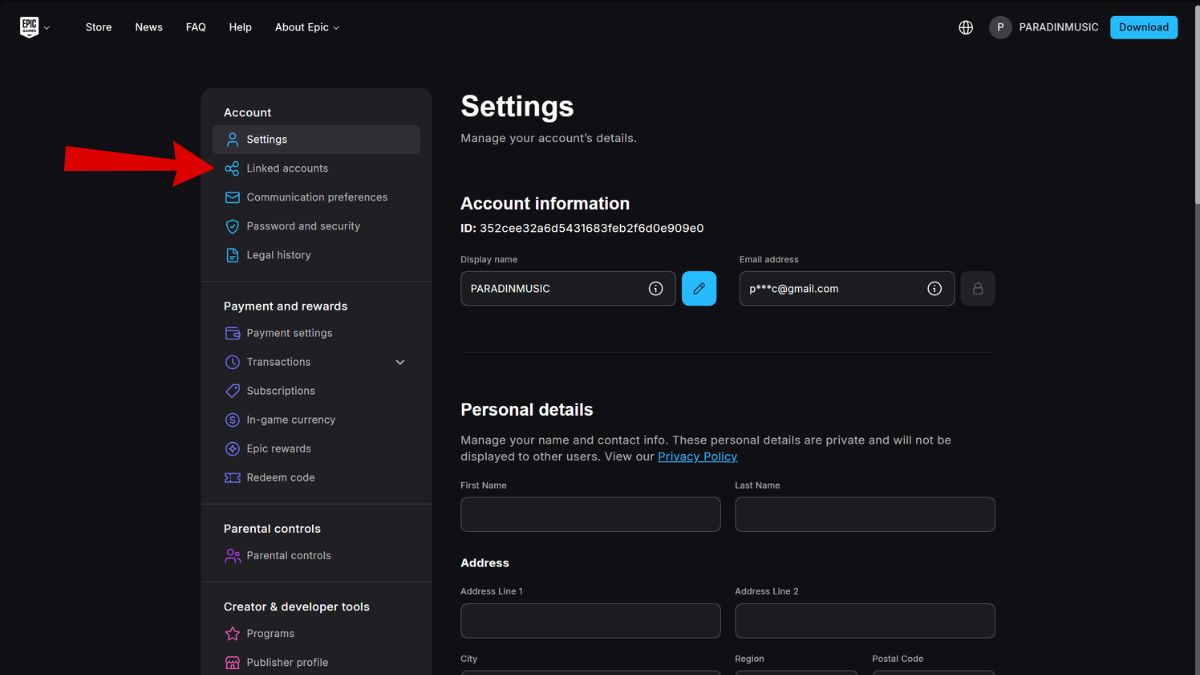
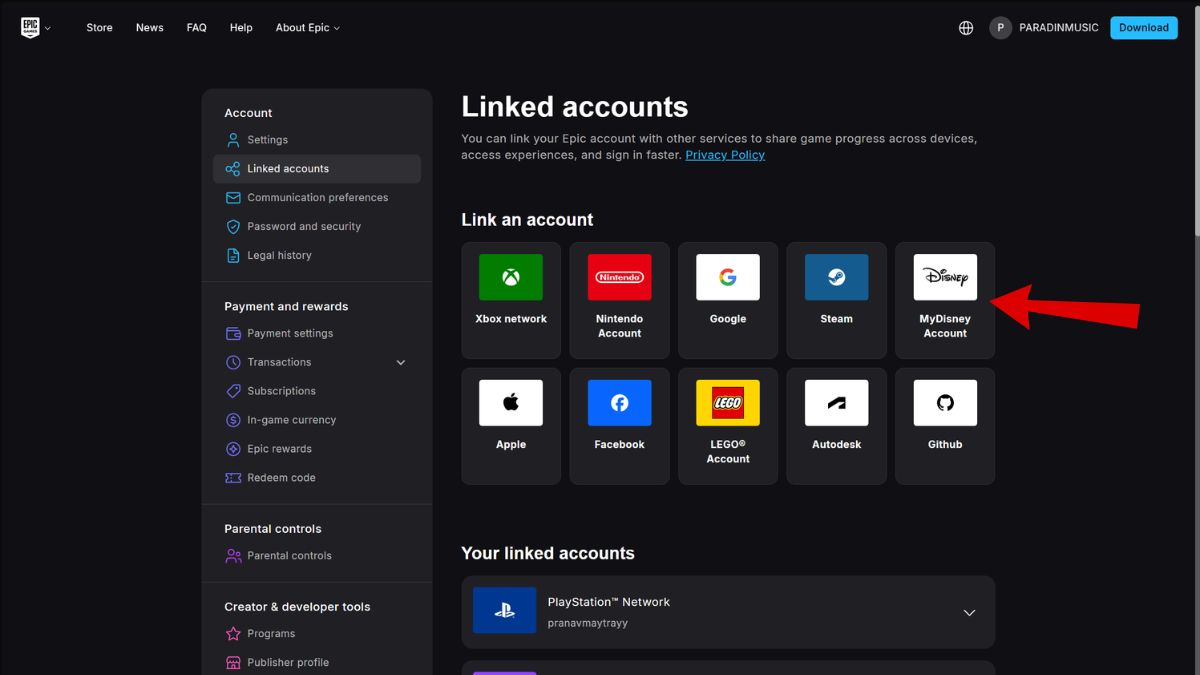
- On the left sidebar, pick Linked accounts.
- Find the MyDisney icon and click it.
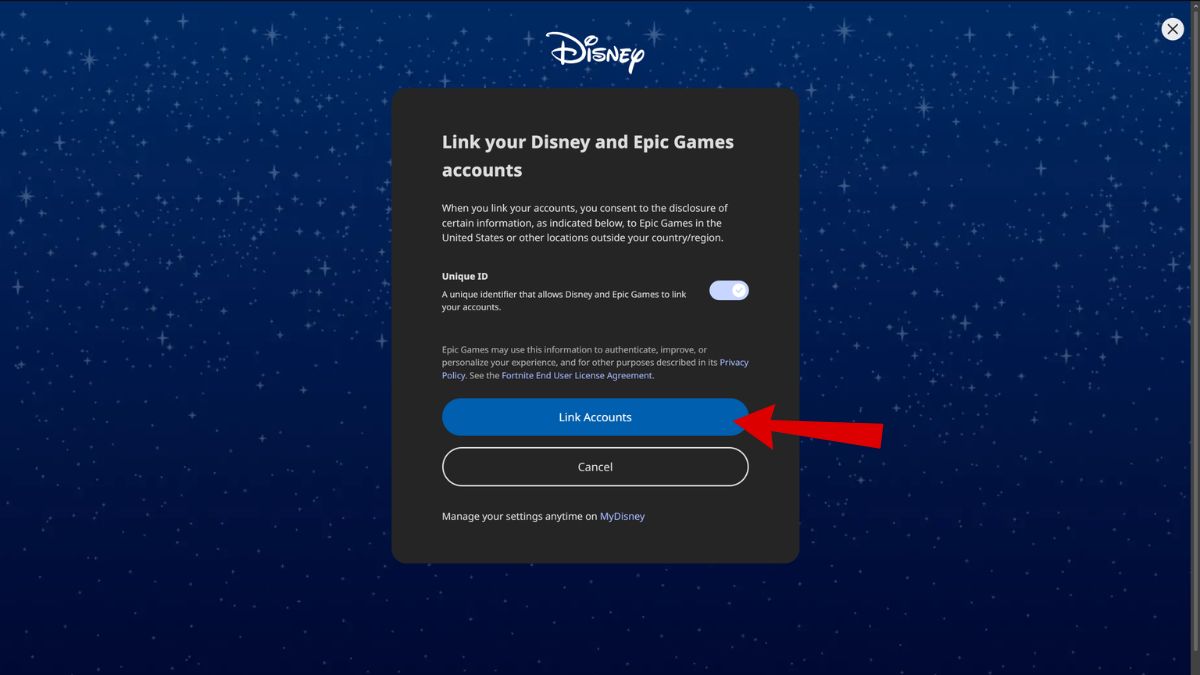
- When prompted, hit Link Accounts and follow the MyDisney sign-in flow.
Many players treat promos like collectibles — What actually happens after you link Epic and MyDisney
Observation: people often expect instant rewards, then get confused when items don’t appear. Analysis: once accounts are linked, the Carbonite Fishstick back bling drops automatically into your Fortnite locker. No purchase needed, no Item Shop transactions; it’s a direct reward from Epic and Disney’s cross-promotion.
How do I get the Carbonite Fishstick back bling in Fortnite for free?
You get it by linking your Epic Games account to a MyDisney account. Use the Epic website account settings, find Linked accounts, choose MyDisney, and follow the prompts. If you use platform accounts like Xbox, PlayStation, or Steam for Fortnite, sign into the Epic account tied to that platform first.
Will the Carbonite Fishstick back bling be in the Fortnite Item Shop?
Short answer: Epic hasn’t said. I’ve watched similar cross-promos—sometimes items later appear in the Item Shop, sometimes they remain exclusive to promotions. If it matters to you, claim it now; grabbing it feels like snagging the last slice of pizza at a party.
When is the last date to claim the free Carbonite Fishstick back bling in Fortnite?
Observation: time-limited freebies always spike interest near the deadline. Analysis: the offer runs through October 31, 2026. After that, Epic could add it to the Item Shop or never bring it back; there’s no guarantee.
If you want a tidy checklist: sign into Epic, open Account > Linked accounts, link MyDisney, confirm, then boot Fortnite and check your locker. If anything fails, try clearing cookies, using an incognito window, or checking Epic’s support pages and the official Fortnite Twitter/X feed for updates.
I’ve walked through promos like this with developers and community managers, so I trust the flow. You can pair the carbonite Fishstick with free Fortnite skins or premium bundles from the Item Shop once it’s in your locker.
Will you link your accounts and add a frozen Fishstick to your lineup?