
I hit launch, the screen flashed a DirectX 12 error, and my rig cycled through an infinite loading loop. You stare at the same message while Discord floods with screenshots and drivers are blamed in the comments. I spent the first afternoon testing fixes so you don’t waste your evening chasing blind solutions.
Forum threads fill with screenshots of “DirectX 12 not supported” errors and instant crashes.
The pattern is clear: day-one reports clustered around AMD’s recent Adrenalin updates, especially driver 26.5.1, and a heavy concentration from Radeon RX 9000-series cards like the RX 9070 XT and RX 9060 XT. Nvidia users have posted crashes too, which means the problem isn’t only brand-specific; shader compilation and GPU scheduling have been implicated.
Players describe startup failures, shader-compile exceptions, infinite loading screens, abrupt PC restarts, and heavy frame drops before a crash. The simplest hypothesis is a driver/runtime mismatch between Subnautica 2’s use of DirectX 12 and recent GPU driver behavior—HAGS and new shader paths are common suspects. The experience can feel like a faulty lighthouse in a storm when your game can’t find its bearings.
Why does Subnautica 2 say DirectX 12 not supported?
Because the game requests a DX12 runtime or driver interface your current driver exposes differently. On affected systems the GPU may report limited feature support, or the driver might crash while compiling shaders. Confirm your GPU driver is compatible with DX12 (Windows 10/11 + current Adrenalin or GeForce drivers), and check Windows Update for any optional runtime packages.
Reddit posts and Steam threads showed a handful of repeatable fixes within hours.
I walked through them one by one; you can test the fastest options first and move down the list only if needed.
Will rolling back drivers fix Subnautica 2 crashes?
Yes, in many cases for AMD RX 9000 owners.
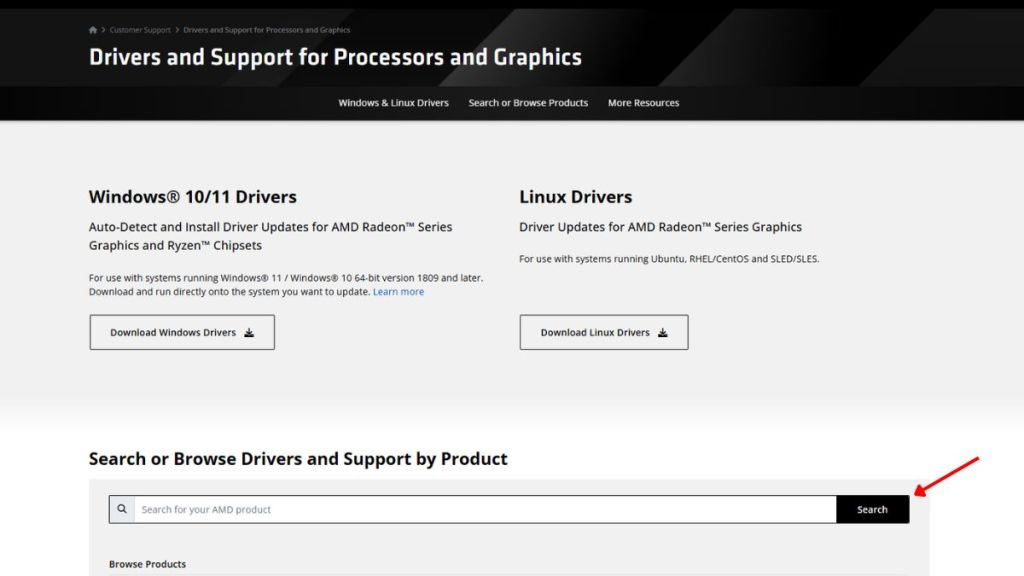
- Rollback to AMD Adrenalin 26.3.1: This is the most reliable fix reported. Visit AMD’s support site, grab 26.3.1, install, and reboot. Several users confirmed the game launched normally after the rollback.
- Try 26.5.2 if you prefer a newer build: Some players found 26.5.2 resolves the issue—test it if you want a newer driver than 26.3.1.
My inbox and Discord were full of messages from players who needed a fast fix right away.
If you’re short on time, these four moves are the fastest ways back into the water.
How do I stop Subnautica 2 from crashing mid-session?
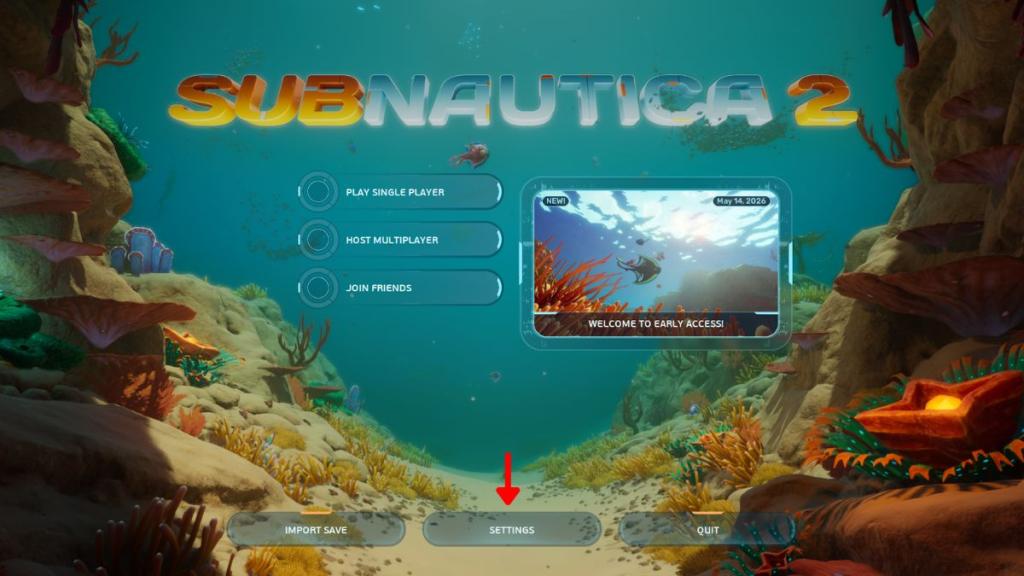
- Lower graphics settings immediately: If the game starts but then dies, set Graphics → All Quality to Low, disable Motion Blur, VSync, and Underwater Blur, run at lower resolution, and try windowed mode. This reduces shader load and can keep the game stable long enough to change other settings.
- Verify game files on Steam: Right-click Subnautica 2 → Properties → Installed Files → Verify Integrity of Game Files. Corrupt shader caches and missing assets are common causes of startup errors.
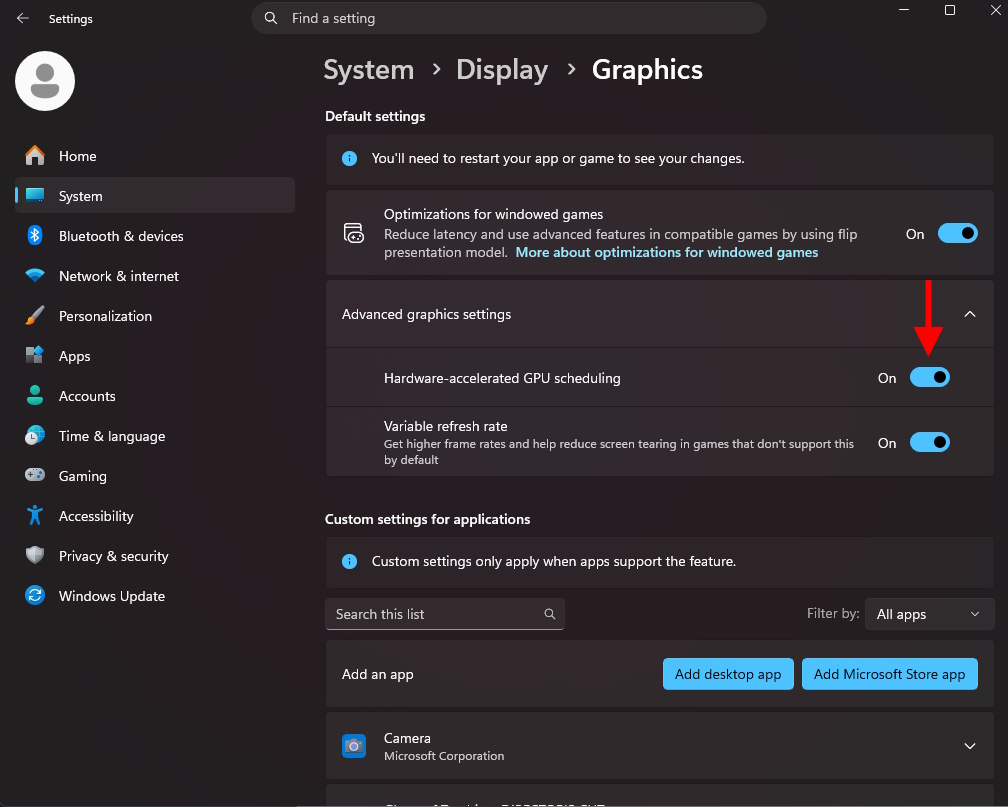
- Disable HAGS (Hardware-Accelerated GPU Scheduling): Windows Settings → System → Display → Graphics → Advanced Graphics Settings → toggle off Hardware Accelerated GPU Scheduling, then reboot. A surprising number of players reported stability after turning HAGS off.
Community threads showed a few edge cases that needed more invasive steps.
When the quick fixes failed, users reported success with these heavier repairs.
- Reinstall to the system drive (C:): Some players had trouble when the game sat on a secondary SSD or HDD; reinstalling to C: fixed shader path issues for them.
- Clean driver install: Use Display Driver Uninstaller (DDU) in safe mode to remove the current GPU driver, then install a known-good version (26.3.1 for AMD users, or the latest WHQL GeForce driver for Nvidia testers).
- Report logs to the devs: Collect the game’s crash logs and DxDiag, then post them to the official Subnautica 2 support channels or the developer’s Discord—developers can often correlate driver versions with crash signatures.
If none of these work, the issue may require a patched driver from AMD or a hotfix from the Subnautica 2 team. Treat changes one at a time so you can roll back what doesn’t help; your rig is not a test bench for simultaneous changes, it is more like a pressure cooker about to blow if you flip all the switches at once.
How do I verify system requirements and DirectX support?
Check Steam’s minimum requirements and run dxdiag on Windows to confirm DirectX 12 feature levels. Also make sure Windows is up to date and that optional GPU runtime packages from Microsoft are installed.
If you tried one of the fixes above, tell me which worked and which made things worse—do you trust driver rollbacks, or will you wait for AMD and Subnautica 2 to push official fixes?