
I freeze behind a rusting crate as footsteps pass. The guard yawns, eyes flick to a spilled toolbox, and the Pickpocket prompt pulses on my HUD. You can feel the map open when a single pocket turns into an entire route that skips a firefight.
On a busy waterfront a man drops his cigarette — How to Pickpocket in 007 First Light
I’ve spent hours sneaking through IO Interactive’s arenas, and pickpocketing is one of the simplest, most surgical tools in your kit. Use it right and a single stolen keycard or phone reroutes an entire encounter; use it sloppily and you’re back to fists and rounds. Below I’ll show you the exact steps, how the game reads intent, and the small details that make pickpocketing feel like a deliberate tradecraft.
How do you create a distraction to pickpocket in 007 First Light?
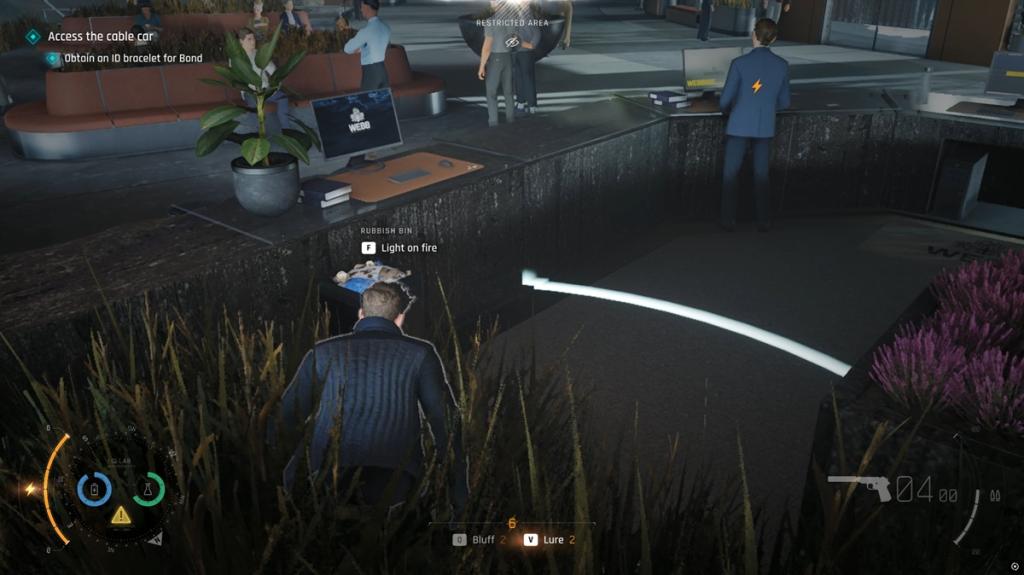
Distracting an NPC is the gatekeeper. You can trigger distractions with the environment — ignite a dumpster, sabotage a pipeline, or break a nearby laptop to draw attention. Your gadget suite also offers clean options: stun, flash, or induce sleep with the right device. Sleeping targets are automatically vulnerable, which saves you a tense moment of timing.
On a shift change you notice an extra set of eyes — Be aware of Watchers before you steal
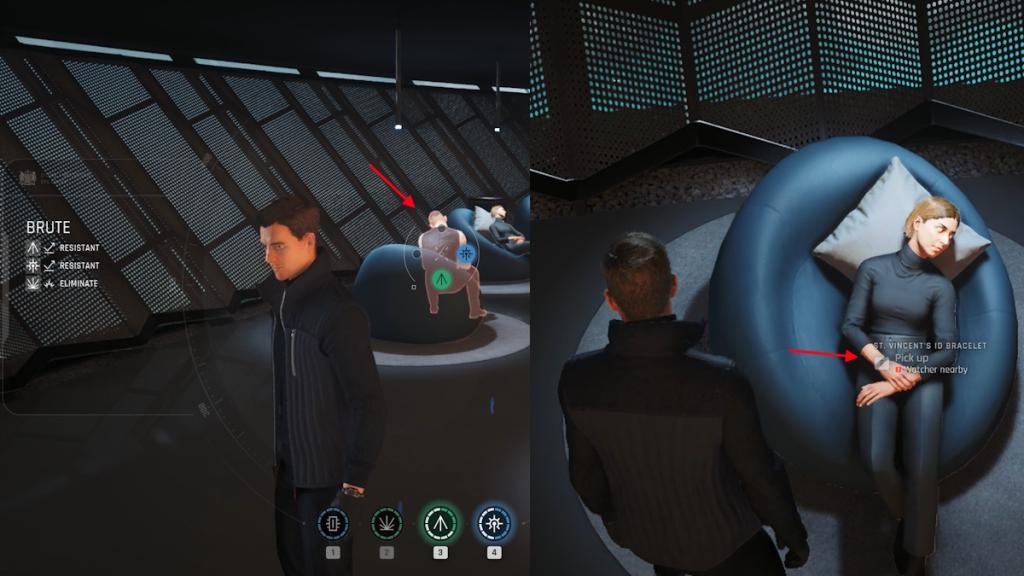
Watchers are the reason a clean distraction can still leave you frozen. These are NPCs with the Watcher specialization; they prevent any pickpocket action if they remain alert. Use your Q-Lens gadget to tag them — the HUD will tell you when a Watcher is still watching. Until those Watchers are stunned or diverted, the Pickpocket option stays greyed out and Agent 007 will not take the risk.
What button is pickpocket on PC and consoles?
The game keeps this simple: on PC the default key is F. On PlayStation controllers it’s Triangle, and on Xbox controllers it’s X. If you’re running the game on Steam or a custom control map, check the input bindings — I usually keep Pickpocket close to my crouch or interaction key so it’s instinctive.
On a cold rooftop you edge in close — The moment you press the prompt
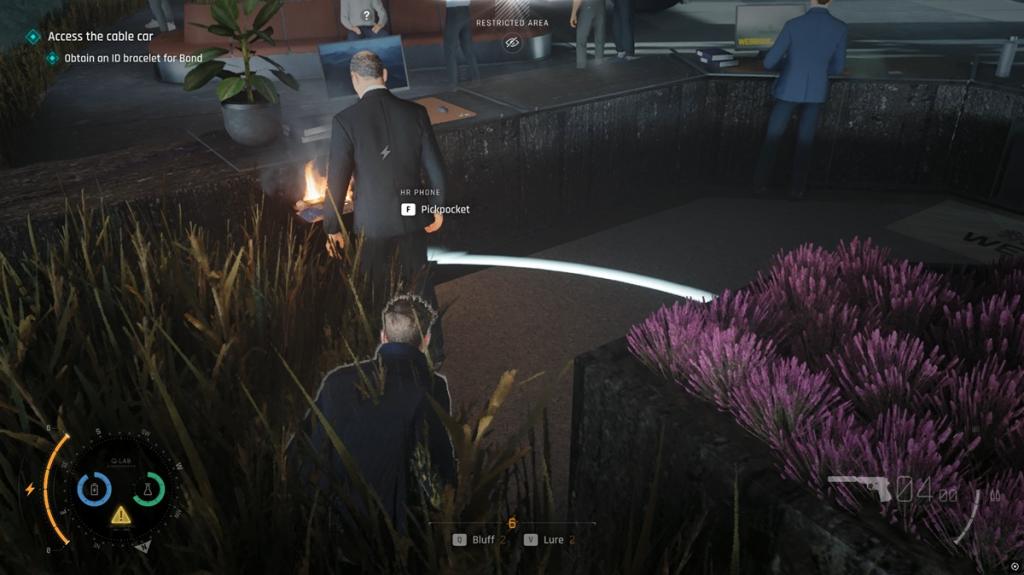
Once the target and any Watchers are distracted, move close and the Pickpocket prompt will appear. You don’t need to crouch or collide with the NPC; proximity after distraction is all the game asks for. Press the prompt and the item transfers cleanly into your inventory — no success roll, no alarm triggered if done correctly.
Can you fail to pickpocket in 007 First Light?
No hidden RNG here — pickpocketing in First Light does not have a chance-based failure. The system is binary: if the Pickpocket option is available, it succeeds when you activate it. That design choice reads like a confidence vote for Agent 007: he only lifts an item when the situation is sealed.
Think of the approach as two simple rules: silence the target, silence the watchers. I treat the process like a whisper through curtains — close, quiet, and almost invisible. Your second rule is patience; be a locksmith with a delicate hand, not a battering ram.
If you want to reshape an encounter without firing a shot, pickpocketing is one of the cleanest tools in the IO Interactive toolkit. Will you start routing levels around stolen keycards and overheard intel, or stick to direct confrontations?