
I was two minutes into a mid-run when the minimap blinked and the whole lobby shifted. I tightened my grip, the tension in the match tightening like a string on a bow. You can feel a single decision—dig here or push on—decide whether the run lives or dies.
I’ve chased sprites through sweaty endgames and boring farm runs, and I’ll walk you through how to get and use the Sprite Locator so you spend more time collecting and less time guessing. I write from the standpoint of someone who wants clean runs, fewer wasted locators, and more extracted sprites for your collection.
How to get the Sprite Locator in Fortnite Chapter 7, Season 3
You notice groups crowding chests the moment a run opens; people know where the value lives. To get a Sprite Locator you must reach sprite mastery milestones: raise a sprite to level 5 for at least 17 sprites. That sounds like a wall for new players, but there are reliable shortcuts.
The fastest lever is Quack Snacks: they buy you one mastery level per snack and a single extra level costs roughly 1,500 gold (about €5). Grind a few short runs, buy snacks selectively, and focus on extracting any max-level sprites you already own—only extracted max-level sprites count toward the mastery rewards. Once you’ve hit mastery for 17 sprites, the game deposits three Sprite Locators into your inventory.

How do I get the Sprite Locator in Fortnite Chapter 7, Season 3?
Hit sprite Mastery Rank 5 on 17 separate sprites and extract any max-level sprite you already have. The game then grants three Sprite Locators in your inventory tied to your Epic Games account. Use Quack Snacks for targeted level boosts if you’re low on time—think of them like small, cheap XP injections that cost about 1,500 gold (~€5) each.
How to use the Sprite Locator in Fortnite
People instinctively check their popout wheels when a new gadget appears; habits matter in a hurry. When you’re holding a Sprite Locator, open your Gizmo Wheel mid-run: it replaces your pickaxe slot on the left. Equip it, activate it, and the Locator marks a buried blue chest somewhere nearby.
The Locator gives you a hologram of the sprite that sits inside the chest so you can skip chests that don’t contain what you need. It behaves like a metal detector on a stormy shore: it points, you follow, and then you decide whether to dig. Be mindful—if you’re eliminated before extracting the sprite, the Locator is consumed and any sprite inside the chest is lost to you.
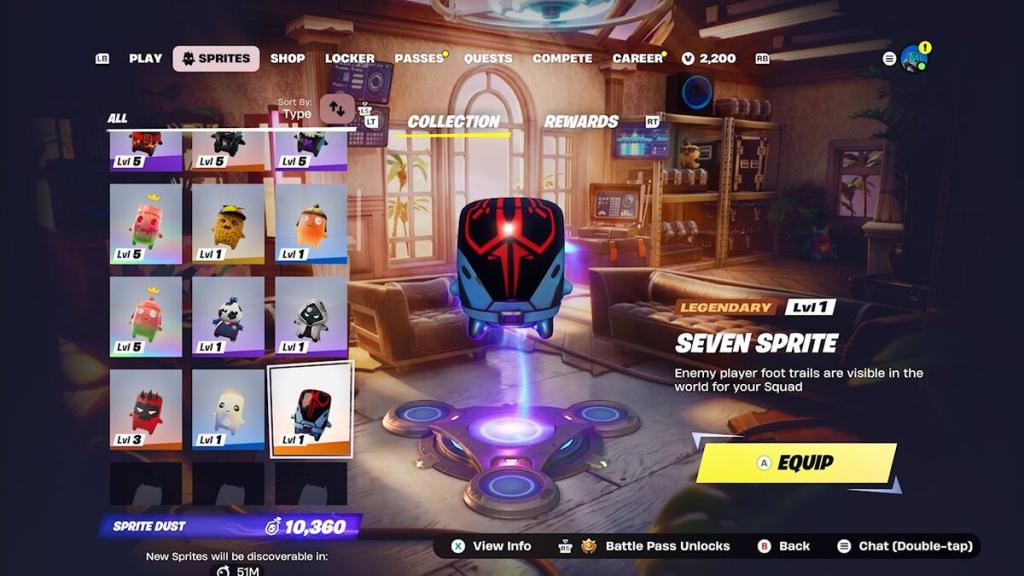
How do I use the Sprite Locator during a run?
Open the Gizmo Wheel, select the Sprite Locator in place of the pickaxe, and activate it. A marker appears on your HUD showing the buried chest location; a hologram previews the inside. If the preview matches a sprite you want, dig quickly and extract it—if you die first, the locator and sprite are gone.
Can I lose a Sprite Locator if I’m eliminated?
Yes. The locator is consumed on activation and you lose it, plus any sprite inside the chest, if you’re eliminated before extraction. That’s why extraction timing matters: pick your fights, play for the extract, and don’t get greedy in a hot zone if your inventory depends on the locator’s payout.
I recommend tracking your runs in whatever platform you use to study your failure points—YouTube creators and streamers often highlight extraction techniques, and Epic Games patch notes sometimes tweak sprite mechanics. Use those signals to shape how you spend Quack Snacks and when you take risks.
So: will you risk a Sprite Locator on a hot drop and bet the run?