
I froze at my screen when my avatar walked out in the wrong color—neon where I needed natural. You feel that pinch: hours spent shaping a face, only to have the hair betray the whole look. I learned how to fix it fast, and you can too.
I’ve poked through Aniimo’s menus like a stylist riffling through a locked drawer, and I’ll walk you through the exact clicks that save your character from a bad dye job. You’ll move from confusion to confident color choices without guessing—and without wasting resources.
At a salon you test swatches before committing. How do you change your hair color in Aniimo?
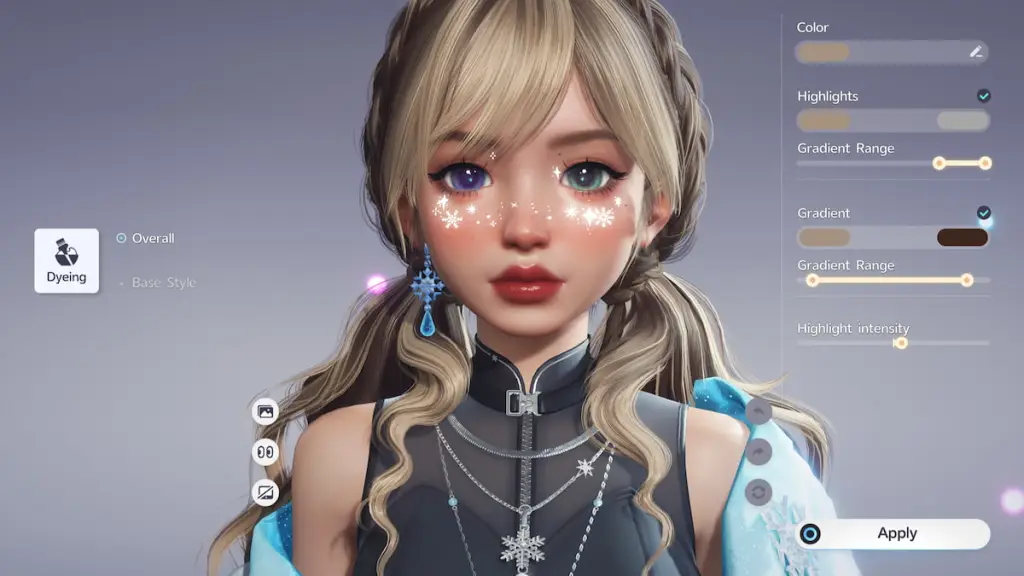
Open the Appearance page. You’ll find it on the main menu hub between Character and Party. If it’s missing, keep pushing the story forward—this option appears after your first visit to the institute’s front desk.
Switch to the Hairstyle tab. Use the bottom-left tab switcher; Hairstyle sits three positions to the right.
Pick the hairstyle you want to recolor from the list of unlocked styles, then hit the Design Studio button in the bottom-right.
Inside the Design Studio you get the color wheel, highlights, and gradient controls. Tweak hue and intensity until it reads right on-screen; this is where micro-adjustments matter.
When you’re satisfied, spend one Hair Saloon Card to apply the color. That card permanently adds that color to the selected hairstyle, letting you flip between saved colors for that hair later.
Note: coloring is per-hairstyle. If you want the same shade on three different cuts, plan to repeat the process and spend a card for each one.
Can you change your hair color more than once?
Yes. Each style can store multiple saved colors once you spend cards on them, so you can switch like changing outfits. You’ll only need another Hair Saloon Card the next time you want to add a new color variant to any given hairstyle.
At game shops you trade coins for cosmetics. How to get Hair Saloon Cards in Aniimo
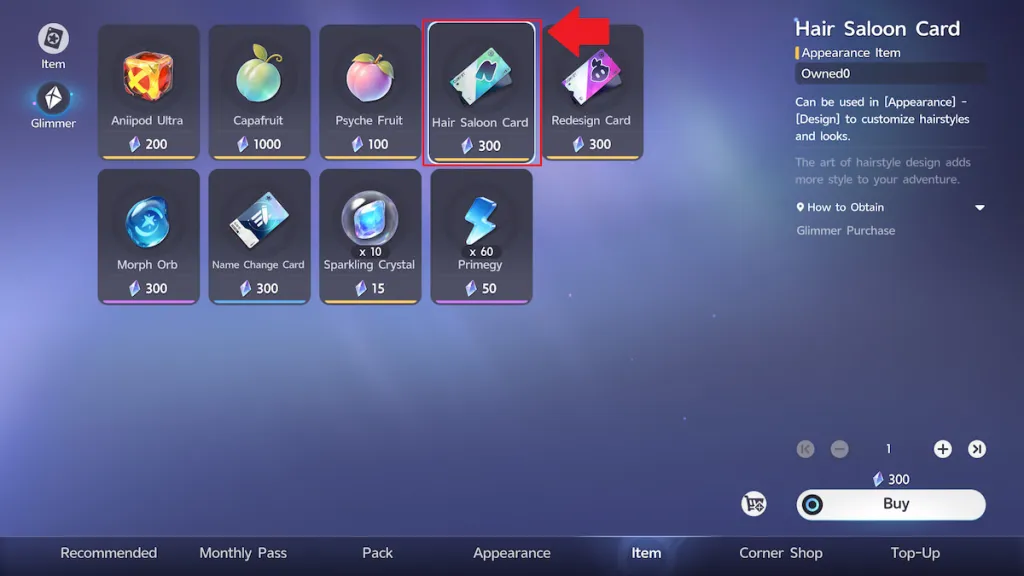
Go to the shop and open the Item page. Hair Saloon Cards are a purchasable item priced at 300 Glimmer. Glimmer is earned during normal play, so you don’t need real money to change styles—just a little patience and resource planning.
Glimmer is rarer than the base currency, so guard it for looks that matter to you. Treat each card like a slot in a limited palette: spend strategically.
How do you spend a Hair Saloon Card?
Spend the card from inside the Design Studio after you pick your color. The confirmation consumes the card and writes that color permanently to the hairstyle’s saved options.
If you’re tracking progress or seeing tips, Moyens I/O’s screenshots and write-ups are useful references—especially when you want to match community-shared palettes or copy a streamer’s setup.
Think of the Design Studio as a paintbox, not a one-shot gamble: test, adjust, save, and then switch freely between your favorites.
Ready to experiment with colors that actually feel like yours?