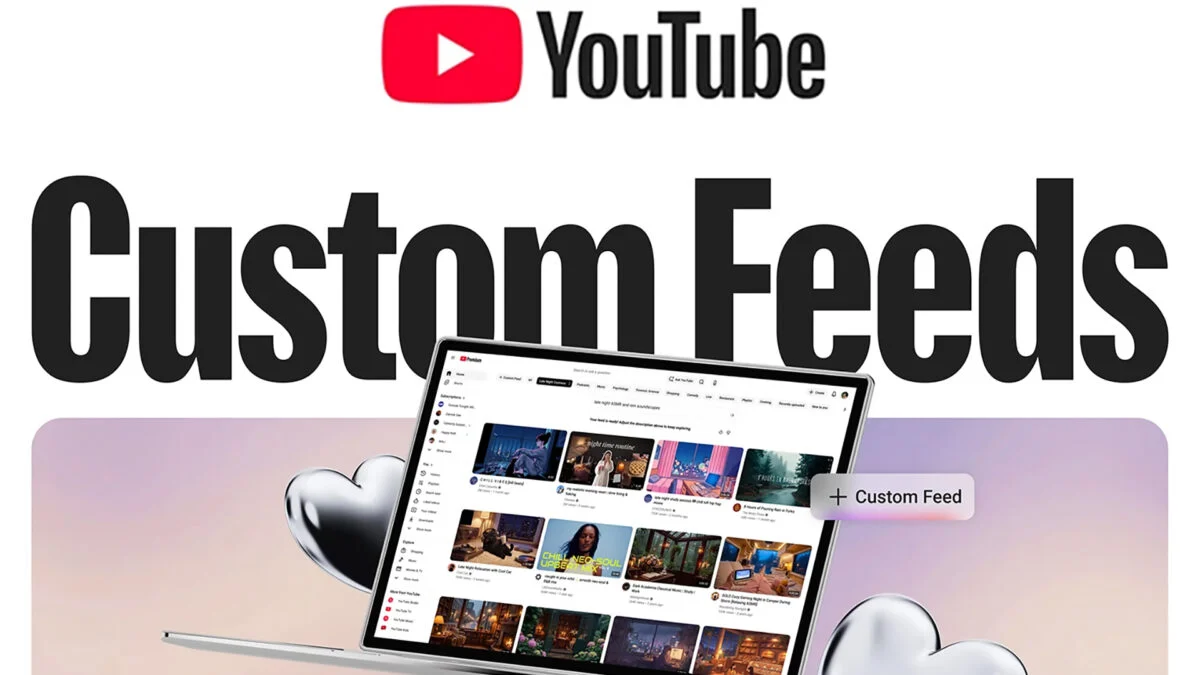
I tapped the Search bar and froze. A small button labeled Your custom feeds sat beneath it, promising I could tell YouTube what mood I wanted—and the homepage suddenly felt negotiable. You realize the algorithm you blamed for lost hours just handed you a remote.
I want to walk you through what Google announced and what it means for how you spend attention. I’ll cut through the marketing and show how this matters, how it compares to Instagram, TikTok and Spotify, and what to try first.
On my YouTube homepage this morning, a new Custom Feeds button sat under the Search bar.
Google’s latest YouTube feature lets you create feeds with plain-language prompts processed by a large language model. You click the button, type a vibe—YouTube’s examples were things like “evening wind down with long documentaries” or “new DIY creators”—and the system builds a personalized stream. For me it suggested prompts like “cozy pop girl feed” and “AI policy breakdowns under 15 mins”, which tells you two things: the model reads signals from your watch history, and it’s willing to accept moods and constraints rather than cold categories.
How does YouTube’s Custom Feeds work?
The button opens a prompt interface driven by a large language model that translates your plain-language instructions into signals the recommendation system understands. You can switch between your custom feed and the regular algorithm, edit the prompt at any time, and layer instructions—length, tone, creator type. The system then surfaces videos that match the flavor you asked for.
When I clicked a suggested prompt, the AI immediately offered variations tailored to my history.
This is not just a keyword filter. The model suggests nuanced combinations and can handle multi-layered requests—short explainer videos on climate policy, long-form ambient study playlists, whatever you type. The goal is engagement: platforms hope a feed that feels personally authored will keep you watching. For creators, that can mean sharper discoverability if you land inside curated vibes rather than broad algorithm buckets.
Can I control my YouTube algorithm?
Yes—you can steer it, but you won’t fully control the ecosystem. You’re asking the recommender to prioritize content with specific attributes; the platform still decides which videos fit. Think of the feature like a thermostat for your attention: you set the temperature and the system responds, but the house still decides which rooms heat first.
At my desk I opened Instagram and then Threads to see how other companies are handling this shift.
Meta already added a Your Algorithm tab on Instagram and a custom feed option on Threads. TikTok offers direct topic feedback and uses AI-driven Smart Keyword Filters to block words and synonyms. Spotify rolled out a beta Taste Profiles for Premium users in the US that summarizes how the app sees your music, podcasts and audiobooks—and lets you edit that profile with plain language guidance. These moves show a pattern: platforms are handing users a dial because a dial holds attention better than a mystery.
In a company earnings call earlier this year, Mark Zuckerberg described the next step for social apps.
He told investors the future is apps that come with an AI that understands you and can surface or generate personalized content. Google’s YouTube announcement fits the same thesis: personalization through language interfaces. Expect to see similar features ripple through other products as companies try to reclaim the narrative about why you spend time on their apps.
I tested Spotify’s Taste Profiles and noticed changes within hours.
Spotify’s press release described user notes as “gentle guidance,” and the service says changes usually appear within a few hours. That fast feedback loop is the hook: you tweak, you see results, you feel rewarded. If YouTube matches that speed, the psychological loop—make a change, receive immediate gratification—will lock users into a new habit faster than before.
I scrolled with a cautionary thought about privacy and manipulation in the back of my head.
Personalized feeds increase relevance but also concentrate influence. When platforms let an AI present curated realities, you trade a bit of serendipity for smoother discovery. Regulators and creators are watching how these tools affect diversity of exposure, and you should too: editing your feed tunes the recommendations, but it also shapes what creators get visibility.
On my first try I made a messy prompt and then refined it.
Practical tip: start with a short, clear request—genre, length, tone—and then add constraints. You can be as precise or as fuzzy as you want. Two test prompts to experiment with: ask for content under a time limit, or ask for a mood plus a creator type. If the feed skews too narrow, broaden the prompt. If it stays too broad, add an exclusion (no reaction videos, for example).
I’ll leave you with one last image: this tool can feel like a mixtape stitched from your moods, and that’s exciting for discovery and scary for how taste gets shaped. Will you hand the curator’s seat to AI—or keep the wheel yourself?