
I stood in an empty room, photo mode open, and realized the clue didn’t match the obvious suspect. The task name practically dared me to point my camera at Jack Skellington and move on. You learn fast that seasonal events will mislabel things to keep you guessing.
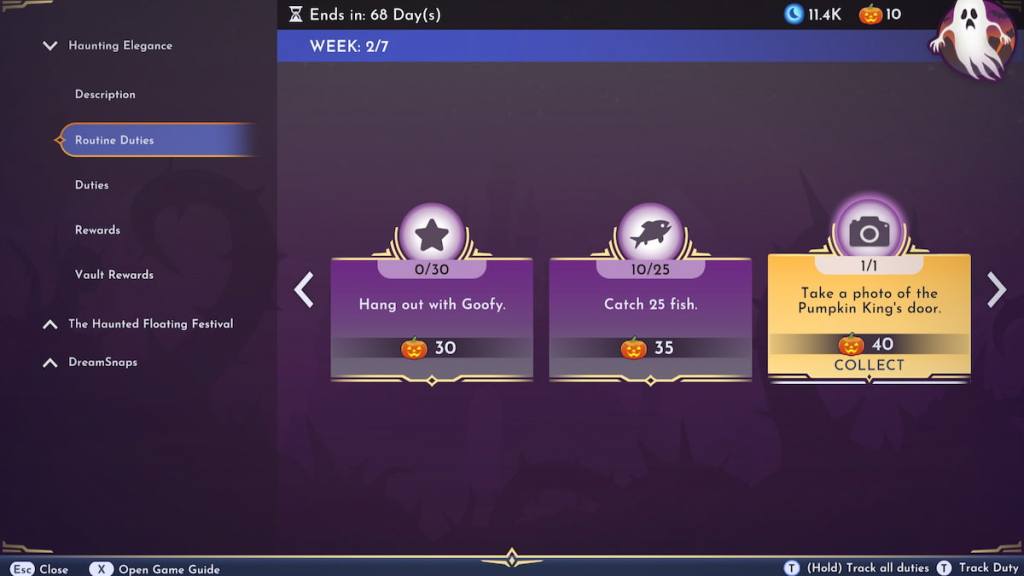
What is the Pumpkin King’s door in Disney Dreamlight Valley?
You have an instinct to march straight to Jack Skellington’s house — that’s the real-world behavior most players show. The game, however, is playing slightly byzantine: the Pumpkin King’s door is not Jack’s door at all but the Candy Cane Door you can claim through the Haunting Elegance Star Path event.
The event text is a red herring. That small twist is the whole point of this duty: it rewards patience and attention, not intuition alone.
Who is the Pumpkin King in Disney Dreamlight Valley?
Most players think of Jack Skellington from The Nightmare Before Christmas — and that instinct is correct for lore but misleading for this task. The event treats the title as a label tied to an item in the Star Path: the Candy Cane Door.
How to find Pumpkin King’s door in Disney Dreamlight Valley
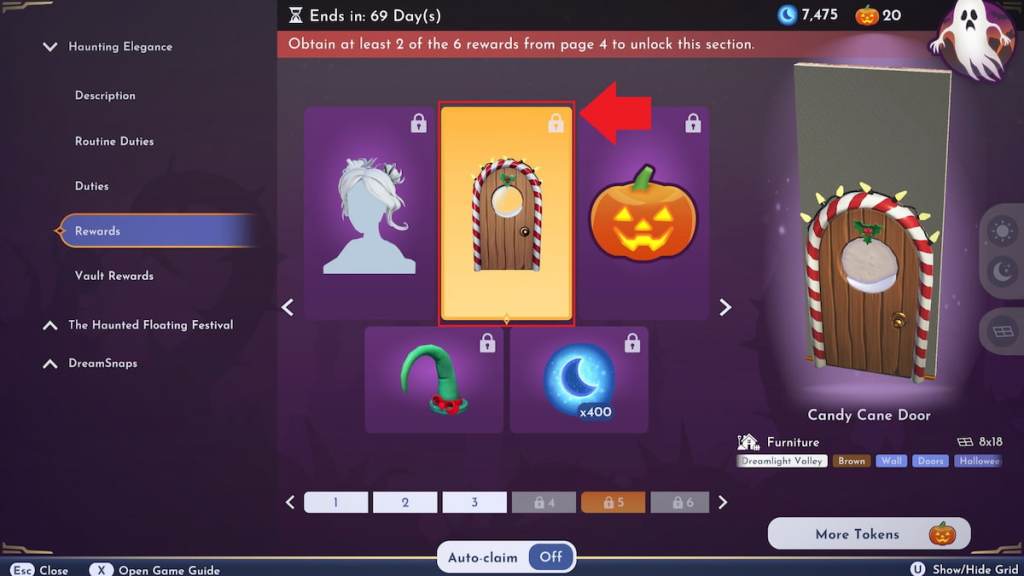
If you’ve completed seasonal pages in any live-service game, you’ll notice rewards arrive in orderly pages, one after the other. The Candy Cane Door shows up on page five of the Haunting Elegance Star Path and costs 60 Tokens.
Pages unlock sequentially, so you must collect earlier rewards and tokens to reach page five. Once you’ve purchased the door, place it in any of your homes: open Furniture mode, select a door slot and replace the existing door with the Candy Cane Door.
How many Tokens do I need?
The Candy Cane Door costs 60 Tokens on page five. Work through the earlier star path rewards and routine duties to earn those tokens; players on Switch, PlayStation, Xbox, and PC will see the same progression.
Take a photo of the Pumpkin King’s door in Disney Dreamlight Valley
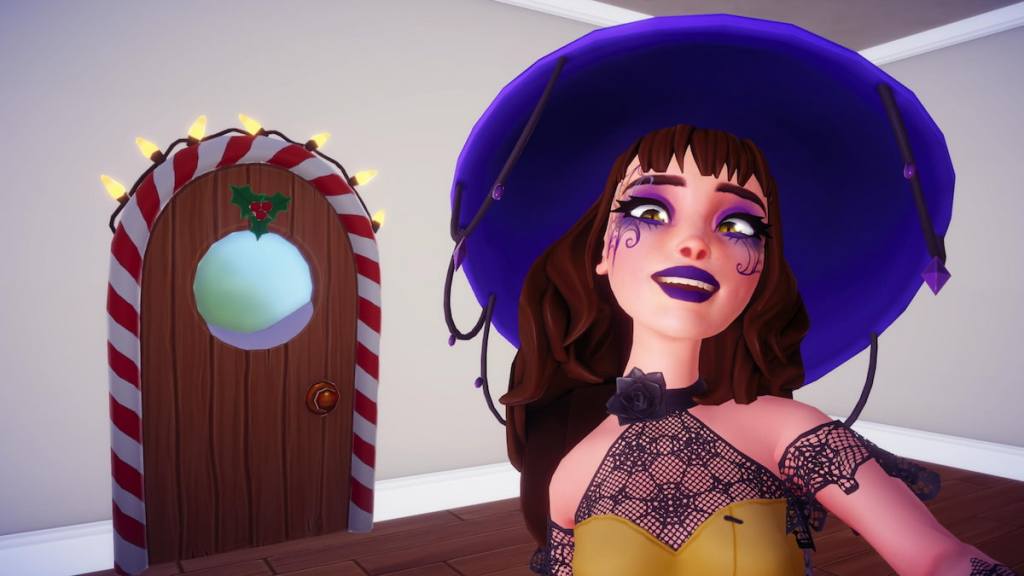
You’ve probably seen a mission fail even when the obvious item is in frame — that’s common with photo duties. The requirement here is simple: take one photo that includes the Candy Cane Door in the frame.
Photo tasks can be a temperamental cat: they register only when the game’s angle, occlusion, and framing line up with an internal check. If a single shot doesn’t mark the duty complete, try these quick fixes.
Why won’t my photo register?
Common causes: the door is partially obscured by furniture, the camera angle crops the door out, or the game’s recognition routine misses the object. Emptying the room and taking a clear, centered shot often solves it.
Can I finish this from any angle?
Technically yes, but the task is picky. Move around the room, try different photo-mode settings, and if possible place the door on a wall with no furniture in front of it. If nothing works, report the bug to Gameloft support through their help page.
After that duty clears, you can pivot to other Haunting Elegance chores — cooking Whimsical Pies, collecting wood, mining for square gems, or selling green vegetables — and keep earning Star Path progress.
Read what’s behind the latest news in gaming (with a bit of snark) by subscribing to the Moyens I/O Checkpoint newsletter!
If the game still refuses to register your shot, will you treat it as a curiosity to report or a challenge to beat in style?