
My pity counter finally blinked full—and the banner rolled past the exact mythic I wanted. I felt that sting: the featured units kept rotating away, and my pulls felt wasted, like a lighthouse in fog. I learned one clean trick that stops the spin of luck dead in its tracks.
I’m going to show you exactly how I grabbed a Celestial Compass and spent it so the next pity actually lands where you want. You’ll save time, Robux, and the small headspace that gacha fatigue eats away.
You’ve probably noticed Roblox groups often pin free-code announcements at the top.
That’s where the Celestial Compass lives: as a code reward tied to the official community group. You must be in the group to claim the item, and it costs you nothing beyond joining.
- Open Roblox and launch Anime Adventures.
- Join the Gomu Roblox community group if you haven’t already—this is required to redeem the code.
- Walk to the codes booth near spawn.
- Type CELESTIALCOMPASSU21 into the code box and press Redeem.
- The Celestial Compass appears in your Items list—free and ready to use.
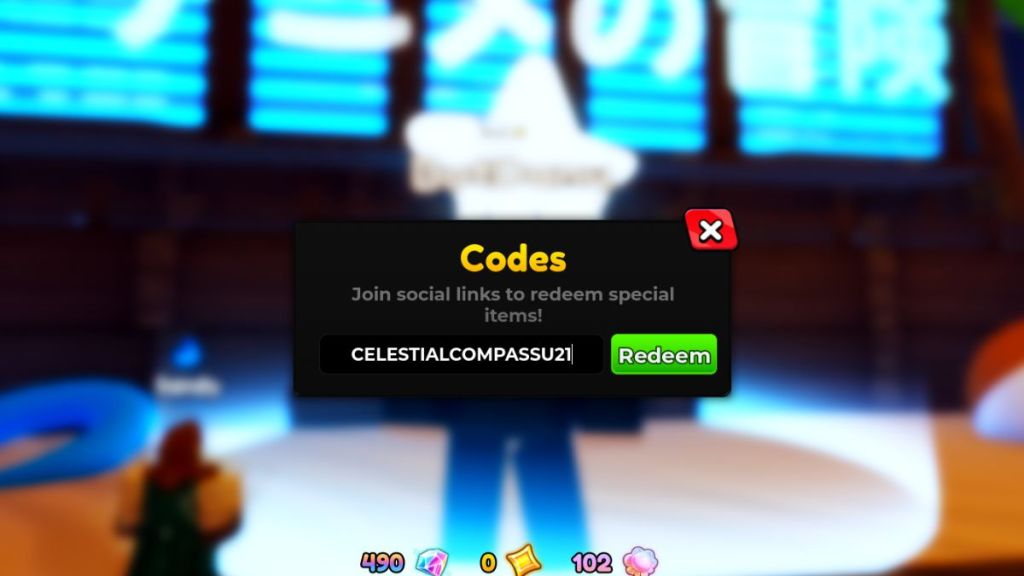
How do I redeem the Celestial Compass code?
You redeem it the same way you claim any Roblox game code: join the Gomu group, go to the in-game codes booth, enter CELESTIALCOMPASSU21, and hit Redeem. If the code doesn’t work, check the group membership and that the code hasn’t expired.
If you’ve opened the Items menu lately, you’ve seen how tidy the UI is—finding consumables is simple.
The Celestial Compass lets you pick a single Mythic on the Special Banner; it sits in your Items until you use it. I treat it like a master key: one deliberate pick, and your pity will funnel to that unit when it triggers.
- Open the game and click the Items icon on the left.
- Select the Celestial Compass from your list.
- Press Use, then choose the Mythic unit you want from the list.
- Go to the Special Banner (summon icon on the left) and start summoning as usual.
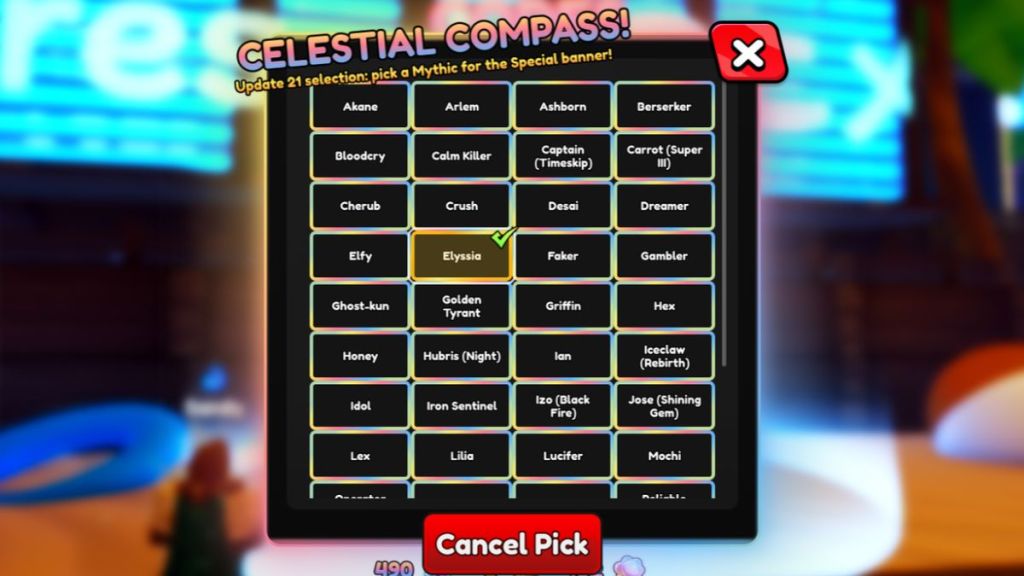
Important: the compass is only consumed when your selected Mythic actually drops. You can change or cancel your pick any time before the pity claim triggers. That gives you breathing room to wait for the right patch notes, synergy, or meta shift.
Does Celestial Compass work on the regular banner in Anime Adventures?
No. The Celestial Compass applies only to the Special Banner. It won’t affect regular or limited banners—so save it for the Mythics you truly want from Special pulls.
Do I need to wait for my selected unit to appear on the banner?
You don’t. Once you choose a Mythic with the compass, the game will award that unit when you hit pity on the Special Banner, even if the selected unit isn’t currently featured. That’s why using the compass is powerful for long-term pulls.
You’ve got the code, the steps, and the caveats—what Mythic will you lock in first?