
I was five minutes into a world when I realized the island felt empty without my friends. You know that small, stubborn ache when a game is technically playable but socially dead. The new Java friends system fixes that—fast, and without a server bill.
I’m Bipradeep-level obsessive about making multiplayer feel effortless. You want to play together, not host or fight ports. Here’s exactly how to add friends in Minecraft Java, get them into your world, and troubleshoot the few hiccups that still crop up.
How to Play Minecraft with Friends
An increasing number of players are choosing Java for modding and custom servers, but that used to mean more setup when you wanted to play with a buddy. Mojang has begun closing the gap with a built-in Friends List and peer-to-peer multiplayer in Java Edition.
What you need
- Minecraft Java 26.2 Snapshot 7 or higher (this is where the Friends List appears).
- A Microsoft/Xbox account linked to your Minecraft profile.
- If you want to avoid snapshots, you can still use a server or buy a Minecraft Realms subscription (~$3.99/month, €3.70).
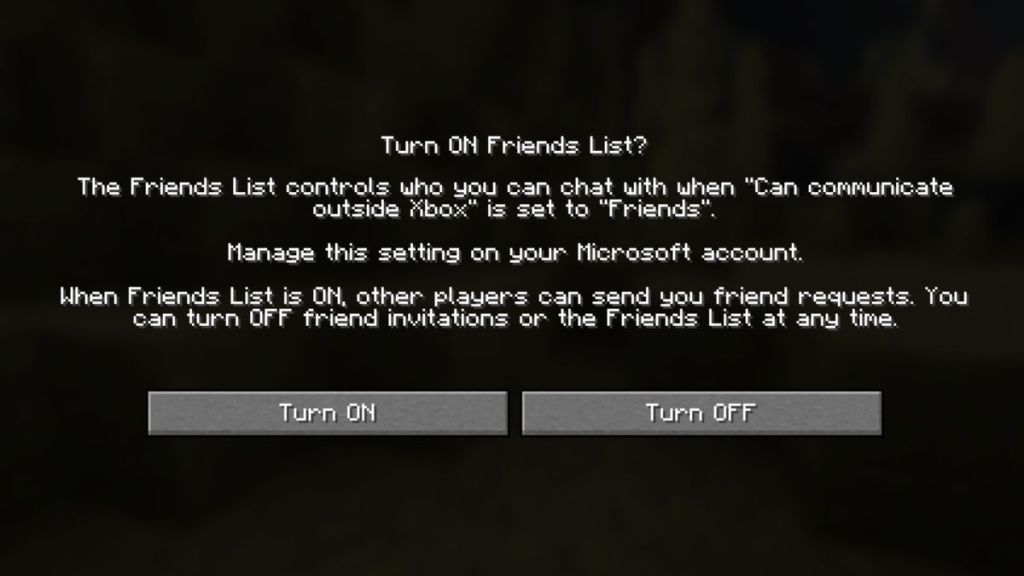
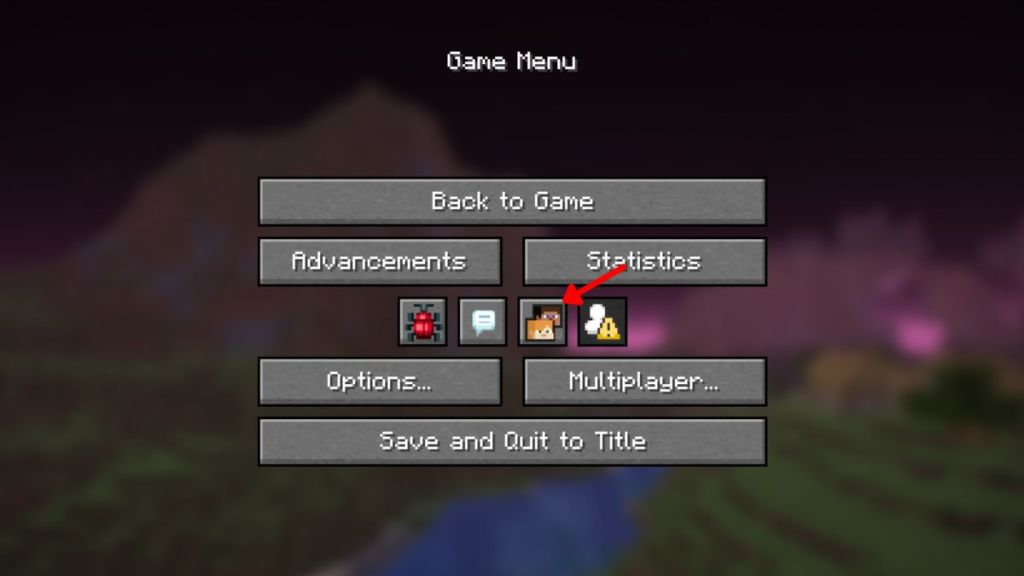
Turn the Friends list on the moment you see the new icon under Minecraft Realms on the title screen. It asks you to toggle the feature; flip it on and you’ll be able to send and accept requests.
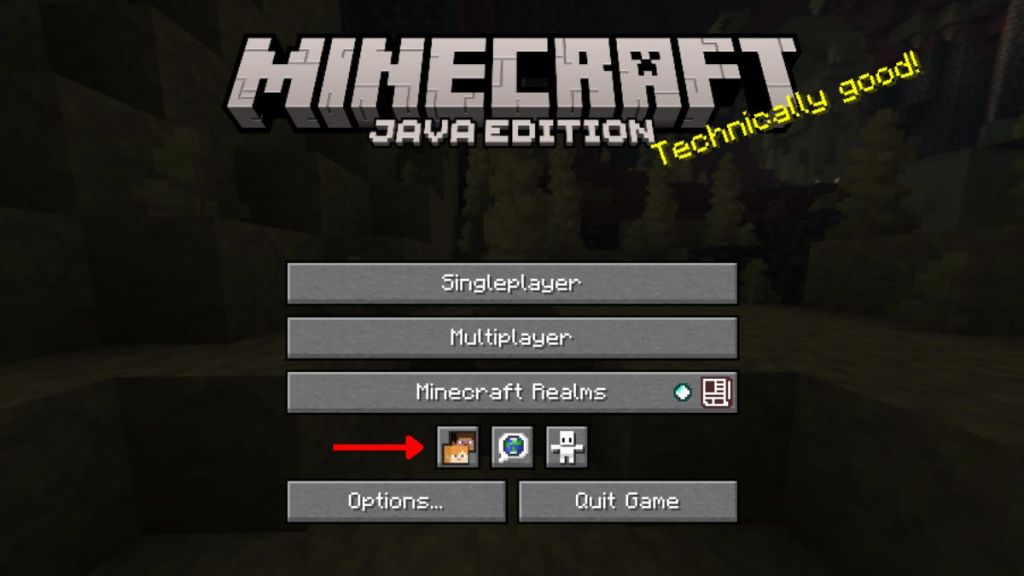
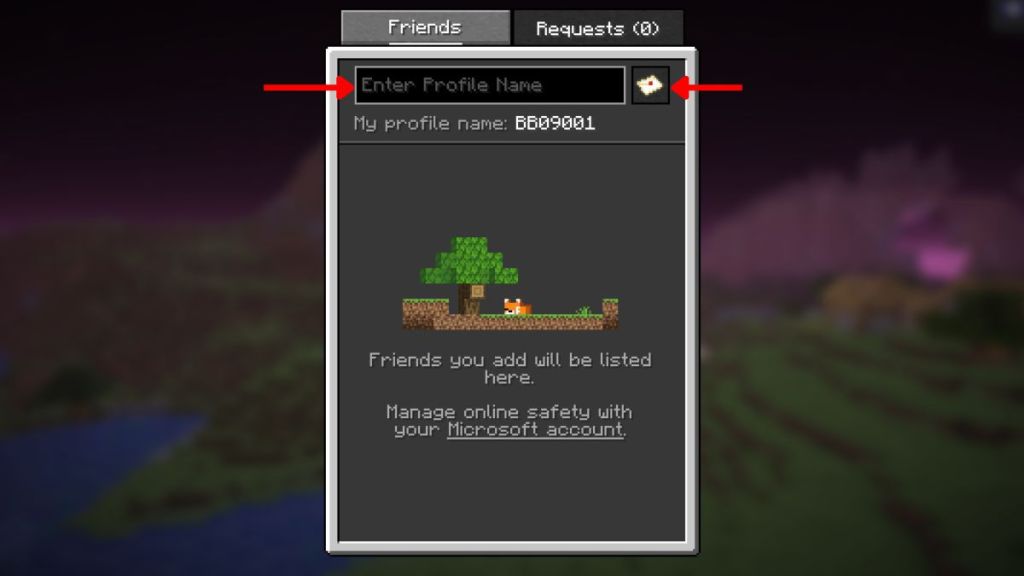
How to add a friend, step by step:
- Install Minecraft 26.2 Snapshot 7 or higher.
- From the title screen, open the Friends icon to launch the new window.
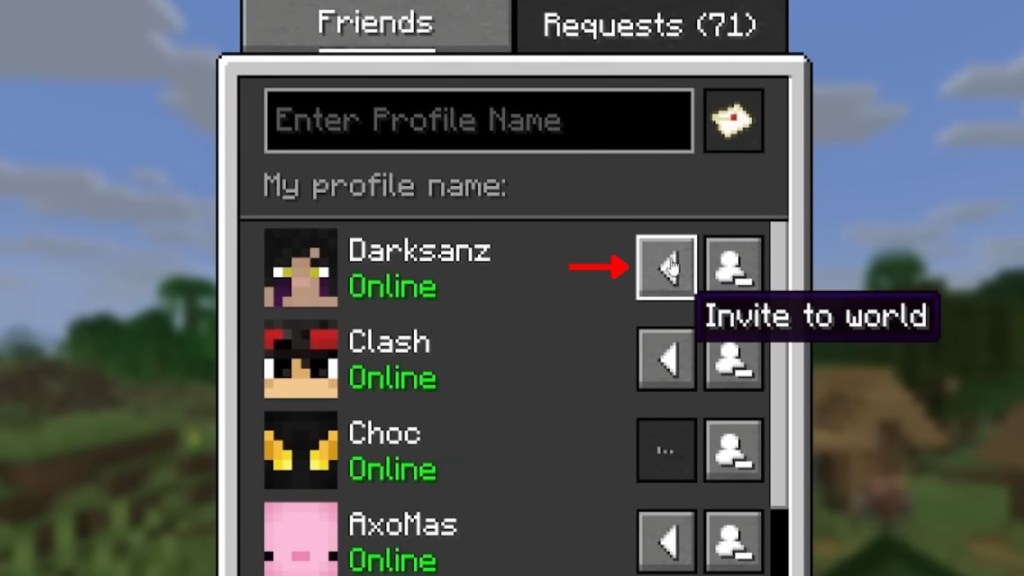
- Type your friend’s Minecraft profile name into the text box.
- Click the envelope icon to send the request.
- When they accept, you can invite them to any world you host or open online.
If you turned off the Friends List earlier, go to Options > Online settings and toggle both Friends List and Allow Requests to ON. That small setting is what separates “I can join” from “Why won’t they appear?”
Can you add friends in Minecraft Java Edition now?
Yes. Mojang added the Friends List starting with Minecraft 26.2 Snapshot 7. That brings Java into closer feature parity with Bedrock: you can send requests by profile name, accept them, and invite friends directly into your world without spinning up a server or paying for Realms.
How to Open Your Single-Player World to Friends
I used to tell friends to join a LAN or log into a hosted server—time-sink and headache. Mojang’s peer-to-peer option flips single-player into multiplayer with a few clicks.
- Start the single-player world you want to host.
- Open the Pause Menu and click Multiplayer.
- Set Multiplayer: Online to ON and click Apply Changes.
- Press O or open the Pause Menu and click the Friends icon to view online friends.
- Next to a friend’s name, click the left arrow to send an invite. They accept and join—no LAN needed.
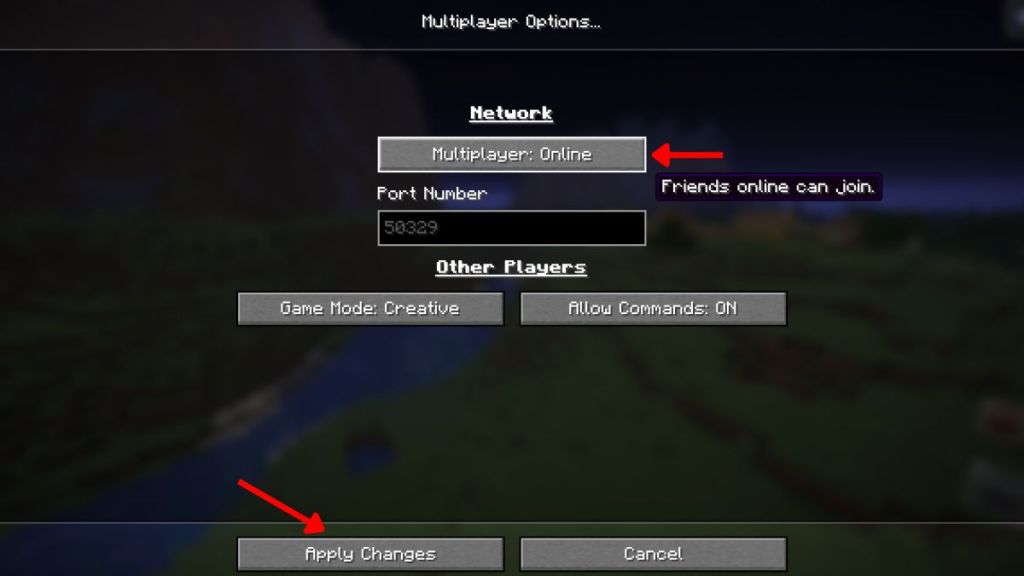
Peer-to-peer makes co-op survival feel immediate. It is one small toggle that changes your world from solitary to social, like finding a secret door in a familiar house.
Why are friend requests not working in Minecraft?
Often the block is not Mojang but Xbox account privacy. If requests fail, sign into your Microsoft account and check Xbox privacy & online safety settings. Make sure social options allow friend requests and multiplayer. Also confirm Allow Requests is ON in the Minecraft Online settings.
If that still fails, try these quick fixes:
- Restart Minecraft and both players’ clients.
- Confirm both players run the same Snapshot or release version.
- Temporarily disable VPNs that interfere with peer-to-peer connections.
One final note: this feature is early. Mojang and Microsoft will refine it as snapshots roll forward. That said, opening a single-player world to friends is now simple and feels like handing someone a map to your favorite cave.
Who gets the first invite to your server tonight?