
I booted 007 First Light ready for the first mission; five minutes later the game dumped me back to desktop with no warning. I felt the same squeeze of disappointment you do when a savefile refuses to load. You want this fixed, fast — and here is the clean playbook.
My PC swapped to its integrated chip mid-session — How to Fix 007 First Light Crashing Error
I’ve scanned Steam threads, tested steps on my rig, and spoken with other players experiencing the same abrupt exits. Most reports point to one simple mismatch: the game is running on the iGPU instead of your dedicated graphics card. That misstep alone will knock performance and can trigger a crash, so I’ll walk you through fixes that force 007 First Light to use the hardware it needs.
Why does 007 First Light keep crashing?
Short answer: the game often runs on the wrong GPU, or a corrupted file/driver is interfering. IO Interactive is tracking reports, but until a patch lands you can take control. I’ll show you the fixes that work for me and for dozens of players in Steam threads and on Reddit.
My desktop showed the game file in the wrong place — Switching to High Performance Mode
On many Windows machines the OS defaults to the integrated GPU. You need to force the executable to use your discrete card.
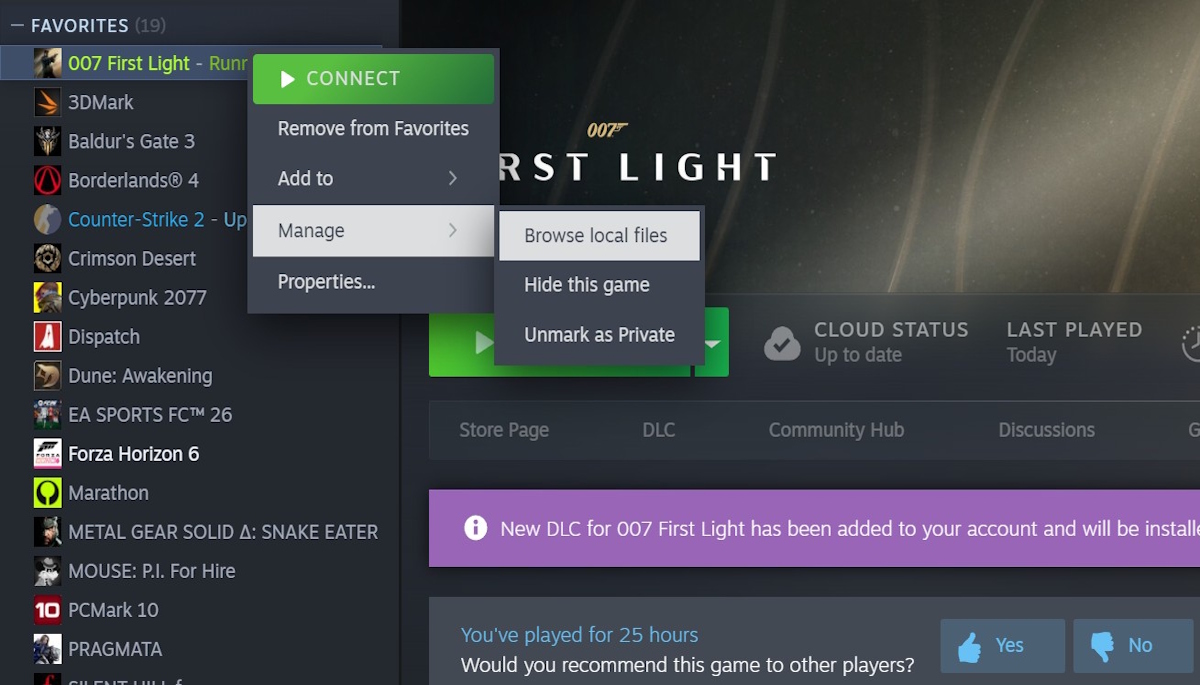
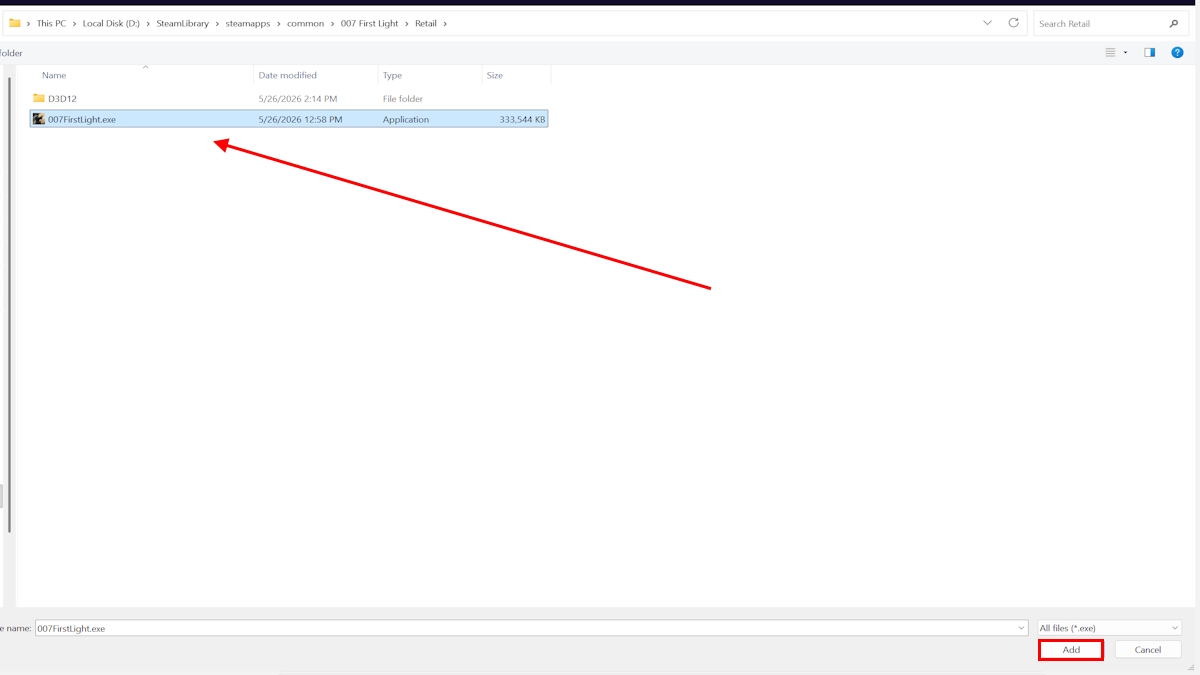
- Open Steam, right-click 007 First Light, select Manage → Browse Local Files and copy the path (e.g., D:\SteamLibrary\steamapps\common\007 First Light\Retail).
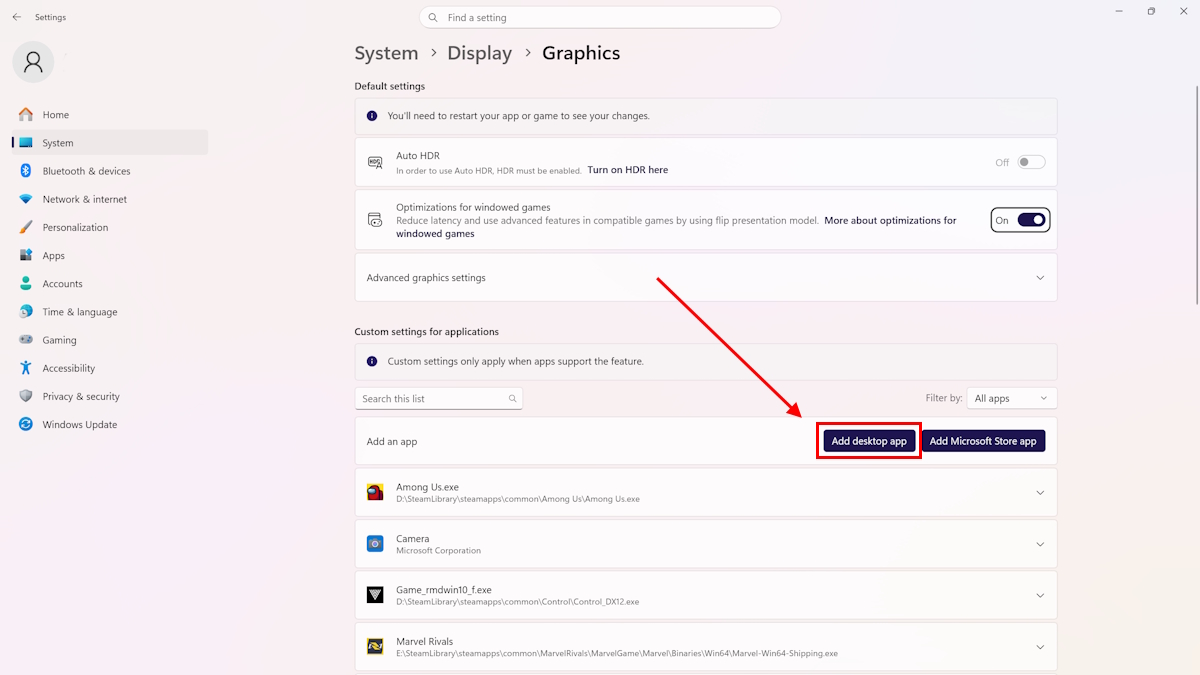
- Type Graphics Settings in Windows search and open it.
- Click Add a desktop app, paste the game path, and add the game executable.
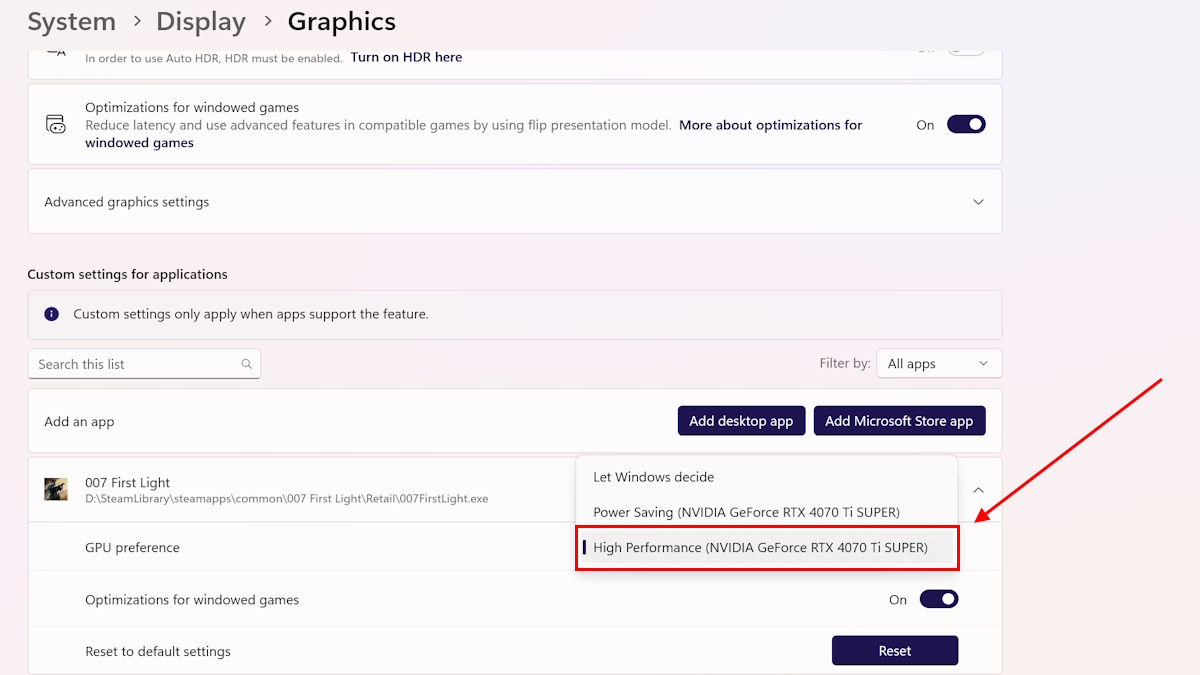
- Click the newly added entry, choose Options, and set GPU preference to High performance.
- Restart your PC and launch the game.
How do I force my PC to use the dedicated GPU?
Two practical routes: use Windows Graphics Settings (above) or change settings in your GPU control panel (NVIDIA Control Panel). If you use the NVIDIA panel, add the game .exe to Manage 3D settings and pick your high-performance processor there.
I found the integrated adapter still enabled — Disabling iGPU
Some systems keep the iGPU active and hand off work automatically, which can still confuse the game. If the Graphics Settings trick didn’t stick, remove the iGPU from the equation.
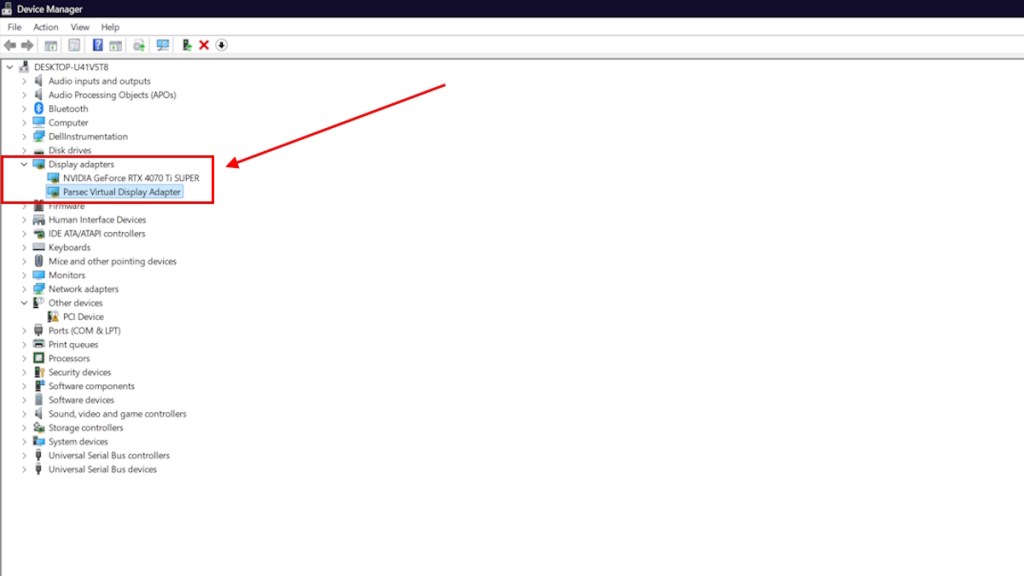
- Type Device Manager in Windows search and open it.
- Expand Display adapters.
- Right-click the integrated GPU entry and choose Disable device. Confirm the prompt.
- Restart and run the game again.
The iGPU is a ghost passenger on many laptops — harmless until it starts steering.
Steam verification kept failing on one install — Verify the 007 First Light Steam Files
Corrupted files can crash a game even if the GPU is correct. Verifying Steam files replaces missing or broken assets.
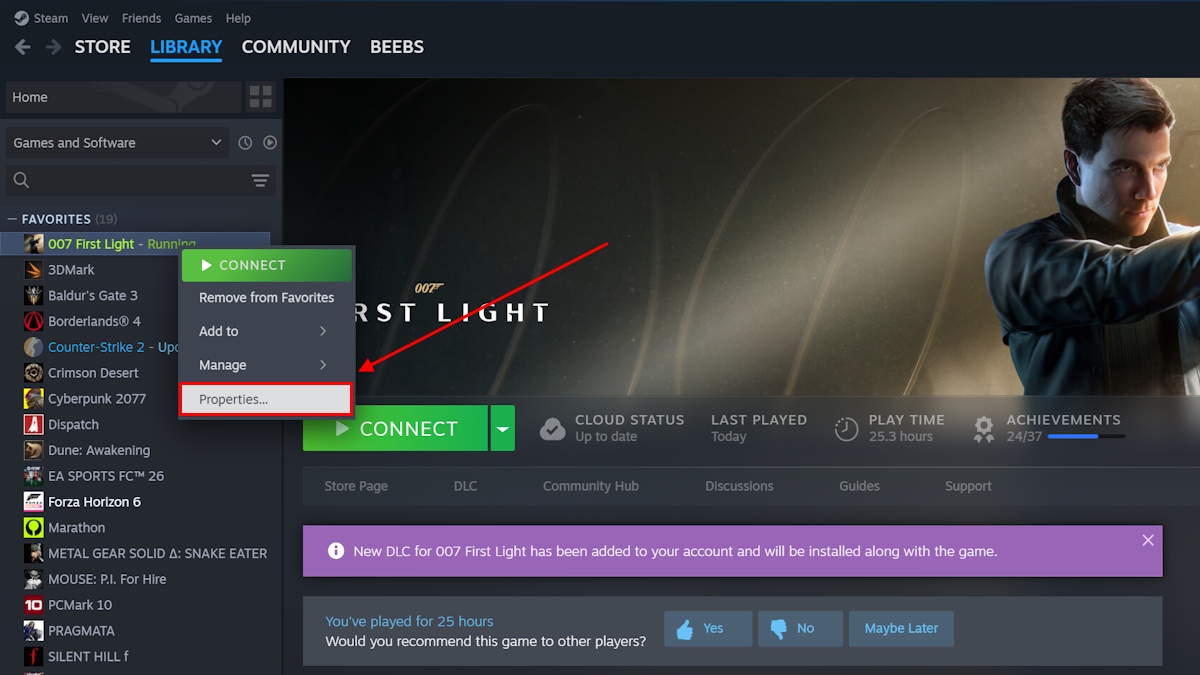
- Right-click 007 First Light in Steam and pick Properties.
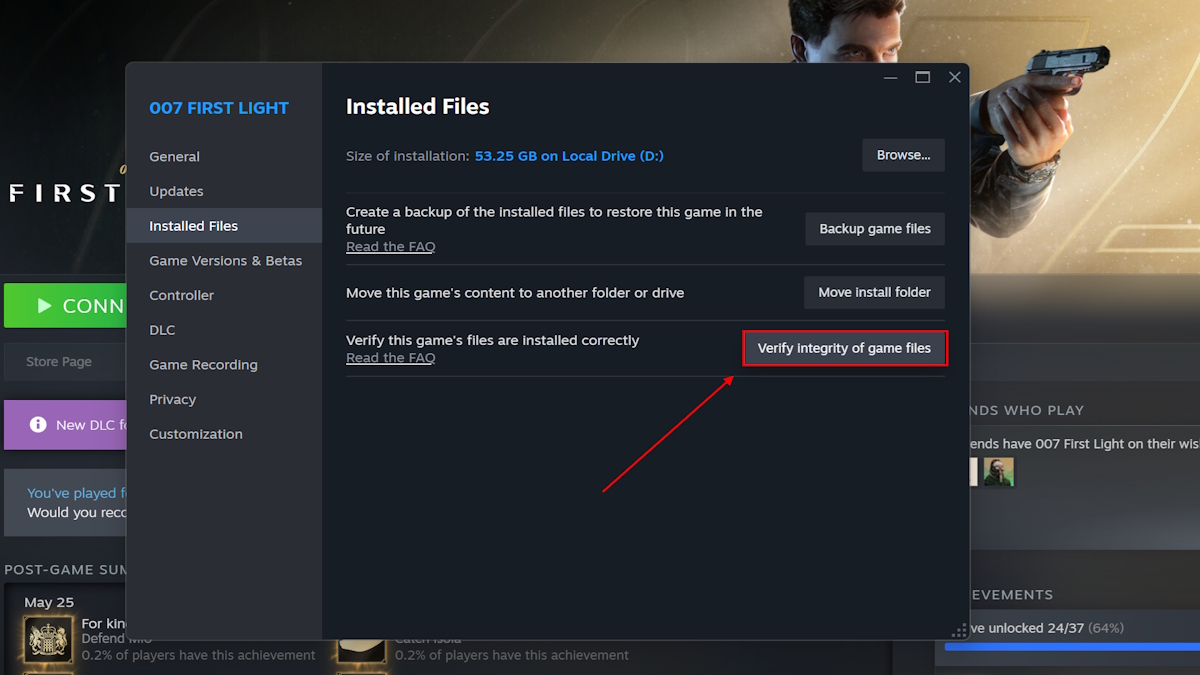
- Open the Installed Files tab and click Verify Integrity of Game Files.
- Let Steam scan and repair; relaunch when it finishes.
I saw an old GPU driver listed — Updating your NVIDIA Drivers
NVIDIA released a GeForce Game Ready driver with fixes for 007 First Light. A fresh driver can stop crashes and improve stability.
How do I update NVIDIA drivers for 007 First Light?
- Open the GeForce Experience app or the NVIDIA Control Panel.
- In GeForce Experience go to Drivers, check for updates, click Download, then Express Installation.
- Restart your PC after installation and launch the game.
A driver update is your game’s lifeline when a new release behaves badly on older packages.
If none of these moves stops the crash, the remaining route is a patch from IO Interactive. That will come in time, but these steps fix the issue for most players. Which fix will you try first and why?