I froze as the mailbox dinged and a guild invitation floated onto my screen — my crops were at risk and my choices felt immediate. I’d spent hours building a garden, only to realize joining a guild changes the game overnight. You can either pay to lead one, or accept an invite and jump into the fray.
Guilds are seeds planted into a shared plot. They promise rewards, rivalry, and a strangely social economy inside Roblox’s Grow a Garden 2 — and I’ll walk you through how to create, join, and make those guild points matter.
How to Create Guilds in Grow a Garden 2
Observation: Real-life clubs charge to start—think gym memberships or private servers—so the game follows suit.
If you want to be the founder, you’ll need Robux. I tested the flow so you don’t have to memorize steps mid-game:
- Head to the central hub and talk to Gilbert at the Guilds counter.
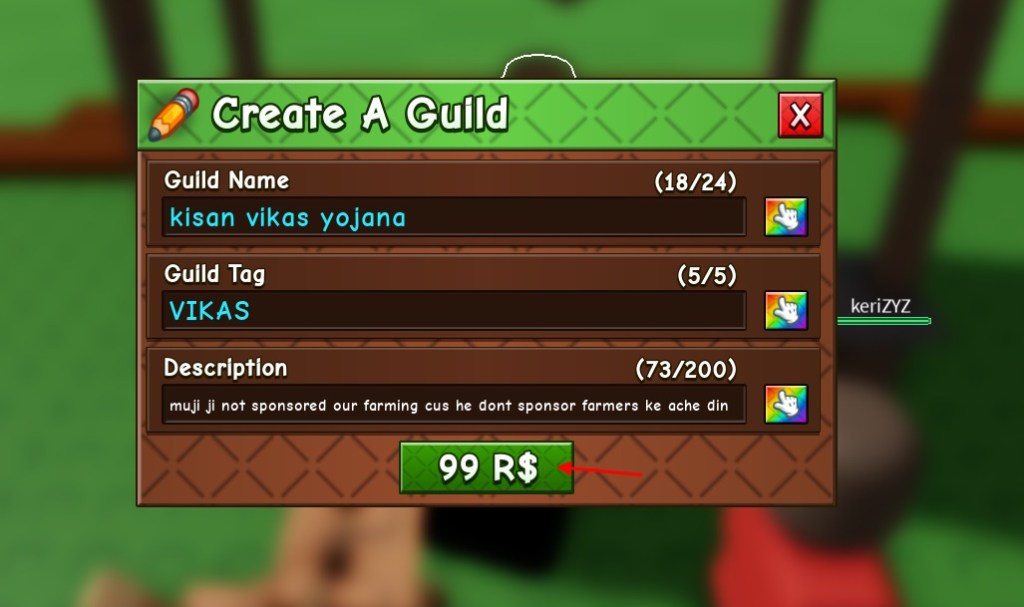
- Type your Guild Name, Guild Tag, and a short Description.
- Tap the color button (the little finger icon) to pick your palette.
- Confirm and pay 99R$ (about €1) to create the guild.
How do I create a guild in Grow a Garden 2?
Short answer: Gilbert, a name and tag, color choices, and the 99 Robux fee at the Guilds counter — that’s the whole flow. I recommend drafting your tag first so you don’t lose the creative spark at the counter.
How to Invite Players in a Grow a Garden 2 Guild
Observation: In real communities you recruit friends or neighbors—this is the same, only with avatars and garden emotes.
Once you’ve got a guild, bringing others in is simple and fast:
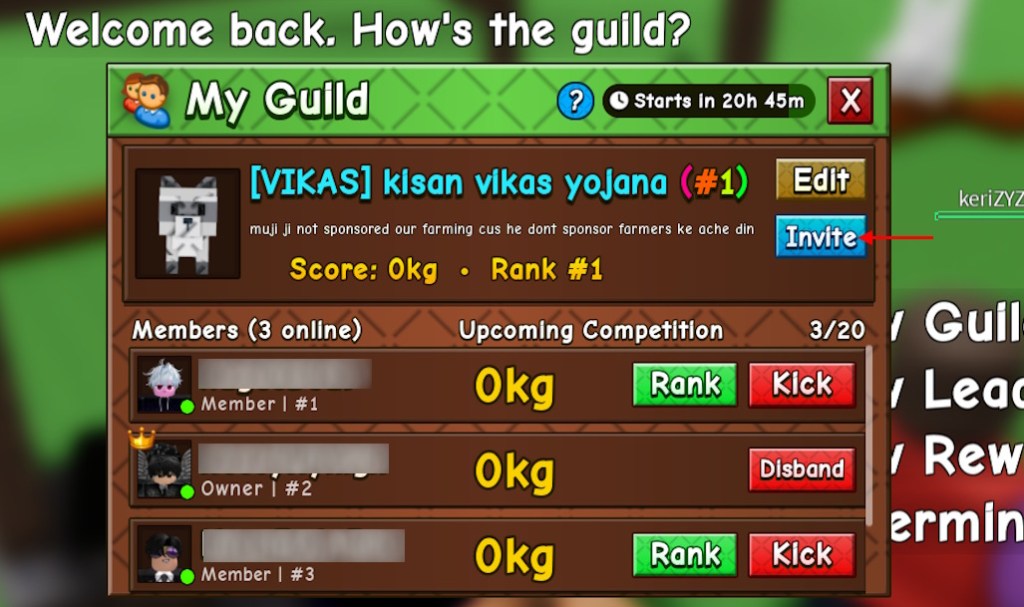
- Return to the Guilds counter and click “View Guild.”
- Hit Invite and pick the players from the list (or the friends tab).
Invite limits are tied to member slots; if you need more, you buy slots with Robux through the same menu.
How to Join Guilds in Grow a Garden 2
Observation: Most invitations arrive where you check messages—your mailbox plays that role here.
Accepting an invite drops you straight into guild competition. Here’s the quickest path:
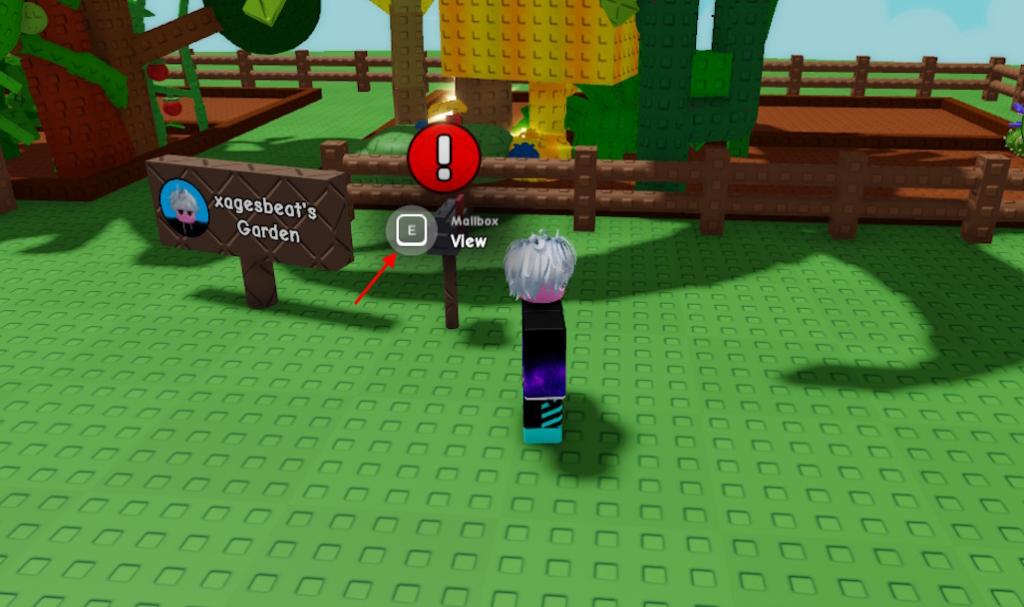
- Go to your garden and interact with the mailbox in front of it.
- Open Mail, find the invite, and click Join.
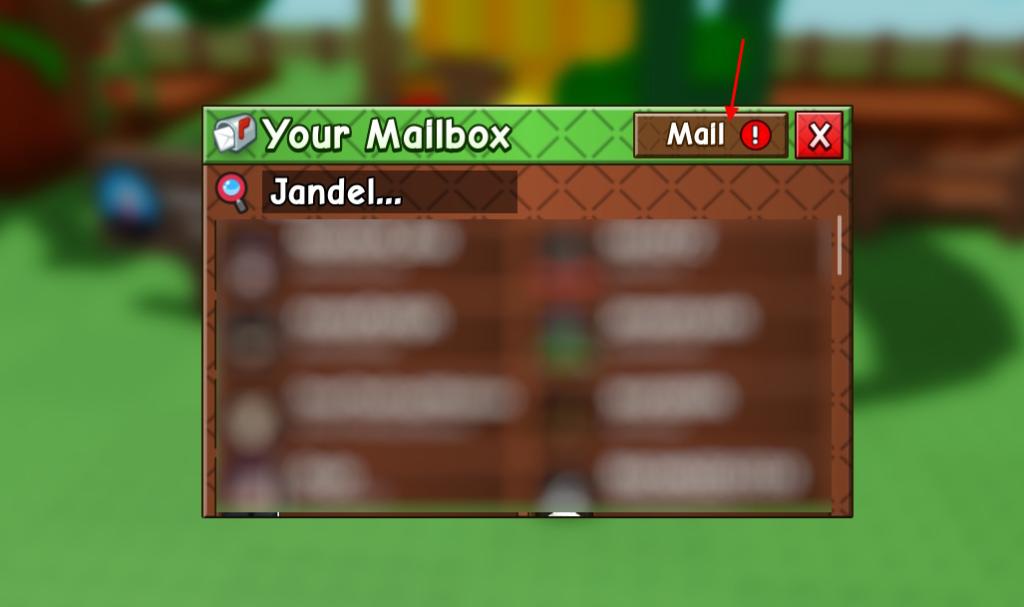
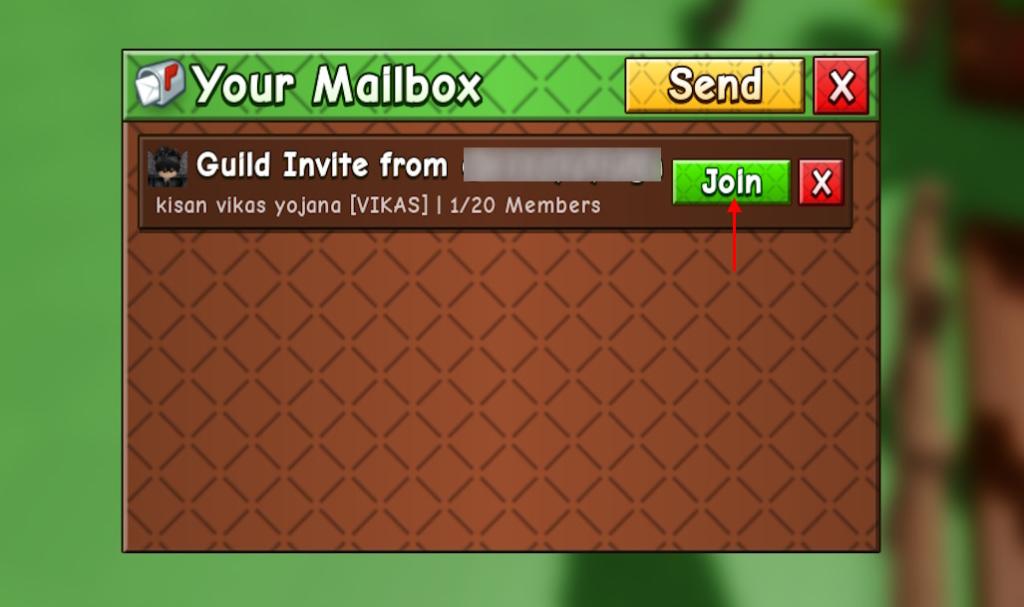
Where do I find the guild invite in GAG 2?
Your mailbox is the hub for invites. If you miss an invite, check the Mail tab and clear any other notifications that might hide it.
All Grow a Garden 2 Guild Customization Options
Observation: Leaders often tweak colors and names to stand out—guild customization serves the same purpose.
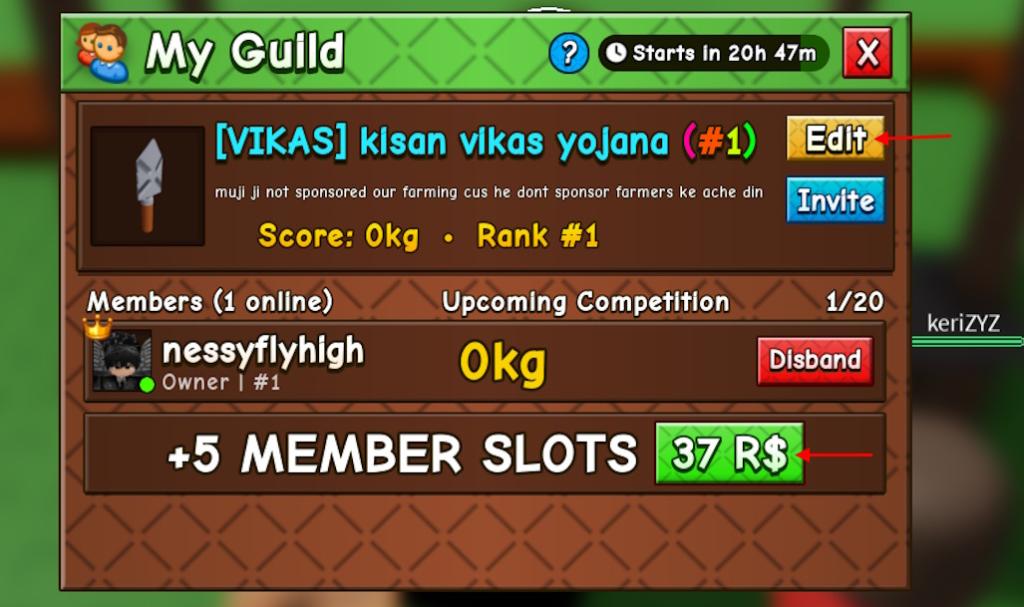
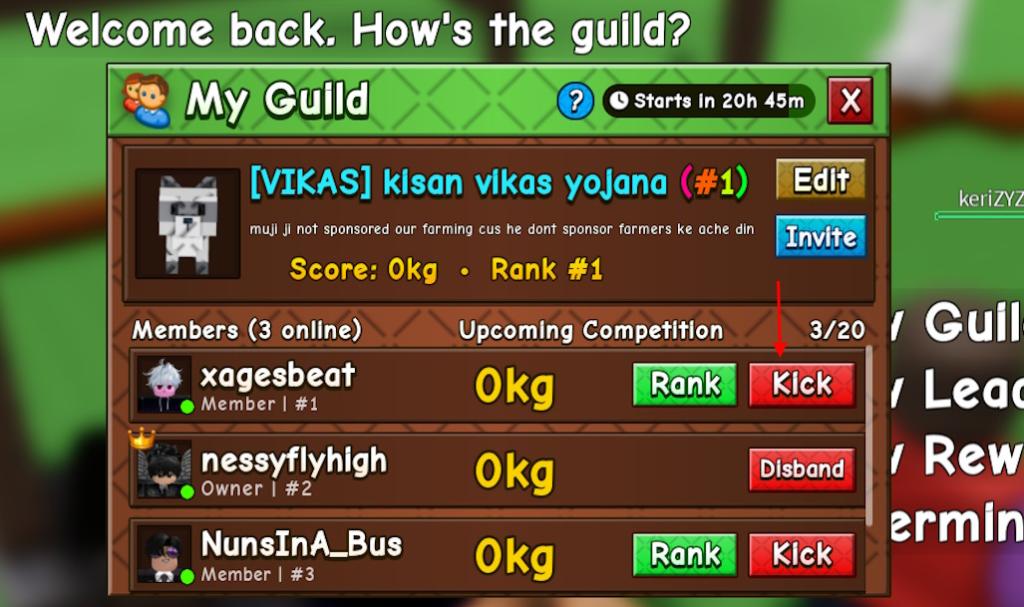
From the Guilds counter you can edit almost everything if you’re the leader:
- Change the guild name, tag, and description colors with Edit.
- Promote members using the Rank button to give roles and responsibilities.
- Kick or ban players if they break guild rules, or disband if you decide to close shop.
- Buy extra member slots with Robux when your roster gets crowded.
Grow a Garden 2 Guild Rewards
Observation: People join clubs for perks—guild rewards will be the same bait that keeps players active.
Right now, exact rewards are still being rolled out by the developers. What we do know is this: rewards will be tied to guild points, and those points come from group activities like harvesting and competitions. I’ll update details as Roblox and the GAG 2 team publish them — until then, treat guild membership as an investment in future perks and social play.
How to Earn Guild Points in Grow a Garden 2
Observation: In most multiplayer games, points come from shared tasks and repeatable actions.
The devs haven’t listed every point-earning task yet, but the obvious early sources are harvesting crops and completing guild events. If you want to be competitive, coordinate with your guildmates: timing harvests, trading tools, and controlling theft mechanics will move the needle faster.
Is creating a guild in Grow a Garden 2 free?
No. Creation costs 99 Robux (about €1). If you’re tight on budget, join an existing guild until you can afford your own.
I’ve played through invites, created a guild, and watched matches swing on single harvests — a guild is a small army of harvesters when it’s organized. You can run a tight guild with a handful of friends or turn it into a community project that pulls in casual players from Roblox groups and Discord — which route will you choose next?