
You sign in for one quick match and the game dies on a blinking error code. I remember the weekend I lost an evening to Esp-Dist-001 and how every fix felt like trial and error. You can feel your plans evaporate the moment the lobby refuses to load.
I watch players freeze at the login screen when the message appears — what it usually means
The Esp-Dist-001 code is a network handshake and connectivity failure between your device and Epic Games’ services. The ESP family of errors signals that your console or Switch couldn’t complete account validation, sync inventory, or confirm matchmaking with Epic’s servers. The ESP error is a standoff between your console and Epic’s servers.
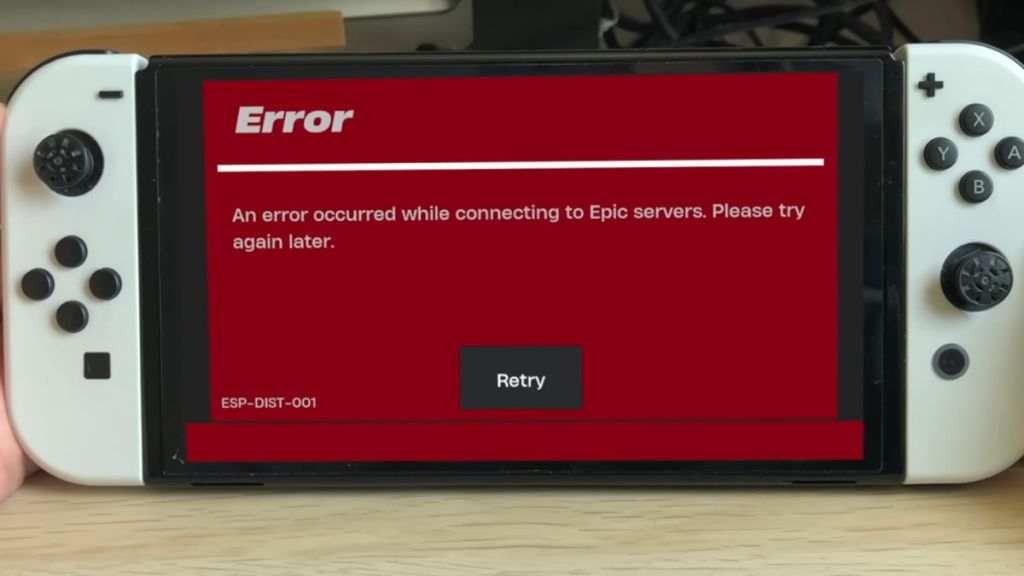
What is the Esp-Dist-001 error in Fortnite?
It’s not a ban or account lock. It’s a connectivity problem: your platform failing to exchange the right authentication and session data with Epic’s servers. That failure can come from corrupted local cache, a router DNS hiccup, or an issue on Epic’s end.
When I troubleshoot, the fastest wins are the simple resets — how to repair it without redownloading the game
Because the fault often lives in local cache or a busted network handshake, you can usually fix Esp-Dist-001 with quick maintenance that preserves your locker and V‑Bucks. Think of the console cache as a paper jam that only a short reset will clear.
Clear your console cache
Corrupted temp files are the most common culprits. Try these platform-specific steps first; they don’t touch your account data.
Nintendo Switch
- Open System Settings from the Switch home screen.
- Scroll to System > Formatting Options.
- Select Reset Cache, pick your user profile, and confirm.
- Hold the Power button for 3 seconds, choose Power Options, then Restart.
PlayStation & Xbox
- Fully shut down the console — not Rest or Sleep.
- Unplug the power cable from the console’s rear.
- Wait about 60 seconds to discharge internal capacitors and clear volatile cache.
- Plug it back in and relaunch Fortnite.
I often check the status page before fiddling with settings — sometimes the problem is elsewhere
Before you blame your router, verify whether Epic Games is experiencing degraded service. Visit the official Epic Games Server Status at status.epicgames.com. If Fortnite or Epic Online Services is listed as degraded or down, the only real action is waiting for Epic’s engineers to fix it.
When players call me, I tell them to reboot the network — routers get stuck too
DNS or IP assignment issues on the home network can interrupt the handshake with Epic. Power cycling your router and modem refreshes those settings and often restores connectivity.
- Unplug both modem and router from power.
- Leave them unplugged for 30 seconds to a minute.
- Plug the modem back in first, wait for it to stabilize, then plug the router back in.
- Boot your console and try Fortnite again.
If problems persist, try switching DNS to Google (8.8.8.8 and 8.8.4.4) or Cloudflare (1.1.1.1) in your router or console network settings — many players report improvements after that change.
Is Esp-Dist-001 caused by a ban?
No. Esp-Dist-001 is a connectivity error, not a penalty. If your account were banned you’d receive a different message via Epic’s account system and email. When in doubt, check your Epic Games account page or contact Epic Support through their help portal or Twitter/X feed.
If you’ve tried cache clears, checked Epic’s status page, power-cycled your router, and adjusted DNS yet the error persists, open a ticket with Epic Support and include timestamps, platform, and any error logs you can capture. I keep a Discord channel and a notebook of timestamps when outages hit — they make support replies far quicker.
Which do you blame first when Fortnite drops you: Epic, your ISP, or your living room router?