I watched my friend materialize on my shoreline from a different console and held my breath as our bases nearly collided. You heard the voice chat spike and a Pal immediately claimed the shared dock. I learned fast that the real question players whisper is not whether Palworld is fun, but whether you can play it together.
My roommate shouted across the apartment when his PS5 friend appeared — Is Palworld Crossplay?
I’ll be blunt: yes, Palworld is fully cross-platform. Steam (PC), Xbox Series X/S, Xbox Game Pass for PC, PlayStation 5, and Mac players can join the same multiplayer world. Pocketpair rolled out the v0.5.0 Crossplay Update and has tightened multiplayer ever since; the 1.0 release polished stability and smoothed many of the rough edges.
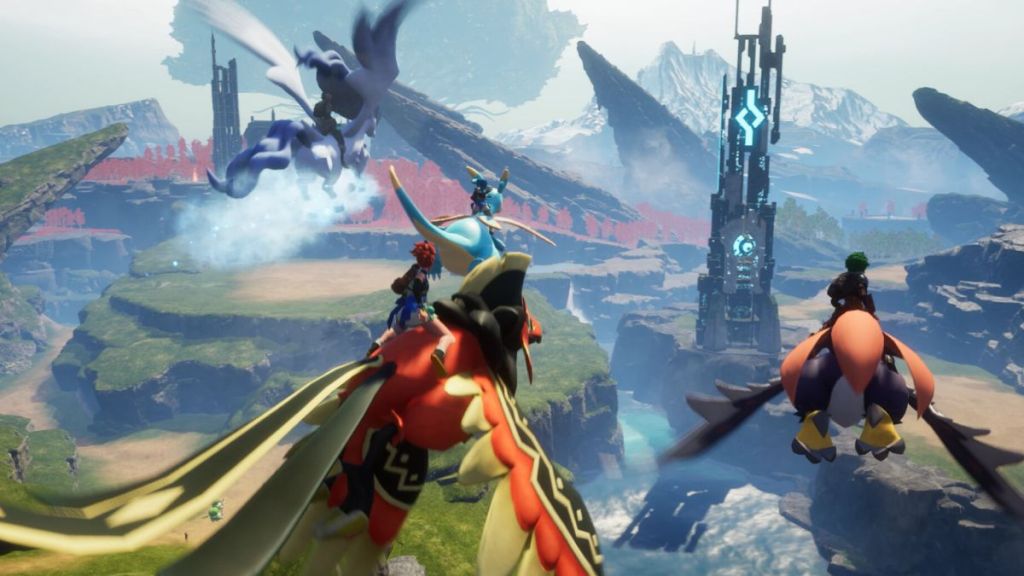
That change removed a huge logistical barrier: you no longer have to ask what console your friend owns before sending an invite. The crossplay system landed alongside multiplayer improvements and quality-of-life patches, plus new modes like Hardcore and Randomizer that make shared sessions feel more intentional. Still, expect minor differences between hosted sessions and dedicated community servers — they can behave differently depending on admin settings and load.
Does Palworld support crossplay between PC and PS5?
Yes. Steam and PlayStation 5 players can play together as long as the host has enabled crossplay. Xbox and Mac clients join the same pool, too; think of the world as a single server space that accepts clients from those platforms when the host opens the door.
Do all players need to enable crossplay?
No. Only the host flips the switch. You host the world, you set the rules. Everyone else simply uses the invite code to join — no menu fiddling required on their end.
Can I turn crossplay off in Palworld?
Yes. If you prefer a closed session for performance or privacy, the host can disable crossplay in World Settings before launching the world.
When your group is trying to sync schedules and someone asks for an invite code — How to Enable Crossplay on Palworld
Setting it up is simple and fast. I’ll walk you through what the host does so your friends can drop into the same island without console gymnastics.
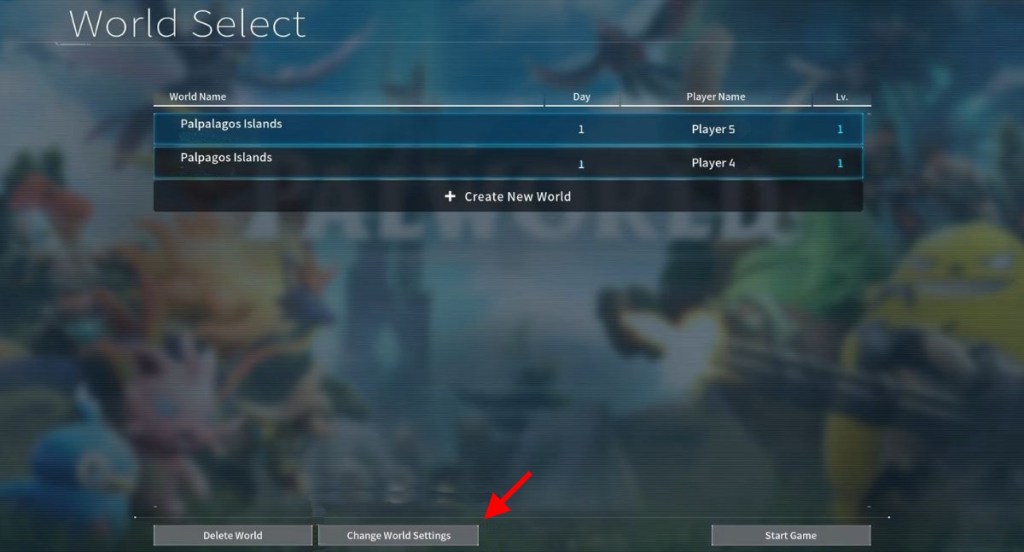
- Select the save file you want to play before you launch your multiplayer world.
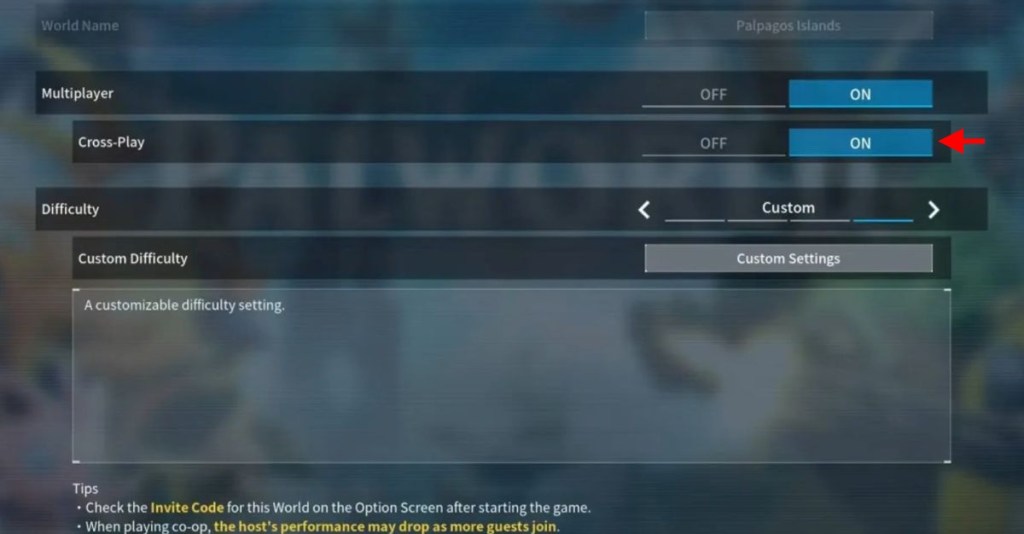
- Open World Settings and toggle the Cross-Play option on.
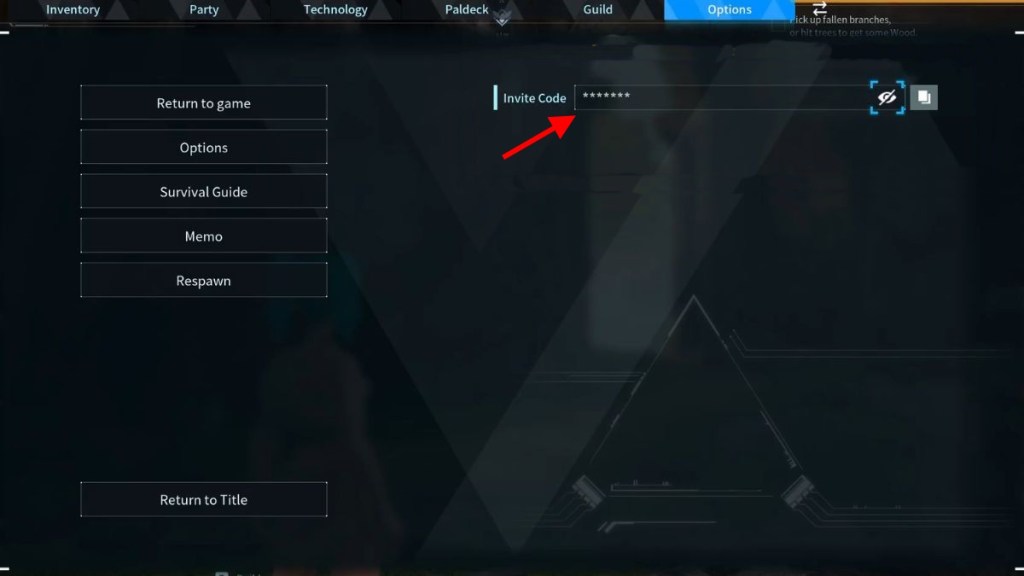
- Launch the world. Open the Pause menu and grab the world invite code.
- Share the code. Friends choose Join Multiplayer Game (Invite Code) from the main menu and paste it. They drop into the exact same world regardless of platform.
- To disable crossplay, return to World Settings before launch and flip the Cross-Play option off.
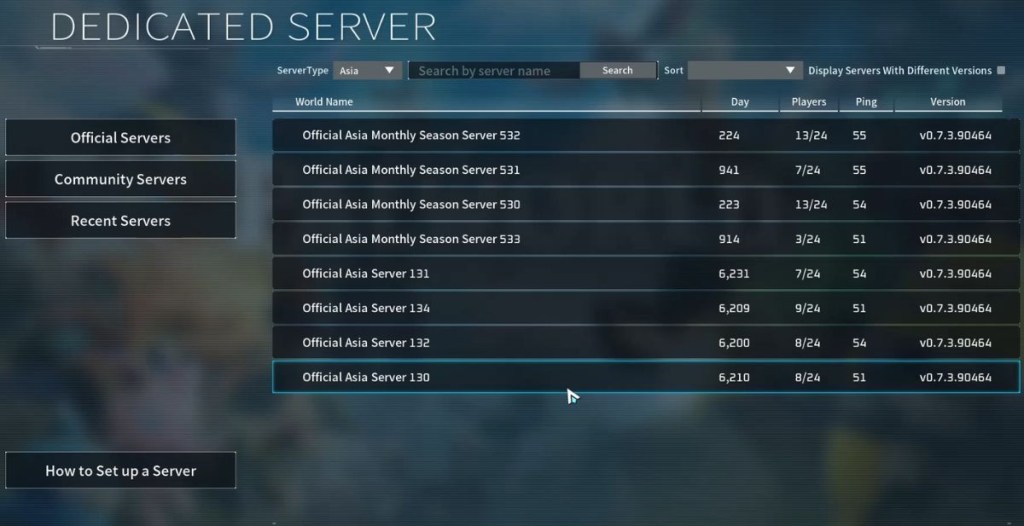
Community servers behave a little differently because admins often leave crossplay on by default. If a server is invisible to your friend, check with the server admins about cross-play settings and server visibility.
The server list sometimes hides a crowded island — What to expect from multiplayer stability and limits
On my last session a friend on Game Pass for PC lagged for a minute after joining a busy community server. Crossplay works, but it runs through several layers: platform matchmaking, host upload, and server admin settings. That means you’ll occasionally see desyncs, pop-in, or different world states between hosted sessions and community servers.
Think of crossplay as a well-oiled bridge connecting devices, not a flawless teleport. And treat invite codes like keys that slide into the door: simple, precise, and personal.
Pocketpair has kept patching the multiplayer under-the-hood; the player base topping 40 million proves demand. If you care about smoother co-op, try hosting on a stable connection or joining community servers known for active admin upkeep. Tools like Xbox Game Pass, Steam’s friend lists, and PlayStation Network all plug into the flow—so your biggest bottleneck is usually connection quality, not platform mismatch.
So the short answer is yes: you can play Palworld across platforms, invite friends with a code, and choose whether your world is public or private. Will you open your island to everyone or keep the map for your inner circle?