
I watched the update bar crawl to full and felt my pulse match the download speed. You get that same ping from Ariadne and suddenly Night City seems smaller, closer — a package might already be waiting. Minutes later I was at Megabuilding H10, hunting a cardboard box like it held a secret handshake.
How to Claim Free Witcher 3 Gear in Cyberpunk 2077: Ariadne Quest Guide
The update dropped across platforms and my inbox lit up within minutes — a small, clean ping from Ariadne.
I’ve chased CD Projekt Red easter eggs before, and I’ll walk you through this one without wasting your time. You’ll move faster if you follow the steps exactly: respond to Ariadne, skip time, check the apartment stash, and use Photo Mode. The reward is free Witcher 3-themed gear — a themed sword, a knife, the Ursine jacket and pants, and a pair of spectacles — no payment required, just a little patience.
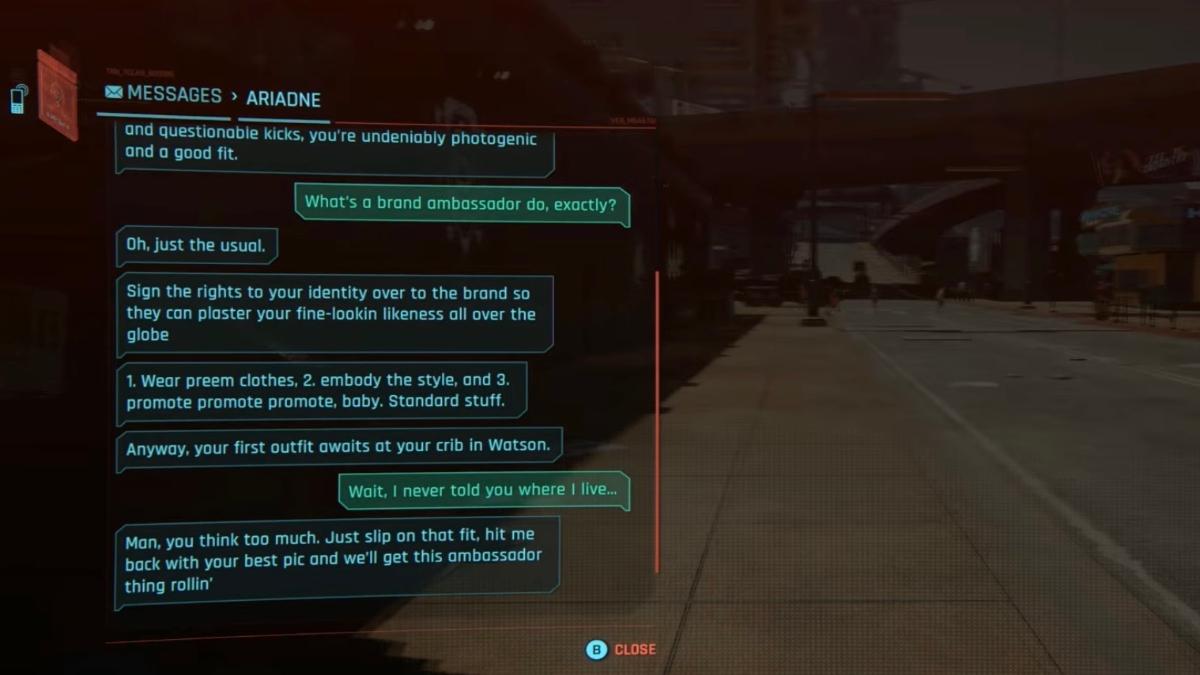
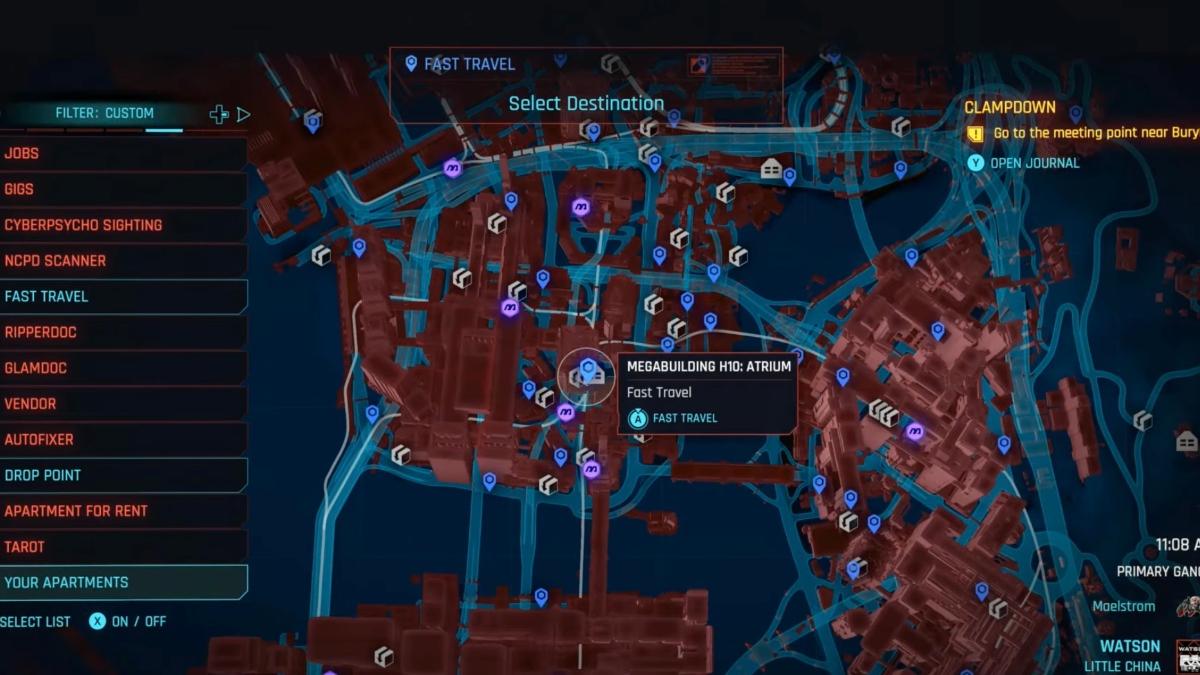
How do I get Witcher gear in Cyberpunk 2077?
Short answer: respond to Ariadne and wait 24 in-game hours.
- Update Cyberpunk 2077 to the Edgerunners 2 (v2.5) build on Steam, GOG, PlayStation or Xbox — the gift is deployed server-side by CD Projekt Red.
- Open your messages and talk to Ariadne when she contacts you about clothing and cosmetics.
- In the game menu use the Skip Time option and advance 24 hours; this triggers the delivery process.
- Fast-travel to Megabuilding H10 in Little China (Watson) and enter V’s apartment.
- Check the stash to the left of the entrance; the package contains:
- Sihil Sword (Iconic)
- Boar Carver (Knife)
- Ursine Pants
- Ursine Jacket
- The Professor’s Spectacles
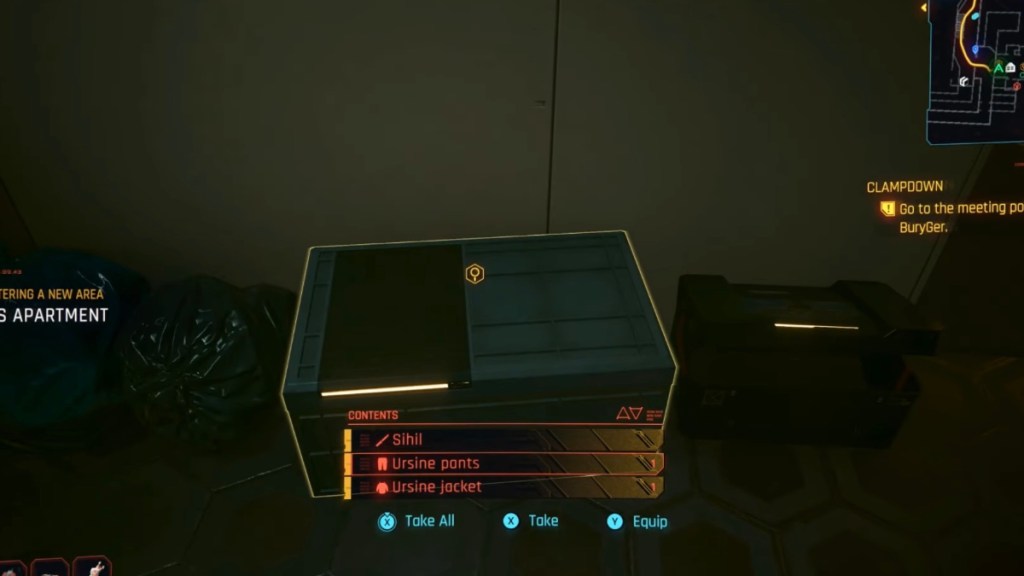
Where is Ariadne’s package located in Night City?
It waits in a familiar apartment: Megabuilding H10 in the Little China subdistrict of Watson — easy to fast-travel to from most saved checkpoints.
Once inside V’s apartment, the box is visible just left of the main door. If you don’t see it, check these quick troubleshooting items: disable mods, confirm you didn’t hit “[SEND TO SPAM]” during the first chat with Ariadne, and make sure you advanced time 24 hours from the in-game menu.
How to Complete Ariadne’s Quest — Take V’s Photos
In practice, this quest behaves like a tiny fashion brief sent by someone who knows how to angle a camera.
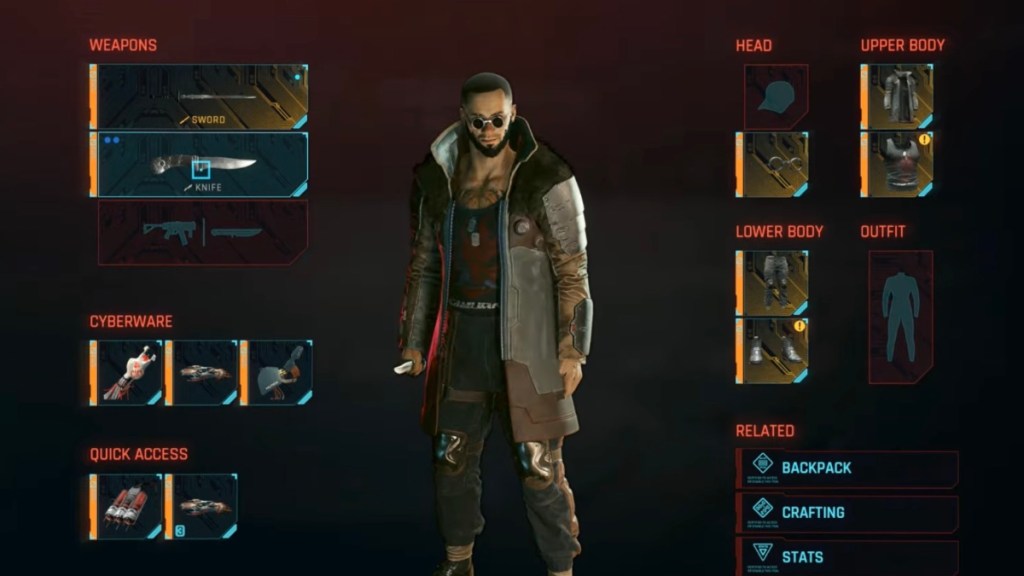
Equip the Witcher gear from the stash and open Photo Mode. You need to take at least one clean shot of V wearing the outfit and send it to Ariadne through the contact menu. When she approves your look she deposits 4,300 Eddies — yes, Eddies — into your account.
Will mods prevent the Witcher gear from appearing?
Short answer: yes — mods can interfere, and many players report missing items until they disable them.
If you run mods via Nexus Mods, Vortex, or console-side injectors, turn them off and reload the game. CD Projekt Red’s distribution system for event cosmetics can fail to populate your stash if files conflict. Also remember: if you selected “[SEND TO SPAM]” in Ariadne’s first message, the package won’t appear; reply normally and then skip time 24 hours.
I’ve treated free drops like small mysteries before; this one is subtle and satisfying. The gear is cosmetic but it connects two of CD Projekt Red’s flagship titles in a way that feels deliberate, almost like finding a vinyl record in a neon thrift shop. If you’ve already grabbed the items, try mixing the Ursine jacket with cybernetic overlays in Photo Mode and tag streams on YouTube or Twitter — it’s a quick way to spark a replay conversation among fans.
Are you keeping the Sihil as a display piece, equipping the Boar Carver for close fights, or selling the set and debating whether CDPR will seed more cross-title cosmetics next season?