I opened Fortnite and saw the notice before my brain caught up: Epic was offering refunds for D4vd cosmetics. I remembered the V‑Bucks I’d spent and the chorus of outrage in the community. If you want that money back, you can move fast — and I’ll walk you through every step.
I follow the scene closely and I’ve tested the self-service path myself. You should be able to return D4vd items for the full V‑Bucks amount without burning a refund ticket. If the option isn’t visible, there’s a manual route through Epic Games Support that works too.
On my account menu the refund option appears under Settings — How to get Fortnite D4vd refunds
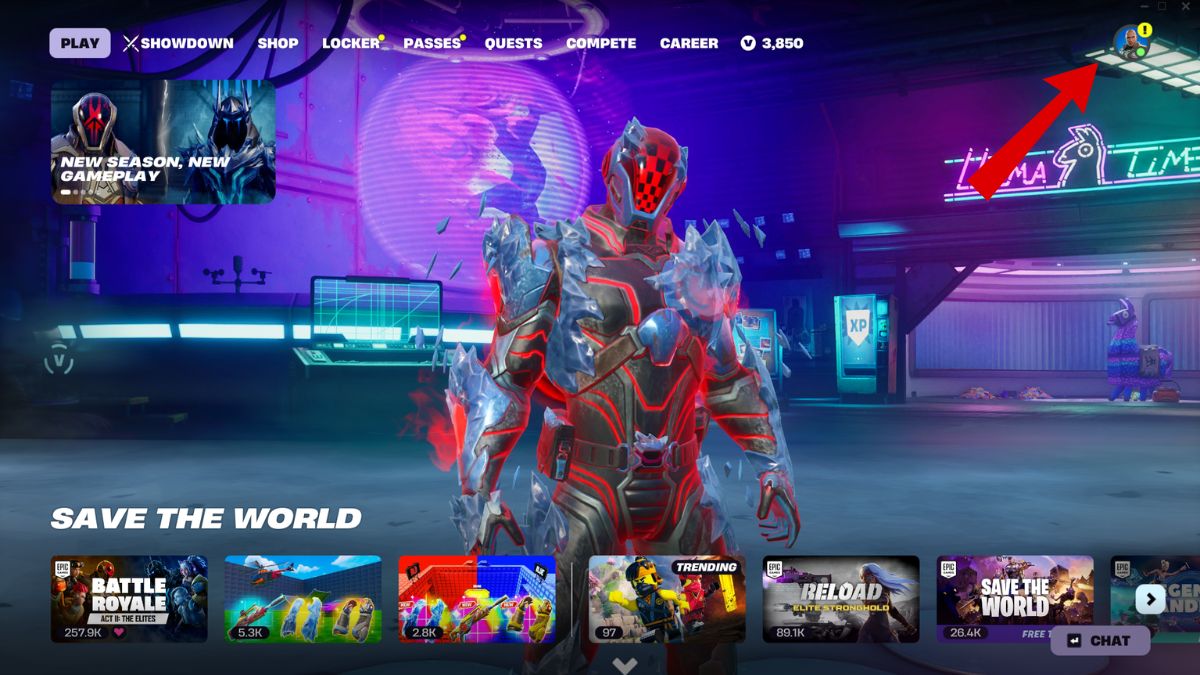
Open Fortnite and head straight to your profile icon in the top right. I’ll lay out the exact clicks so you don’t waste time.
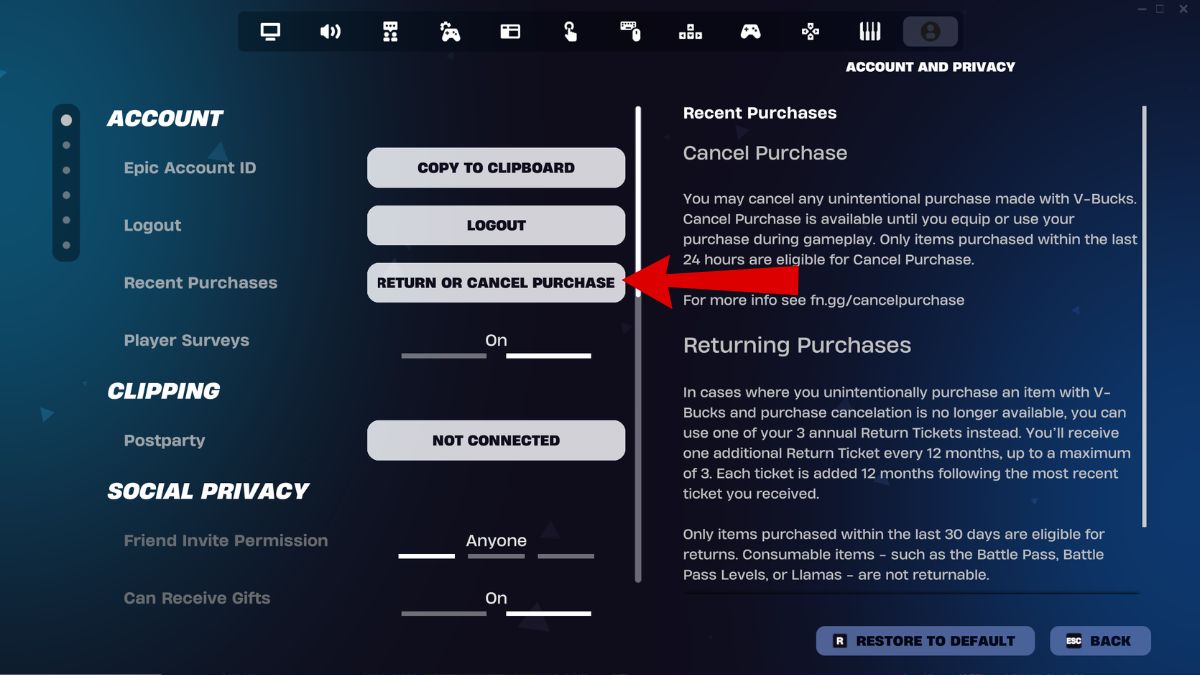
- Launch Fortnite and click your character icon in the top right of the screen.
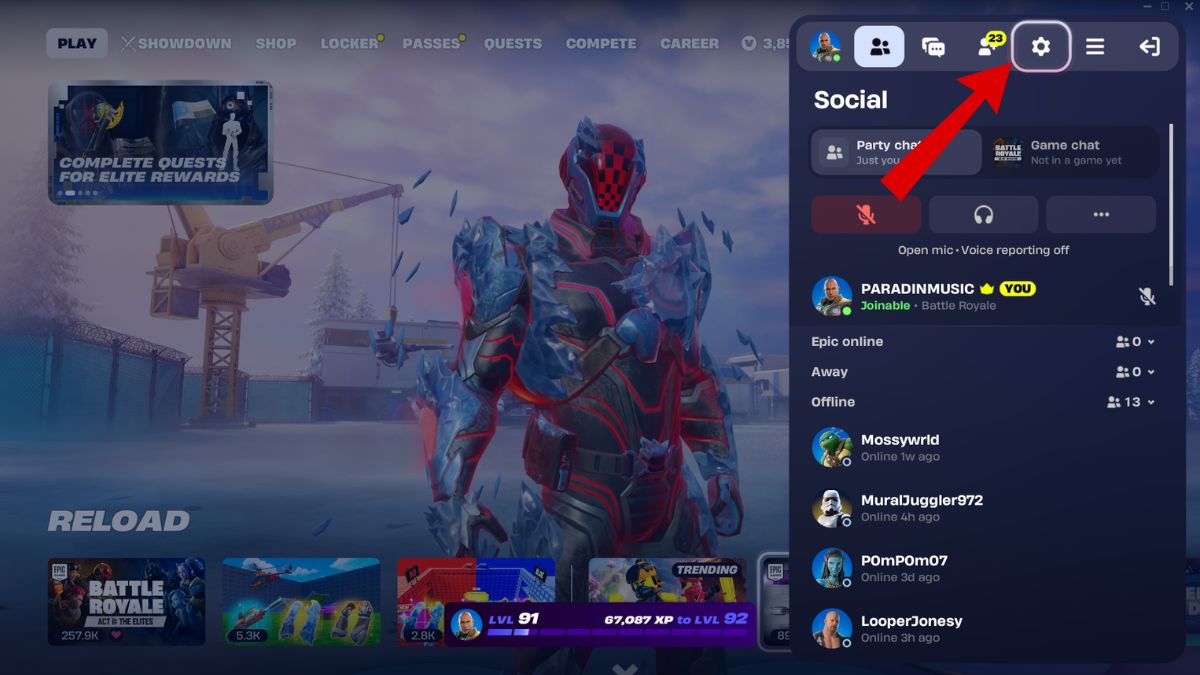
- Click the gear icon to open Settings.
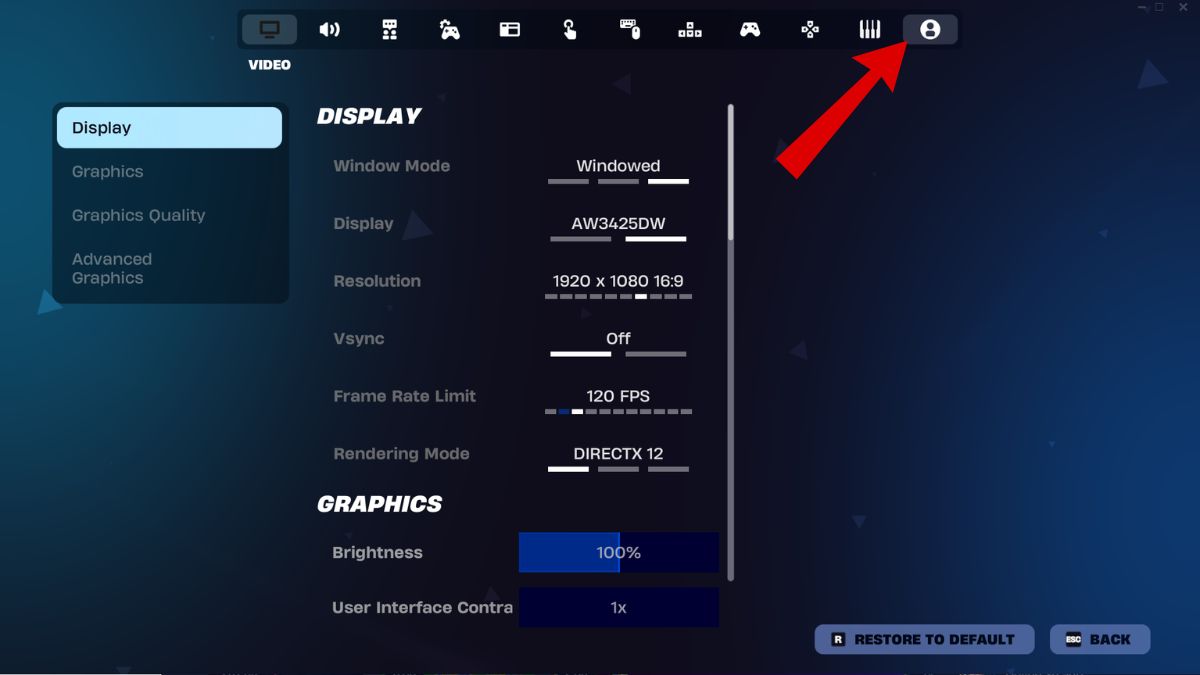
- Go to the Account and Privacy tab (the far right column).
- Select Return or Cancel Purchase.
- Find the D4vd cosmetics in the purchases list.
- Those items are flagged for a special refund: you should see an option to return them for the full V‑Bucks amount without using a ticket.
How do I refund D4vd cosmetics in Fortnite?
Follow the in-game steps above. If the special refund flag is present, the return is instant and restores V‑Bucks to your account. That V‑Bucks credit can be spent immediately in the Item Shop or held for later.
Can I get V‑Bucks back for D4vd items if I bought a bundle?
Bundles are ambiguous. If an item in the bundle is exclusive to D4vd, it’s more likely to be refundable. Items that are non-exclusive, such as the Camille skin, may be treated differently. When in doubt, open a support ticket with Epic Games and reference “D4vd Cosmetic Refund.”
On my support ticket the agents acted quickly — How to contact Epic if the self-service option is missing
If the Return or Cancel Purchase option does not appear for you, file a ticket. Epic support has been authorized to process these requests manually.
- Visit the Epic Games Support site at https://www.epicgames.com/help/assistant.
- Log in with your Epic account and select Fortnite.
- Submit a ticket and put “D4vd Cosmetic Refund” in the subject line.
- Attach screenshots of the purchases if you can; it speeds things up.
At a glance on my locker the D4vd items are still present — Which Fortnite D4vd items are eligible for refunds?
Epic’s refund covers cosmetics and music tied directly to the D4vd collaboration. Here’s what has been listed as eligible:
- Feel It emote
- Trophy Drop emote
- Locked & Loaded jam track
- What Are You Waiting For jam track
Epic has not publicly confirmed whether bundle contents that include non-exclusive items will be fully refundable. The collaboration became a public stain. Players who keep the items will still see them in their lockers today, but it’s probable these items will stop appearing in future Item Shop rotations.
If you prefer a manual route, support agents can process refunds for you and restore the full V‑Bucks amount to your Epic account. The refund window is a safety valve.
I’ve walked you through the fastest path and the fallback. Will you be returning your D4vd cosmetics, or keeping them and accepting the risk of future removal?