
You’re standing in a checkout line, thumb hovering over a payment screen, not ready to pawn your card to an app. I’ve done that pause—typing digits beside fluorescent lights feels wrong. Then the cashier slides a small rectangle across the counter and suddenly paying for Nitro feels private again.
Discord announced physical gift cards will land at retailers across the US, Canada, the UK, France, Italy, and Spain, letting you buy Nitro or in-app items without feeding your credit-card info into the browser.
Seeing someone buy a gift card at GameStop feels ordinary—and that’s the point
The real world just intersected with your Discord feed. Physical cards mean you can hand someone a Nitro subscription or credit for profile items without ever entering a card number on Discord.
Discord framed the rollout as a way to “give your friends something they’ll actually love.” That extends beyond the flagship Nitro subscription—think profile effects, nameplates, and cosmetic boosts. You pick the amount; they pick the purchase. Common suggested amounts include $10 (€9), $25 (€23), and $50 (€46).
Can I buy Discord Nitro with a gift card?
Yes. Gift cards act as store credit on Discord, so you can redeem one and apply the balance toward Nitro, server boosts, or single-item purchases. It’s the same billing flow you’re used to, just without typing your card info into the app.
A cashier saying “we have them on the rack” is a small victory for privacy
You don’t have to trust a checkout form with your digits to snag a subscription. That’s why this change matters: it gives people who prefer cash or anonymous purchases a simple path.
I’ll say it plainly: this lowers friction for gifting. Want to surprise your duo partner or your online sweetheart? Pick a physical card at shops like Walmart, Target, GameStop, or Best Buy, and you’ve got a stealthy present—as satisfying as slipping a mixtape into their backpack.
Where can I buy Discord gift cards?
Retail partners include major US chains plus outlets in Canada, the UK, France, Italy, and Spain. If you prefer online retailers that sell physical cards, check stores that typically carry game and entertainment cards. Jason Citron and the Discord team positioned the move as “easier to give”—and retailers make it practical.
Watching someone redeem a code in a DM is a tiny, public ritual
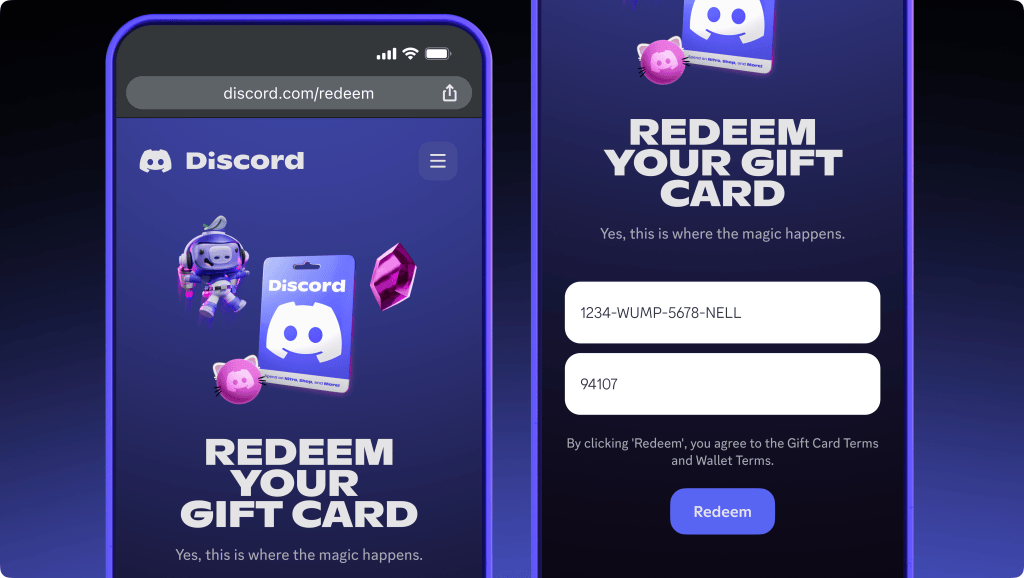
Redeeming is straightforward: enter the code in Discord’s redeem dialog and the balance is added to the account instantly. That immediacy is part of the fun when you gift Nitro live during a voice call or on a server.
How to use it: redeem the code in Settings > Subscriptions > Redeem, or use the Discord web client. The gift card applies to purchases just like any other balance, and you can stack it with existing payment methods. Think of the card as a tiny power-up in a treasure chest—simple and direct.
How do I redeem a Discord gift card?
Open Discord on desktop or web, go to your user settings, find Redeem, type the code, and confirm. The balance appears immediately and can be applied to Nitro, boosts, or profile items.
Beyond privacy, this is a social tool. Physical cards make gifting tactile: you can slip one into an envelope, toss it in a care package, or hand it to someone after a match. For creators and community managers, the cards are a low-friction way to reward members without sharing billing details.
If you care about security, this feels safer than typing a card on public Wi‑Fi, and if you care about romance, it’s a small, thoughtful ritual you can share across continents. Are you going to pick one up for your next gift, or let it sit on the shelf as a missed chance?