
My paws buzzed as the dial blinked red and the tip of the tail grazed a thorn. For a heartbeat I thought I’d lost the whole run — then I breathed, reset, and threaded the path again. By the third try the safe spit out a clink of coins and a schematic; you can feel the game shift when that happens.
On the street, a locksmith reads a lock before touching it. How Tailpicking works in Mouse P.I. For Hire
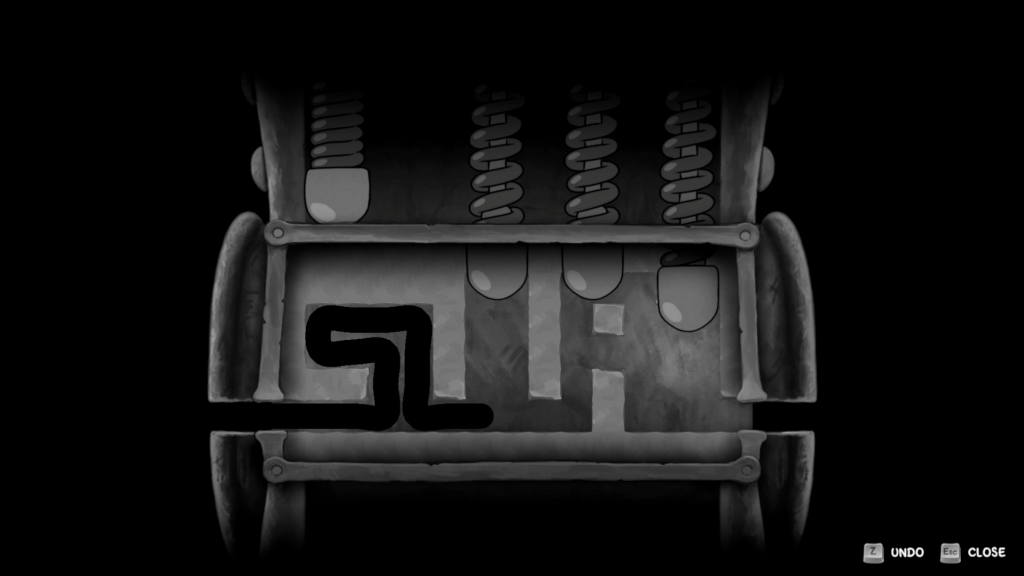
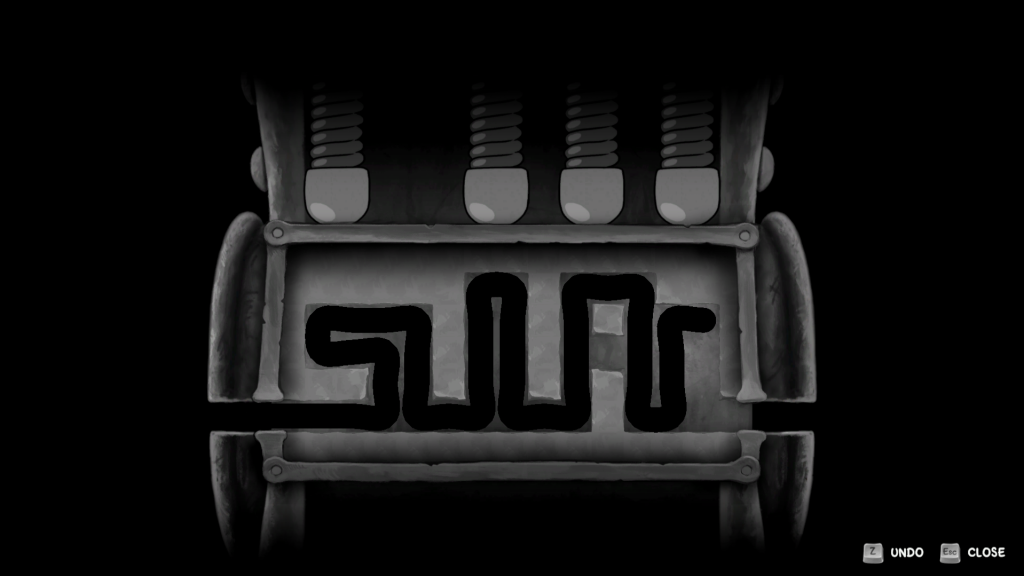
I’ll tell you exactly how the minigame forces you to think like that locksmith. When you open a safe, a black path appears across the lock chamber. Your job is to steer that path through gaps and past obstacles until it reaches the exit.
- The path is driven by rhythm: every input nudges the tip forward, and mistyped keys can ruin the whole run.
- Walls end attempts instantly. Hit one and you’re back to the start.
- Progress only saves at specific points — the tumblers — so you’ll plan your moves around them.
How does Tailpicking work in Mouse P.I. For Hire?
Think of Tailpicking as drawing under pressure. You use WASD (or your controller’s sticks) to push the tip through gaps; the game shows where tumblers will appear so you can time your pushes. I prefer to treat each tumbler as a checkpoint — if I reach it, I can breathe for a second and plan the next leg.
In a workshop, a bad cut means restarting the whole piece. Tumblers, thorns, and branching paths
Tumblers are the little levers that act like checkpoints. When you touch the tip of a tumbler it snaps back into place and saves your run for a moment. Miss the timing and you’ll be forced to retrace your entire line.
- Tumblers appear as visible nodes; plan each approach because they’re the only spots that hold progress.
- Thorns are lethal — contact one and the lock resets completely. They require patient routing.
- Later locks branch into multiple corridors. Only one branch leads to the exit; others are traps.
What are tumblers and how do I handle them?
You touch a tumbler with the tip to send it back and clear a path. I recommend small, deliberate inputs: treat each tumbler like a checkpoint in a speedrun and you’ll save yourself long restarts.
At the console, muscle memory beats panic. Controls, rhythm, and recovery
On PC you’ll use WASD to push the tip; on controller you’ll use the left stick or mapped inputs. The trick is rhythm — small taps the way a drummer keeps a tempo.
- One mistyped direction can cost you the run. Slow your inputs and read the next gap before you press.
- There’s an undo button you can use freely while you haven’t hit a wall or thorn; exploit it to correct minor mistakes.
- Hit a wall or thorn and the game forces a full reset of that lock.
Can I undo mistakes in Tailpicking?
Yes. The undo button rewinds your last moves until you hit a permanent fail (wall or thorn). I use it as a safety net — not a crutch — because every undo still costs time and focus.
At the pawn shop, a stack of coins changes the day. Why safes are worth the effort
Safes mostly drop cash and sometimes weapon Schematics that upgrade your loadout. Those schematics can swing a fight in your favor.
Monetary payouts are modest early on — think $50–$200 (≈€46–€184) — but scale as you reach harder locks. Schematics are rarer and can be the difference between a cheap pistol and something that actually feels reliable in a boss fight.
If you stream on Twitch or post highlights to YouTube, these tense tailpicking runs make for great clips; OBS and a good overlay will turn a near-miss into a clip your audience shares.
I’ll leave you with one simple habit: approach each lock like threading a needle, then move like you’re walking a tightrope — steady, small inputs, and you’ll collect more loot and fewer restarts. Will you keep at it until the next safe coughs up a rare schematic?