
The game froze mid-build the first time I added a custom roof. For a beat I thought I had broken my save — then the Mods menu told a different story. You can feel the thrill and the risk in the same breath.
I play with mods all the time, and I’ll walk you through the exact steps I use so you don’t have to learn by accident. You’ll move from curiosity to control without guessing which button wrecks your play file.
I opened the main menu and noticed a small “Mods” option, waiting like a back door into the game world. Where to find mods for Paralives
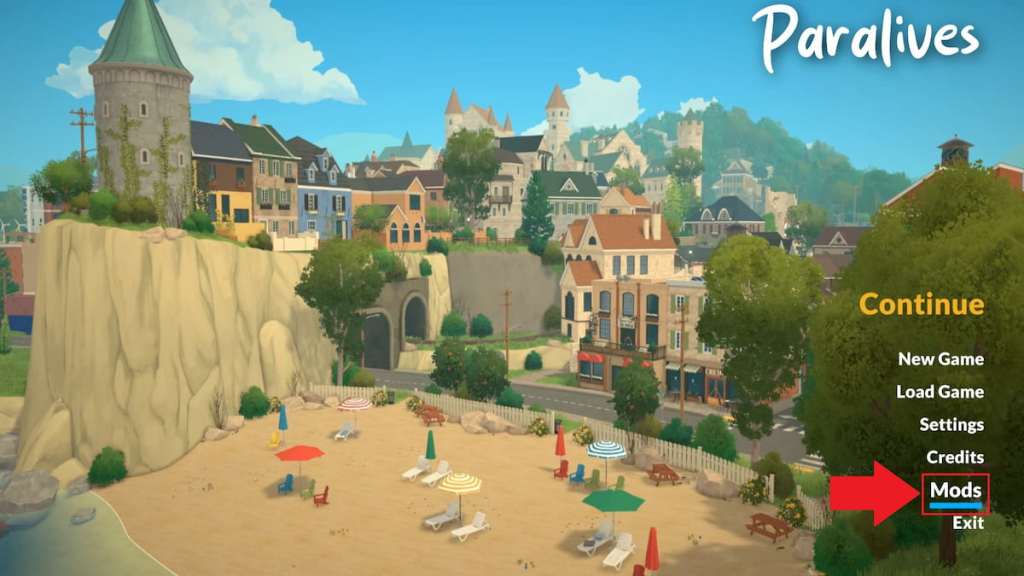
If you want mods for Paralives, the fastest route is the Steam Workshop. You can reach it from Steam’s Community page, but the smoothest path is inside the game. Open Paralives, pick Mods from the main menu (before loading a save), then choose “Browse for mods on Steam Workshop” in the bottom-right.
Where can I find Paralives mods?
Directly on Steam Workshop — the community uploads objects, UI tweaks, and full content packs there. Search by creator, tag, or popular items to find what fits your aesthetic or gameplay needs.
I clicked the green icon on a sleek custom couch and the download began in seconds. How to install mods in Paralives
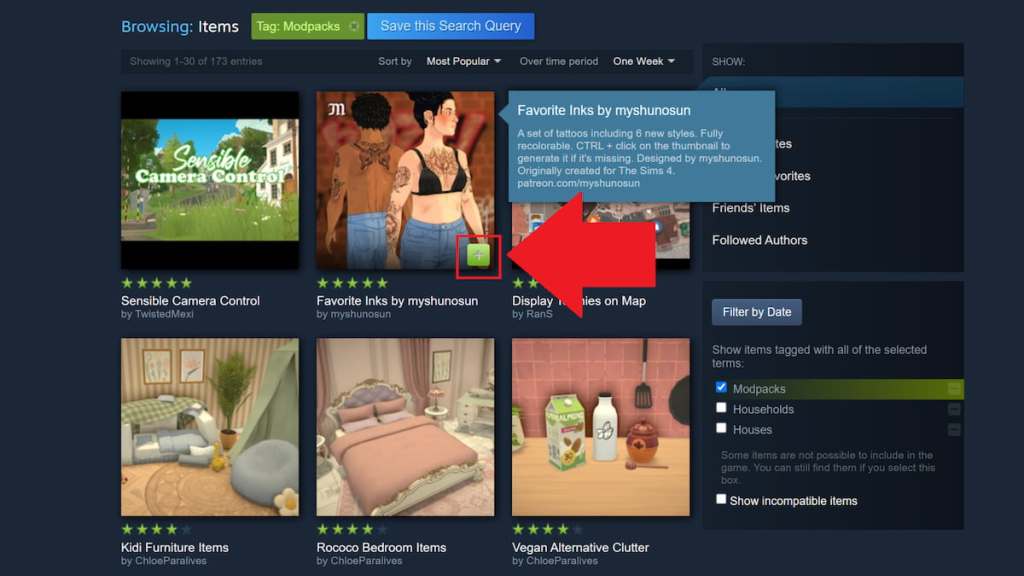
From the Workshop page, hit the green plus to subscribe — Paralives pulls that mod into your game automatically. After the download finishes, open the game’s Mods tab and choose My Mods to see everything you’ve added.
How do I download mods from the Steam Workshop?
Click the green subscribe/plus button on the Workshop item. Steam handles the transfer; Paralives shows the mod in My Mods and flags it as active or inactive for you to manage.
I wanted to test a new UI without losing my setup, so I flipped a switch and watched settings revert instantly. How to disable mods in Paralives
Disabling is a safety valve. Open the main menu, select Mods → My Mods, hover the mod you want to pause, and use the blue toggle on the left. That stops the mod from running but keeps it ready to reactivate.
Think of mods as keys on a crowded keyring: toggling one out of use doesn’t throw away the rest. If a mod causes odd behavior, disable it first to test whether it’s the culprit before deleting anything.
Can disabling a mod fix crashes or broken builds?
Often, yes. Many conflicts are caused by two mods trying to change the same game file. Disable suspect mods one at a time to isolate the problem, then re-enable what works.
I kept the mods list tidy by trashing the ones I never used. How to delete mods in Paralives
When you want a permanent removal, go to Mods → My Mods, find the entry, and click the white trash can icon in the upper-right of the mod tile. That deletes it from your game — you can always re-download from Steam Workshop if you change your mind.
Deleting clears disk space and reduces conflict risk, but if you’re unsure, disable first and play a session to confirm behavior before committing to deletion.
If mods aren’t your thing, you can still tweak your experience with cheats: money cheats and other console options make tricky quests easier — trying for a baby, using binoculars, or donating to the community center all become less painful when you don’t want the grind.
Modding is powerful and a little fragile; treat it like gardening—plant what you trust and prune what causes rot. Which mod would you risk testing first, and why?