
I stood under Oogie Boogie’s grin and felt my inventory betray me. You get handed a lantern and a contract, and suddenly the village looks smaller. I’ll show you the quick route from confusion to having that lantern in your hand.
How to equip the Ghost Lantern in Disney Dreamlight Valley
I blinked at the wardrobe like it was a locked toolbox on a Friday deadline.
You don’t need luck or a guidebook—just the right clicks. The Ghost Lantern is not hidden in a dungeon; it’s handed to you by Oogie Boogie during The Oogie Boogie Contract. After his wheel spins and the penalty text rolls, he pins you as his minion and gives you the Ghost Lantern as part of the contract sequence.
How to get Ghost Lantern in Disney Dreamlight Valley
The scene plays out like a carnival trick: bright lights, a taunting laugh, and then a small, sinister gift.
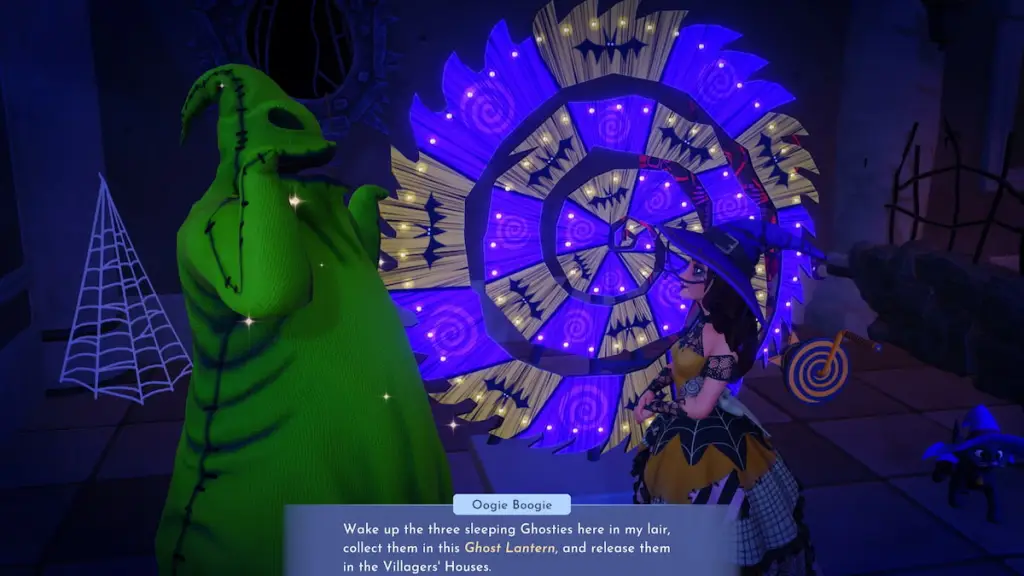
Once Oogie seals the deal, the item is given automatically—no scavenger hunt, no obedience test. That’s the simple part. The confusion usually comes when players try to equip it and can’t find it in the obvious tabs.
Where do I find the Ghost Lantern?
Open your Inventory and go to the Wardrobe tab. From there, switch to Accessories—it’s between Tools and Hats. Scroll to the bottom of Accessories and you’ll see the Ghost Lantern waiting to be equipped.
Want a little gaming newsletter with attitude? Sign up at Moyens I/O Checkpoint.
Equip the Ghost Lantern in Disney Dreamlight Valley
I’ve held more ridiculous accessories in my time, but this one actually matters.
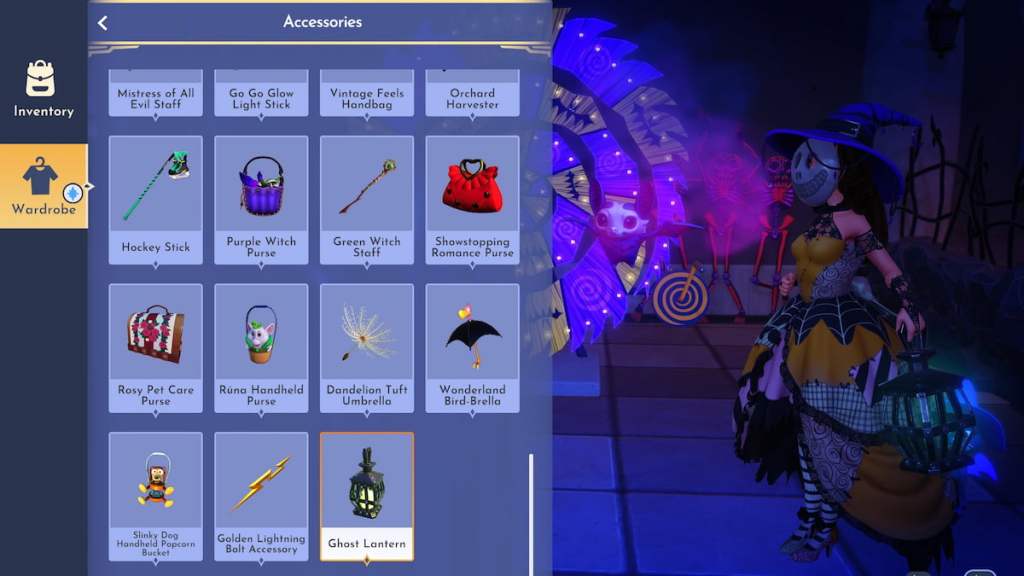
Follow these moves and you’ll have it on your avatar in seconds:
- Open your Inventory. Use the button shown next to the backpack icon (varies by PlayStation, Xbox, Switch, or PC).
- Switch to Wardrobe. The tab sits on the left edge once Inventory is open.
- Select Accessories. It’s the second row, between Tools and Hats.
- Scroll to the bottom and equip Ghost Lantern. Click or press the button shown to add it to your accessory slot.
How do I equip the Ghost Lantern?
Use the on-screen prompt in the bottom-left that reads “Equip Accessory” if you need a shortcut while on the map—re-equipping is instant if you accidentally remove it.
How to use Ghost Lantern in Disney Dreamlight Valley
At Oogie’s lair the air feels smaller, like the lights have been turned down on purpose.
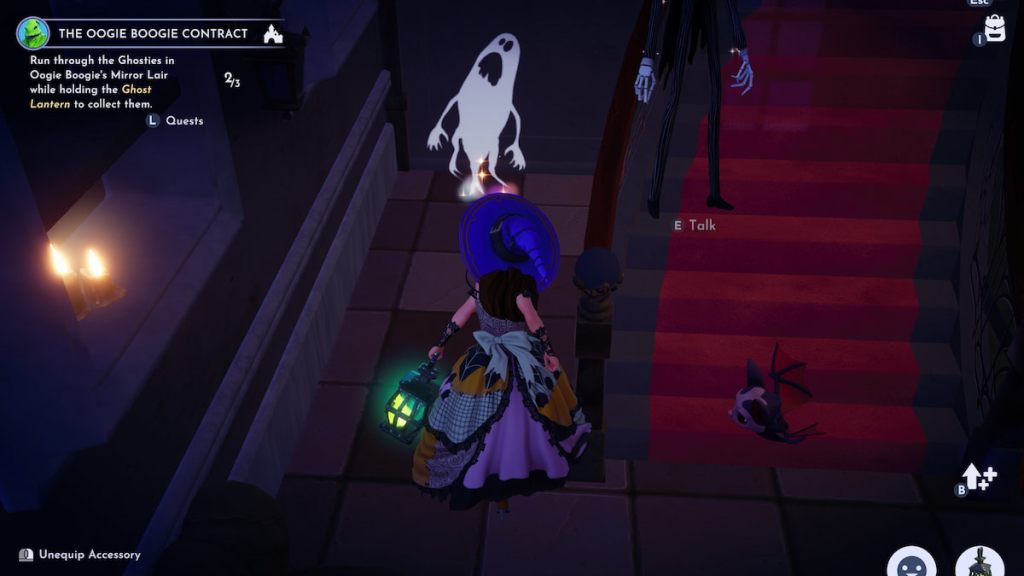
With the Ghost Lantern equipped and held, it activates automatically as you run at the three ghosts around Oogie’s lair. You don’t need to perform any special action—just carry it in your hand and approach the ghosts. Remove it and they vanish, stalling your progress like an unwanted leash.
How do I use the Ghost Lantern?
Keep it selected in your hand while you move through Oogie’s area; the ghosts are passive until the lamp is gone. If you accidentally unequip, press the equip prompt in the corner to re-apply it and continue the sequence.
Complete these steps and you’ll be closer to making Oogie Boogie a permanent resident, and you’ll run into Zero and Jack Skellington along the way—small wins that feel weirdly big. Ready to keep the scare meter high and see where the contract leads?