You get the ping at 10:47 p.m.: a customer reports a crashing page. You tag an AI agent in the channel and watch a thread turn into action. Two minutes later the build is running and someone on the team jokes that the bot is doing the night shift.
I have followed these product launches long enough to read the sales pitch and the risk notice in the same breath. You’ll want to know what Slack Code actually does, what it means for your team, and where to keep your hand on the wheel.
There was a late-night bug in a public channel. Slack shipped Slack Code as an in-chat coding assistant.
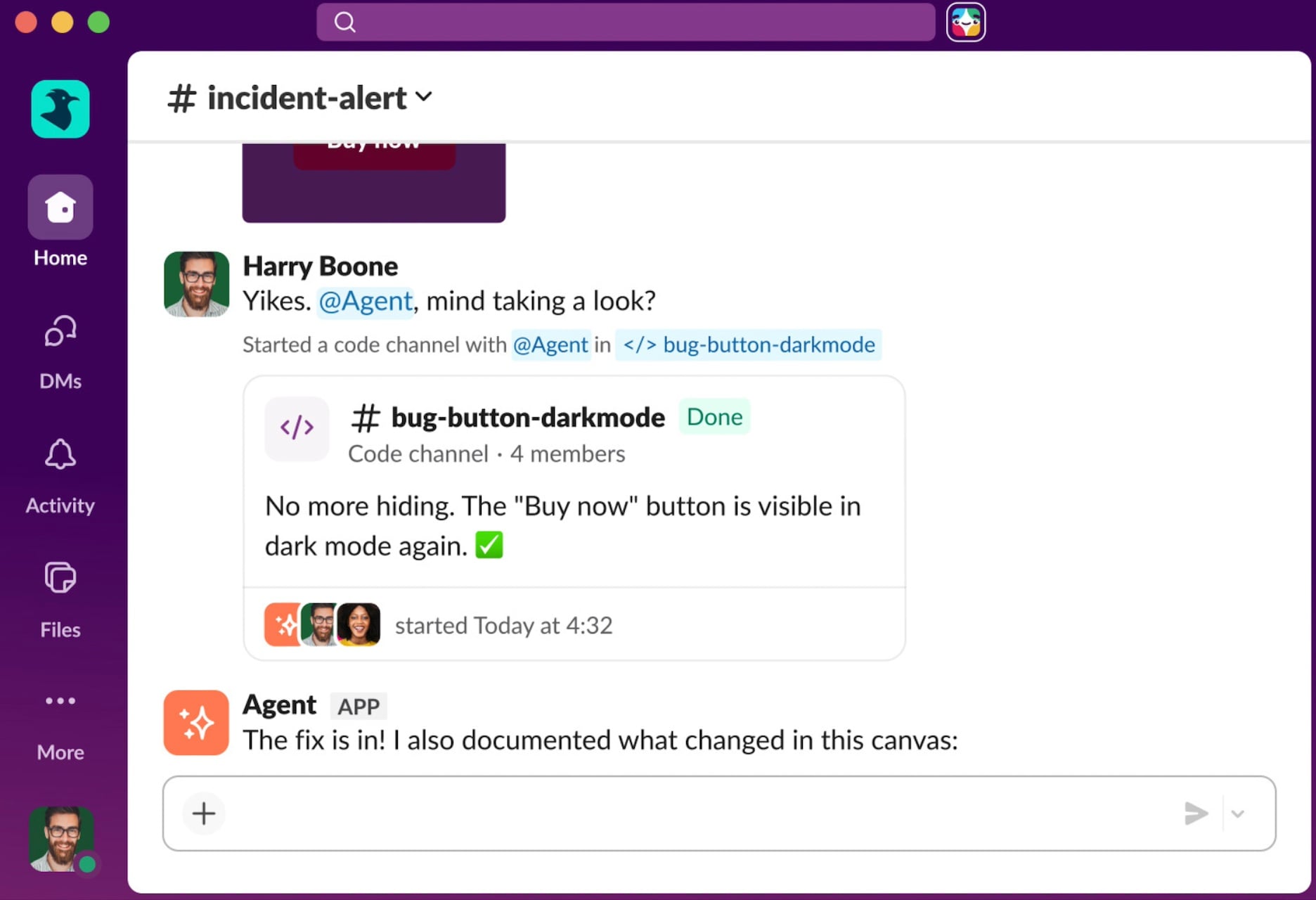
Slack announced Slack Code at Dreamforce with a demo from Marc Benioff and integration partners Anthropic, GitHub (Copilot), Cognition, and Vercel. It’s available on all Slack plans and lets you tag an agent—Claude Code, Devin, GitHub Copilot or another—to start a new conversation that pulls in the right people and context.
What is Slack Code?
Slack Code is a workflow feature that embeds software-building AI agents directly inside your channels. Instead of opening a separate IDE or a new ticket thread, the agent creates a focused chat, posts incremental progress, and presents an HTML preview when the build is ready. The company says it’ll archive the channel after approval so conversations don’t pile up.
Don’t code alone. Slack Code is live.
Humans and agents. Same channel. Same work.
Launching today with agents from @AnthropicAI, @github, @Cognition, and @vercel. This is real multiplayer coding. See it at @Dreamforce #DF26 pic.twitter.com/scVeLgIgZR— Marc Benioff (@Benioff) August 20, 2026
A project manager tags an agent at 11:02 p.m. and the thread populates with pull requests and previews.
If you’ve ever waited on an engineer to triage a ticket, this promises shorter cycles: the agent writes code, shows progress inline, and waits for human sign-off before merging to production. Slack’s Gianna Dimick says high-stakes actions require human approval and the company ties those steps to its enterprise security model.
How does Slack Code work?
The workflow is simple: you tag an agent in a channel, the agent spins up a new chat with context and contributors, crafts changes, and offers an HTML preview. If the team accepts the result, the agent archives the channel. I watched the demo and the agent behaves like a pit crew—rapid, hands-on, and intended to shave seconds off repetitive work.
A security engineer read the audit logs this morning. Agents can be helpful, but they also add new failure modes.
Salesforce and Slack are positioning this as collaborative work—humans plus agents in the same channel—but that balance matters. Agents can misinterpret instructions, and there have been public incidents where automated systems deleted or rewrote critical code. Slack’s mandatory human sign-off on merges is a sensible throttle, but it’s not a substitute for good access controls and rollback plans.
Is Slack Code secure?
Short answer: it depends on your configuration and policies. Slack ties agent actions to its enterprise model and requires human approval for production merges. That reduces blast radius, but your environment will still need role-based access, CI safeguards, secret scanning, and an incident plan. If you use third-party agents—Claude, GitHub Copilot, Cognition, or Vercel—review their data handling and how they ingest channel context.
An engineering lead noticed fewer context-switches in one week. This shifts who owns flow and who owns review.
Slack is selling a simple promise: less tab-hopping, fewer meetings, faster outputs. But the cultural change is the other half of the bargain. When agents live in channels, your workspace becomes a command center—every decision, test, and merge visible to the team—and that visibility changes how people work and who gets blamed when things go wrong.
You should treat Slack Code as a productivity experiment with guardrails: pilot it on low-risk tasks, lock down production merges, and measure cycle time against defects. I’d also advise you to name the agent in the channel, document its permissions, and keep an annotated runbook for rollbacks.
Salesforce’s broader Agentforce Coworker and Slackbot indicate this is a bet across the company: push AI into existing workflows, sell familiarity, and hope enterprise controls tame the messiness. You can be curious or skeptical—both are healthy—but don’t hand over merges to an agent without a clear human veto.
If your team adopts Slack Code, which workflows would you let an agent own first—and which would you refuse to trust to software?