
You drop onto Marathon’s Outpost with the sky a bruised slate and a half-dozen Guardians already trading fire. My Ghost chirps: three objectives, one run, and a MIDA faction bar that won’t nudge itself. If you want the rep without wasting a slot or two, follow my path.
I’ve run this route until the markers felt predictable. I’ll point out choke points, where the quest marker spawns, and the small decisions that make a clean run far more likely.
The runway smells of jet fuel; the map rewards quick reads before fights begin.
Marathon Protect/Destroy 4 contract walkthrough
The Protect/Destroy 4 contract drops you on the Outpost (Marathon) and asks you to finish three objectives in one run. Think of it as a three-leg sprint: hit Processing, clear Airfield containers, then hack Flight Control and exfil.
- Download the shipping manifest from the terminal in northwest Processing
- Scan the tagged containers in Airfield
- Hack the second‑floor terminal in Flight Control, then exfil
A faded shipping label on a crate tells you you’ve entered the right building.
How to download shipping manifest from terminal in northwest Processing
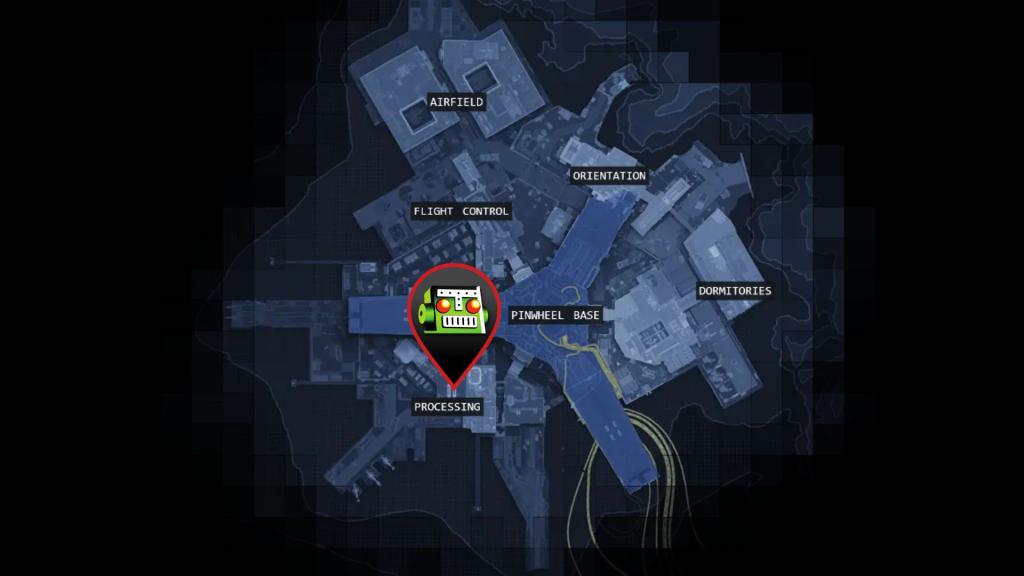
Drop south to the Processing point-of-interest. Enter the main building and seek the staircase to the second floor — that’s the short checklist you need before the map gets noisy. The quest marker only appears when you’ve reached the correct floor, so take the stairs and let the marker pop.
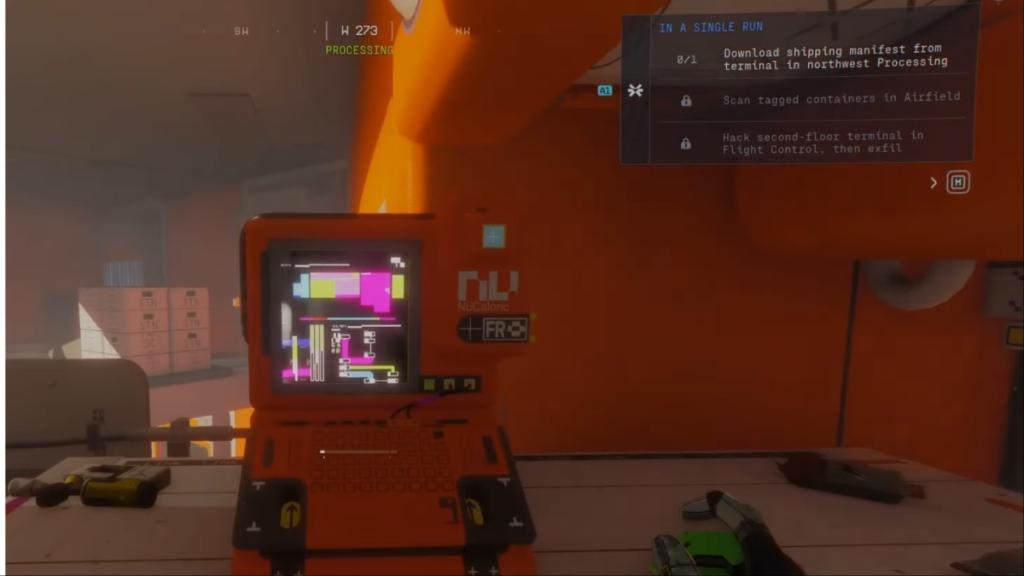
How do I download the shipping manifest in Processing?
Approach the terminal indicated by the mission marker and interact to download. If players are nearby, use cover and rapid interactions — the manifest read is instantaneous once you’re at the correct terminal. If your Ghost isn’t popping the objective, step to the windowed corridor and sweep the second floor; the marker only triggers on the precise tile.
A rusted hangar door squeaks open and the containers are obvious once you stop running.
How to scan tagged containers in Airfield
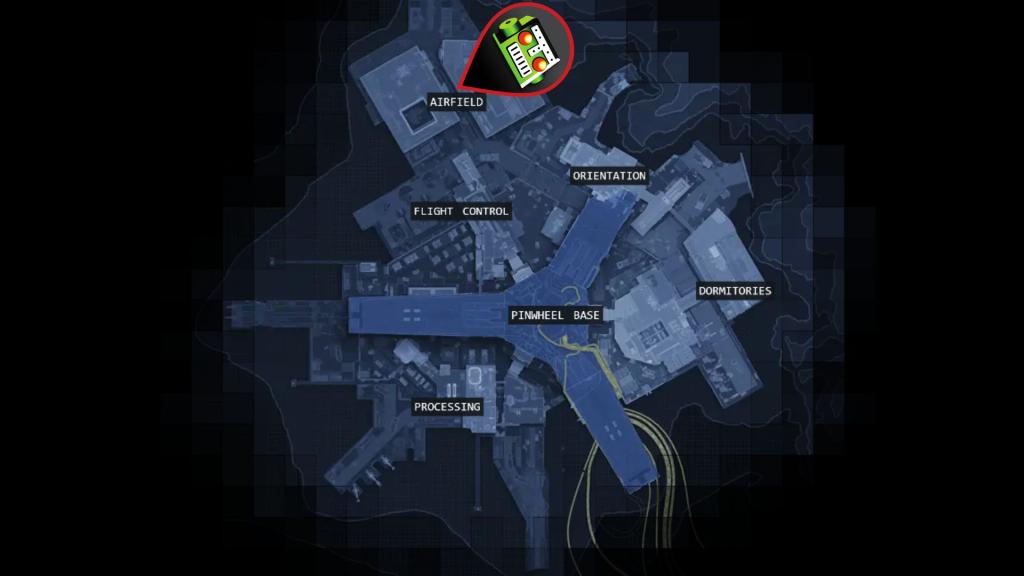
From Processing head north to the Airfield. Enter the hangar on the right through the main door — the first two tagged containers sit inside, one directly ahead and another by the stairs. The remaining two are outside; exit through the door near the stair container and you’ll find them along the outside perimeter.
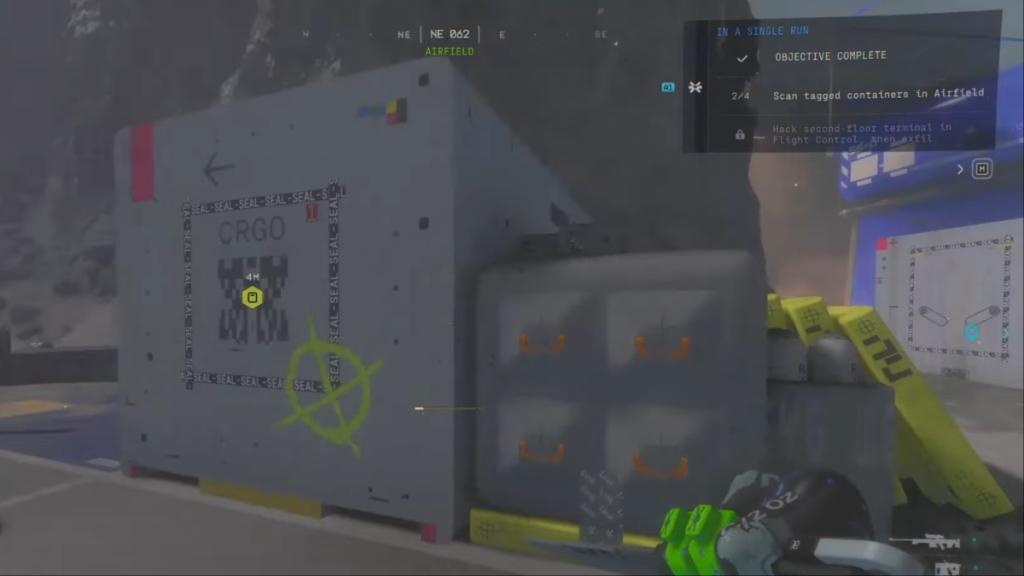
How many tagged containers do I need to scan in Airfield?
There are four tagged containers. Two are inside the hangar and two are outside. If a marker doesn’t appear, clear the interior first — engaging the indoor pair often triggers the outside markers to show up.
The Flight Control tower hangs over the map like a watchful eye.
How to hack second-floor terminal in Flight Control
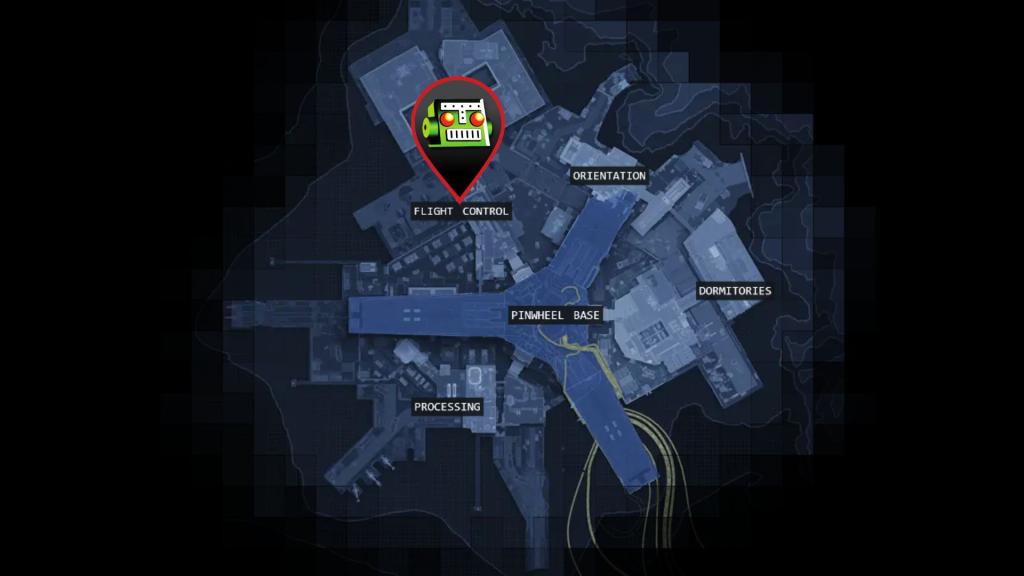
Enter Flight Control at the marked entrance and take the stairs to the second floor; the marker won’t appear until you’re on the correct level. The hack target sits in a glass-fronted room — when the mission icon appears, approach and interact to complete the hack.
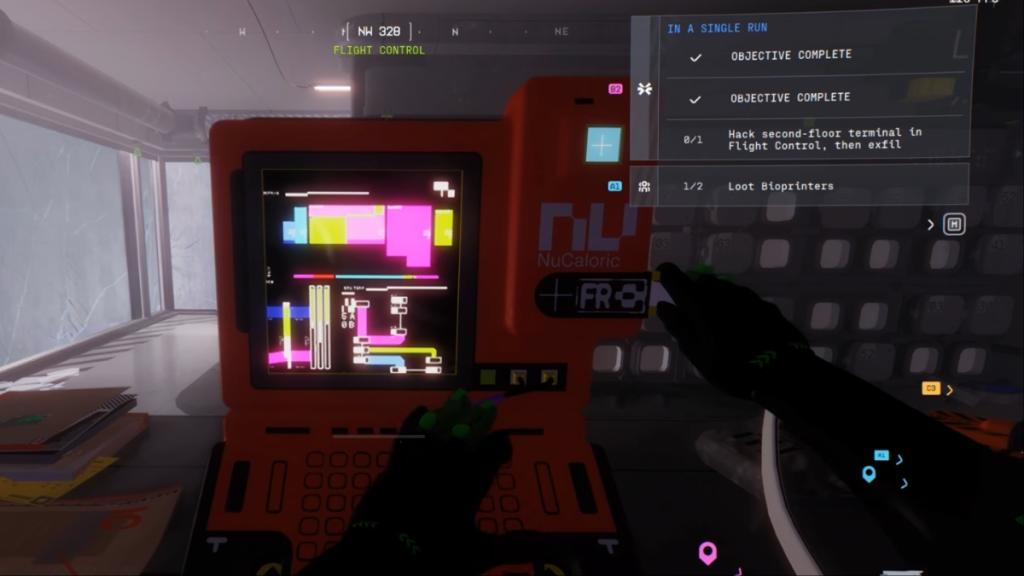
After the hack, exfil quickly. The map funnels you toward predictable lanes; use them or a sparrow if you prefer a faster exit. If teammates contest Flight Control, trade the hack for a clean revive window — the contract only needs completion, not a flawless firefight.
I reference Bungie’s level design patterns and the Destiny 2 Companion app when I plan runs; those resources tell you spawn timers and likely player traffic. The images here came from Moyens I/O’s captures and Bungie’s in-game art, which helped confirm the exact terminal locations.
The run is a short string of obvious choices if you stop chasing kills and stick to the markers — treat the Outpost like a tightrope and let each objective slide into the next like a lighthouse in fog. Ready to take MIDA rep seriously and risk a clean run for the rewards?