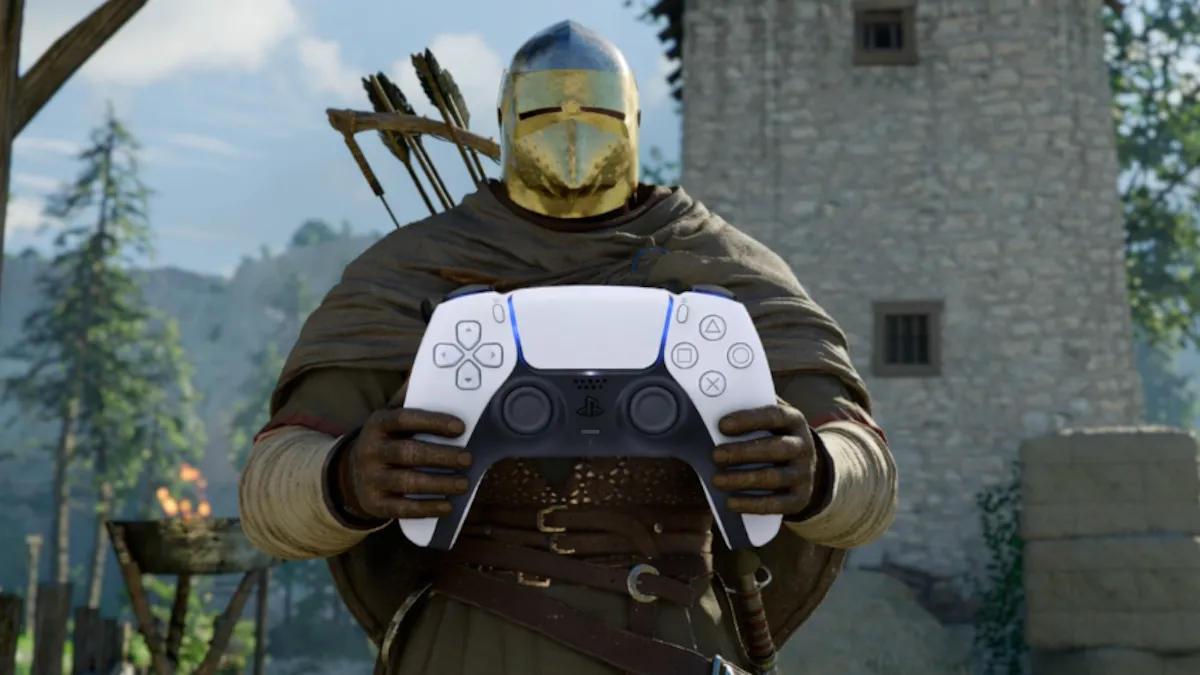
I was mid-combat when a simple dodge refused to register and my character ate a combo that should never have landed. You feel the panic—frames blur, inputs pile up, and the control scheme suddenly looks designed by someone who hates you. It’s the moment every player fears: the game is gorgeous, the fight is thrilling, and the controls refuse to behave.
Remapping Controls in Crimson Desert
I’ve watched streamers pause, stare at their controllers, then mutter complaints into the mic—controller remapping is the most-requested fix. Here’s the blunt truth: at the time of writing, Crimson Desert does not let you change controller button bindings in the in-game settings on PlayStation or Xbox.
On PC you get partial freedom: the Input menu lets you rebind keys for Keyboard and Mouse only. Controller bindings are locked out of that menu. Pearl Abyss’ PR and Marketing Director, Will Powers, has asked players to be patient and practice the scheme until it feels natural, but the developer hasn’t shipped an official controller remapper yet.
That leaves three practical paths if you want different controller behavior right now:
- Use Steam Input (if you run the Steam client): Steam’s controller configurator can override in-game mappings for many titles. It’s system-level, so it often works even when the game lacks native options.
- Controller middleware: Tools such as Xbox Accessories (for Xbox controllers on Windows) or DS4Windows (for PlayStation-style pads) let you remap buttons before the game sees them. Those apps carry risk—read the docs and back up profiles.
- Mods on PC: The community has already produced a Controller Button Remapper mod on Nexus Mods that gives you direct remapping inside Crimson Desert. Use Vortex or a manual install, back up the game folder, and check compatibility notes on the mod page.
Can you change controller settings in Crimson Desert?
No official in-game controller remapping exists for consoles. On PC, you cannot rebind controller buttons through the native Input menu; you can only change keyboard and mouse bindings. Your best immediate options are Steam Input, third-party controller apps, or the Nexus Mods remapper.
Can you change PC keybinds in Crimson Desert?
Yes. The PC Input menu allows you to reassign keyboard and mouse keys. If you need controller button changes, use one of the external paths above—the Nexus Mods remapper is the most direct fix created by the community.
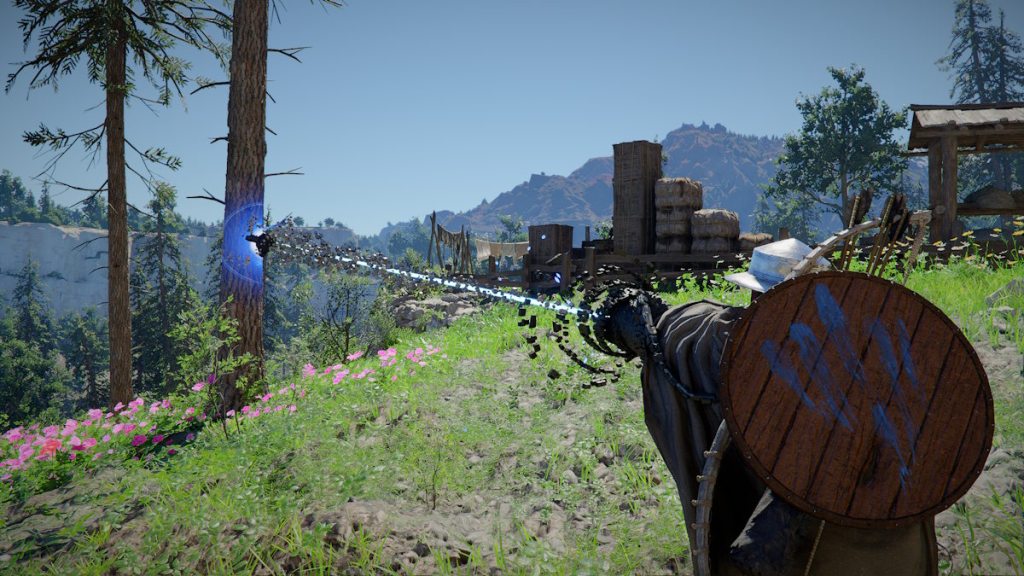
Crimson Desert Controller Layout
On streams you’ll often see players consult overlays and pause to crouch-locate a button—the control map is dense. Below is the official controller layout for PlayStation and Xbox controllers so you can study what’s fixed and where the most frequent complaints come from.
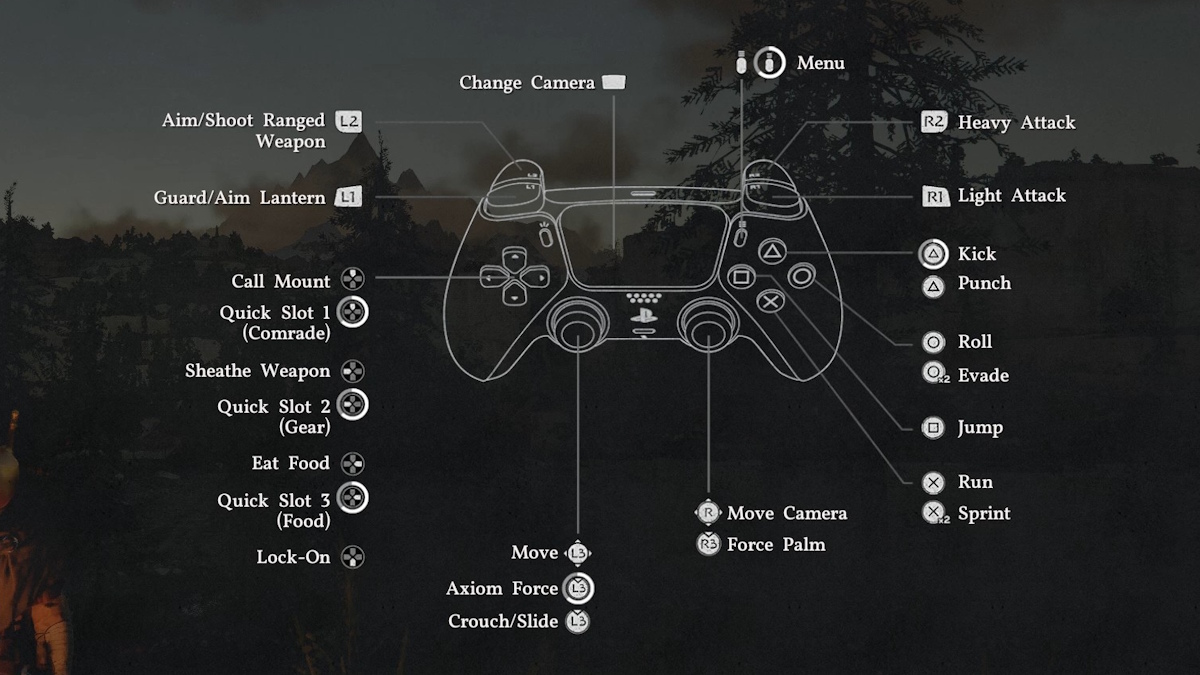
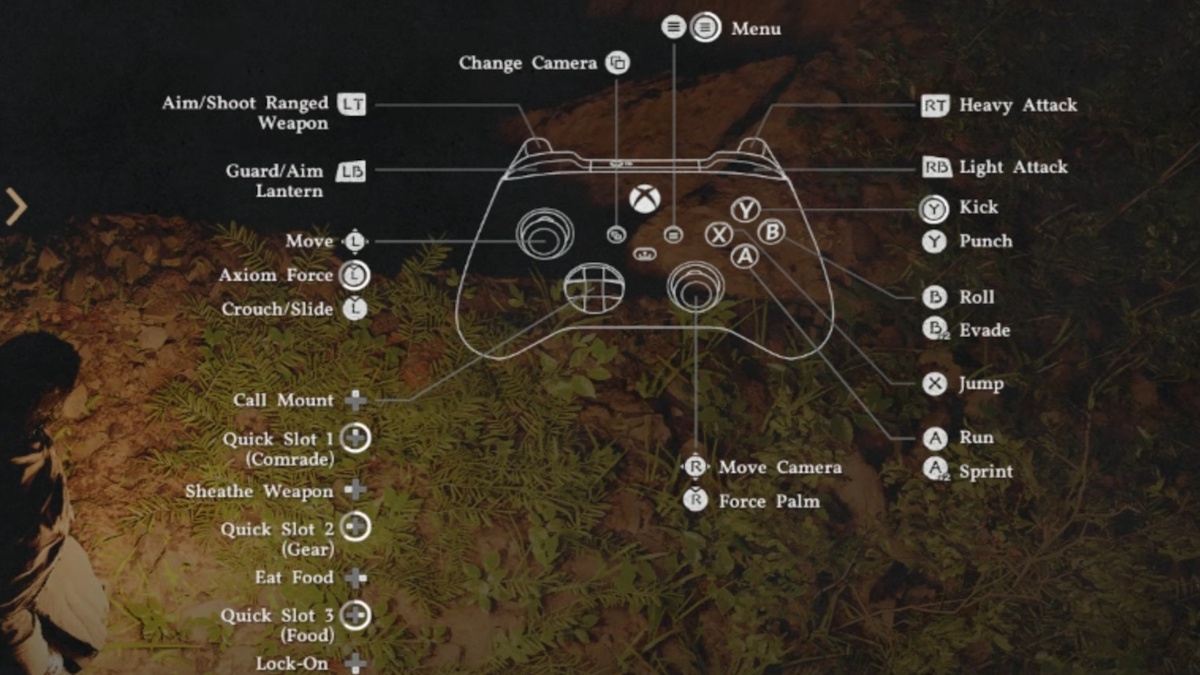
| Category | Result | PlayStation Controller | Xbox Controllers | Input Action |
|---|---|---|---|---|
| Movement | Move Camera | RS | RS | Tilt |
| Movement | Camera Zoom In/Out | Trackpad | View | Press |
| Movement | Lock-on | D-Pad Down | D-Pad Down | Press |
| Movement | Move | LS | LS | Tilt |
| Movement | Run | X | X | Hold |
| Movement | Sprint | X | X | Double Press (Toggle) |
| Movement | Crouch | L3 | RS | Press (Toggle) |
| Movement | Slide | L3 | RS | Press (While Running) |
| Movement | Jump | Square | X | Press |
| Movement | Precision Jump | L1 + Square | LB + X | Hold Control, then Press |
| Movement | Double Jump (When Unlocked) | Square | X | Press (While Mid-air) |
| Movement | Mantle | Square | X | Press (Near Ledge) |
| Movement | Climb | Square + LS | X + LS Tilt | Jump Towards Wall |
| Movement | Roll | Circle | B | Press |
| Movement | Evade | Circle | B | Double Press |
| Basic | Quick Menu (Last) | Options | Menu | Press |
| Basic | Scroll Menu | Options | Menu | Hold |
| Basic | Use Gear | L1 | LB | Press/Hold |
| Basic | Force Palm | R3 | RS | Press |
| Basic | Call Mount | D-Pad Up | D-Pad Up | Press |
| Basic | Dismount / Put Down Held Item | Triangle | Y | Press |
| Basic | Comrade Quick Slot | D-Pad Up | D-Pad Up | Hold |
| Basic | Gear Quick Slot | D-Pad Left | D-Pad Left | Hold |
| Basic | Food Quick Slot | D-Pad Right | D-Pad Right | Hold |
| Basic | Sheathe Weapon | D-Pad Left | D-Pad Left | Press |
| Interaction | Quick Menu (Last) | Options | Menu | Press |
| Interaction | Scroll Menu | Options | Menu | Hold |
| Interaction | Use Gear | L1 | LB | Press/Hold |
| Interaction | Force Palm | R3 | RS | Press |
| Interaction | Call Mount | D-Pad Up | D-Pad Up | Press |
| Interaction | Dismount / Put Down Current Item | Triangle | Y | Press |
| Interaction | Comrade Quick Slot | D-Pad Up | D-Pad Up | Hold |
| Interaction | Gear Quick Slot | D-Pad Left | D-Pad Left | Hold |
| Interaction | Food Quick Slot | D-Pad Right | D-Pad Right | Hold |
| Interaction | Stow Weapon | D-Pad Left | D-Pad Left | Press |
| Combat | Light Attack | R1 | RB | Press Repeatedly |
| Combat | Heavy Attack | R2 | RT | Press Repeatedly |
| Combat | Punch/Kick | Triangle | Y | Press |
| Combat | Aim | L2 | LT | Hold |
| Combat | Fire | L2 | LT | Aim and Release |
| Combat | Focus | X | A | Press |
| Combat | Axiom Force | L3 | LS | Hold |
| Combat | Block/Parry in Crimson Desert | L1 | LB | Press |
| Combat | Skill 1 | R2 + R1 | RT + RB | Combo Press |
| Combat | Skill 2 | R2 + L1 | RT + LB | Combo Press |
| Combat | Skill 3 | R2 + X | RT + A | Combo Press |
| Combat | Skill 4 | R1 + Circle | RB + B | Combo Press |
| Combat | Skill 5 | R1 + X | RB + A | Combo Press |
| Combat | Skill 6 | R1 + Square | RB + X | Combo Press |
| Combat | Skill 7 | R1 + L1 | RB + LB | Combo Press |
| Combat | Grappling: Throw | Triangle + R1 | Y + RB | Combo Press |
| Combat | Grappling: Lariat | Triangle + R2 | Y + RT | Combo Press |
| Combat | Enemy Vault | Square + R1 | X + RB | Combo Press |
Is there a mod to remap controllers?
Yes. The Controller Button Remapper on Nexus Mods gives PC players a legit way to reassign controller buttons inside Crimson Desert. You’ll find the mod page, install instructions, and compatibility notes on Nexus Mods—use a manager like Vortex to keep installs tidy and always keep a backup of the original files.
If you prefer not to mod, try Steam Input first—it’s reversible and integrated into Steam. If you use external apps, be cautious: some anti-cheat systems react to injected profiles, so verify the game’s current policy and check community threads on Reddit and Nexus for the latest reports.
Some fixes are small but meaningful: remap a rarely used button to Sheathe Weapon, move Axiom Force to an easier thumb press, or swap block from LB to a bumper you hit without thinking. That kind of tweak can change a frustrating combat encounter into a clean win.
Think of the control scheme as a machine you can tune; sometimes it feels like steering a ship in a storm, and other times like trying to play piano with oven mitts—both images explain why players ask for remaps so loudly.
Pearl Abyss might add native remapping later, but until they do you have tools: Steam Input, controller apps, or the Nexus Mods remapper. Which route you take depends on platform, appetite for mods, and tolerance for fiddling—so which will you try first?