The smoke popped, three bullets clipped air, and I watched a round slip away. I blamed my aim for a heartbeat, then a setting caught my eye. I changed one value and the next life felt steadier.
I’m a settings obsessive who has tested BloxStrike against CS2 and a stack of pro configs. You and I both know aim, game sense, and tactics win rounds—but small config choices tilt duels in quiet ways. I’ll show what I actually use, what pros copy, and how to test each change so you stop guessing and start winning rounds.
I noticed a Grandmaster switch off Global Shadows mid-warmup and the screen snapped clearer—Best BloxStrike Settings
Settings in BloxStrike live under Video, Audio, Game, and Keybinds. The ones you want in your muscle memory are Game and Keybinds (mouse sensitivity, crosshair), but every category affects what you see, hear, and feel. Below are concise recommendations I use and hand out to teammates—test them, tweak them, then stick with the one that fits your hand.
Video Settings


| Setting | Recommended |
|---|---|
| Global Shadows | Off |
| Glass Shatter | Off |
| First Person Tracers | On |
| Muzzle Flash | Off |
| Ragdolls | Off |
Clarity and frame stability matter more than pretty lights. If you want visual richness, enable Global Shadows, but expect a frame cost. Keep First Person Tracers on—those give instant feedback on where you’re actually hitting.
Audio Settings
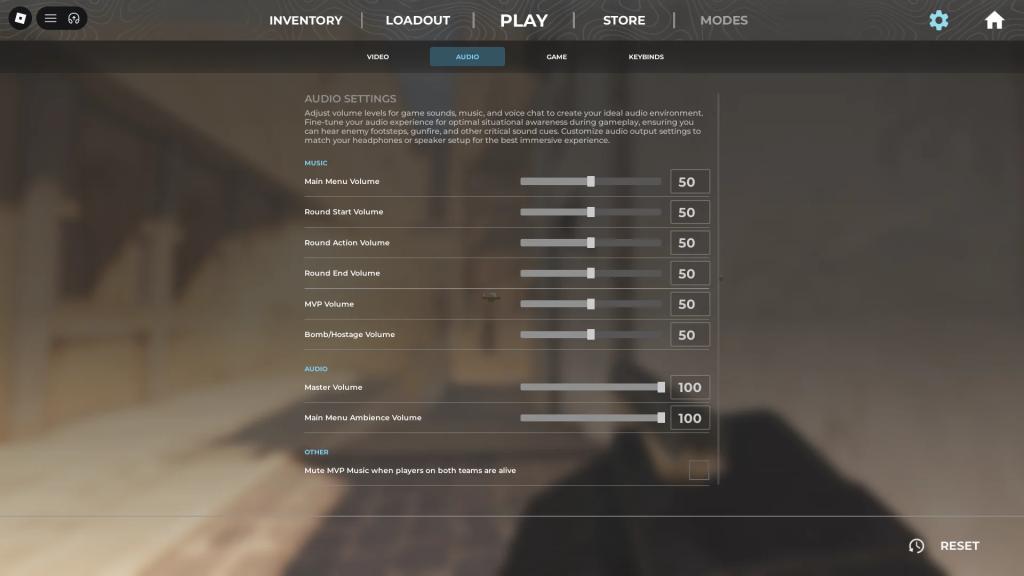
| Setting | Recommended |
|---|---|
| Main Menu Volume | 50 |
| Round Start Volume | 50 |
| Round Action Volume | 50 |
| Round End Volume | 50 |
| MVP Volume | 50 |
| Bomb/Hostage Volume | 50 |
| Master Volume | 100 |
| Main Menu Ambience Volume | 100 |
| Mute MVP Music when players on both teams are alive | Off |
Announcements and cues are baked into sensible defaults. If you use a gaming headset from Logitech, Razer, or Zowie, keep levels comfortable and monitor directional cues—those nudge entries and rotations more than you think.
Item and HUD Settings
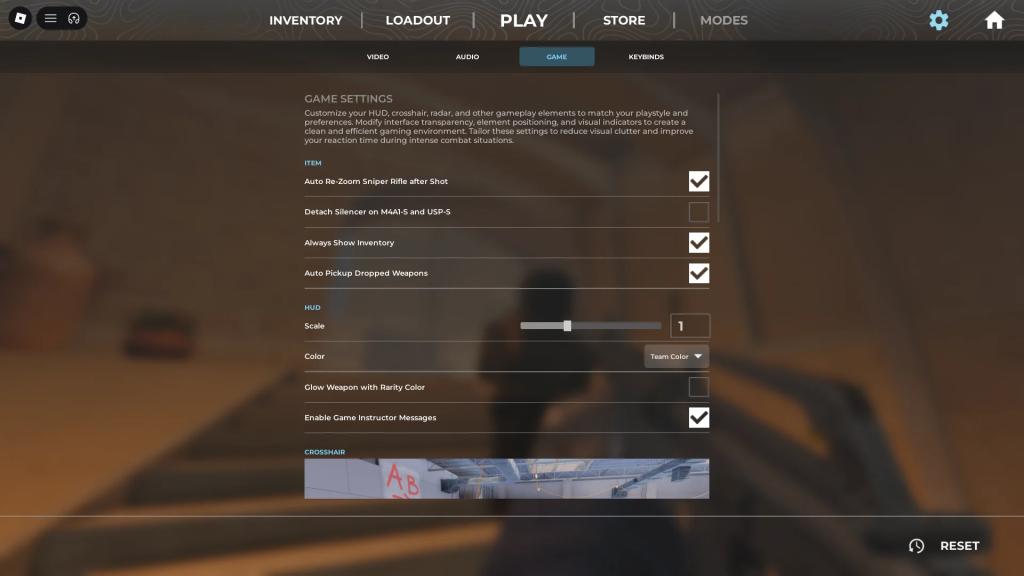
| Setting | Recommended |
|---|---|
| Auto Re-Zoom Sniper Rifle after Shot | On |
| Detach Silencer on M4a1-S and USP-S | Off |
| Always Show Inventory | On |
| Auto Pickup Dropped Weapons | On |
| Scale | 1 |
| Color | Team Color |
| Glow Weapon With Rarity Color | Off |
| Enable Game Instructor Messages | Off |
HUD and items should mirror CS2 behavior to keep muscle memory intact. Turn off Game Instructor Messages unless you enjoy pop-ups during clutch moments.
Crosshair Settings
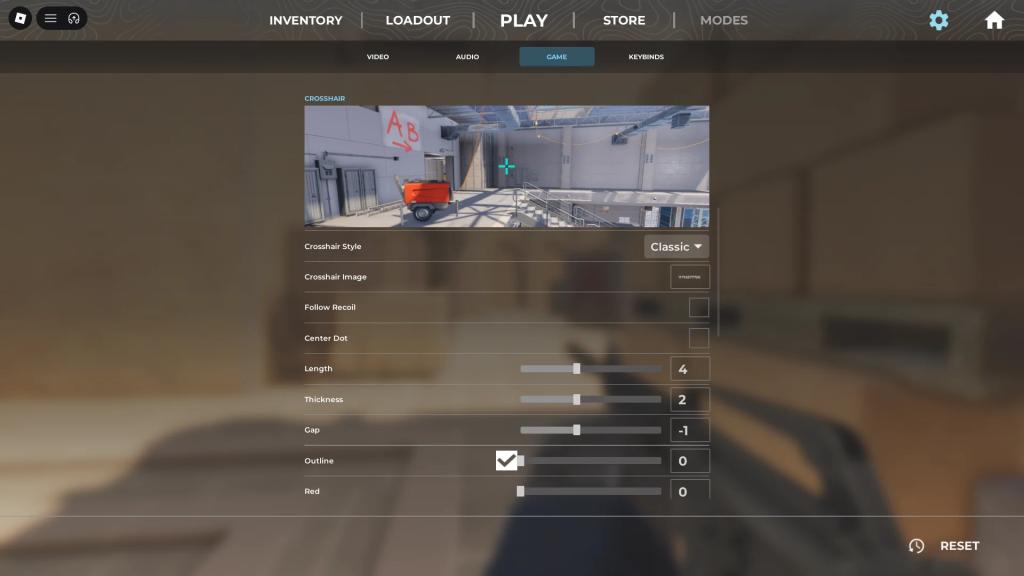
Crosshairs are intensely personal. I’ve watched pros swap tiny values and the difference showed up in one-tap fights. You can use Classic (movement expands), Static, or Image. Below are pro presets you can copy, test, and keep as a baseline.
| Player | Crosshair | Settings |
|---|---|---|
| donk(Spirit) | 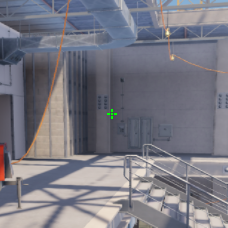 |
Crosshair Style: Classic Static Follow Recoil: No Center Dot: Yes Length: 1 (0.5) Thickness: 1 Gap: -3 Outline: No Red: 0 Green: 255 Blue: 0 Alpha: Yes – 255 T Style: No |
| ZywOo(Vitality) | 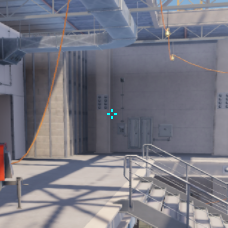 |
Crosshair Style: Classic Static Follow Recoil: No Center Dot: No Length: 1 (1.5) Thickness: 1 (0.1) Gap: -3 Outline: No Red: 0 Green: 255 Blue: 255 Alpha: Yes – 255 T Style: No |
| m0NESY(Falcons) | 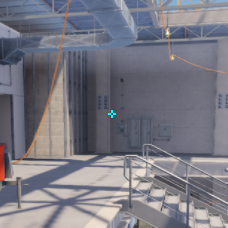 |
Crosshair Style: Classic Static Follow Recoil: No Center Dot: No Length: 1 Thickness: 1 Gap: -4 Outline: No Red: 0 Green: 255 Blue: 255 Alpha: Yes – 255 T Style: No |
| NiKo(Falcons) | 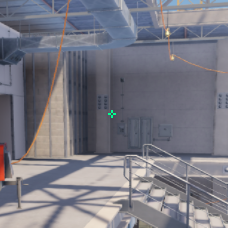 |
Crosshair Style: Classic Static Follow Recoil: No Center Dot: No Length: 1 Thickness: 1 (0) Gap: -4 Outline: No Red: 0 Green: 255 Blue: 145 Alpha: Yes – 255 T Style: No |
| kyousuke(Falcons) | 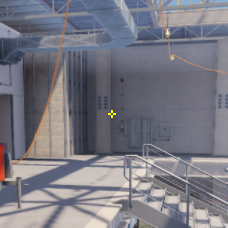 |
Crosshair Style: Classic Static Follow Recoil: No Center Dot: No Length: 1 Thickness: 1 Gap: -4 Outline: No Red: 255 Green: 255 Blue: 0 Alpha: Yes – 255 T Style: No |
| Twistzz(Faze) | 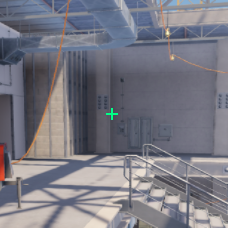 |
Crosshair Style: Classic Static Follow Recoil: No Center Dot: No Length: 2 Thickness: 1 (0) Gap: -5 (-7) Outline: No Red: 0 Green: 255 Blue: 135 Alpha: Yes – 255 T Style: No |
| XANTARES(Aurora) | 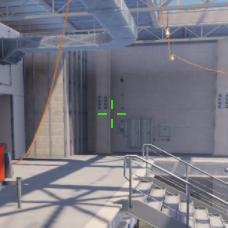 |
Crosshair Style: Classic Static Follow Recoil: No Center Dot: No Length: 3 Thickness: 1 (0.5) Gap: 0 Outline: No Red: 50 Green: 255 Blue: 0 Alpha: Yes – 200 T Style: No |
| w0nderful(Natus Vincere) | 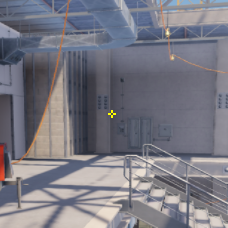 |
Crosshair Style: Classic Static Follow Recoil: No Center Dot: No Length: 1 Thickness: 1 Gap: -4 Outline: No Red: 255 Green: 255 Blue: 0 Alpha: Yes – 255 T Style: No |
| KSCERATO(FURIA) | 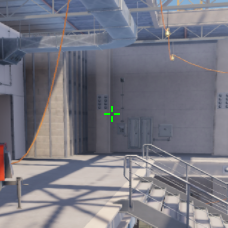 |
Crosshair Style: Classic Static Follow Recoil: No Center Dot: No Length: 2 Thickness: 1 (0) Gap: -3 Outline: No Red: 0 Green: 255 Blue: 0 Alpha: Yes – 255 T Style: No |
| sh1ro(Spirit) | 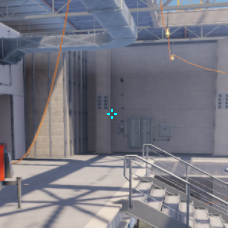 |
Crosshair Style: Classic Static Follow Recoil: No Center Dot: No Length: 1 (0.9) Thickness: 1 (0.9) Gap: -3 (-2.9) Outline: No Red: 0 Green: 255 Blue: 255 Alpha: Yes – 255 T Style: No |
If you prefer a decal, steal one from the Roblox Creator Store and paste its asset ID into Crosshair Image. If a decal fails to load, switch back to static or try another asset. If persistent, file a bug on the BloxStrike Discord.
- Go to the Decals section of the Roblox Creator Store
- Click on a decal you like, open the dropdown (… icon), and copy its asset ID
- Change Crosshair Style to Image in-game
- Paste the asset ID into Crosshair Image
How do you open up the settings menu?
Press the N key while in a round. That opens the full settings panel without leaving the action.
How to get coins?
Finish matches. Performance increases coin rewards; leaving early yields nothing. If you want grind shortcuts, follow the community on the BloxStrike Discord for events and bonus drops.
Is BloxStrike available on mobile and consoles?
Yes. BloxStrike runs on all platforms supported by Roblox; settings translate across devices but use separate muscle memory for touch or controller input.
I watched a teammate move his viewmodel half an inch and suddenly he cleared corners faster—Viewmodel, Radar, and Other Settings
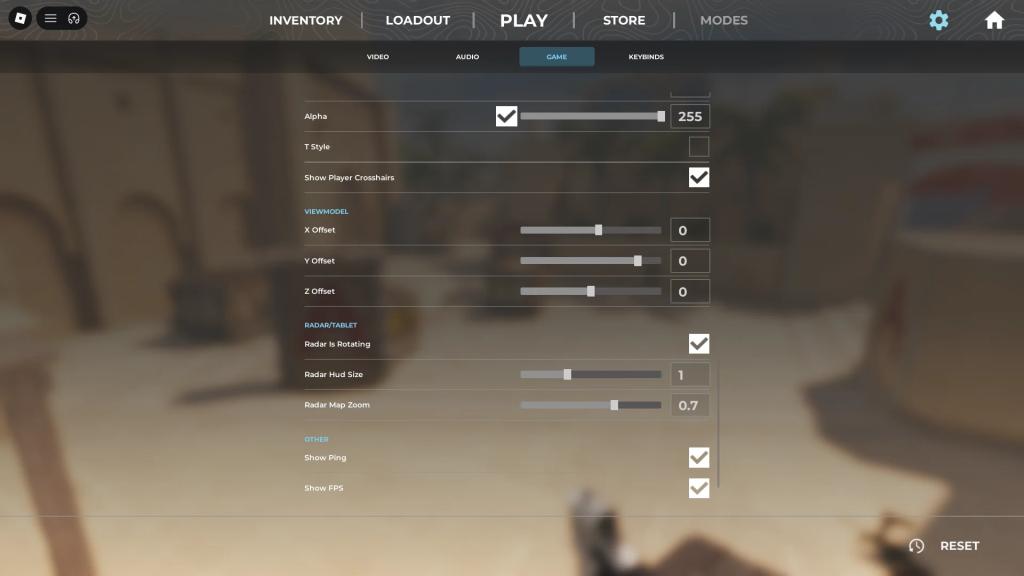
| Setting | Recommended |
|---|---|
| X Offset | 0 |
| Y Offset | 0 |
| Z Offset | 0 |
| Radar is Rotating | On |
| Radar Hud Size | 1.3 |
| Radar Map Zoom | 0.7 |
| Show Ping | On |
| Show FPS | On |
Viewmodel tweaks reposition hands and weapon and are mostly aesthetic—leave them if they don’t break sightlines. Radar size and zoom are personal: increase the HUD if you want more map context. Keep ping and FPS visible; they warn you before a bad server ruins a match.
I reset my sensitivity mid-match and my flicks synchronized—Mouse Sensitivity and Keybinds
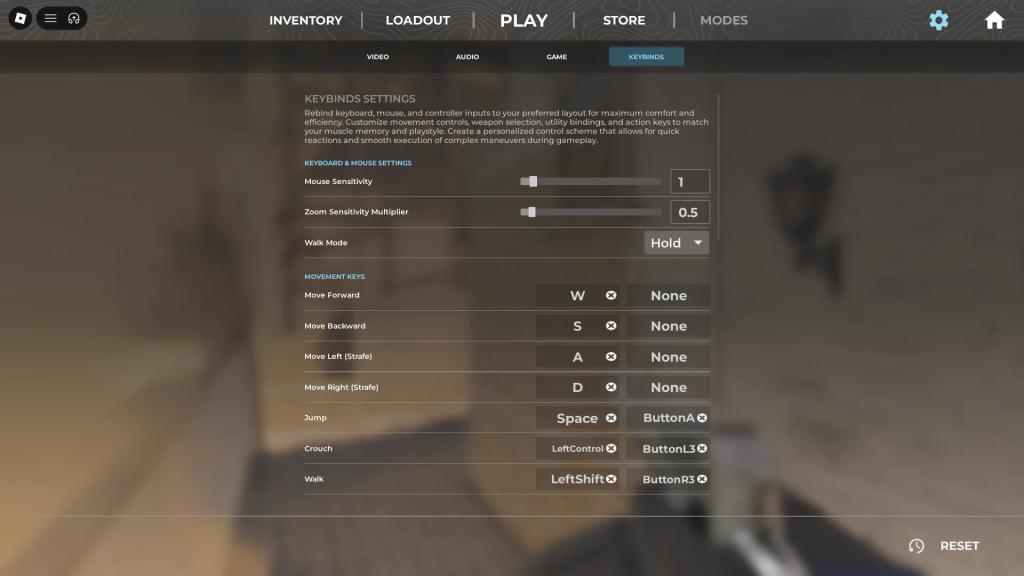
Keybinds follow CS2 defaults; rebind what feels natural. Set your mouse sensitivity by playing a few rounds and nudging it between rounds. Small changes matter.
| Player | MouseDPI | MouseSensitivity | EffectiveDPI | ZoomSensitivity |
|---|---|---|---|---|
| donk(Spirit) | 800 | 1.25 | 1000 | 1 |
| ZywOo(Vitality) | 400 | 2 | 800 | 0.8 |
| m0NESY(Falcons) | 400 | 2.3 | 920 | 1 |
| NiKo(Falcons) | 800 | 0.7 | 560 | 1 |
| kyousuke(Falcons) | 800 | 1.28 | 1024 | 1 |
| Twistzz(Faze) | 400 | 1.59 | 636 | 1 |
| XANTARES(Aurora) | 400 | 2.3 | 920 | 1.1 |
| w0nderful(Natus Vincere) | 400 | 2.6 | 1040 | 1 |
| KSCERATO(FURIA) | 800 | 1.25 | 1000 | 1 |
| sh1ro(Spirit) | 800 | 1 | 800 | 1 |
Tune process: pick a DPI (400–800 is common), set one sensitivity, play five rounds, nudge sensitivity ±0.1, repeat. Your aim should stay consistent across angles and distances. Your crosshair is a surgeon’s scalpel—precise and unobtrusive.
Treat sensitivity adjustments like tuning gears; a hair of change can rewire muscle memory.
What I keep constant: static crosshair for headshot consistency, First Person Tracers on, Master Volume 100 for clear audio layering, Ping and FPS visible. Use a trusted mouse pad and a certified gaming mouse from your preferred brand to keep DPI stable.
If you want quick fixes: disable Global Shadows, turn Muzzle Flash off, use Classic Static crosshair with center dot, and set Show Ping and FPS to On.
Tell me—what setting will you flip first and why?