
I watched a fresh Sea 2 player sprint into a boss arena and get deleted before they could blink. Their hands froze over the keyboard while the boss laughed in telegraphed swings — you can feel the panic in the voice chat. I don’t want that to be you; knowing the buttons is the difference between getting carried and carrying the raid.
I’ve spent hours with Sailor Piece on PC, phone, and console so you don’t have to waste time learning by dying. I’ll point out the controls that matter, what you can remap, and some quick habits that change fights. Read the short tables, then pick the setup that fits how you play.
On desktop, small mistakes cost big runs — Sailor Piece Keybinds and Controls for PC (Keyboard & Mouse)
PC gives you precision and options, but that edge comes with a learning curve. If you play with a mouse and keyboard, the right-click pans the camera and left-click is your bread-and-butter attack. Here’s the clean list so you can practice until the keys are muscle memory:
| Action | Keybind |
|---|---|
| Movement | WASD or Arrow Keys |
| Attack | Left Mouse Click |
| Dash | Q |
| Toggle Sprint | Ctrl |
| Skill 1 | Z |
| Skill 2 | X |
| Skill 3 | C |
| Skill 4 | V |
| Skill 5 (Ultimate) | F |
| Armament Haki | G |
| Observation Haki | H |
| Conqueror Haki | J |
| Drop Fruit | Equip fruit, then Backspace |
| Shift Lock | Shift |
| Fruit, Melee, Sword | 1, 2, 3 (changeable) |
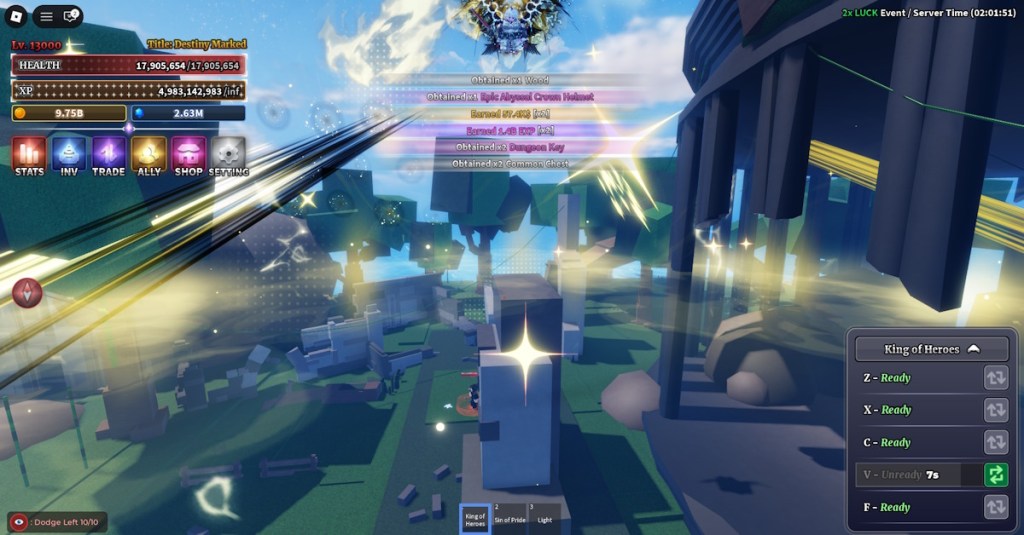
What are the Sailor Piece controls on PC for sprint?
Hit left Ctrl to toggle sprint on PC. If you prefer a hold-to-sprint feel, use a tool like AutoHotkey to remap keys at the OS level, or configure controller mapping through Steam Input if you’re running Roblox on Steam.
Thumb slips and dropped combos tell the story — Sailor Piece Keybinds and Controls for Mobile (Android and iOS)
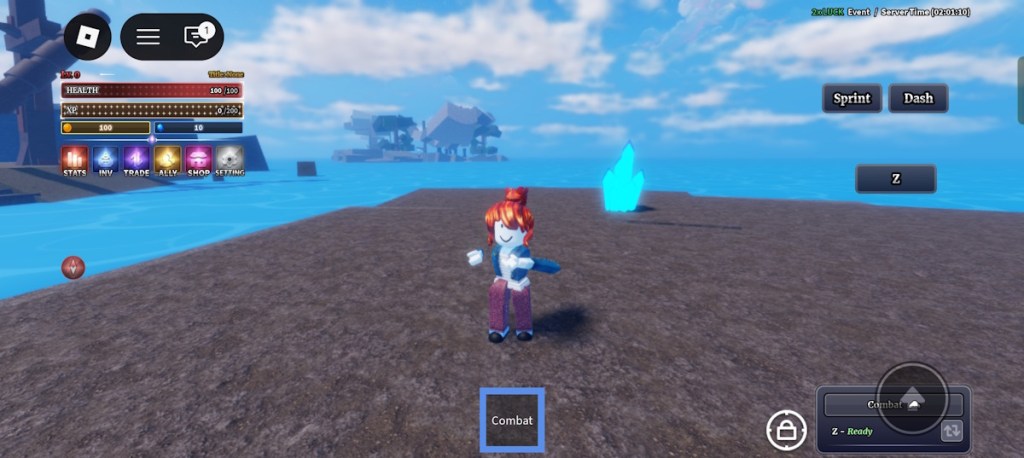
On mobile, everything is about reach and timing. Your thumbs are the limiter; keep common buttons under your thumbs and practice dash combos until they’re reflex.
Here are the mobile controls you’ll use most when farming or fighting bosses on Android or iOS with Roblox.
| Action | How to Perform |
|---|---|
| Move Character | Drag the left-side joystick on the screen |
| Jump | Tap the jump arrow on the right side |
| Toggle Shift Lock | Use the lock button at the bottom of the screen |
| Sprint | Tap the sprint toggle button |
| Dash | Press the dash button |
| Use Observation Haki | Tap the Observation (Obs) button |
| Use Armament Haki | Tap the Haki button |
| Use Conqueror Haki | Tap the Conqueror (Conq) button |
| Basic Attack | Tap anywhere on the screen |
| Use Abilities | Click the buttons below the sprint button |
Can I change Sailor Piece keyboard controls?
There’s no native in-game key remapping inside Sailor Piece on Roblox. On PC you can use the Roblox settings for limited changes, or external mapping tools such as AutoHotkey or Steam Input to reassign keys or emulate controller input. On console, use the Xbox Accessories app or PlayStation controller settings for hardware-level remaps.
The couch test is unforgiving — Sailor Piece Keybinds and Controls for Console (PS & Xbox)
Console controllers simplify inputs but force trade-offs: fewer buttons, more combos with modifiers. The game maps skills to face buttons and Haki to the D-pad, so practice the D-pad choreography.
Sailor Piece Controls Xbox
Xbox Series X/S players use the left stick for movement and RT for basic attack. The D-pad handles multiple Haki inputs depending on tap, double-tap, or hold, which is critical in clutch moments.
| Action | Button / Input |
|---|---|
| Move Character | Left Joystick |
| Basic Attack | RT |
| Dash | LT |
| Skill 1 | X |
| Skill 2 | Y |
| Skill 3 | B |
| Skill 4 | Up Arrow (D-Pad) |
| Skill 5 (Ultimate) | Right Arrow (D-Pad) |
| Use Armament Haki | Down Arrow (Tap) |
| Use Observation Haki | Down Arrow (Double Tap) |
| Use Conqueror Haki | Down Arrow (Hold) |
Sailor Piece Controls PlayStation
PlayStation controllers map the same functions to familiar buttons. R2 for attacks, L2 for dash, and the D-pad performs Haki roles depending on tap cadence. If you play on PS5, the DualSense can be configured in the console’s Accessibility settings for button assignments.
| Action | Button / Input |
|---|---|
| Move Character | Left Joystick |
| Basic Attack | R2 |
| Dash | L2 |
| Skill 1 | Square |
| Skill 2 | Triangle |
| Skill 3 | Circle |
| Skill 4 | Up Arrow (D-Pad) |
| Skill 5 (Ultimate) | Right Arrow (D-Pad) |
| Use Armament Haki | Down Arrow (Tap) |
| Use Observation Haki | Down Arrow (Double Tap) |
| Use Conqueror Haki | Down Arrow (Hold) |
If you want my single piece of advice: practice the Haki D-pad rhythm until it’s second nature. Think of your control scheme like a bicycle chain — when the links line up, you fly. If you could only pick one platform to master, which would you choose and why?