
I was one match from quitting when a GeForce ping popped up: a free Thor skin, limited-time code. You feel that little rush—free, exclusive, and ticking away. Miss it and it’s gone.
I’ll walk you through the exact steps I used to grab the Thor Midgard Umber skin in Marvel Rivals so you can have it ready before the next queue.
How to Redeem the Thor Midgard Umber Skin via Nvidia GeForce
Most players already have a GeForce app on their desktop or phone; if not, downloading it takes minutes.
Follow these steps inside the Nvidia ecosystem and you’ll end up with a redeem code for Marvel Rivals:
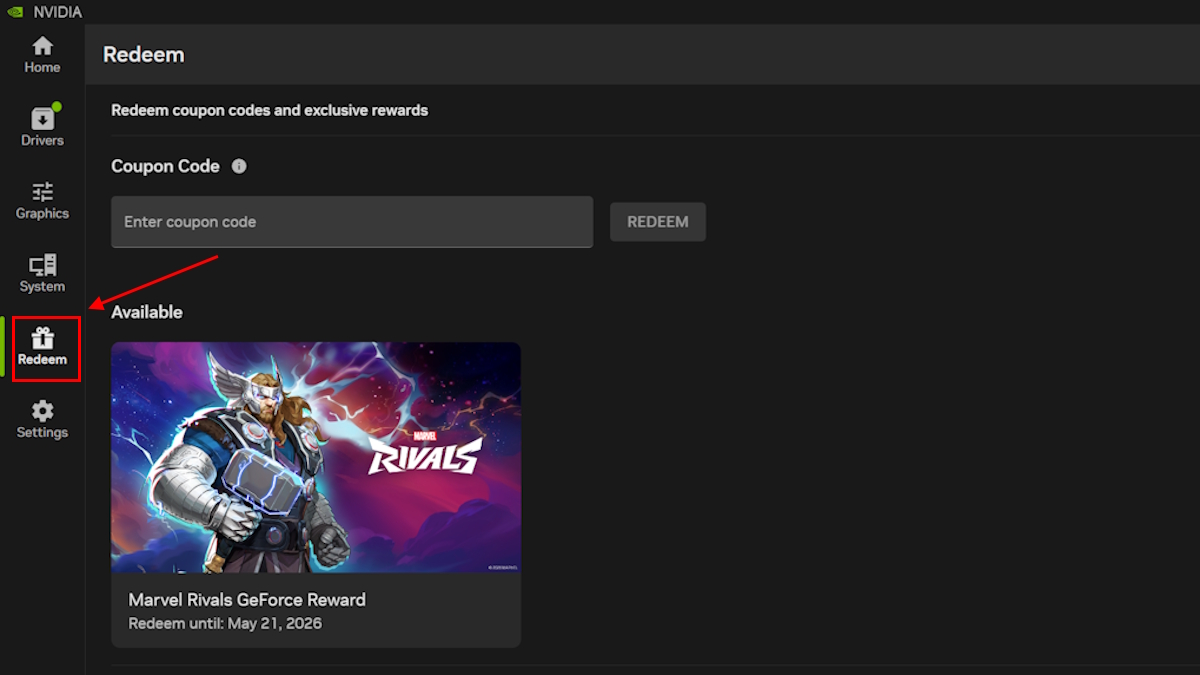
- Open the Nvidia GeForce app (or install it from the official Nvidia website) and sign in with your Nvidia account.
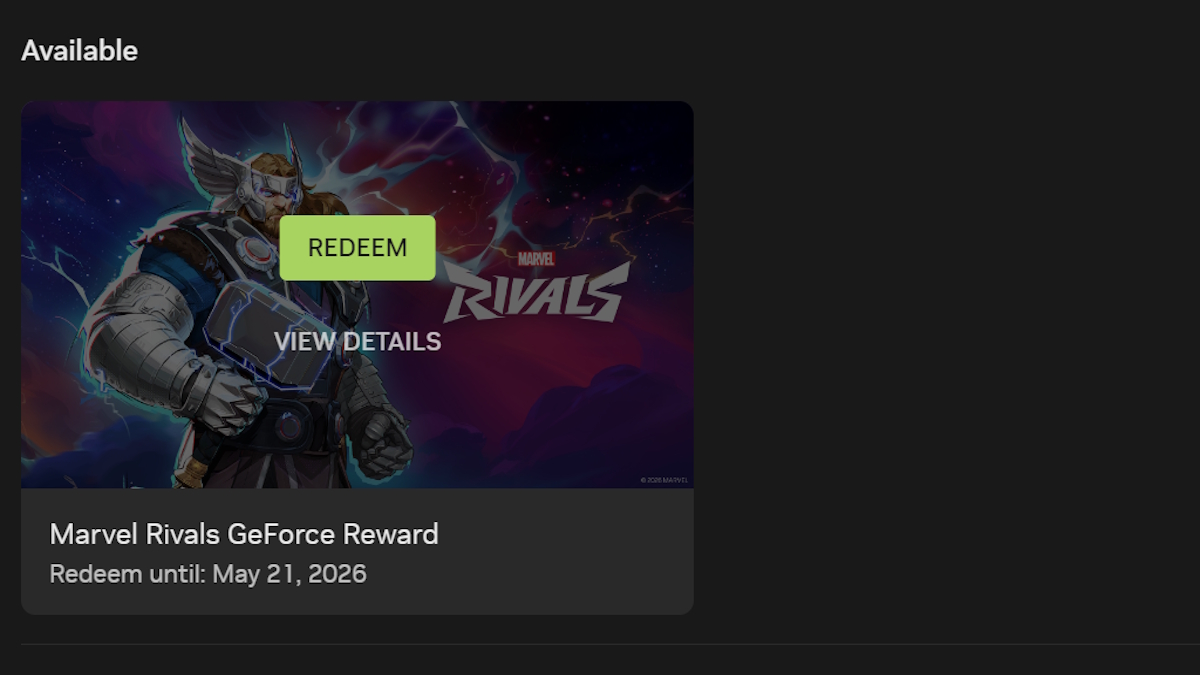
- Go to the Redeem section inside the app and spot the Thor Midgard Umber reward listed as a GeForce perk.
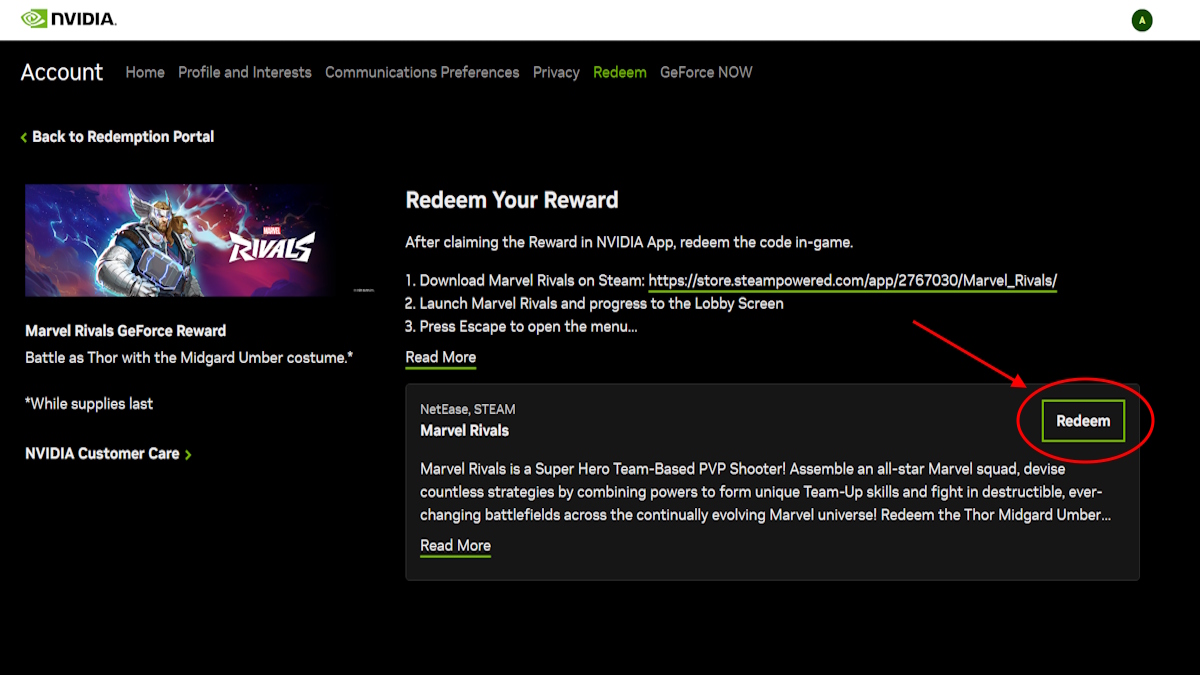
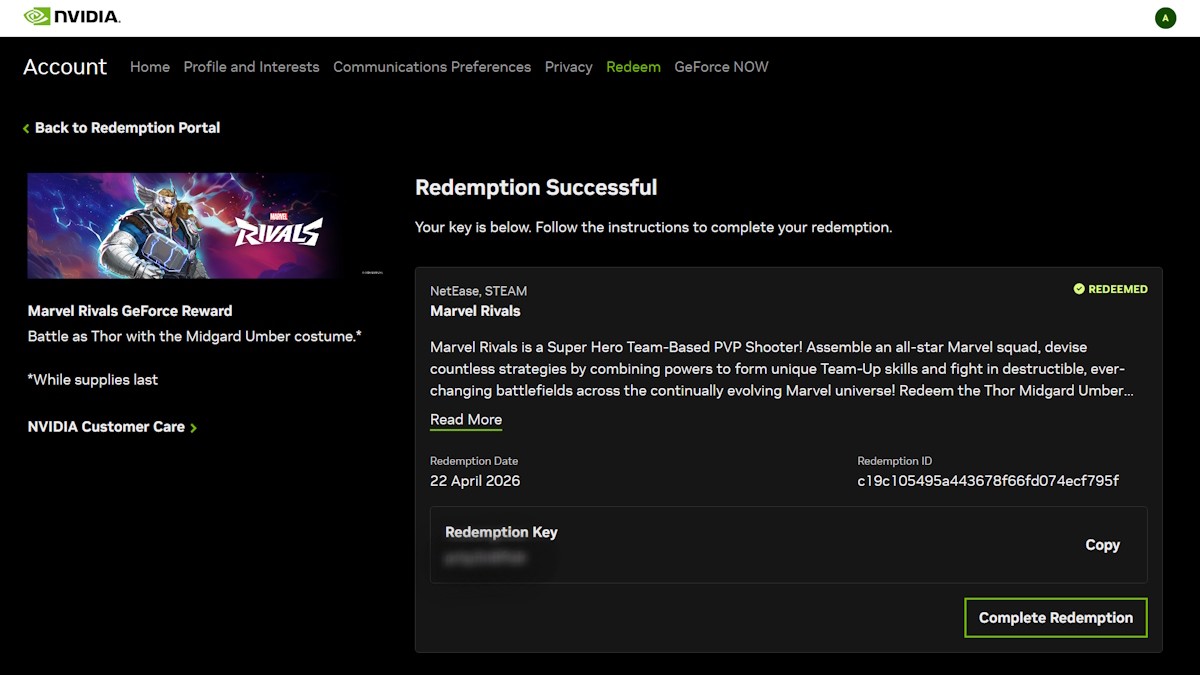
- Click Redeem. The app will hand you a code on the Nvidia site — copy that code or keep the redemption screen open.
Is the Thor Midgard Umber costume a free skin in Marvel Rivals?
Yes. NetEase and Nvidia GeForce partnered to make the Thor Midgard Umber costume free as a GeForce reward — no in-game purchase required. You only need an Nvidia account and the GeForce app to claim the code.
How to Use the GeForce Code inside Marvel Rivals
Most players paste codes into games from memory or a clipboard — one wrong character and the code fails.
Follow these quick steps while the code is still active:
- Start Marvel Rivals on your PC or console and sign in to your account.
- Tap the settings gear at the top-right corner of the home screen.
- Choose Bundle Code, paste the Nvidia GeForce code you copied, then hit Use.
- The Thor Midgard Umber skin is added to your collection and ready to equip.
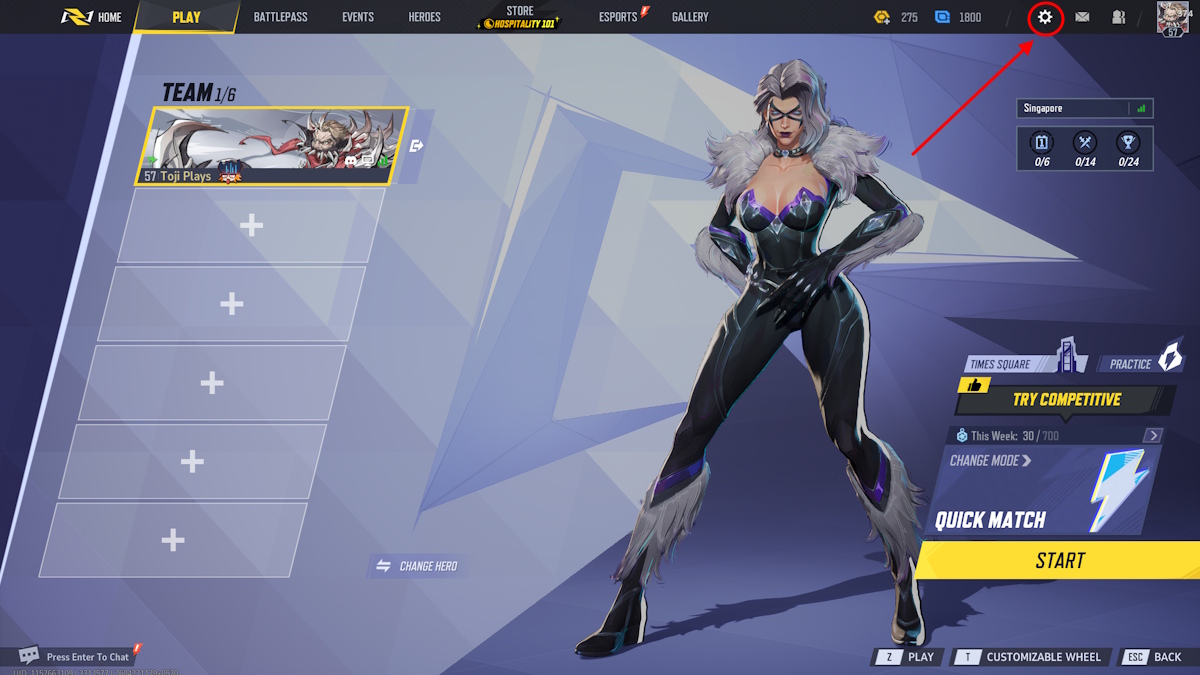
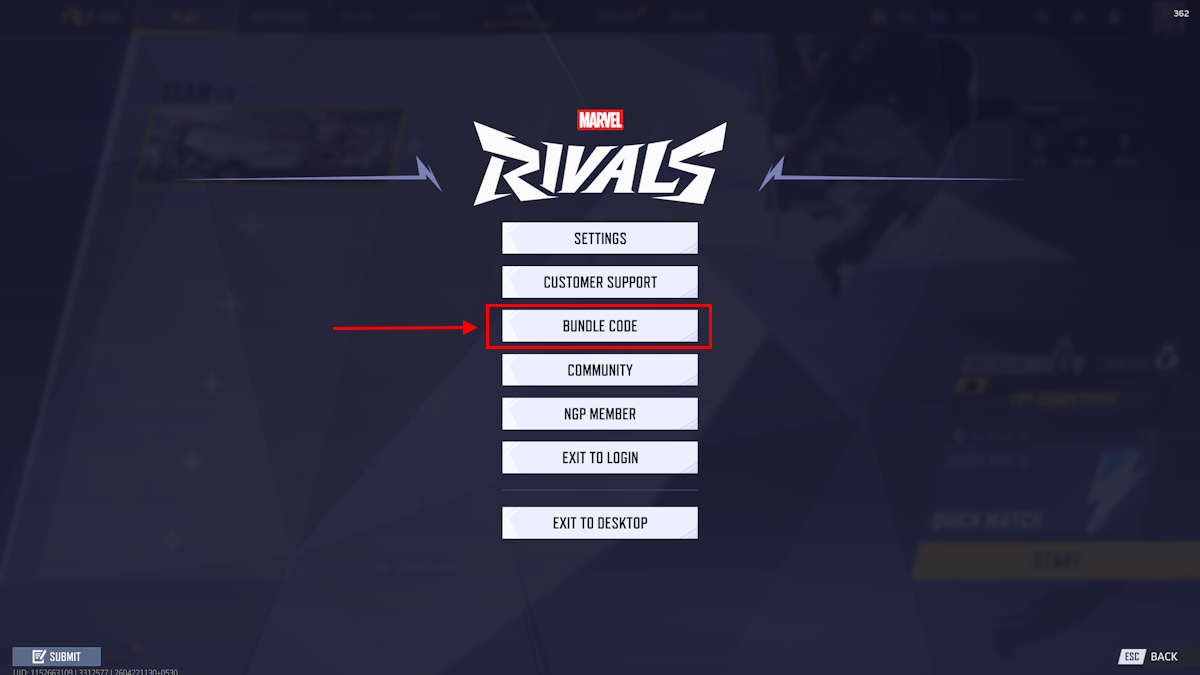
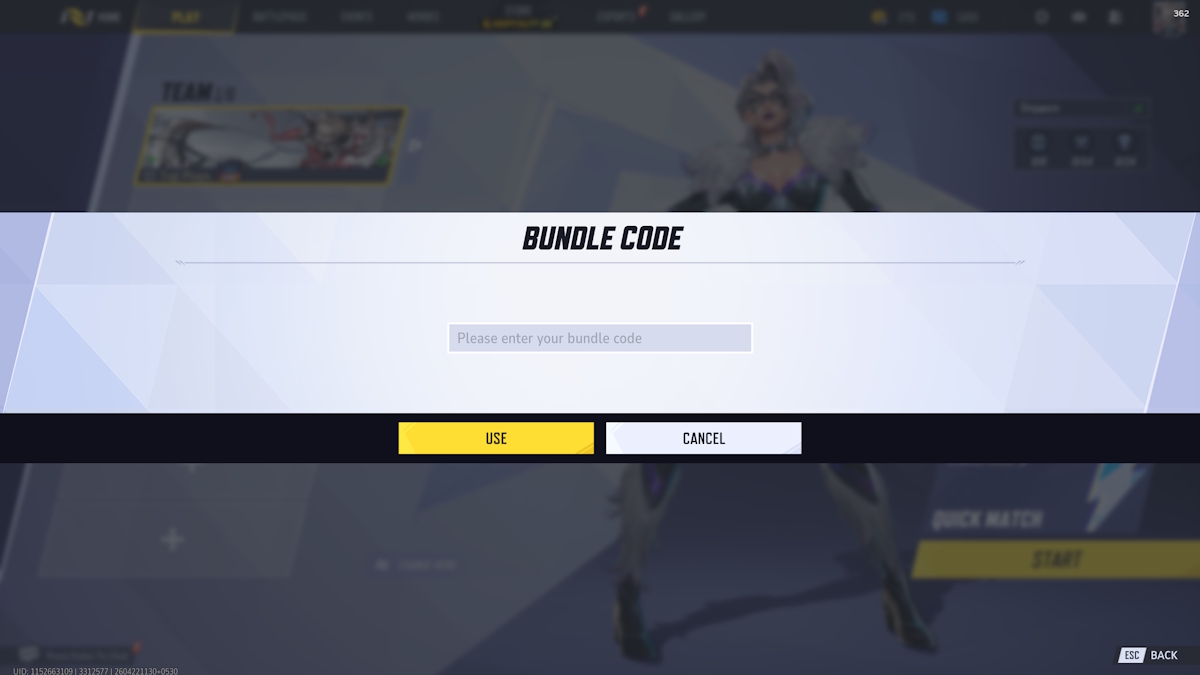
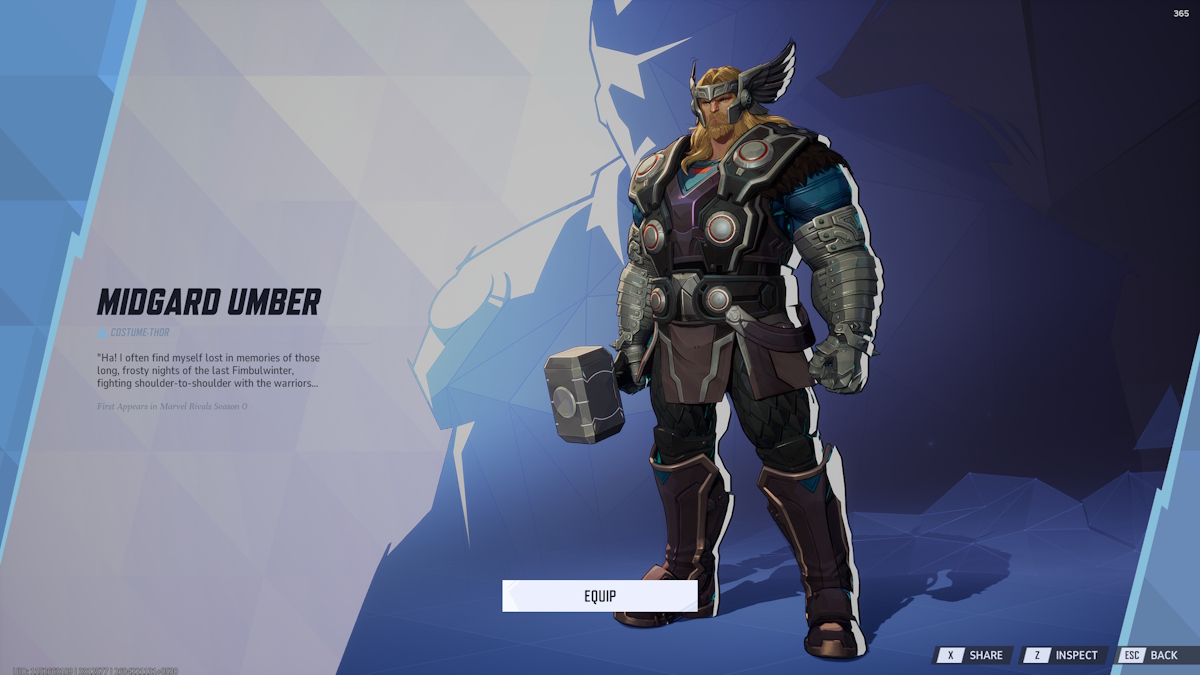
How to claim the Thor Midgard Umber costume?
Grab the code from Nvidia GeForce, then paste it in Marvel Rivals under Settings > Bundle Code. Hit Use and the skin drops into your inventory.
Deadline, small risks, and a quick plan
Players treat limited GeForce drops like flash sales—codes appear, social threads flood, and then silence.
The Thor code expires on May 21, 2026. If you want this free skin, retrieve the code now and redeem it in-game before that date. I treated it like finding a golden ticket in a cereal box and moved fast; you may prefer a calmer approach, but don’t wait until the last hour.
Quick tips from my play session: copy the code into a note app to avoid typos and redeem on PC if you run into console hiccups. The process is as simple as flipping a light switch once you have the code.
Nvidia GeForce, NetEase, and Marvel Rivals all factor into this — the reward is free because of their partnership, so use the GeForce app to claim your code before May 21, 2026. What’s your plan if the next GeForce drop is even rarer — trade codes with friends or hoard them for your main account?