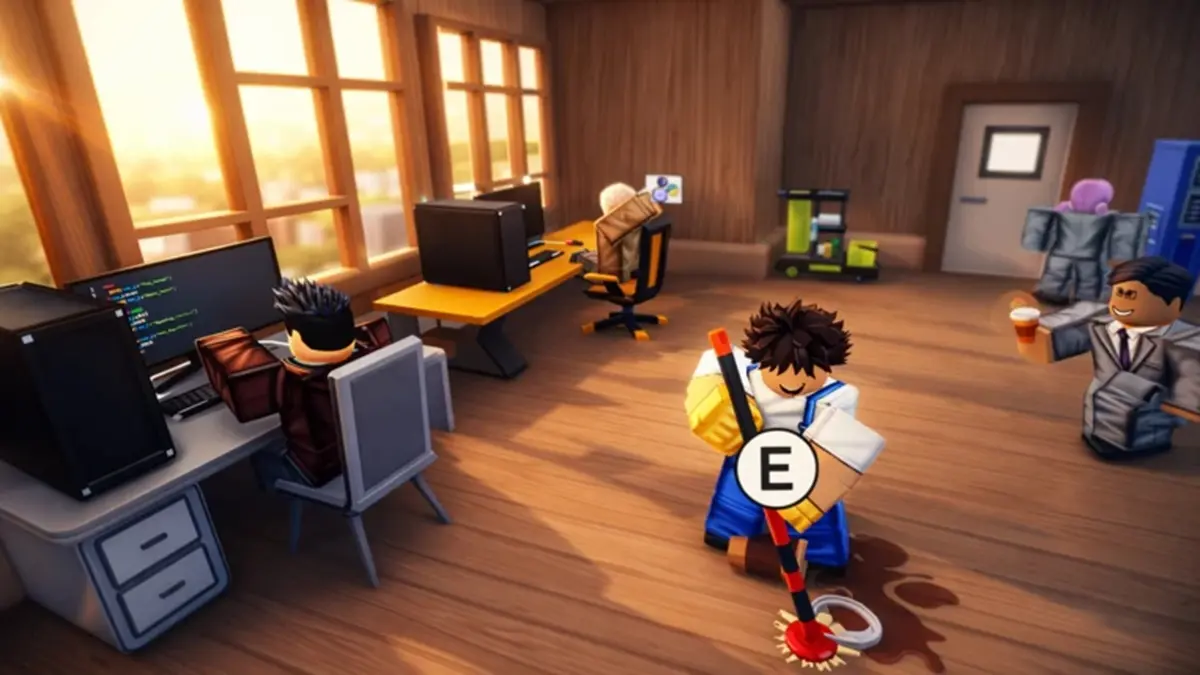
Update: added new Coding Simulator 2 codes on May 2, 2026
I froze over the login screen when the in-game announcer flashed “limited time.” Thirty seconds later I had missed one code and felt a small, ridiculous panic. You don’t have to learn that lesson the hard way — I’ll walk you through the active rewards and how to grab them fast.
I play, I test, and I collect every active code so you don’t waste time. You’ll see which codes are live, how to redeem them on Roblox, and where the developers post new drops. Read fast; some rewards behave like a secret handshake — fleeting and valuable to anyone who knows it.
All New Coding Simulator 2 Codes
Spotting the update banner in the lobby tells you the game just handed out something fresh — and that’s where you start.
- 500kvisits: 30% cash, diamond, NFT luck, and mining boost for 30 minutes NEW
- 1000diamonds: 1000 Diamonds NEW
How do I redeem codes in Coding Simulator 2?
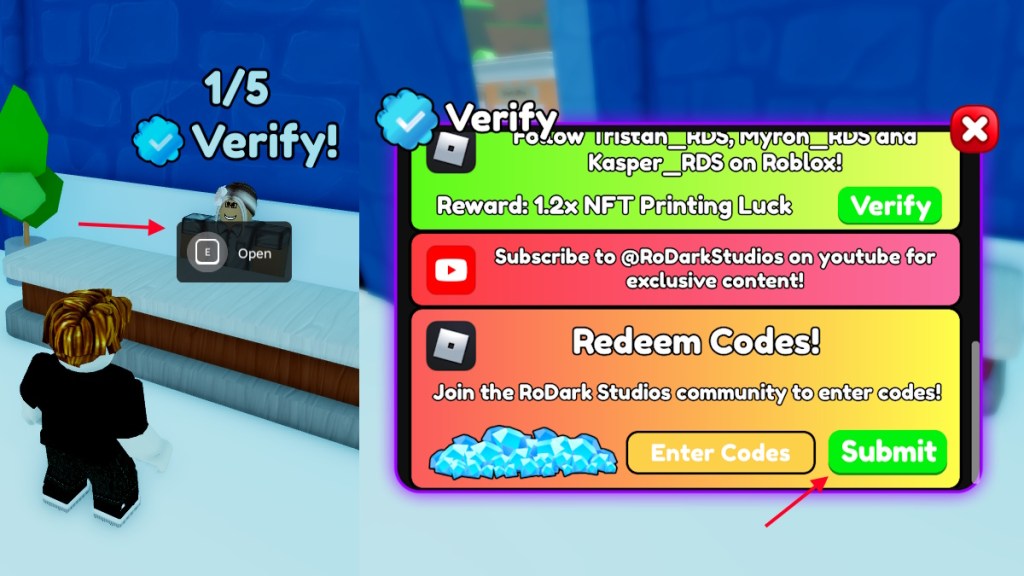
You need to be a member of the RoDark Studios Roblox group before the game accepts most codes. After that, the process is two clicks and a keypress if you follow this exactly:
- Launch Coding Simulator 2 on Roblox.
- Open the Buy menu or walk into the Shops building.
- Press and hold E to interact with the NPC that has a verify mark.
- Paste a working code into the ‘Enter Codes’ box.
- Click Submit and watch the rewards arrive.
Expired Coding Simulator 2 Codes
When you refresh the shop and the code box shows nothing new, that’s your cue to check this list. For now, all listed codes above are active; expired codes will move here the moment developers pull them.
How to Get More Coding Simulator 2 Codes
Every social post from RoDark Studios is a potential code drop — follow their streams and Discord or you’ll miss the handful of golden moments.
Where I watch for new codes:
- The RoDark Studios Roblox group (required for many redemptions): RoDark Studios group
- RoDark Discord for real-time alerts: RoDark Studios Discord
- Official RoDark Twitter/X and pinned posts on the game’s Roblox page
Bookmarking a reliable code list and joining the Discord cuts your search time dramatically — like finding a golden ticket in a cereal box.
Why are my Coding Simulator 2 codes not working?
Typos are the most common culprit. If you get an Invalid error, it usually means a single character was mistyped. Copy and paste directly from the current list to avoid that mistake.
Other reasons codes fail:
- The code expired — developers often retire rewards after heavy use.
- You aren’t a member of the required Roblox group for certain codes.
- The code was region- or account-restricted by the devs.
Quick Strategy: How I Use Codes to Grow Faster
At the start of a session I always redeem boosts first, then spend diamonds on employees and mining upgrades.
Small sequence that saves time:
- Redeem active boosts (cash/mining/NFT luck).
- Spend diamonds on hireable employees and automated income sources.
- Hunt limited-time NFTs or events that multiply returns while boosts are active.
If you play other Roblox sims and want quick alternatives, try Drag Drive Simulator, Plant Brainrot Simulator, or Muscle Transform Simulator. For broader hunting, check broader Roblox code aggregators and the official RoDark channels listed above.
What code are you racing to redeem first — will you share it or keep it secret?