
I watched the download bar crawl while the clock mercilessly approached launch hour. I had pre-ordered, my console was charged, and my router hummed like it knew secrets. If you want to be in Bond’s shoes the exact second 007 First Light goes live, read on and I’ll walk you through the straightest path to go live fast.
007 First Light preload start date and time
In household after household, people refresh store pages and anxiety rises as launch windows open.
I tracked the official rollout: IO Interactive set the preload to begin on May 24, 2026, at 10:00 AM EDT, giving you a 48-hour download window before the game becomes playable. The preload window is a ticking clock.
When does the preload start?
It starts at the times listed below, which hit different regions across the globe so publishers can push installers through Steam, Epic Games Store, PlayStation Store, and the Microsoft/Xbox storefront without collapsing servers. If you pre-ordered, you should see a pre-download or “ready to download” option once the timestamp in your region passes.
| Region | Preload Start Time |
|---|---|
| US (WEST) | 7:00 AM PDT, May 24 |
| US (EAST) | 10:00 AM EDT, May 24 |
| Brazil | 11:00 AM BRT, May 24 |
| UK | 3:00 PM BST, May 24 |
| Germany | 4:00 PM CEST, May 24 |
| France | 4:00 PM CEST, May 24 |
| South Africa | 4:00 PM SAST, May 24 |
| Turkey | 5:00 PM TRT, May 24 |
| Russia | 5:00 PM MSK, May 24 |
| UAE | 6:00 PM GST, May 24 |
| India | 7:30 PM IST, May 24 |
| Singapore | 10:00 PM SGT, May 24 |
| Philippines | 10:00 PM PHST, May 24 |
| China / Beijing | 10:00 PM CST, May 24 |
| South Korea / Seoul | 11:00 PM KST, May 24 |
| Japan / Tokyo | 11:00 PM JST, May 24 |
| Australia / Sydney | 12:00 AM AEST, May 25 |
| New Zealand / Auckland | 2:00 AM NZST, May 25 |

007 First Light game download size
On my drive I cleared space and watched installed games hog precious gigabytes every week.
IO Interactive’s build is efficient, but file sizes still differ by platform. Your SSD is a runway for the game, so make room before the aircraft lands.
How big is the 007 First Light download?
Here are the official download sizes reported for each platform. I recommend keeping an extra 20–30 GB free to accept the inevitable day-one patch.
| Platform | Download Size |
|---|---|
| PC (Steam / Epic Games Store) | 80.0 GB |
| PlayStation 5 | 45.6 GB |
| Xbox Series X/S | 55.0 GB |
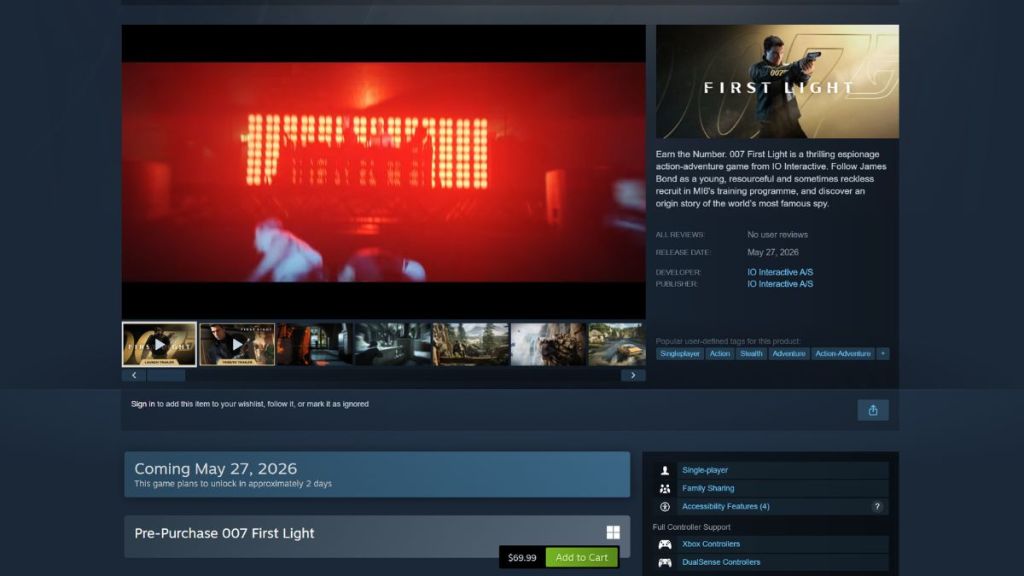
How to preload 007 First Light on PC
In cafes and dorms people open Steam and Epic and stare at the same product page, waiting.
If you bought the game on Steam or Epic Games Store, here’s the exact sequence I used to avoid surprises. The standard AAA price sits around $69.99 (€65) for many editions, so factor that into any Steam Wallet or card payment on file.
- Open Steam or Epic Games Store and go to the 007 First Light store page.
- Confirm your pre-order or purchase is completed. If it isn’t, buy now to see the pre-download option when it goes live.
- When the preload triggers, go to your Library and select the game.
- Click the pre-download or install button and watch the progress from the Steam or Epic launcher.
How to preload 007 First Light on PS5
At home I saw PS5 owners toggle Rest Mode, hoping downloads would finish while they slept.
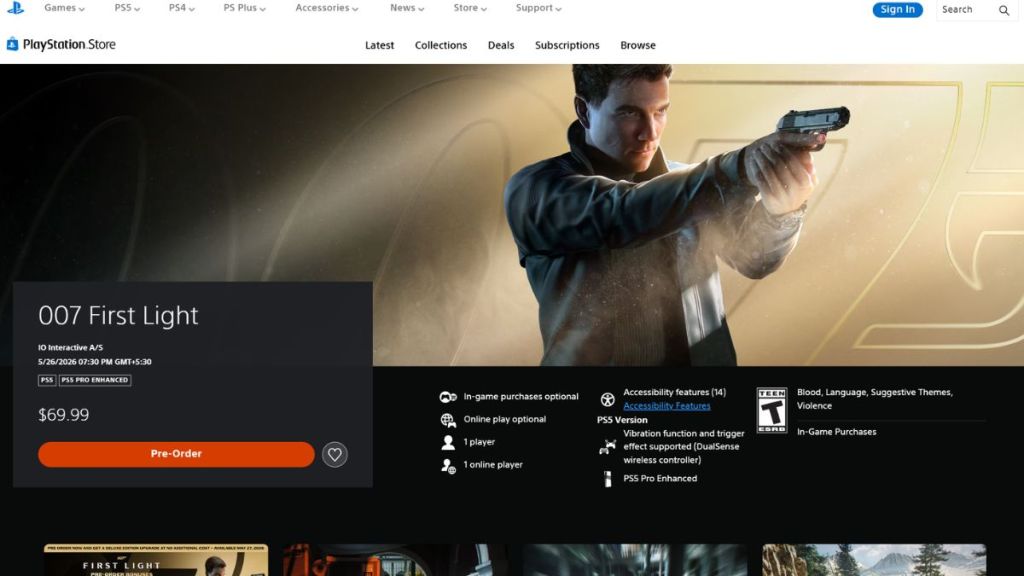
The PlayStation Store makes this simple if you pre-purchased the game. Keep your console in Rest Mode or leave the download running in the background so the install finishes ahead of launch.
- Open the 007 First Light page on the PlayStation Store.
- Complete your pre-purchase if not already done.
- Go to your Game Library, find 007 First Light, and press Download.
- Allow the PS5 to remain powered or in Rest Mode until the preload completes.
How to preload 007 First Light on Xbox Series X/S
Friends on Xbox told me that the Microsoft Store sometimes flips the preload switch a minute earlier or later than expected.
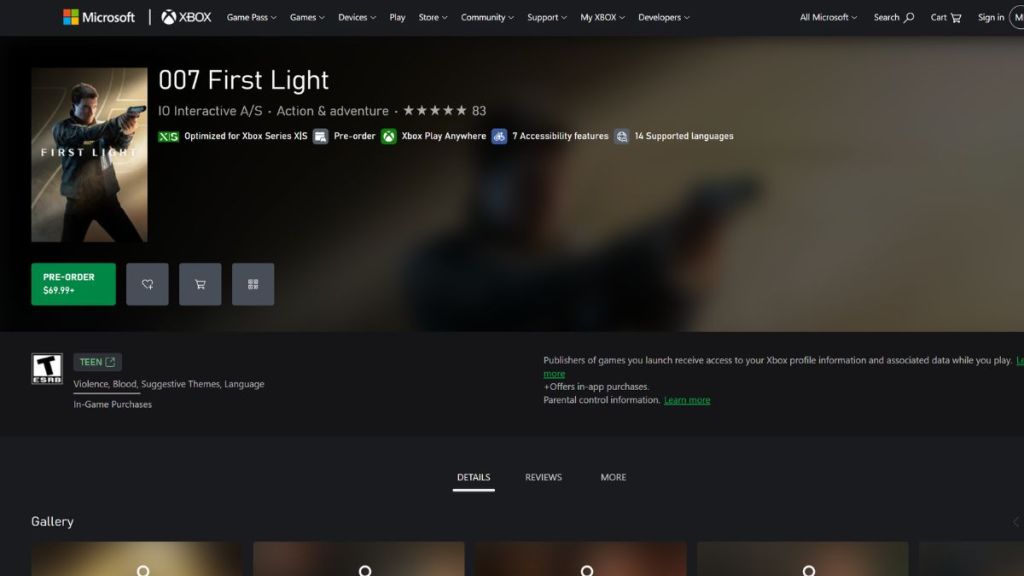
On Xbox Series X|S, the mechanics mirror PlayStation and PC: pre-purchase, hit the preload option, and leave the console awake until the download completes. Use the Xbox app to monitor downloads remotely if you want to start right away when it’s ready.
- Open the 007 First Light page in the Xbox Store or the Xbox app.
- Complete the pre-order if you haven’t bought it already.
- Select the option to preload or download.
- Wait for the progress bar to finish and accept any day-one updates before launching.
If you want a fast start: pre-order, clear 100 GB on your drive, plug into wired Ethernet if possible, and monitor Steam, Epic, PlayStation Store, or the Xbox app during the preload window. IO Interactive and the teams behind Steam, Epic, PlayStation, and Xbox all play roles in a smooth launch — which side will you be on when the servers flip live?