
The demo threw me straight into a courtyard fight and my rig sighed like it had been asked to run a marathon. I watched the frame counter dip and felt a familiar jolt of panic and curiosity at once. If you’ve ever paused mid-combat to check your specs, this will speak to you.
My test rig’s fans spooled up the moment Miyamoto Musashi appeared on screen — Onimusha Way of The Sword System Requirements and Performance (Minimum and Recommended)
I’ve spent hours testing the demo so you don’t have to guess. You’ll get the raw numbers below, plus my read on what they mean for different PCs, from a budget build to a flashy 4K rig.
The short version: Capcom’s stated requirements are reasonable. The list reads like a samurai roster—a clear progression from entry-level to high-end that doesn’t ask for mythical hardware.
Here are the official PC requirements Capcom posted. Use them to check whether your machine will handle the game at the settings you care about.
| Attributes | Minimum | Recommended | High | Ultra |
|---|---|---|---|---|
| Resolution | 1080p (FHD) | 1080p (FHD) | 1440p (WQHD) | 2160p (4K) |
| Frame Rate | 30fps | 60fps | 60fps | 60fps |
| OS | Windows 11 | Windows 11 | Windows 11 | Windows 11 |
| Processor | Intel Core i5-8400 / AMD Ryzen 3 3100 | Intel Core i5-10400 / AMD Ryzen 5 3600 | Intel Core i5-10400 / AMD Ryzen 5 3600 | Intel Core i5-12400 / AMD Ryzen 7 5700 |
| Memory | 16GB | 16GB | 16GB | 16GB |
| Graphics Card | GeForce GTX 1660 (6GB) / Radeon RX 5500 XT (8GB) | GeForce RTX 2060 Super (8GB) / Radeon RX 6600 (8GB) | GeForce RTX 4060ti (16GB) / Radeon RX 6750 XT (VRAM 12GB) | GeForce RTX 4070ti (12GB) / Radeon RX 7900 XT (20GB) |
| VRAM | 6GB | 8GB | 12GB | 12GB |
| DirectX | Version 12 | Version 12 | Version 12 | Version 12 |
| Hard Drive Space | 50GB SSD | 50GB SSD | 50GB SSD | 50GB SSD |
What are the minimum PC requirements for Onimusha Way of The Sword?
Minimum asks for a Windows 11 install, 16GB RAM, and something like a GTX 1660 or RX 5500 XT. That target is set for 1080p at 30 fps — playable, but not silky smooth during big encounters.
Can a GTX 1660 run Onimusha at 30 FPS?
Yes. Capcom lists the GTX 1660 (6GB) at the minimum tier. Expect stable 30 fps in many scenes, but prepare to drop settings in crowded areas or when heavy effects hit. Enabling NVIDIA DLSS or AMD FSR on compatible drivers can recover frame headroom if available on launch via Steam or the Epic Games Store.
What GPU and CPU do I need for 4K 60 FPS?
Capcom recommends an Intel Core i5 12th-gen or AMD Ryzen 7 5700 paired with an RTX 4070 Ti or Radeon RX 7900 XT for 4K at 60 fps. That’s a mid-to-high tier setup by 2026 standards and should handle the game if your power and thermals are in check.
Practical advice: if you run an RTX 20-series or RX 6000-series GPU, you’ll likely hit 60 fps at 1080p/1440p with a few graphical concessions. On older 8th-gen i5 systems the demo still ran, which tells me Capcom put effort into scaling and CPU-side optimization after feedback on recent releases.
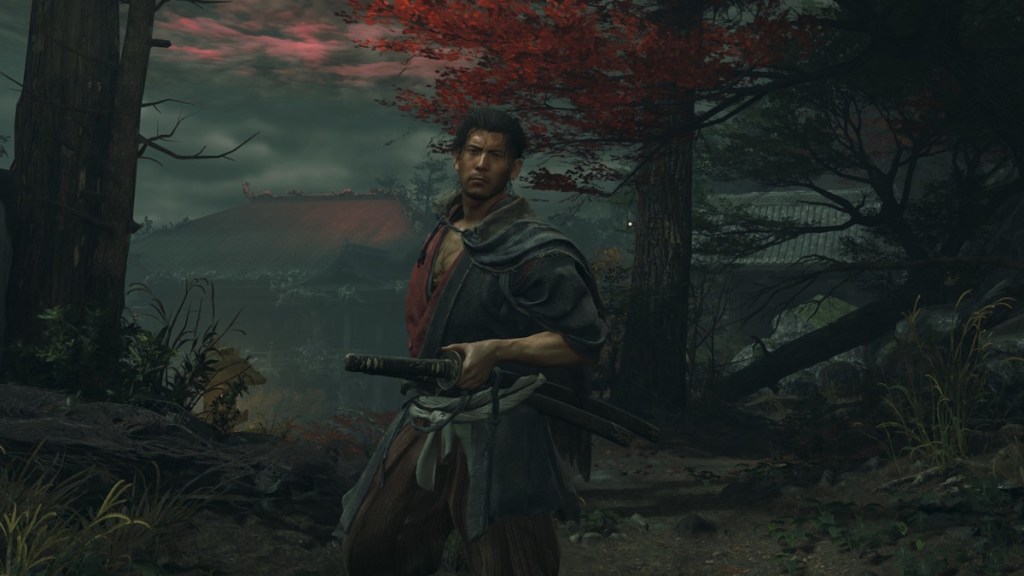
On my PS5 the menu loaded instantly while the Switch 2 took a single breath — Onimusha Way of The Sword Console Performance
Console numbers matter because they set expectations for cross-platform parity. Capcom’s sheet is explicit about modes and framerates — performance vs quality — and the numbers tell a clear story.
| Platform | Performance Setting | Output Resolution | Frame Rate |
|---|---|---|---|
| PS5 | Prioritize Performance | 3840 × 2160 | 60 fps |
| PS5 | Prioritize Quality | 3840 × 2160 | 30~40 fps |
| Xbox Series X | Prioritize Performance | 3840 × 2160 | 60 fps |
| Xbox Series X | Prioritize Quality | 3840 × 2160 | 30~40 fps |
| Xbox Series S | Prioritize Performance | 1920 × 1080 | 60 fps |
| Xbox Series S | Prioritize Quality | 1920 × 1080 | 30~50 fps |
| Nintendo Switch 2 | TV Mode | 1920 × 1080 | 30 fps |
| Nintendo Switch 2 | Handheld Mode | 1600 × 900 | 30 fps |
PS5 and Xbox Series X aim for 60 fps in Performance mode at a 4K output, though Capcom notes that measured values rely on upscaling. That’s par for modern multiplatform releases where temporal upscalers like NVIDIA DLSS or AMD FSR are part of the toolkit on PC and influence how consoles present “native” resolutions.
The Series S promises 60 fps in 1080p Performance mode, and the Switch 2 sits at 30 fps in both TV and handheld modes. Expect visual trade-offs on those last two platforms; the experience is solid, but not identical to what a 4070 Ti will produce on Ultra.
From a practical standpoint, if you care most about framerate and crisp input, pick Performance on PS5/Xbox Series X. If fidelity and richer effects matter more, try Quality mode and accept a variable 30–40 fps window. For the Switch 2, the focus is portability and consistent 30 fps.
Final thought: the game’s balance between accessibility (GTX 1660 at 30 fps) and high-end ambition (RTX 4070 Ti for 4K60) suggests Capcom tuned for a wide install base while still rewarding recent GPUs and CPUs — it all moves like a Swiss watch when the settings line up.
Are you upgrading for Onimusha or sticking with your current rig — and why?