
I froze as the new patient shuffled to the counter — its head tilted wrong and the photo that printed moments later was already wrong. For a heartbeat I forgot to breathe, then the shutters closed on instinct. That tiny hesitation is all it takes to lose a run.
I write from the trenches: I’ve slammed shutters, reloaded saves, and watched streams where one missed glance cost a night. You’re about to get practical, surgical advice on every anomaly in Roblox Animal Hospital so you stop guessing and start denying with confidence.
List of Animal Hospital Anomalies
I see players skim the intake table like it’s fine print; those seconds are where mistakes hide.
Below is the compact roster you’ll reference between shifts — Appearance, Photo, and CCTV anomalies. Treat the table as a checklist and the rest of this guide as the field manual for spotting the trickery the table can’t show.
| Anomaly | Type | Identifier |
|---|---|---|
| Twitching | Appearance | The patient repeatedly twitches their limbs and neck while standing still. |
| Three Eyes | Appearance | The patient has three glowing red eyes instead of two. |
| Hollow Face | Appearance | The patient has hollow eye sockets and a wide-open mouth. |
| Wide Eyes and Creepy Smile | Appearance | The patient has unnaturally large eyes and a disturbing grin. |
| Human Teeth | Appearance | The patient has realistic human teeth instead of normal animal teeth. |
| Mismatched Eyes and Sharp Teeth | Appearance | One eye sits higher than the other, while sharp teeth are visible. |
| Different Eyes | Photo | The eyes in the photograph do not match the patient. |
| Different Ears | Photo | The ears shown in the photo differ from the actual patient’s. |
| Incorrect Photo | Photo | The photograph displays a different animal or appearance. |
| Unnatural Photo | Photo | The photo contains distorted facial features that are not visible in person. |
| Static Photo | Photo | The photograph has a static overlay, indicating an anomaly. |
| Cursed Photo | Photo | Picking up the photo before it finishes processing drains sanity. |
| Censored Eyes | CCTV | A black bar covers the patient’s eyes on the security camera. |
| Unnatural Body | CCTV | The patient’s body appears stretched or distorted on CCTV. |
| Hollow Face | CCTV | The hollow face only appears when viewed through security cameras. |
| Staring at Cameras | CCTV | The patient constantly looks directly into the CCTV camera. |
| Void Bodies | CCTV | The patient’s entire body appears completely black. |
| Skinwalker | CCTV | A monstrous shapeshifter is only visible through CCTV footage. |
| Mismatched Ears or Eyes | CCTV | Facial features differ between the patient and the camera feed. |
| Black Eyes | CCTV | The patient’s or visitor’s face is covered by a black bar with a pair of realistic eyes staring back at you. |
| Camera Twitching | CCTV | Twitching only appears while viewing the patient through CCTV. |
| Disguised Shapeshifter/Skinwalker | CCTV | The patient appears normal in person but reveals its true shapeshifter form only through the security cameras after reaching the check-in area. |
How do you identify anomalies in Animal Hospital?
I recommend a strict three-step scan: appearance at the counter, the printed photo, then the CCTV feed. You must treat each source as a separate truth; differences between them are the red flags. If anything mismatches, close the shutters — hesitation costs runs, not points.
Appearance anomalies
At the front desk you get the raw read: faces, posture, micro-motions — that first second tells you a lot.
Twitching
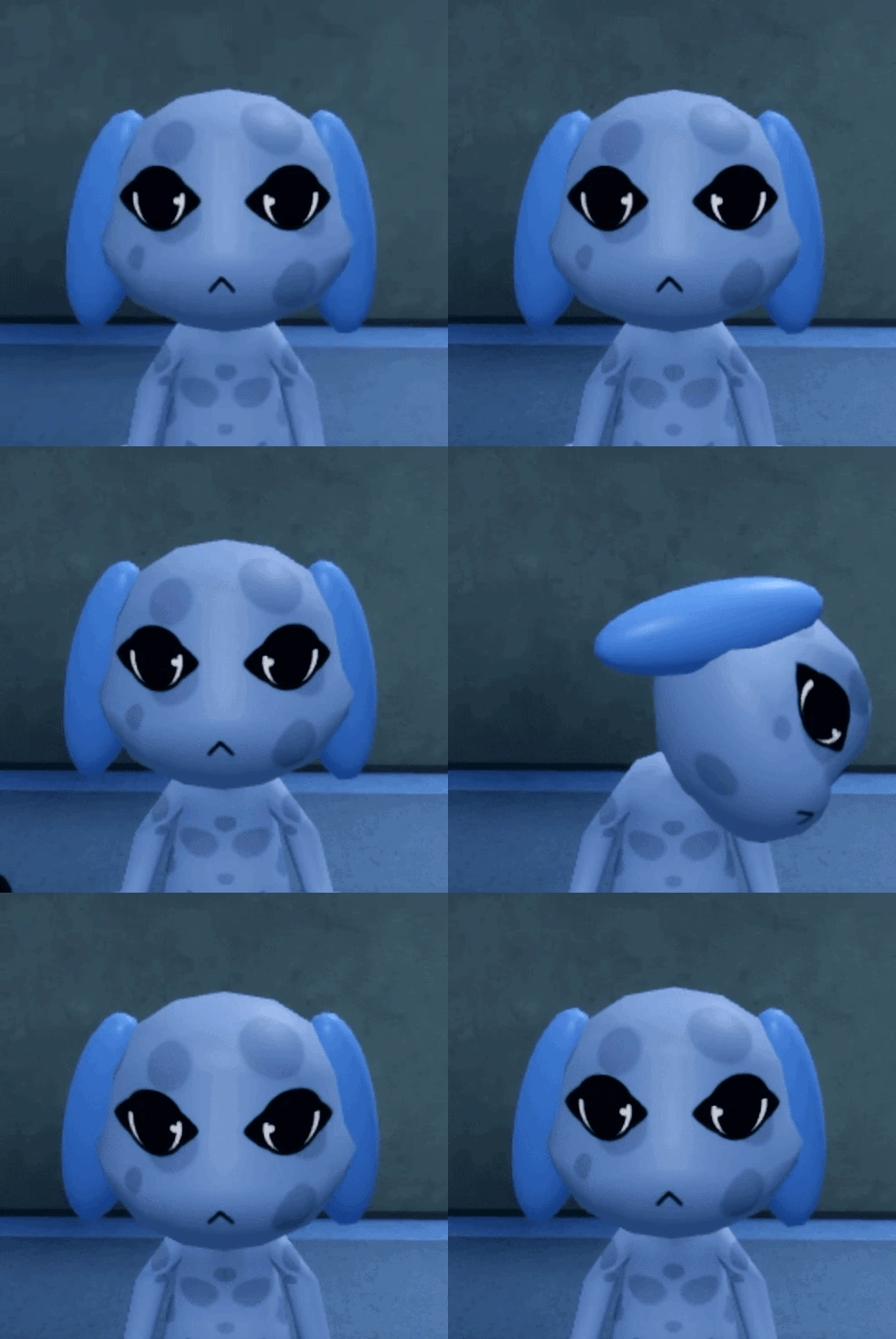
Watch the patient for at least four to five seconds. The jerk is brief and often in the neck, arms, or torso. If you rush admissions you will miss it.
Three Eyes
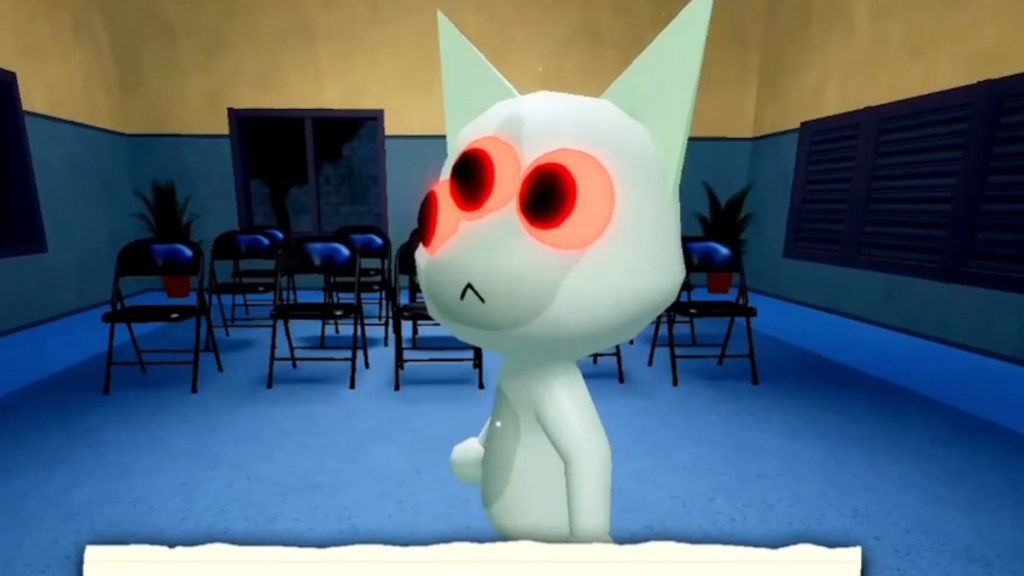
The glowing third eye is obvious. When you see it, shut the shutters immediately — wasting time is the fastest way to a ruined shift.
Hollow Face
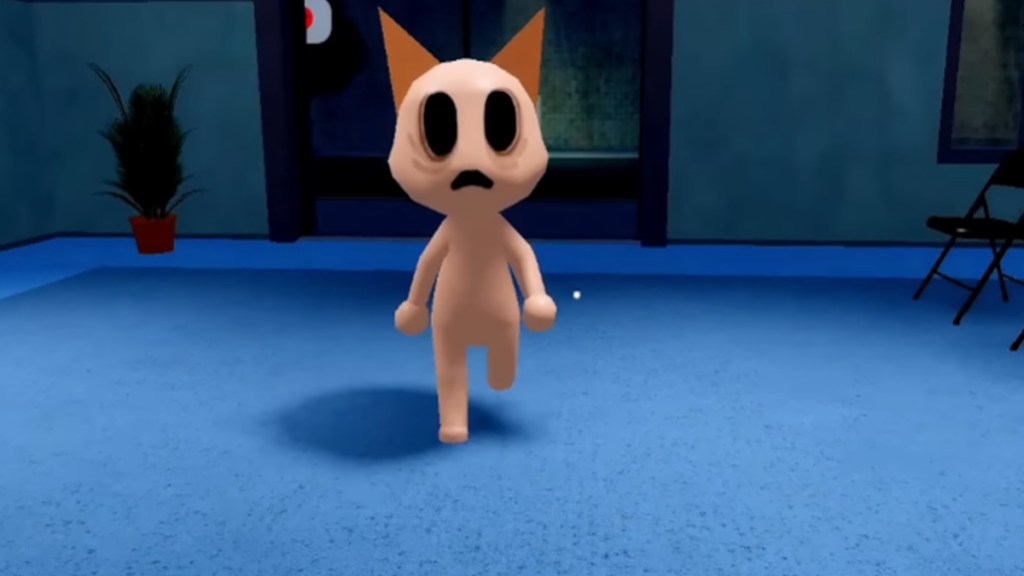
Empty sockets, a slack mouth, often hunched posture. They may twitch; they may not. Either way, don’t let them past the door.
Wide Eyes and Creepy Smile
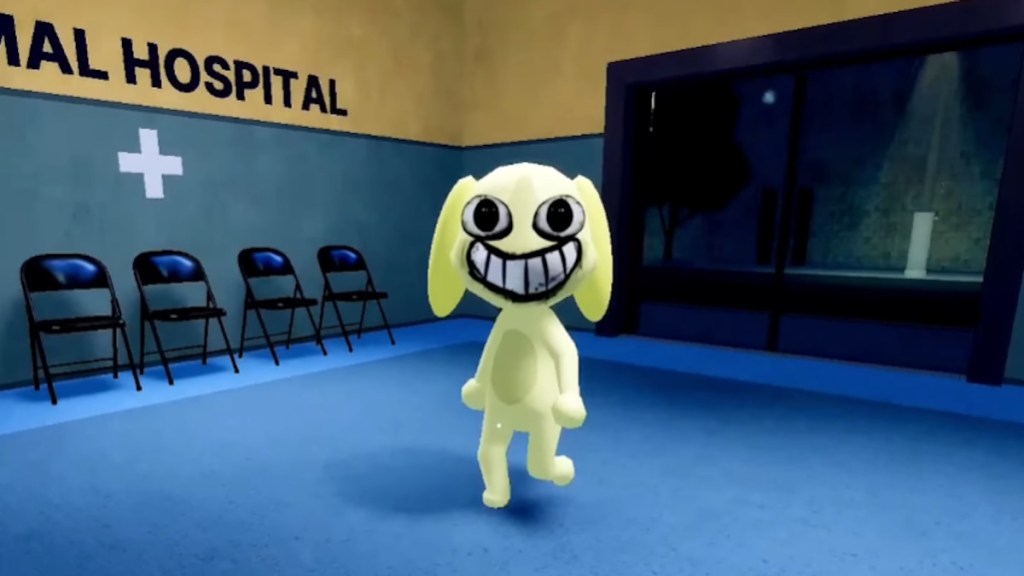
Exaggerated eyes and a grin that never looks natural. If your gut flinches, trust that flinch and deny entry.
Human Teeth
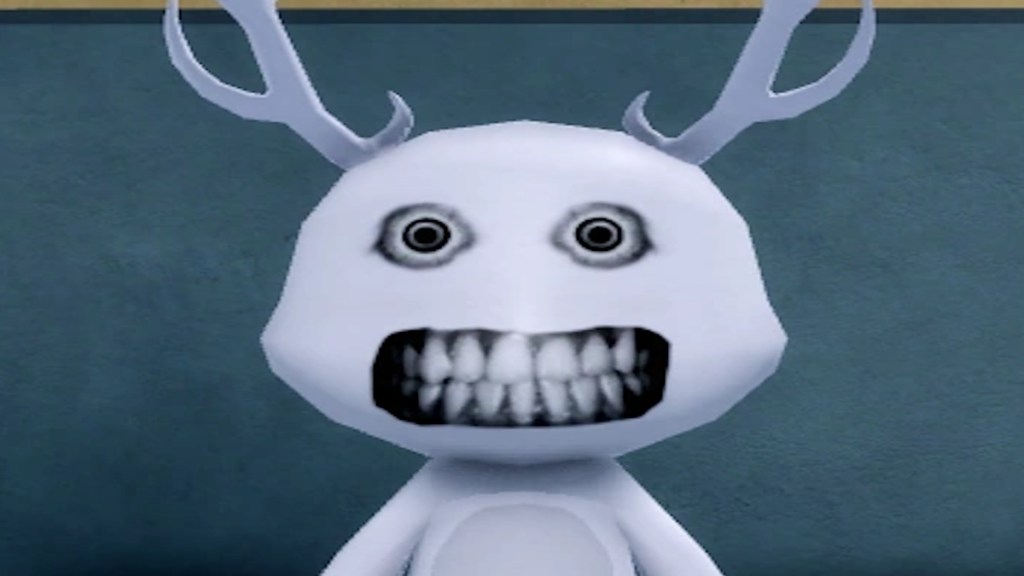
Human-like teeth are a dead giveaway. No amount of photo checking will make them safe once you see those choppers.
Mismatched Eyes and Sharp Teeth
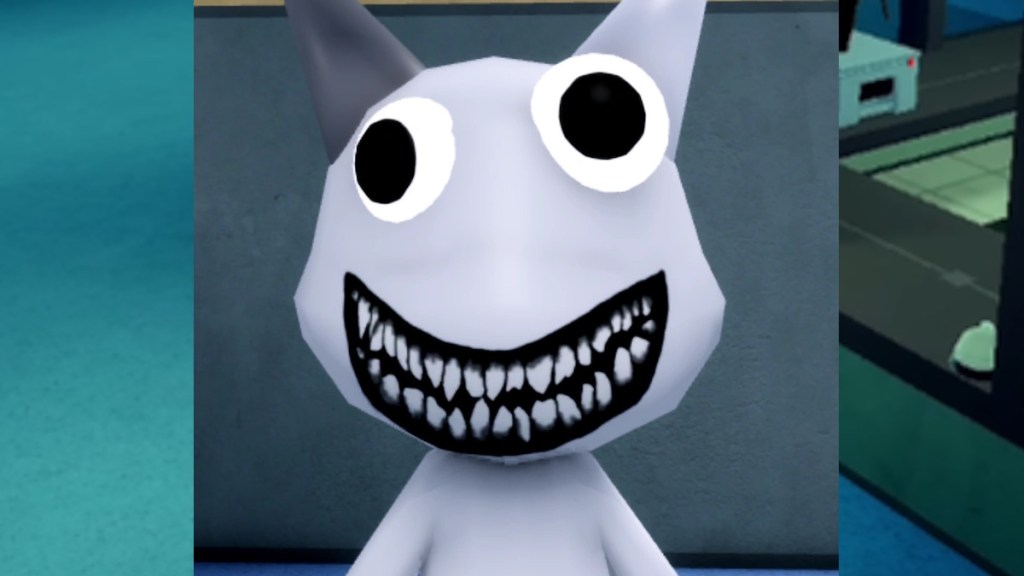
Eyes that don’t line up, glowing pupils, and visible fangs. The head may track you. Deny and move on.
What happens if you let an anomaly into the hospital?
Admitting one can cost sanity, trigger hostile events, or let a Skinwalker slip into true form. I’ve seen runs collapse after a single miss — the patient turns, the lights shift, and your shift becomes damage control. Close shutters early; you can always reopen later when you’ve triple-checked the feeds.
Photo and CCTV anomalies
Photos and cameras tell you what the human eye can miss; treat them like a second opinion you cannot ignore.
Incorrect Photo
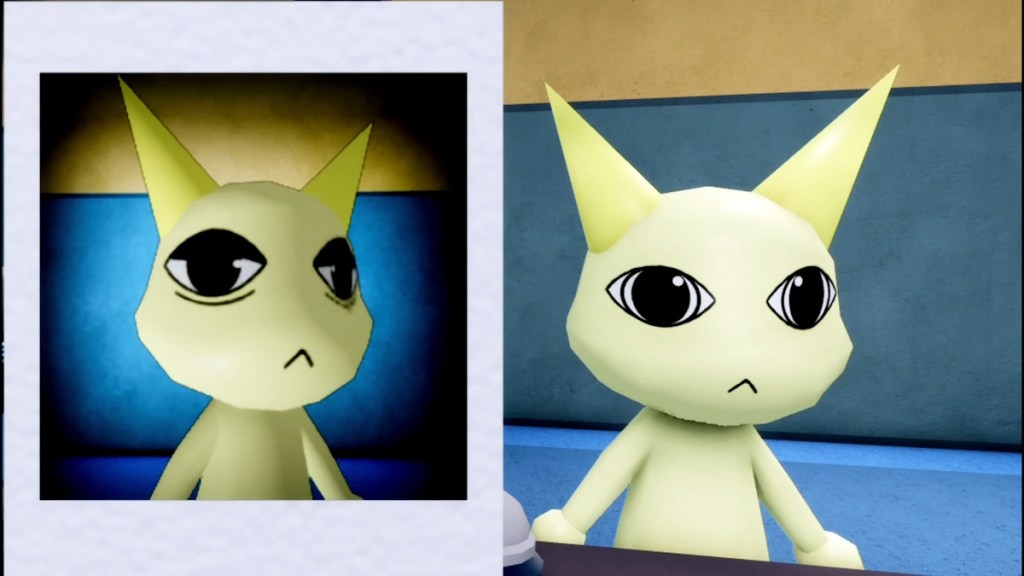
The photo may show a different animal, color, or marking. If the printed image diverges from the patient, deny entry immediately.
Different Eyes / Different Ears
These appear only after the photo completes. Compare the print to the real animal — small changes like a missing pupil or extra ear fold are enough to confirm an anomaly.
Unnatural Photo
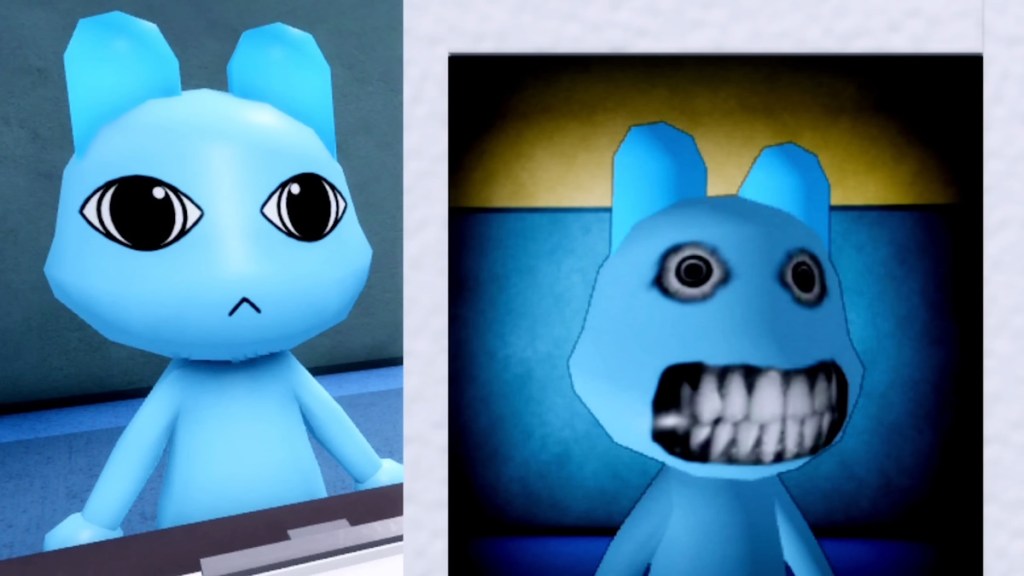
Only the photo is distorted — blurred features, impossible smiles. Always wait until development finishes before you touch the print.
Static Photo
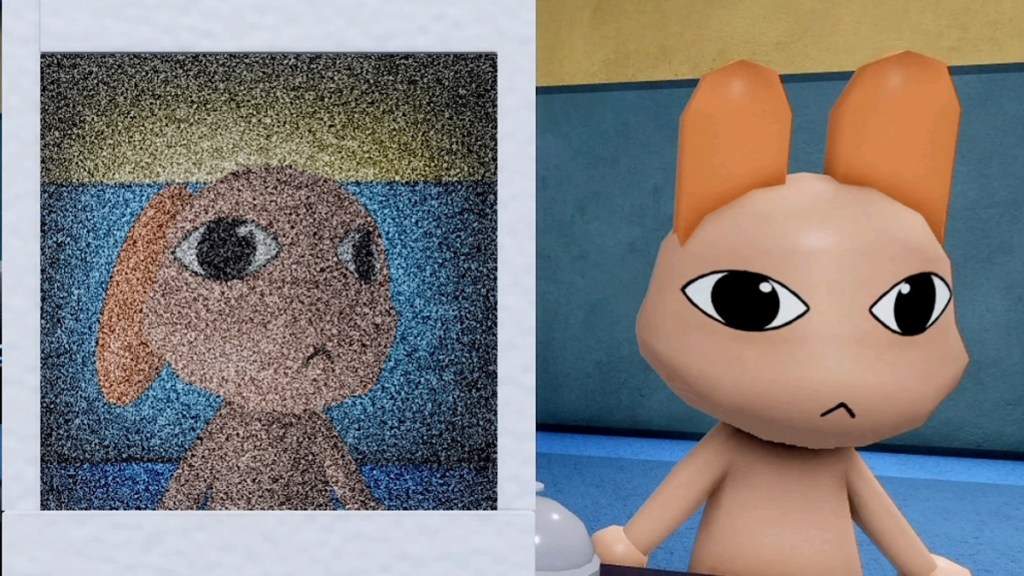
Static across the photo suggests an anomaly, but later shifts can create false positives. When unsure, close the shutters rather than risk an admission.
Cursed Photo
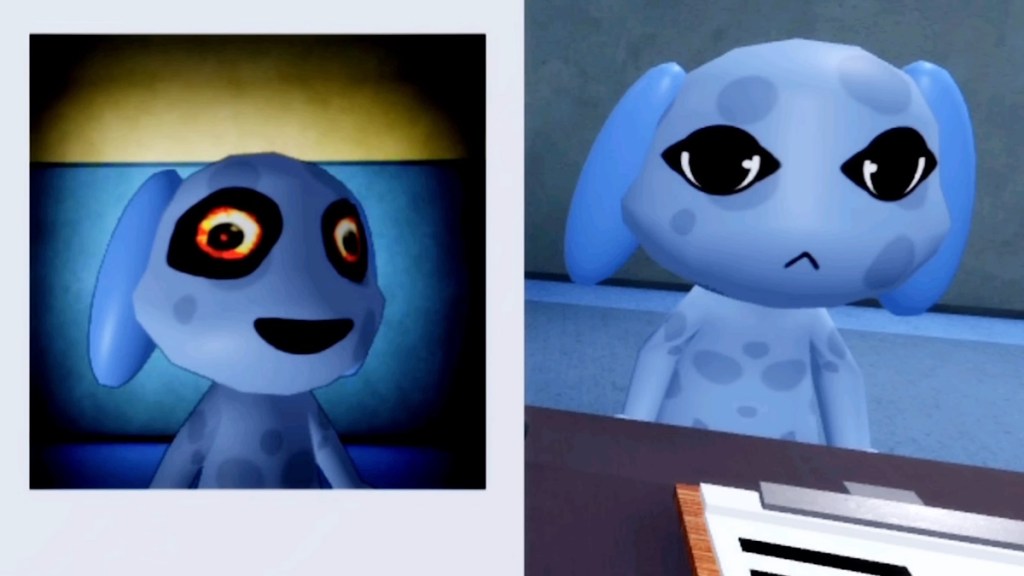
Picking up the photo before it finishes development drains sanity immediately. Let it process fully every time.
Unnatural Body / Void Bodies / Censored Eyes (CCTV)
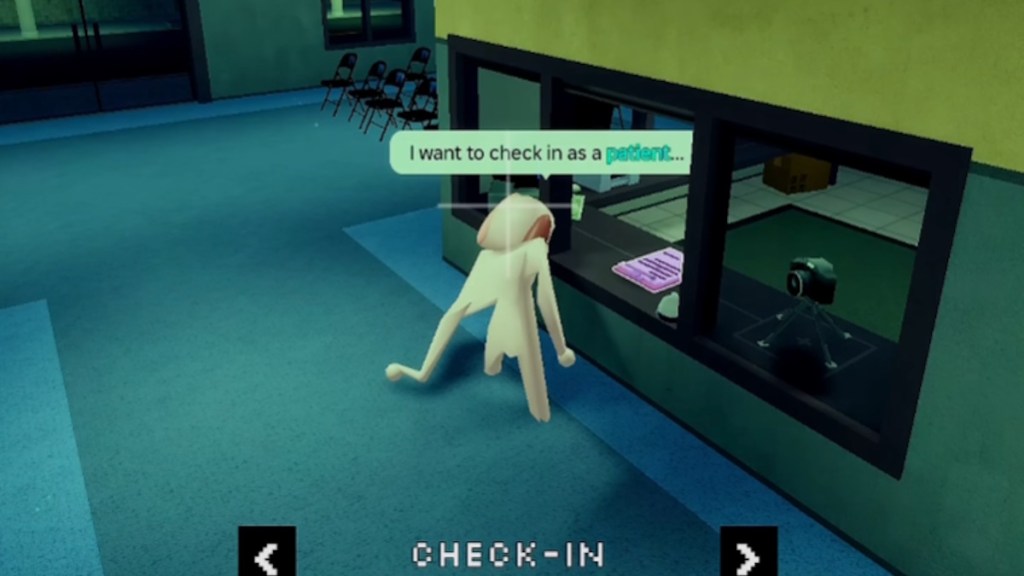
On CCTV the body can stretch, vanish into a silhouette, or be masked by a black bar with eyes. These often never show in person — skip camera checks and you will miss them.
Hollow Face (CCTV) / Staring at Cameras / Camera Twitching
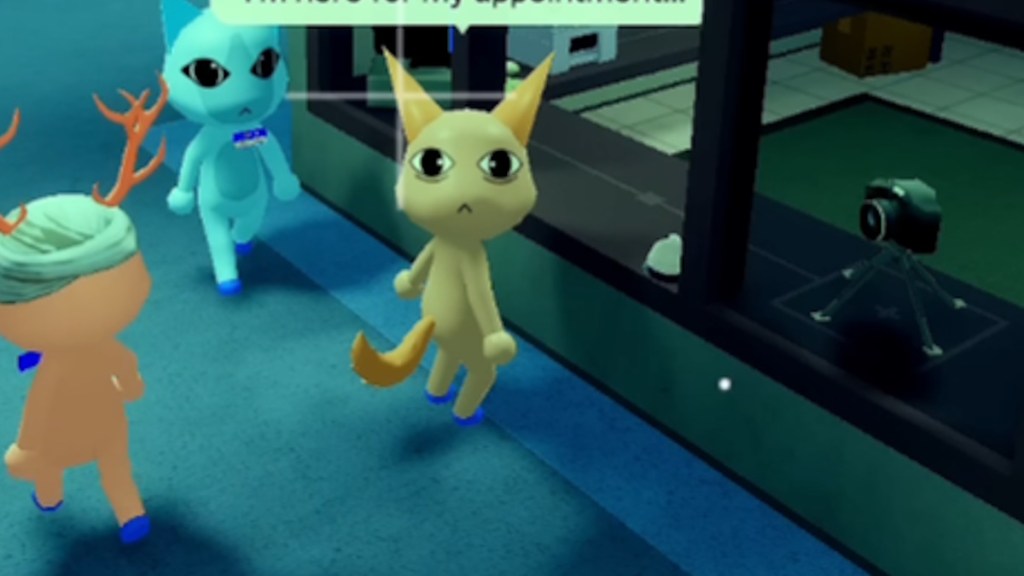
Some anomalies only declare themselves on CCTV — a hollow face that appears in the feed, a subject that locks onto the camera, or twitching that never happens at the desk. Always give the feed a few seconds before you press accept.
Mismatched Ears or Eyes
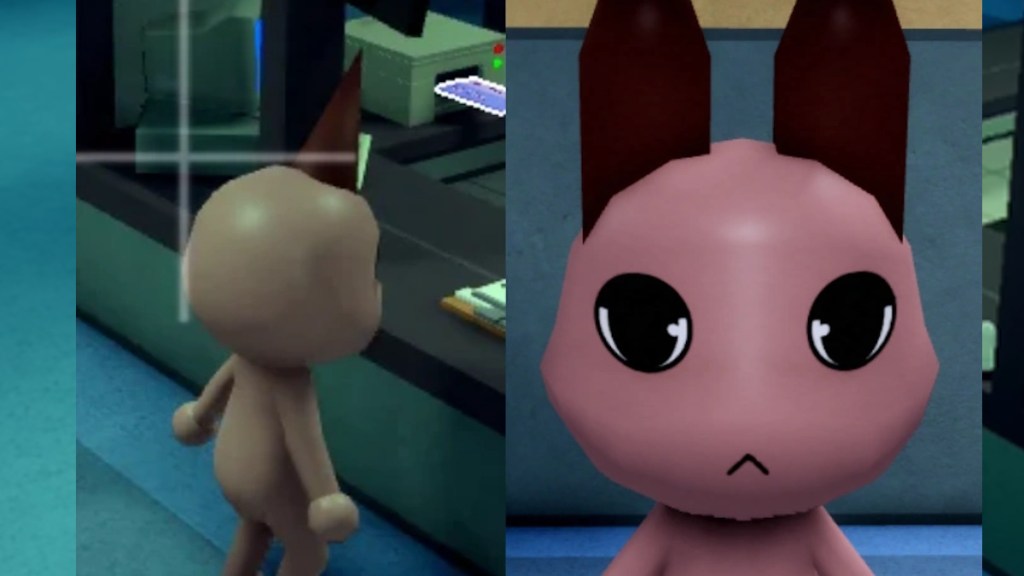
This one is the slipperiest: tiny differences between what you see and what the camera shows. Compare the desk and the lobby feed side-by-side and don’t be shy about zooming.
Black/Censored Eyes
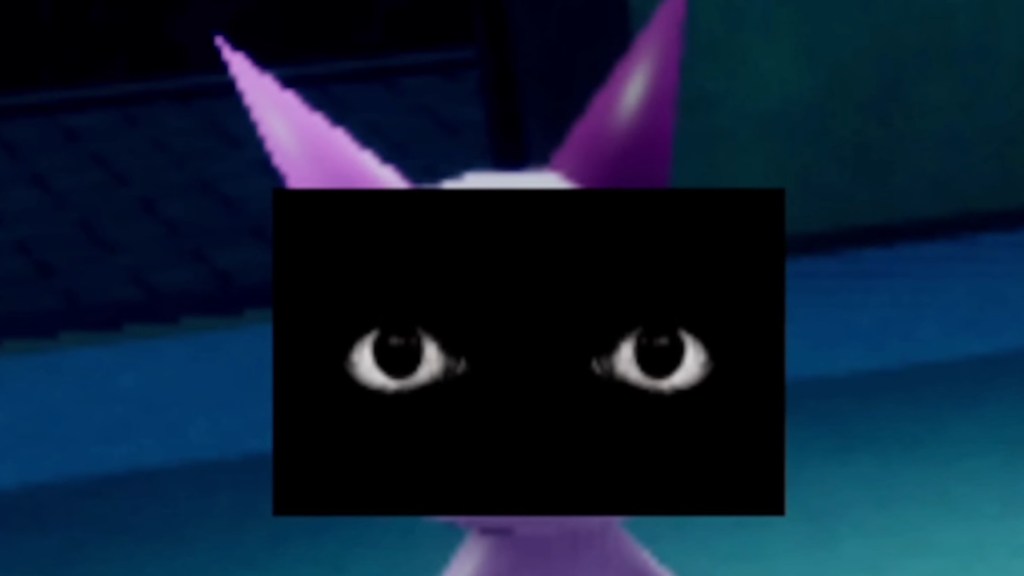
A black bar with eyes staring back — unnerving and always a deny. These never appear at the counter, so CCTV checks catch them.
Camera Twitching
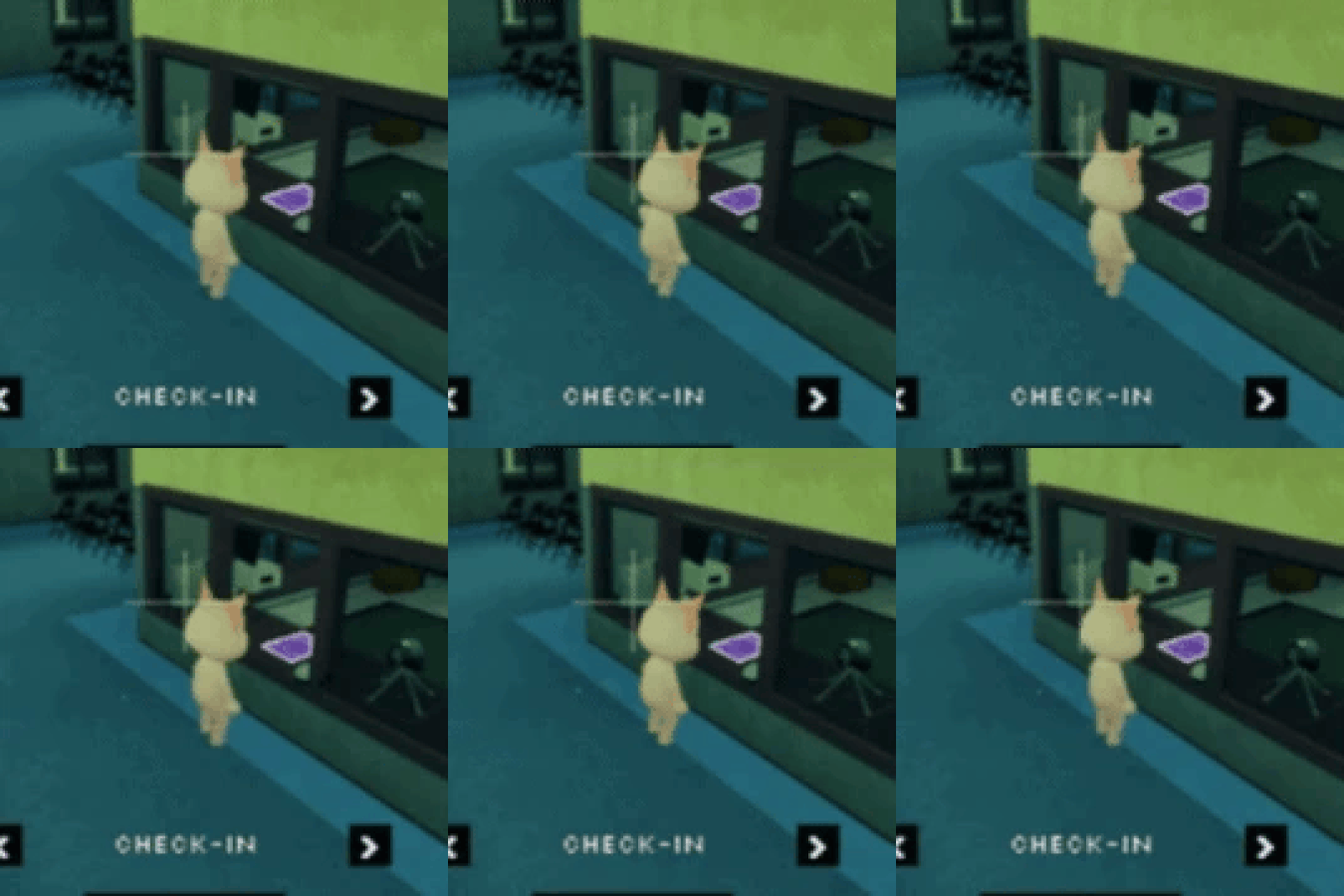
Twitches visible only on camera. Let the feed sit for a few seconds — rapid switching hides the micro-movements that prove an anomaly.
Disguised Shapeshifter / Skinwalker
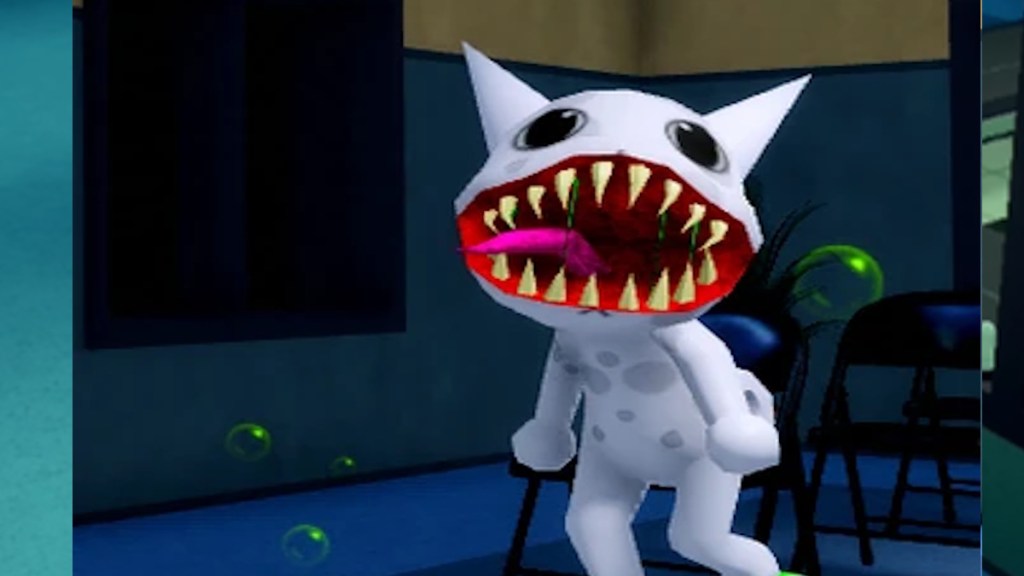
Looks normal at the counter, reveals itself in the lobby camera. Wait until the patient reaches the check-in area before making the final call — the transformation often happens there.
Which Animal Hospital anomaly is the hardest to spot?
Mismatched Ears or Eyes is the sneakiest because the differences are microscopic and camera-dependent. Camera-only anomalies like Camera Twitching and Disguised Shapeshifter are also easy to miss if you skip the feeds. If you want community-tested strategies, check Roblox forums, YouTube guides, and Discord servers where streamers share annotated clips — they’ll save you time learning the margins.
Shift rules that actually save runs
Every morning I watch novices make the same four mistakes; those are the ones you can avoid without practice.
- Always watch the patient at the desk for 4–5 seconds. Small twitches are brief and fatal if missed.
- Never pick up a photo before it finishes developing — cursed prints cost sanity immediately.
- Run the sequence: counter → photo → CCTV. Treat each as a different source of truth.
- When in doubt, close the shutters. It’s better to lose one patient than the entire shift.
- Use the lobby camera for transformations and the check-in camera for fine details; zoom when features look off.
- Study clips from the Roblox community and YouTube creators; annotated examples teach faster than trial and error.
Treat your checks with ritual: scan slowly, compare carefully, and deny aggressively when something is off — think of the third eye anomaly like a neon bruise on the run, and treat small differences like metal detectors for danger.
I pull weekly footage, post notes on Discord, and follow community threads on Roblox so my reactions are drawn from dozens of runs, not one lucky night. Use those platforms and the images above as training tools; they sharpen the split-second decisions that keep your sanity intact.
Which anomaly cost you your longest run and how did you miss it this time?