
I was one click away from a victory lap when the screen flashed: Connection timed out: getsockopt. My friends were already building a Nether portal and I was frozen on the server list. You feel the sting — and then the frantic hunt for a fix.
I’ll walk you through what this error actually is, why it pops up, and the exact steps I use when a Minecraft session breaks mid-connect. You’ll get clear checks first, then targeted fixes that don’t waste time.
I hit Join and the bar froze — What is the Getsockopt Error in Minecraft?
I’ve seen this happen during late-night builds and test runs: Minecraft tries to open a network socket and the attempt stalls. The getsockopt error is a network-level timeout or refusal — your game starts a connection but something blocks or drops it before it finishes.
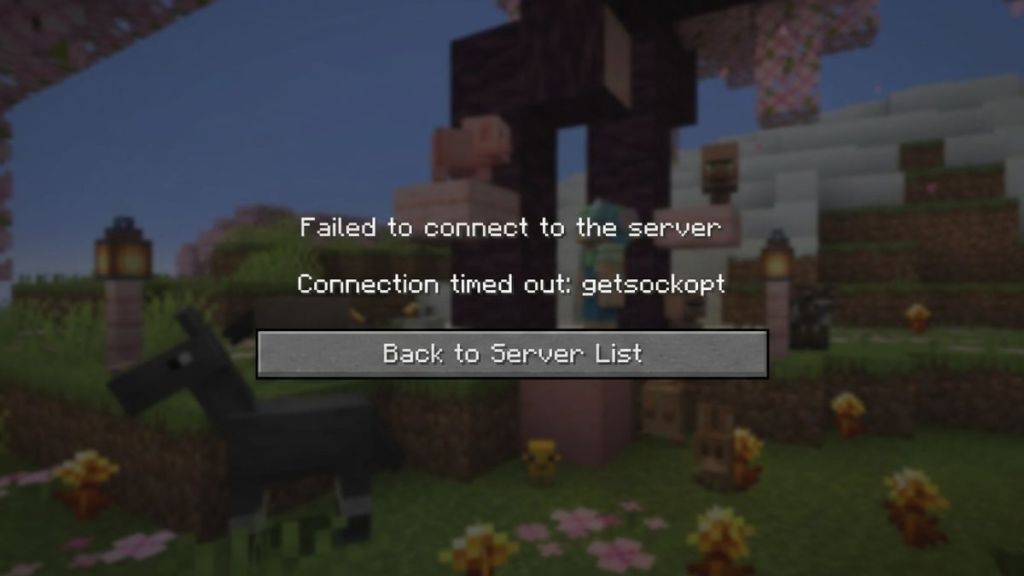
It’s not a single fault. Firewalls, aggressive antivirus, DNS hiccups, ISP routing and server-side downtime all play parts. Sometimes the server actively refuses the connection and you’ll see a connection refused variant — other times the link times out mid-handshake. Because the error message is terse, the trick is to rule out the usual suspects quickly.
What does the getsockopt error mean in Minecraft?
Short answer: a network socket opened by Minecraft couldn’t complete the negotiate-and-connect step. Think of it as your game knocking on the server’s door and not getting a reply.
I rebooted the router and it still failed — How to Fix the Getsockopt Error in Minecraft
On my first pass I always check two simple things: whether the server is online, and if my local connection is healthy. A router restart often clears transient issues. If the error persists, move on to the targeted steps below.
Do mods cause a getsockopt error in Minecraft?
No. Mods alter gameplay, not the underlying TCP/UDP handshake Minecraft uses to reach a server. If you’re running Forge or Fabric and see getsockopt, treat it as a network problem first.
Allow Minecraft Through Firewall
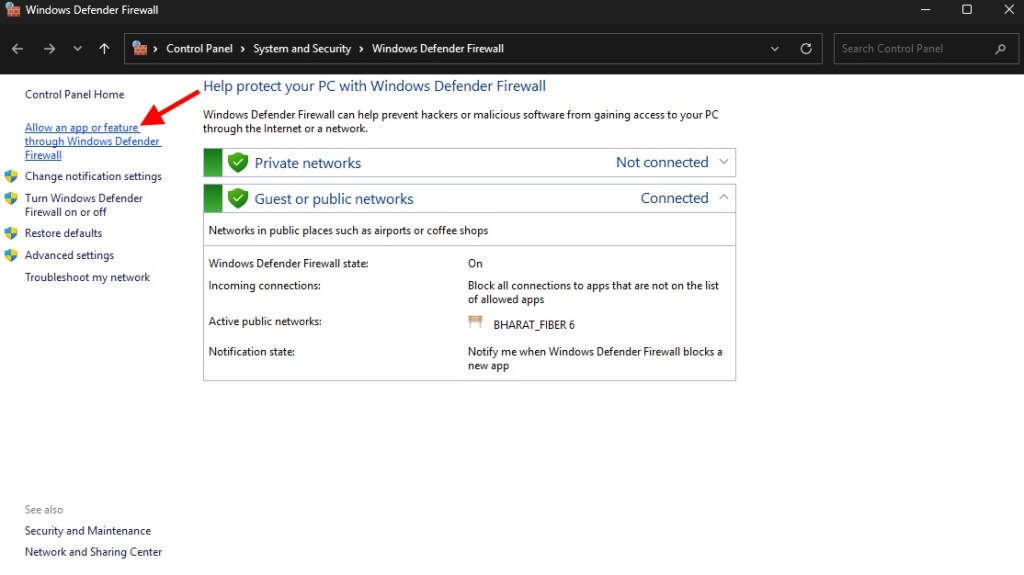
I tell anyone with a stubborn timeout to check the firewall rules next. Windows Defender or third-party security tools can block the Java process Minecraft uses (javaw.exe), so give the game explicit permission.
- Open Windows Defender Firewall from Start. Click Allow an app or feature through Windows Defender Firewall.
- Look for javaw.exe or Java Platform SE binary. Check both Private and Public.
- Also allow Minecraft and Minecraft Launcher. If they aren’t listed, use Allow another app and add them from the installation folder.
Granting those permissions removes the most common local blocker. If the launcher itself won’t open, Mojang Studios’ support pages can help with product or account errors.
Should I disable my firewall completely to fix the getsockopt error in Minecraft?
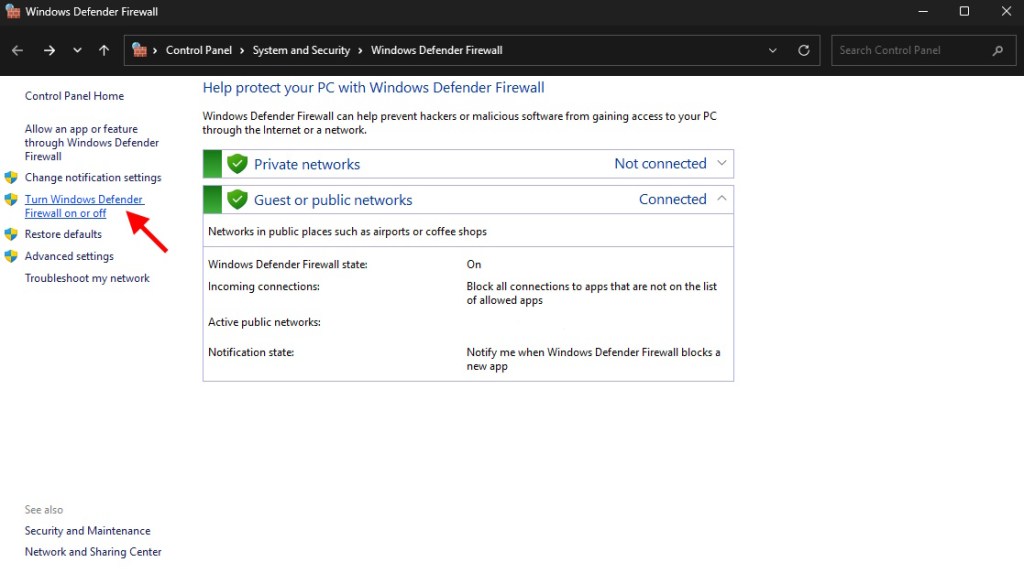
Temporarily turning off the firewall can confirm whether it’s the cause, but do it only briefly. On Windows, go to Turn Windows Defender Firewall on or off and disable both Private and Public while you test. Turn it back on when you finish playing — leaving a firewall off is risky.
Change DNS Settings
Sometimes the DNS provided by your ISP is slow or flaky. Switching to Google DNS is a fast test that often removes name-resolution delays that can trigger timeouts.
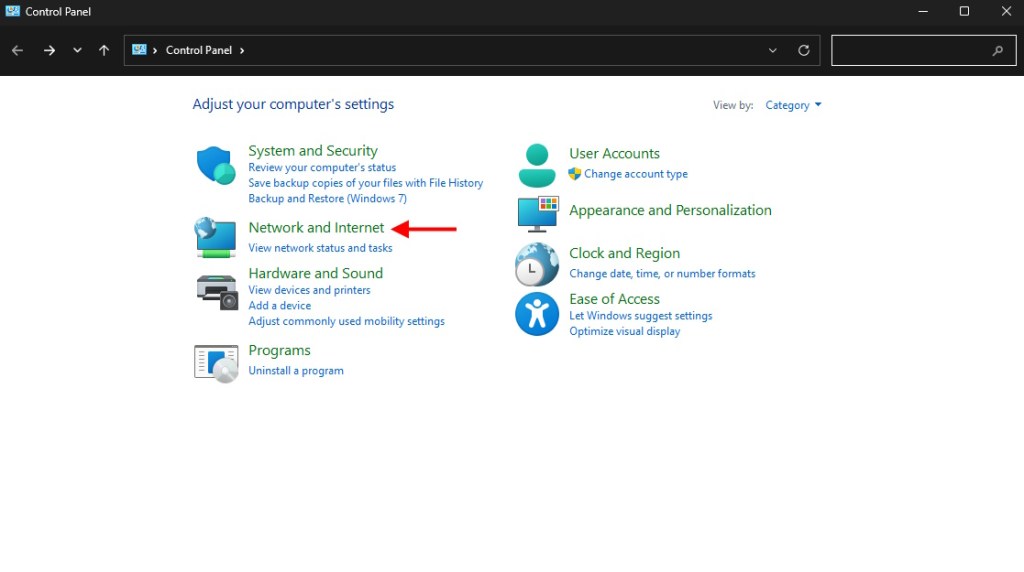
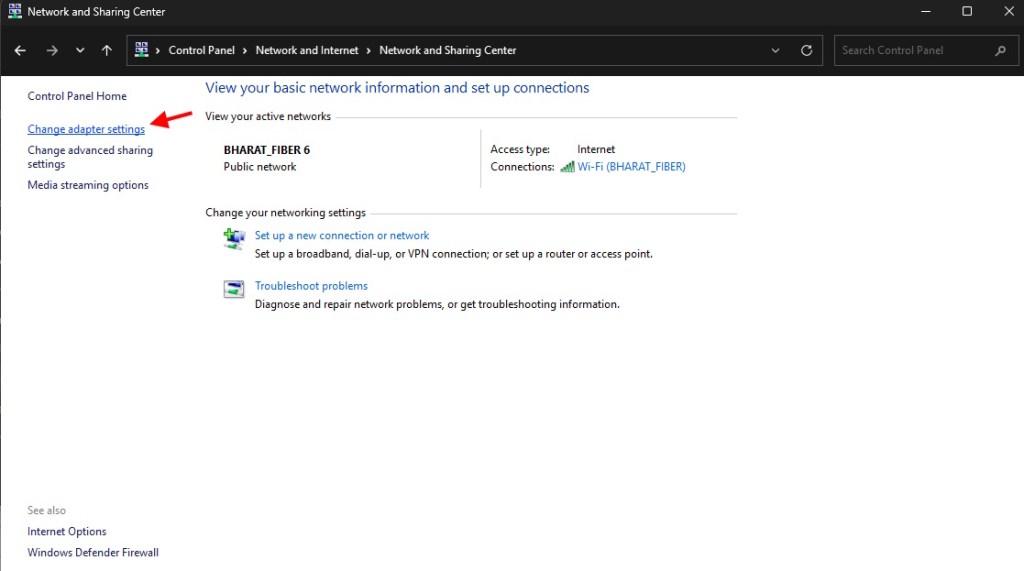
- Open Control Panel → Network and Internet → Network and Sharing Center → Change Adapter Settings.
- Right-click your active Ethernet or Wi‑Fi adapter, choose Properties, then select Internet Protocol Version (TCP/IPv4) → Properties.
- Set Preferred DNS to 8.8.8.8 and Alternate DNS to 8.8.4.4. Restart the PC.
Also double-check the server IP you typed — a misplaced digit causes an immediate refusal. Update Java if you use the Java Edition; an outdated JVM can behave unpredictably when securing sockets.
Practical quick checklist (run through in five minutes)
- Verify the server status (ask the host or check server status pages).
- Restart router and PC.
- Allow javaw.exe and Minecraft through your firewall.
- Temporarily disable antivirus/firewall for a quick test, then re-enable.
- Switch to Google DNS (8.8.8.8 / 8.8.4.4) and reboot.
- Confirm Java is up to date if on Java Edition.
If the connection restores after disabling security, the software is acting like a bouncer refusing entry — tune its rules rather than leave the gate open. If none of this helps, collect a timestamped log and contact Mojang Studios support or your host with the exact error text and server IP.
Fixing getsockopt is usually a process of elimination: rule out server downtime, confirm your local network, then relax the security controls briefly to isolate the blocker. If you want, I can walk you step-by-step over chat while you reproduce the problem — do you want to troubleshoot it live or keep digging solo?