
I joined a crowded Bedrock lobby and froze when a player floated past wearing a Dungeons 2 cape I hadn’t received. My pre-order confirmation sat in my inbox; the reward never appeared. I sorted it out and I’ll show you how to claim both capes and the new skin packs on Java and Bedrock without guessing.
I’m going to be direct: this is about accounts, a pre-order window, and a few clicks in the right places. You’ll need your Microsoft account, access to Minecraft Dungeons (original), and the Dungeons 2 release on September 29, 2026. Follow the steps below and you’ll have the capes as badges across platforms.
How to Get the Hero and Twisted Cape in Minecraft Java and Bedrock
I ran into a streamer who’d already synced both capes across Java and Bedrock — and they walked me through the missing piece: the account link.
The Hero Cape is tied to activity: play both Minecraft Dungeons (the original) and Minecraft Dungeons 2 on the same Microsoft account. The Twisted Cape is a pre-order bonus for Dungeons 2; Mojang’s store page notes the pre-order window closes the day before launch (September 28, 2026). The Hero Cape is a lighthouse on a crowded server. The Twisted Cape is a red banner stitched into your profile.
How do I get the Hero Cape?
Sign into both games with the same Microsoft account. Complete any basic sign-in or tutorial prompts in each game so the account links register. When Dungeons 2 launches, rewards tied to your account will sync and the Hero Cape appears as a claimable item.
Can I use capes in both Java and Bedrock?
Yes. Once the cape reward is attached to your Microsoft account in Dungeons 2, the sync propagates to your Minecraft profile. Exit the game after claiming rewards, then open Minecraft Java or Bedrock and sign in with the same Microsoft account to find the capes available in your dressing room or profile options.
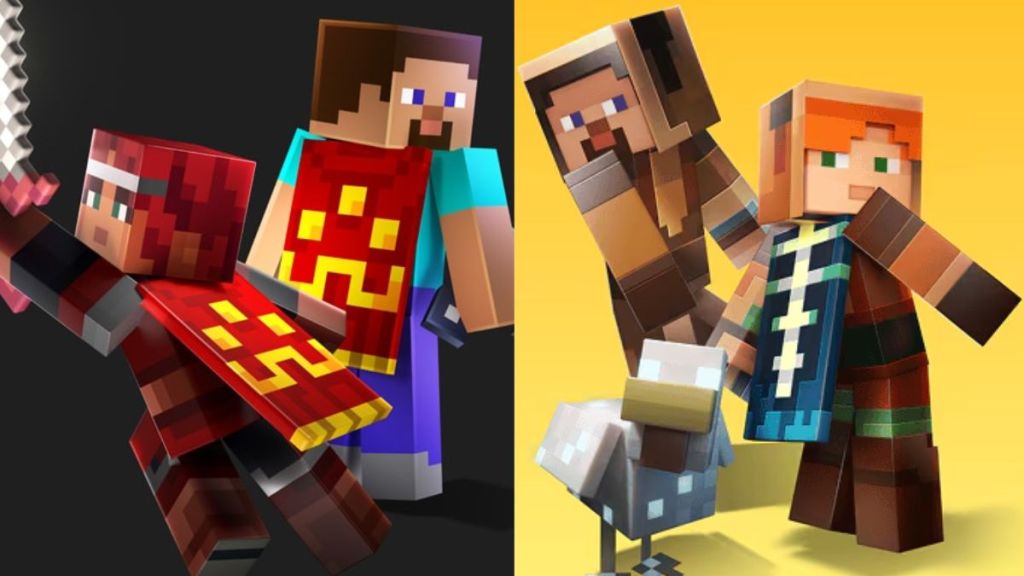
- Play Minecraft Dungeons and Minecraft Dungeons 2 with the same Microsoft account used on your Java or Bedrock world.
- Pre-order Dungeons 2 from the Microsoft Store or an authorized retailer before the offer ends on September 28, 2026.
- Launch Minecraft Dungeons 2 after it releases on September 29, 2026, and sign in with that same Microsoft account.
- Claim the Hero and Twisted capes from the in-game rewards; they will appear as account-tied items.
- Exit Dungeons 2 and open Minecraft Java or Bedrock; sign in with the same account and the capes will be available in your profile (Dressing Room on Bedrock or Change Skin & Cape on Java).
How to Get Minecraft Dungeons 2 Skin Packs
I noticed a server full of players wearing the Dungeons Hero skins; half of them had grabbed the pack from Marketplace in under a minute.
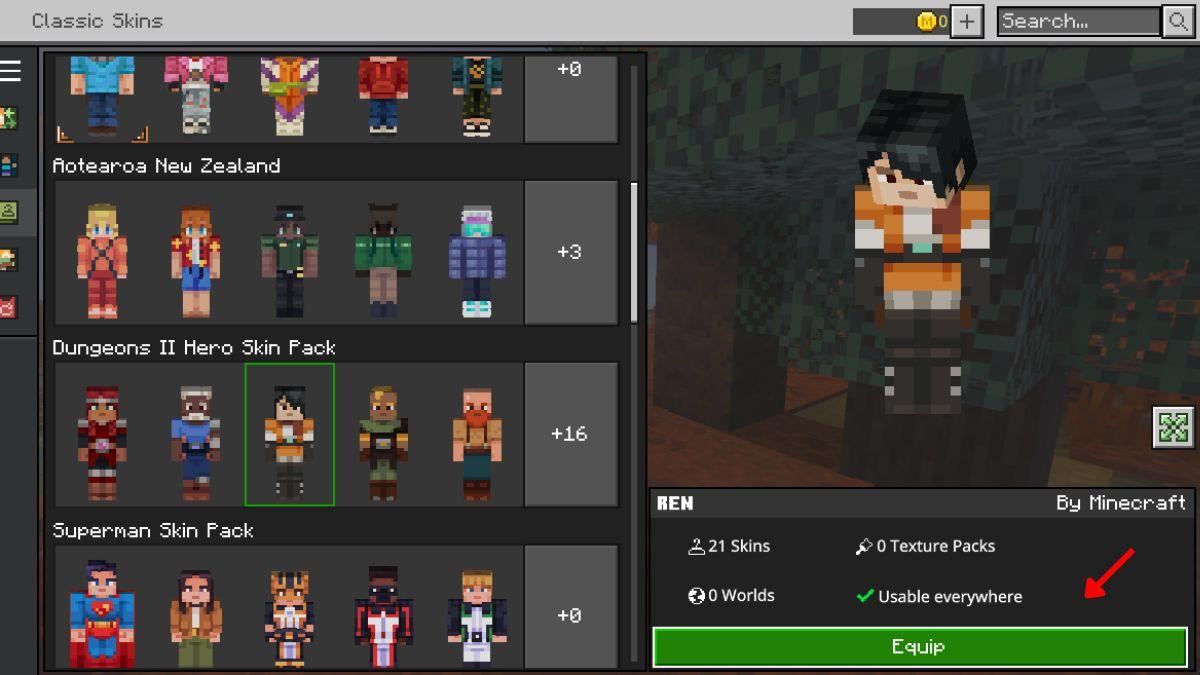
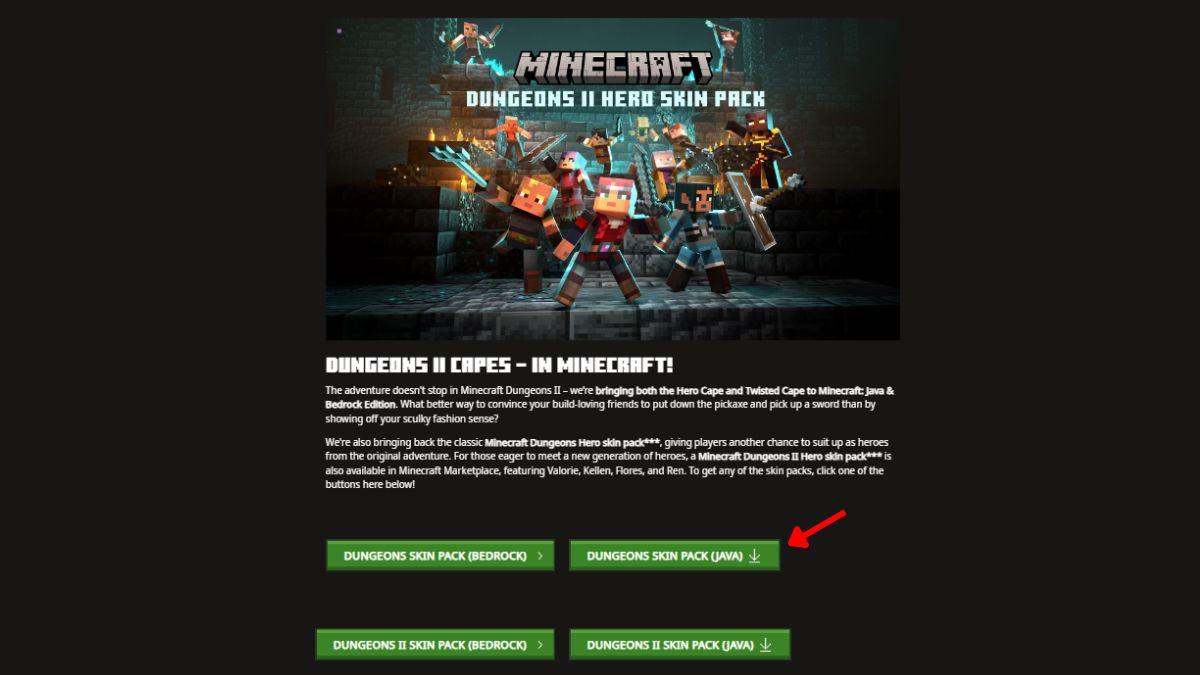
Mojang released the Dungeons 2 Hero Skin Pack (featuring Valorie, Kellen, Flores, and Ren) alongside the classic Dungeons Hero Skin Pack. The skins are free via the Marketplace on Bedrock and downloadable for Java from the official promotion page at Minecraft.net.
How do I add Dungeons skins to Java?
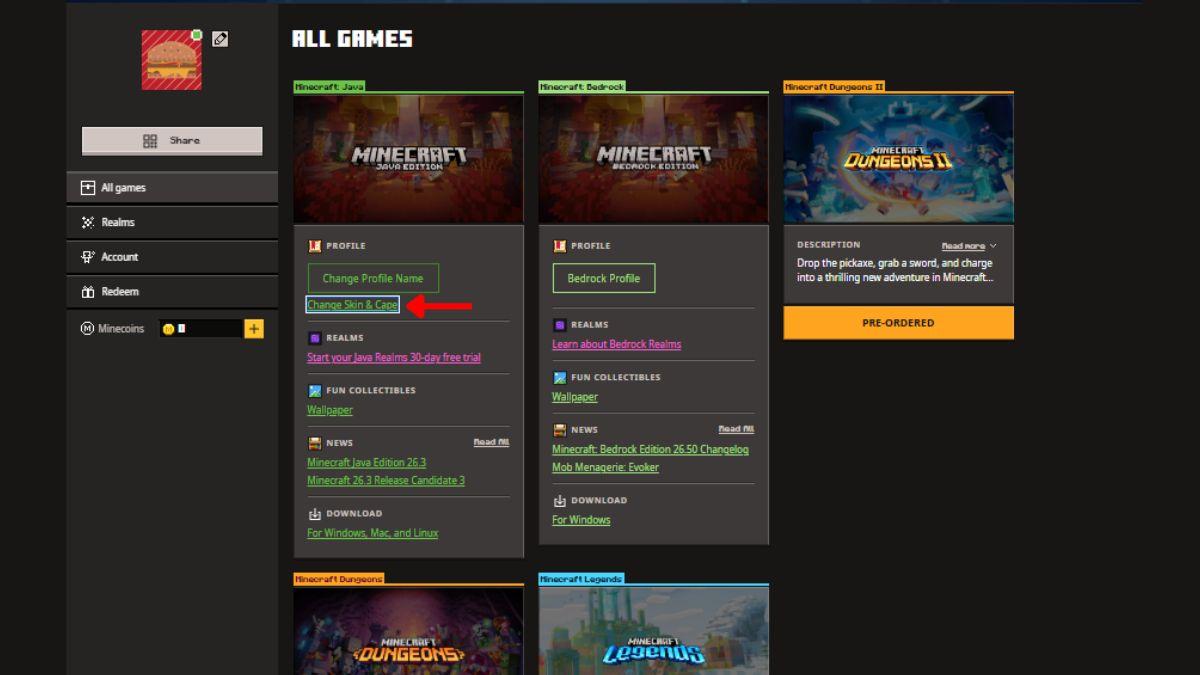
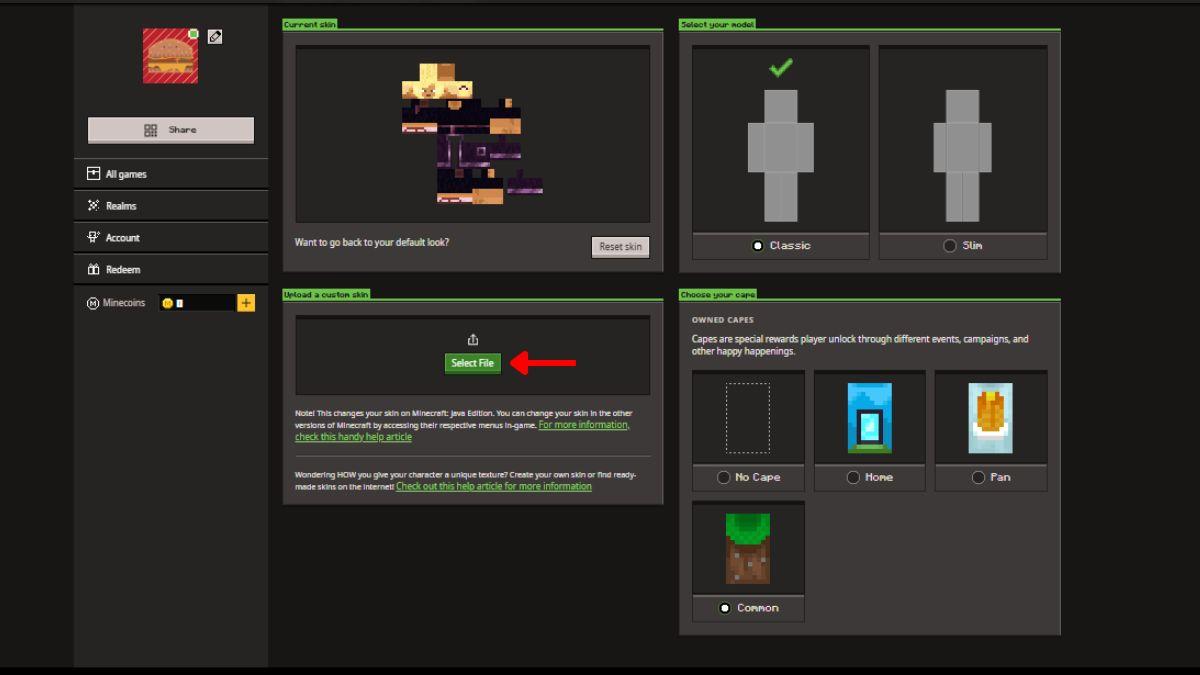
Grab the skin files from the Minecraft Dungeons 2 Capes promotion page on Minecraft.net, sign in with your Microsoft account, then upload the skin under the Minecraft Java Edition profile’s Change Skin & Cape area. Drag the downloaded file into the skin drop box and save — your Java avatar will wear the Dungeons hero look in-game.
Get Minecraft Dungeons 2 Skin Pack for Bedrock
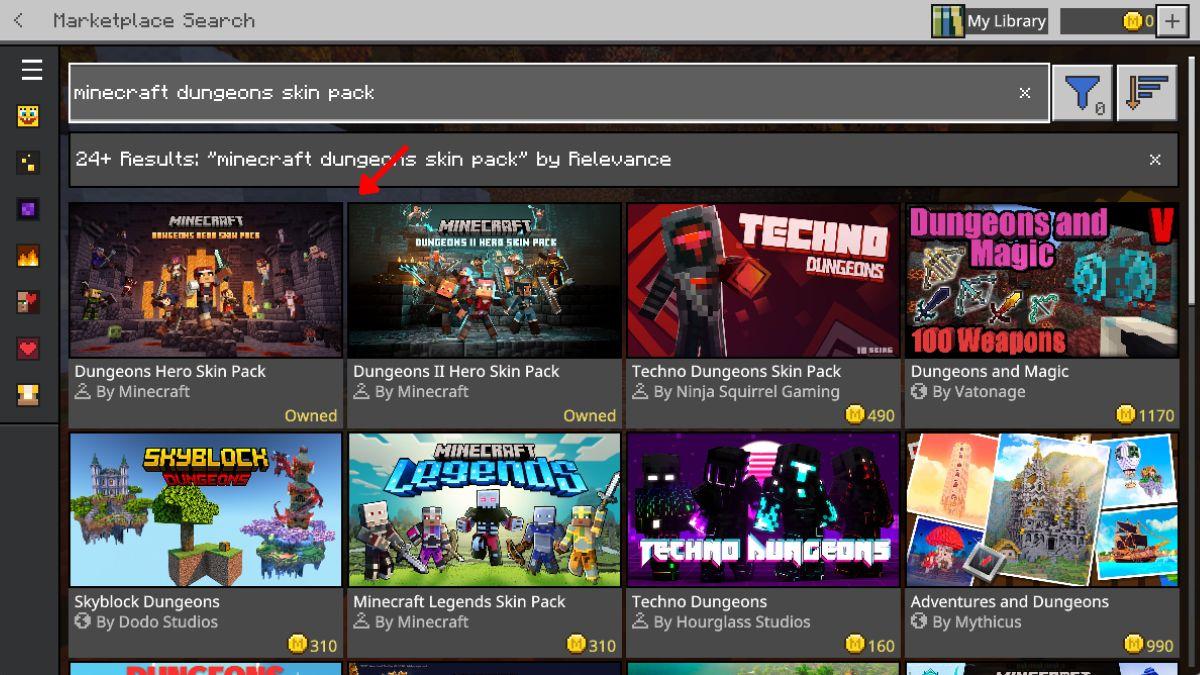
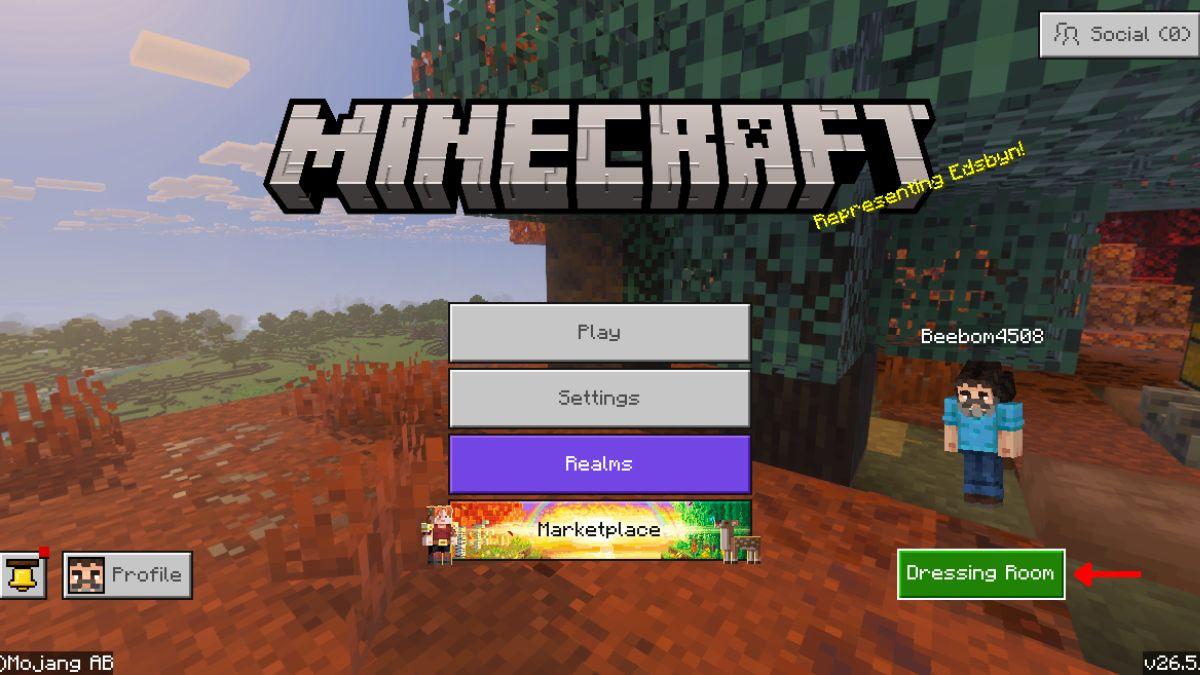
- Open Minecraft Bedrock and choose Marketplace from the main menu.
- Search for “Minecraft Dungeons” or “Dungeons 2 Skin Pack” and select the pack you want.
- Download and claim the pack — it’s listed as free on Marketplace.
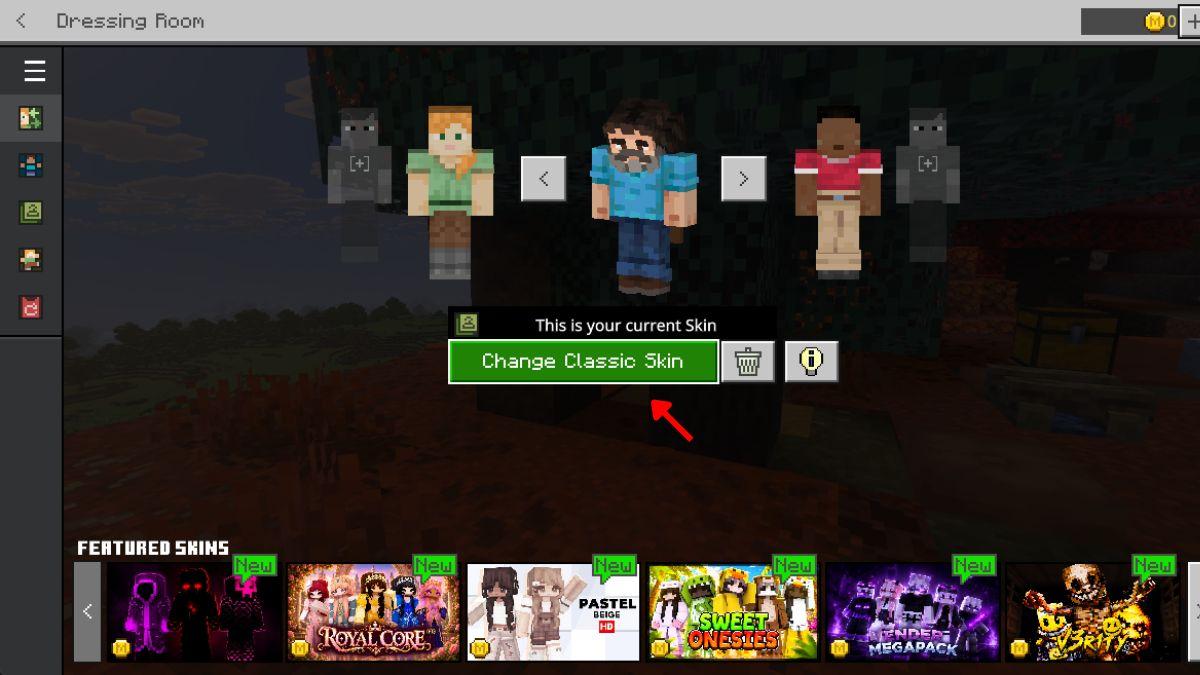
- Return to the main menu, enter the Dressing Room, click Change Skin, and pick the Dungeons hero skin you downloaded.
Get Minecraft Dungeons 2 Skin Pack for Java
- Visit the Minecraft Dungeons 2 Capes promotion page on Minecraft.net to download the Java skin file.
- Sign in to the official Minecraft website with the Microsoft account linked to your Java profile.
- Under the Minecraft Java Edition profile, select Change Skin & Cape and drag the downloaded file into the skin upload box.
- Save your changes and start Java to see the new skin applied to your character.
That covers claiming the Dungeons 2 capes and getting the skin packs on both Java and Bedrock. Use your Microsoft account as the single source of truth, pre-order before September 28 if you want the Twisted Cape, and pull the skins from Marketplace or Minecraft.net as needed. Are you grabbing the Hero cape or the Twisted cape first?