
You launch Fortnite and the season timer stares back at you—only days left. Your friends are already sharing polished recap cards while you scramble to pull your own. I remember the rush: a short window, long stats, and the fear of missing the moment.
I’m going to walk you through every quick step so you can grab, save, and share your Fortnite Chapter 7 Season 4 Override recap before the clock runs out. Your recap is a mirror; it shows what you actually did, not what you remember. Read fast, act faster.
Someone in my party asked for a recap link mid-match — How to Check Your Fortnite Override Recap
Epic’s new AI launcher claims it’s faster than Steam, but the recap itself lives on the Fortnite website. You’ll log in with the account tied to your main Fortnite profile and the site will stitch together your season stats. Follow these steps:
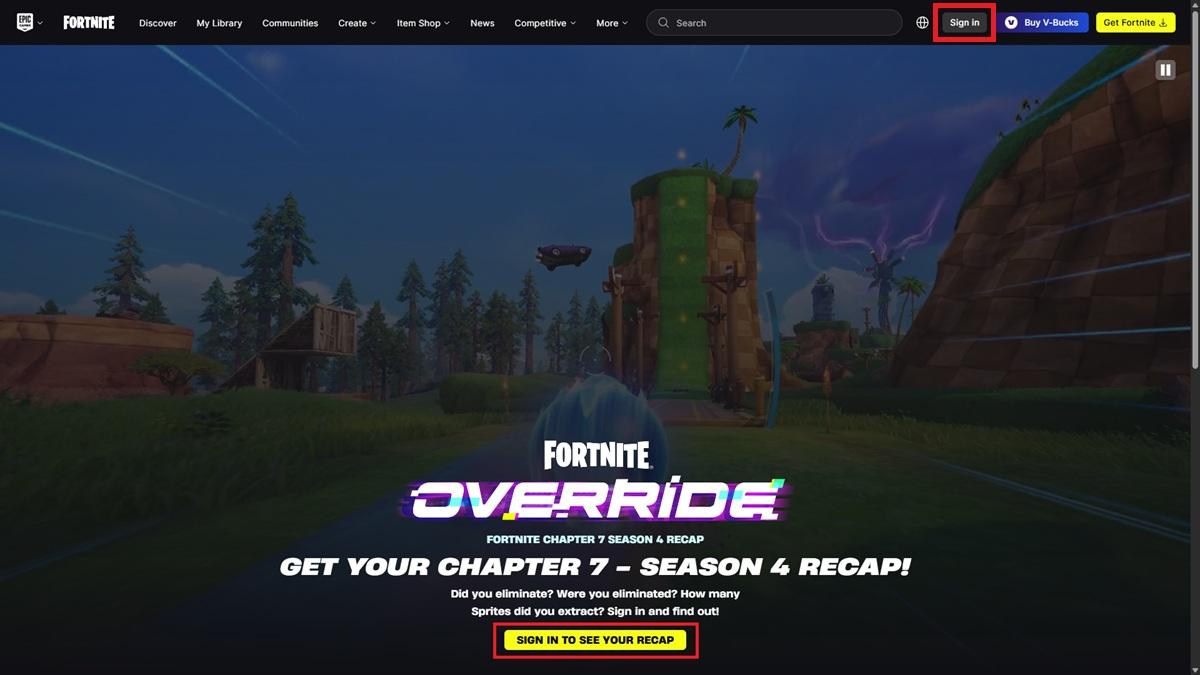
- Open the Fortnite Recap page at https://www.fortnite.com/recap.
- Click Sign In (top right) or Sign In To See Your Recap (bottom of the page).
- Authenticate with your Epic Games ID and password — use the primary account you play on.
- Or sign in with a linked account: Steam, Google, Disney, Apple, and others work if they’re attached to your Epic profile.
- After signing in, scroll through your recap cards to view and compare stats for the season.
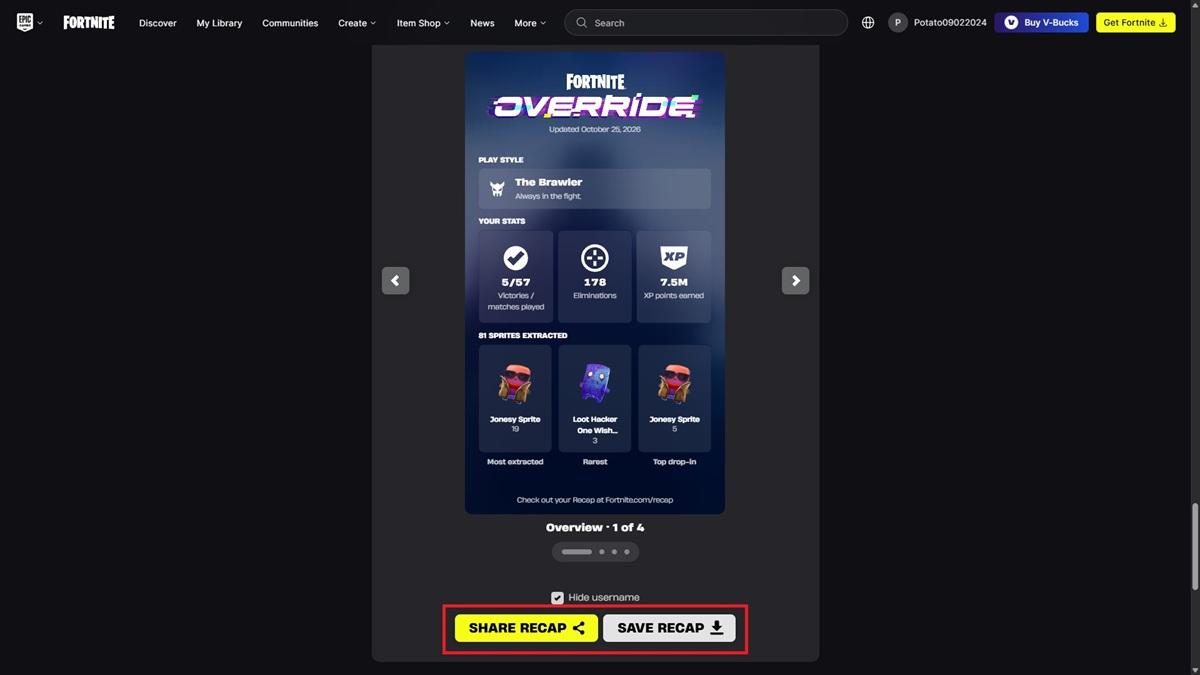
Want to share a card? Scroll to the bottom, pick the card, and hit Share Recap. Prefer to keep a copy? Use Save Recap to download the images to your device.
The streamer on my feed bragged about rare Sprites — Fortnite Chapter 7 Season 4 Override Recap Stats Info
The recap collects gameplay metrics from the season and presents them as cards you can keep or share. Think of it as a treasure map that points to your best moments and missed chances.
Here are the stats you’ll see:
- Victories / Matches Played
- Eliminations
- XP Points Earned
- Favorite Drop-Zone
- Favorite Modes
- Most Extracted Sprites
- Rarest Fortnite Sprites Extracted
- Top Starting Sprites
- Your Play Style
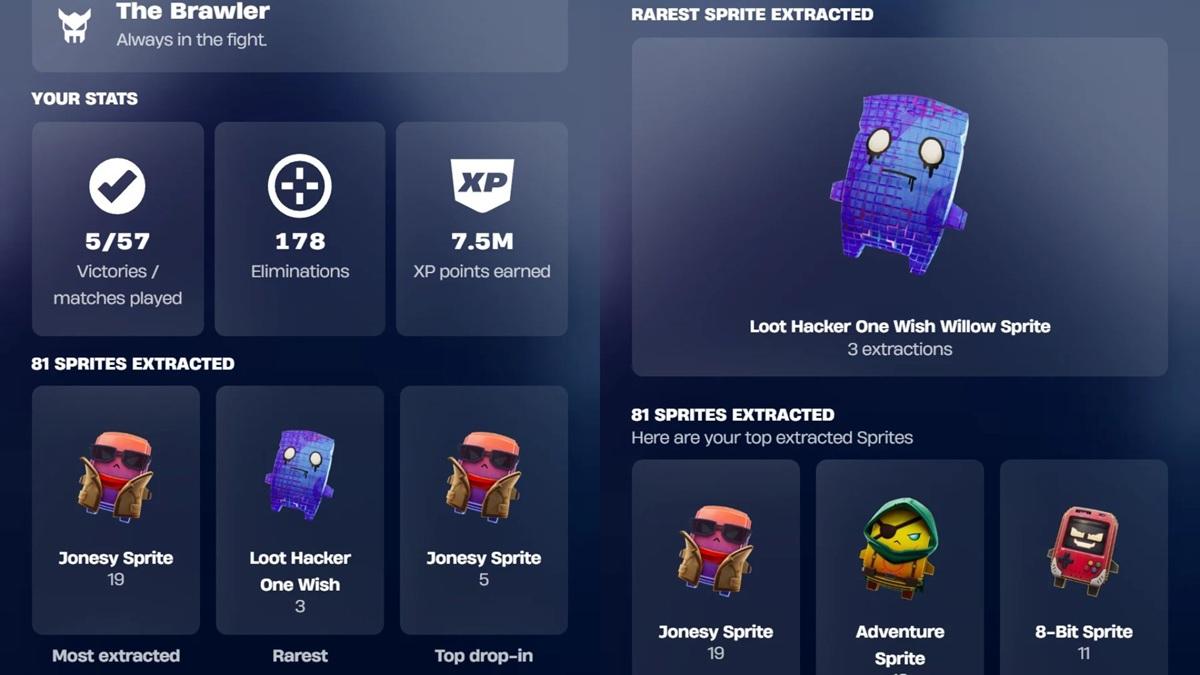
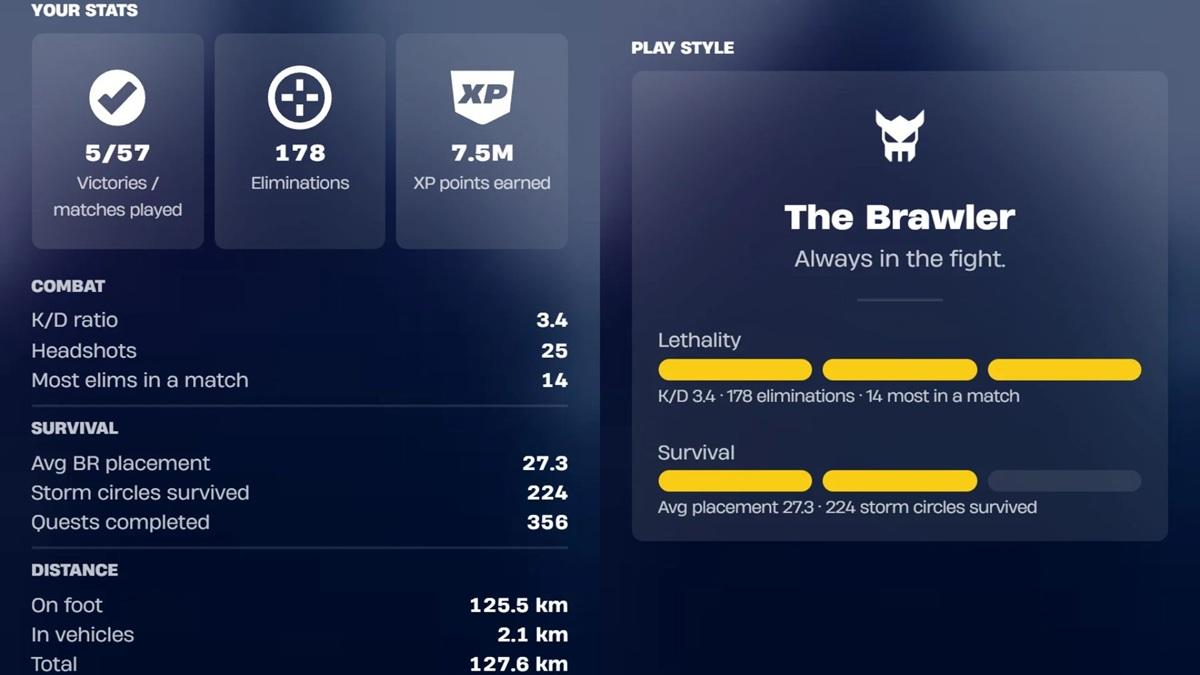
The site was updated on October 25, 2026. With Chapter 7 Season 4 ending later this week, don’t expect another stats refresh.
How long will the Fortnite Chapter 7 Season 4 Override recap feature be available?
The recap should be accessible until October 31, 2026. After that date the public recap pages and sharing options are likely to be removed.
Can I share my Override recap without showing my Fortnite username?
Yes. The share flow includes an option to hide your username before you post cards to social feeds or save images locally.
Can others check my stats using the Fortnite Override recap feature?
No. The recap is tied to your authenticated Epic account; other players cannot pull your personal recap without your credentials.
Quick final reminders: use any Fortnite Admin Panel Lobby Hack Codes before October 31 if they apply to you, and hit the Spritemare events to finish collections you’re missing. I’ll ask bluntly — are you ready to let your recap tell the real story of your season?