
I tapped the notification in the dark and the blue checkmark was there — but not on my account. Around me, creators treated that tiny icon like proof you belonged at the table. If you’ve ever hunted for the recipe behind that badge, you’re in the right place.
I’ve spent years watching creators and studios win and lose that little mark; I’ll give you the exact steps I’ve seen work, and the pitfalls that trip people up. You’ll get clear criteria, step-by-step actions, and the habits that keep the badge once it’s yours. Read fast, act faster.
On forums and Discord channels the same questions bubble up: what counts as notable, how you confirm your identity, and what Roblox actually checks before it pins that blue check on your profile.
Here’s the short version: Roblox doesn’t accept applications from most users. They scan accounts and grant verification to creators who already meet strict thresholds — brands in the Roblox Video Stars program, top-selling avatar creators, and experience developers with massive playtime. Below, I break each path down and show the checklist I’d follow if I were you.
I once watched a small studio nearly lose everything after a single careless name change.
How to Get the Verified Badge on Roblox
Roblox grants verification only to accounts that prove they’re authentic, active, and notable. You can’t just apply; Roblox reviews accounts and hands out badges to those meeting specific rules.
- Brands and public figures: Must be part of the Roblox Video Stars program or otherwise recognized by Roblox as a public brand.
- Experience developers: Must own, or receive a 10%+ automatic group payout from, an experience that accumulated more than 1 million playtime hours in the last 90 days.
- Avatar item creators: Must generate at least 2 million Robux in revenue and sell 200,000+ items in the previous 90 days.
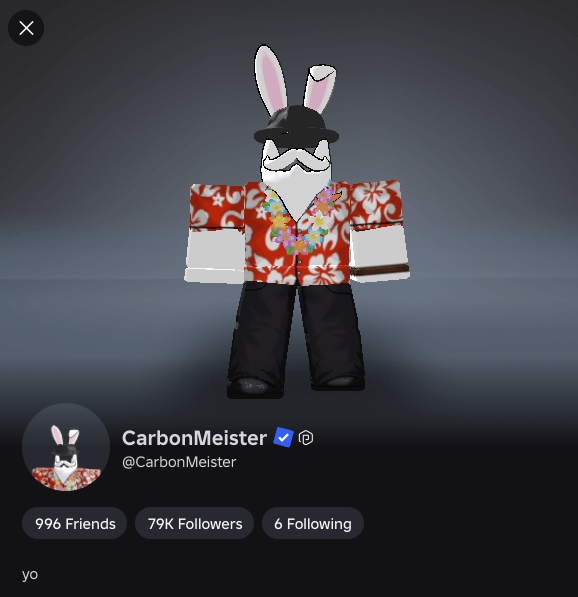
If you’re aiming for that developer path, treat the playtime number like a finish line: focus on retention and repeat visits, not one-off spikes. If you make avatar items, revenue and volume are the scoreboard. For brands and creators, Roblox’s Video Stars program is the usual gateway.
Can you apply for a Roblox Verified Badge?
No. For most creators, Roblox initiates verification once your account meets its eligibility rules. That means you don’t submit a form; you meet measurable thresholds and they’ll flag you.
How long does it take to get verified on Roblox?
Roblox runs a monthly verification cycle. Even after you meet every requirement, expect to wait up to a month for the badge to appear.
Can you buy a Verified Badge on Roblox?
Absolutely not. Attempts to buy, sell, or spoof the badge will make you ineligible and can get your account penalized.
A close friend of mine lost access to voice chat because their age verification stalled for days; that taught me to prepare documentation before you hit Verify.
How to Get VC on Roblox and 17+ Access (ID Verification Steps)
To access 17+ experiences and voice chat, you must verify your age and identity. Roblox uses an ID check so they can match a real person to the account.
- Open Account Settings: Log in, click the Gear icon (PC) or the three-dots menu (mobile), then select Settings.
- Start Age Verification: Under Account Info, tap Verify My Age beneath your birthday.
- Scan the QR Code: Use your phone camera to open Roblox’s verification portal.
- Scan Your Government ID: Follow prompts to photograph a valid ID (driver’s license, passport, or state ID).
- Take a Live Selfie: Complete the liveness check so Roblox can match your face to the ID.
- Enable Microphone: After verification, go to Settings > Privacy and toggle Microphone on to enable voice chat.
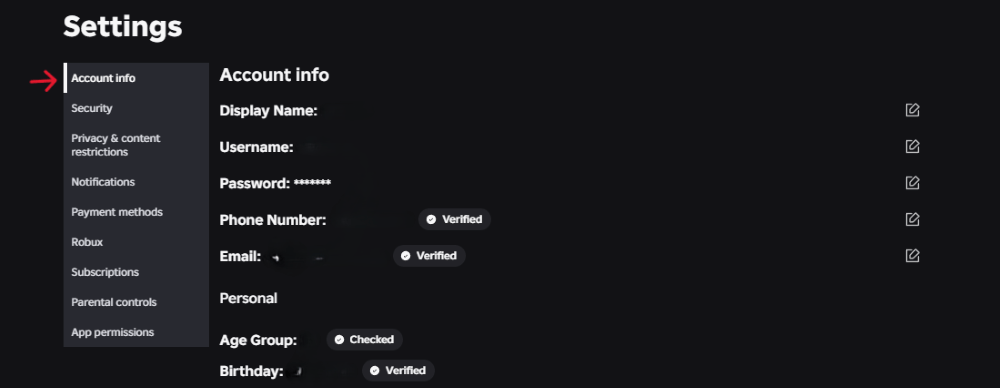
If you plan to verify, use a clear ID and a quiet room for the selfie upload. The system hates blurry photos.
On security: I treat the creator account like a fortress; two-factor authentication is a basic defensive wall.
Secure Your Account
Set up two-step verification (2FA) from your Security settings. Use an authenticator app such as Google Authenticator or Microsoft Authenticator rather than SMS when you can.
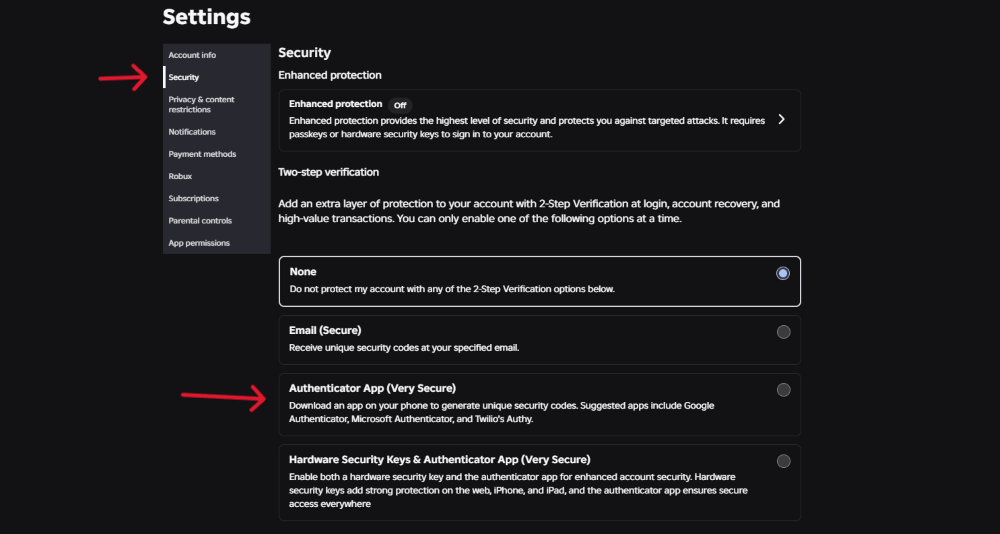
High-profile creators are frequent targets for phishing and account takeovers. Keep your 2FA active: disabling it can cost you the badge.
Activity matters more than perfection; Roblox removes badges from dormant accounts regularly.
Stay Active
Your account must have activity within the last 180 days to stay eligible for verification. Log in, post content, and keep your community engaged.
Roblox reviews accounts on a monthly cadence. If you meet the criteria, you’ll see the blue check during the next cycle.
I watched a creator lose verification after changing a display name mid-campaign and paying the price in lost trust.
How to Keep Your Roblox Verified Badge
Once Roblox grants the badge, they expect stability and good standing. A few missteps and the check disappears.
- Keep names consistent: Changing your username or display name after verification can trigger an automatic revoke.
- Keep 2FA active: If you turn off your authenticator, the badge can be removed.
- Follow Roblox Community Standards: Repeated violations, fraudulent refunds, or attempts to sell the badge will get you stripped of verification and possibly banned.
Don’t chase hacks, cheats, or shortcuts; being flagged for exploiting third-party tools is a quick way to lose everything you built.
A friend once doubled down on moderation tools and saved dozens of hours of grief when their first hit of popularity arrived.
How to Get Roblox Studio and Scripts (For Developer Verification)
If you want the developer route to verification, you need a game that people play — a lot. That means building with Roblox Studio and keeping players coming back.
- Download Roblox Studio: Visit create.roblox.com and click Start Creating to install Roblox Studio on PC or Mac.
- Create a Script: Open a Baseplate, select ServerScriptService in Explorer, click + and choose Script to add server-side logic.
- Use the Toolbox: If you’re not fluent in Luau, the Toolbox offers community models and plugins you can learn from.
- Moderation tools: Add verified admin modules like HD Admin or Kohl’s Admin Infinite to manage your game as it scales.
Think of the badge as a backstage pass: it opens doors, but your game and community are what keep them open.
Hold to these rules and timelines and you’ll either earn the badge or know exactly what’s missing. Which part of this process will you tackle first — the Studio grind, the ID check, or tightening security?