
I freeze as the lights stutter and my teammate swears they heard footsteps upstairs. You reach for a tool that’s literally strapped to your wrist and the panic becomes data. I’ll show you how that small circle of glass turns chaos into control.
I’ve played enough runs on Steam and in VR (hello, Oculus players) to know which details save a contract. Read this once and you’ll stop guessing at what the watch does and start using it to steer hunts, coordinate on Discord, and avoid premature deaths.
You check your phone before leaving the house; the watch does something similar for your hunt. What does the watch do in Phasmophobia?
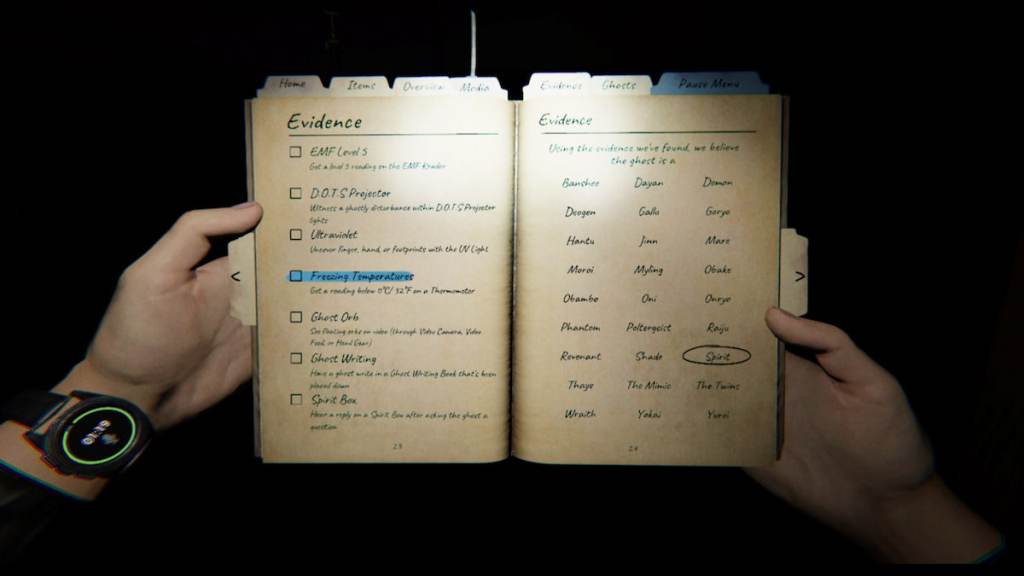
The watch is a compact instrument with three immediate functions you want at your fingertips. Think of it like a pulse under your sleeve: small, constant, and telling you when the body—your team—starts to fail.
- Sanity ring: The outer circle tracks your sanity. This is the only reliable, in-world indicator you can check without returning to the truck.
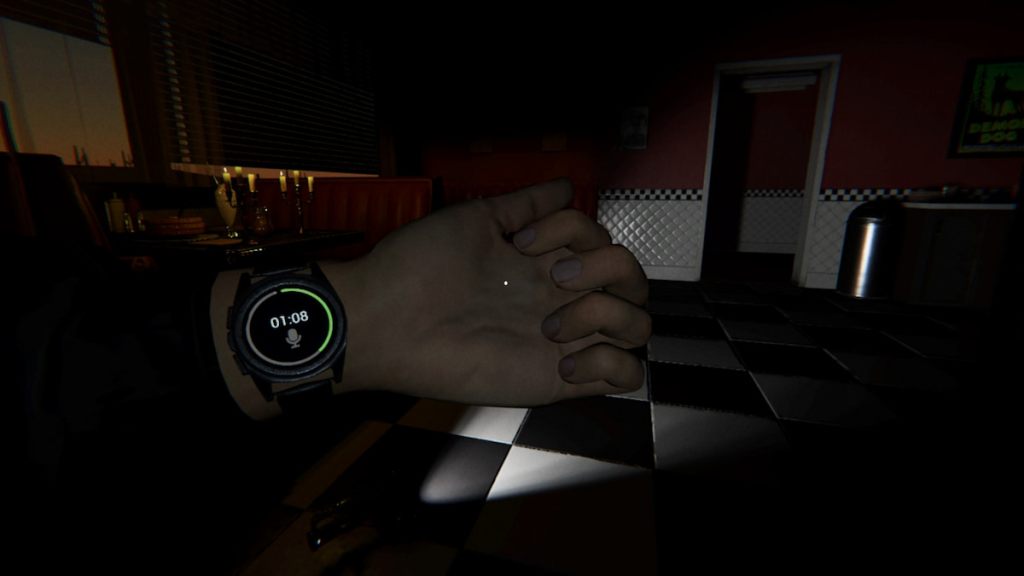
- Elapsed time: The center timer shows how long you’ve been on the contract. Use it to know when setup ends and when hunts are most likely.
- Microphone icon: A small mic symbol lights solid white when your voice registers. That helps you diagnose whether the ghost could be responding to vocal evidence or if your mic is muted in Windows or Steam.
How do I check my sanity with the watch?
Once you learn the ring, you stop guessing. The arc shrinks as your sanity drops. If you see it dip quickly, call for sanity pills or get everyone back to the truck—especially on higher difficulties or user-made custom contracts from the Steam Workshop.
You hold your journal to jot down evidence; that’s when the watch appears. How to view your watch in Phasmophobia
Most players already open the Journal during setups. That simple habit makes the watch visible because your left wrist is exposed while you hold the book. Open the Journal and the watch sits where you can read it in one blink.
- Open the Journal for the quickest readout—both hands hold it, and the left wrist is clear.
- If your left hand is empty you can hold the Use button to raise your arm and view the watch. Check Controls in Options to find or rebind the Hold Use key on PC, Steam Deck, or VR controllers.
How do I view the watch in-game?
If you’re on Steam VR or the standard PC build, the behavior is the same: Journal shows the watch; Hold Use shows it if your hand is empty. On Oculus/Meta setups running through SteamVR, check that bindings for the Hold Use action aren’t conflicting with your hand gestures.
You can’t take off a wedding ring without a tool; the watch is similarly permanent. How to equip the watch in Phasmophobia
The watch is always equipped by default for every character. There’s no inventory slot, no toggle—Kinetic Games made it permanent so you never miss a sanity read or timer during a run. That design choice means you’ll never waste a slot on a watch, but you also can’t hide it for screenshots.
Can I remove the watch?
No. It’s persistent across characters and contracts. Treat it as part of the HUD that lives in-world: a passive tool you must learn to read rather than an item to micromanage.
Use the watch to call hunts earlier, time your candle or crucifix placement, and confirm when your mic truly registers voice evidence—especially useful when you’re coordinating on Discord or comparing notes with a Kinetic Games patch thread on Steam community discussions. The next time the lights flicker and your heartbeat spikes, will you rely on instinct or on the little circle on your wrist?