
The mask timer blinked at me the moment I launched The Sims 4 — I had procrastinated and the event clock was a guillotine over my weekend plans. I could feel the tiny pressure of a missed reward sliding away. If you’re reading this, you’ve probably had that same chill: the game teases prizes and your calendar fights back.
I’ve chased timed events for years on EA and Maxis releases, and I’ll walk you through the Masquerade Ball so you don’t lose a single item. You’ll get clear steps, a quick checklist, and the exact places to check inside the game (yes, Steam, the EA App/Origin and consoles behave the same). Stay with me and I’ll make this feel less like guesswork and more like a plan you can execute between coffee and dinner.
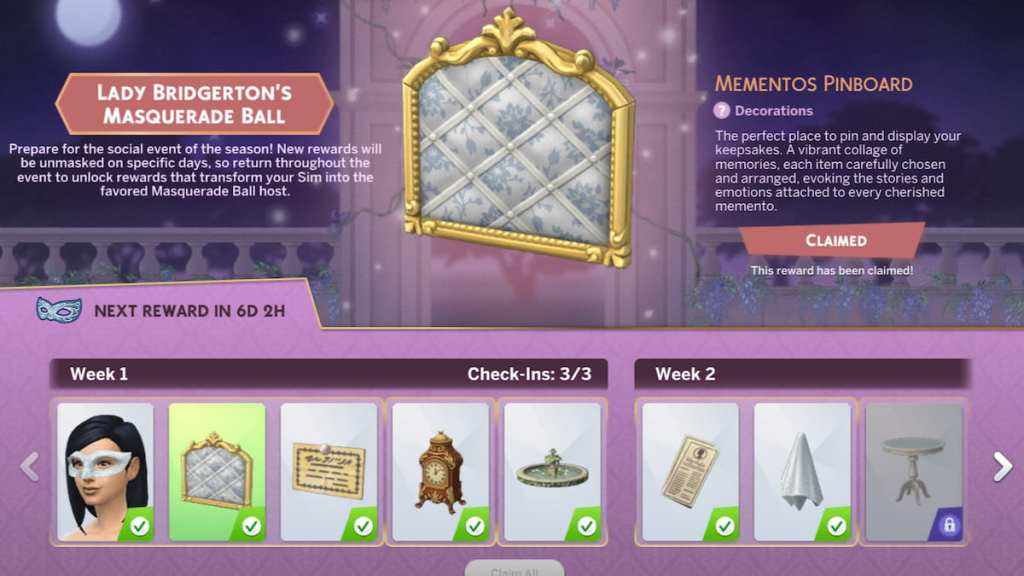
How to get rewards in The Sims 4 Lady Bridgerton’s Masquerade Ball event
I opened the event page and watched a tiny mask icon count down — that’s your single-source status bar for this promotion. This event is a login-based reward sequence: no quests to grind, no achievement hoops, just timed logins. For each of four weeks you must log in three times that week, which means opening The Sims 4 three separate times per week; across the event that’s 12 launches total.
Here’s exactly how to manage those logins so you don’t miss a tier:
- Week structure: Four weekly sets of rewards. Each week requires three separate logins to claim that week’s bundle.
- Waiting window: After one login, a short cooldown appears before the next login counts toward that week. The event enforces spacing, so you can’t claim all three in one sitting.
- Where to check: Open the event page in-game and find the small mask icon near the left edge; it shows the timer until your next claim is eligible.
- Platforms covered: Works the same whether you launch from Steam, the EA App/Origin, or a console build — your login count is recorded server-side by EA/Maxis.
How do I claim these rewards in The Sims 4?
After you open the game and the event page, tap the mask area when its timer hits zero and the week’s items will be added to your library or inventory. If you’re on PC (Steam or the EA App) you’ll see the same interface as console players; everything routes through EA’s event system tied to your account.
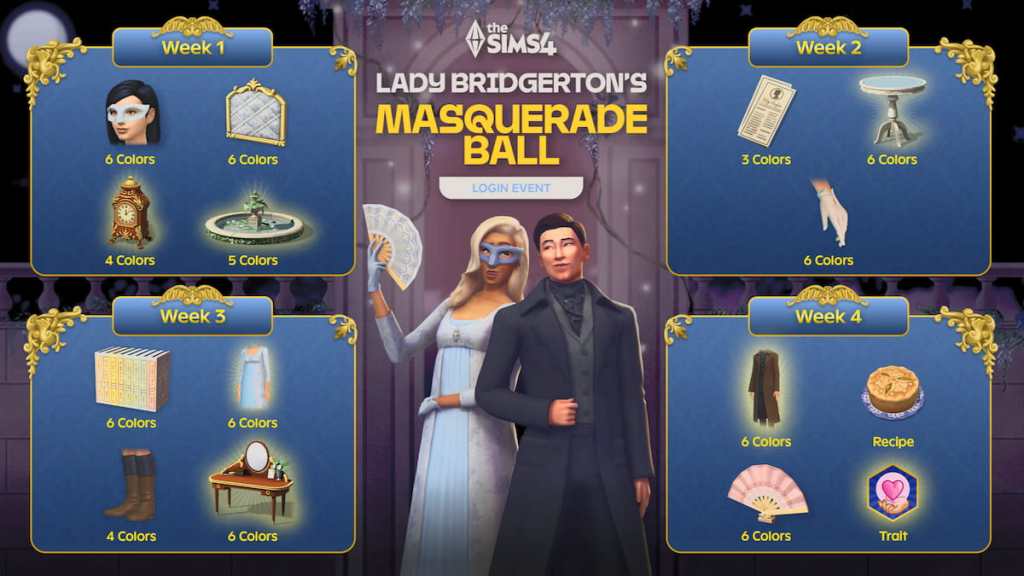
All The Sims 4 Lady Bridgerton’s Masquerade Ball event rewards
At my desk I counted a list of items and realized the event is heavier on decoration and clothing than on gameplay modifiers. The rewards are a secret garden behind a locked gate for players who plan their logins. There are 21 items total across furniture, fashion, food, a trait, and decorative bits — here’s the full breakdown by week and release date so you can prioritize the pieces you want most.
- Week one – Unlocks on May 12
- Enchanted Intrigue Mask
- Mementos Pinboard
- Lady Bridgerton’s Masquerade Ball Invitation
- Midnight Chime Clock
- Whispering Waters Fountain
- Week two – Unlocks on May 19
- Lady Whistledown’s Society Papers
- Moonlit Keepsake
- Felted Game Table
- Sheer Gloves
- Filled Dance Card
- Week three – Unlocks on May 26
- Buzz of Desire Book Set
- Floral Bookmark
- Daytime Stroll Gown
- Sturdy Leather Boots
- Debutante’s Vanity
- Handcrafted Birthday Crown
- Week four – Unlocks on June 2
- Gallant Wool Coat
- Gooseberry Pie
- Fluttering Hand Fan
- Heart On Your Sleeve Trait
- Sealed Love Letter
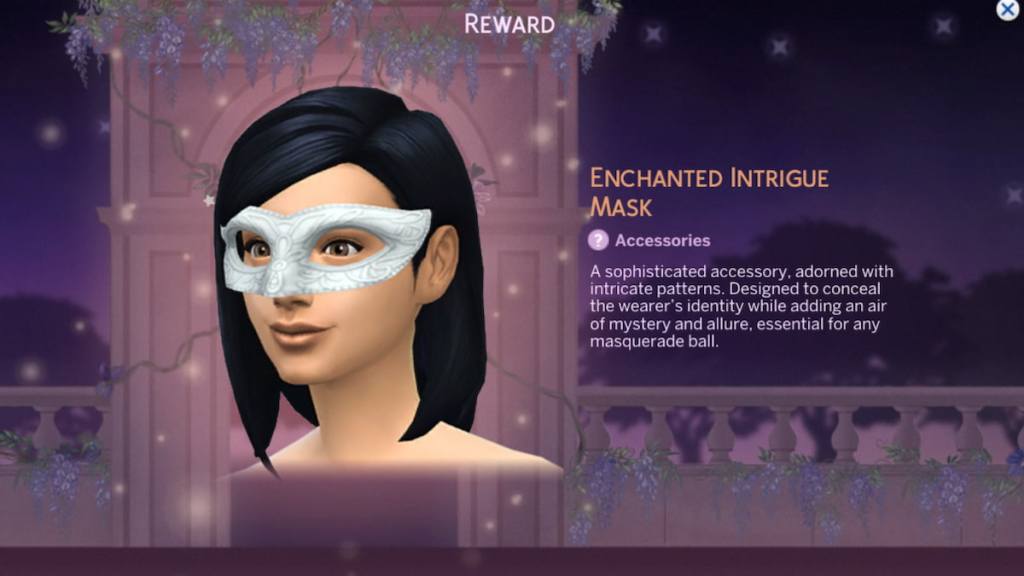
What items are included in Lady Bridgerton’s Masquerade Ball event?
The list above shows everything: 21 pieces spanning masks, furniture, clothing, a food item, and a new trait. If you care about aesthetic play or running a Bridgerton-themed household, prioritize the Daytime Stroll Gown and the Enchanted Intrigue Mask early — those are the show-stealers.
How long is Lady Bridgerton’s Masquerade Ball event in The Sims 4?
On my calendar the event slotted between two friends’ birthdays and a work deadline, which is a helpful reality check for planning. The event runs from May 12 to July 7, and the final week’s items become available on June 2 — but the event window itself stays open until July 7. That gives you time to begin late, but you must start early enough to complete each week’s three separate logins before the event ends.
How long will the event run?
May 12 through July 7. The weekly unlock dates are staggered: Weeks begin May 12, May 19, May 26, and June 2. If you miss a week entirely because you waited until June or July, the cooldown spacing will likely block you from collecting all four weekly bundles.
If you want a quick plan: open The Sims 4 once every 48 hours during the weeks you’re missing, check the mask timer, and claim as the item becomes eligible. Use the calendar on your phone or a reminder in Steam/Epic/EA App to nudge you — it’s the simplest way to guarantee you claim all 12 required sessions.
Seen past EA events that rely on simple login math? How did you handle the pacing — strict calendar or last-minute sprint?