
I tuned into a Save the World stream and realized the clock was quietly counting against me. You can feel the small panic in chat when someone forgets to claim a Drop. I’ll walk you through the fastest, least painful way to collect everything before the window closes.
All Fortnite Save the World Twitch Drops and How to Get Them
I once sat through a single stream and watched three viewers claim rewards in under an hour—details matter.
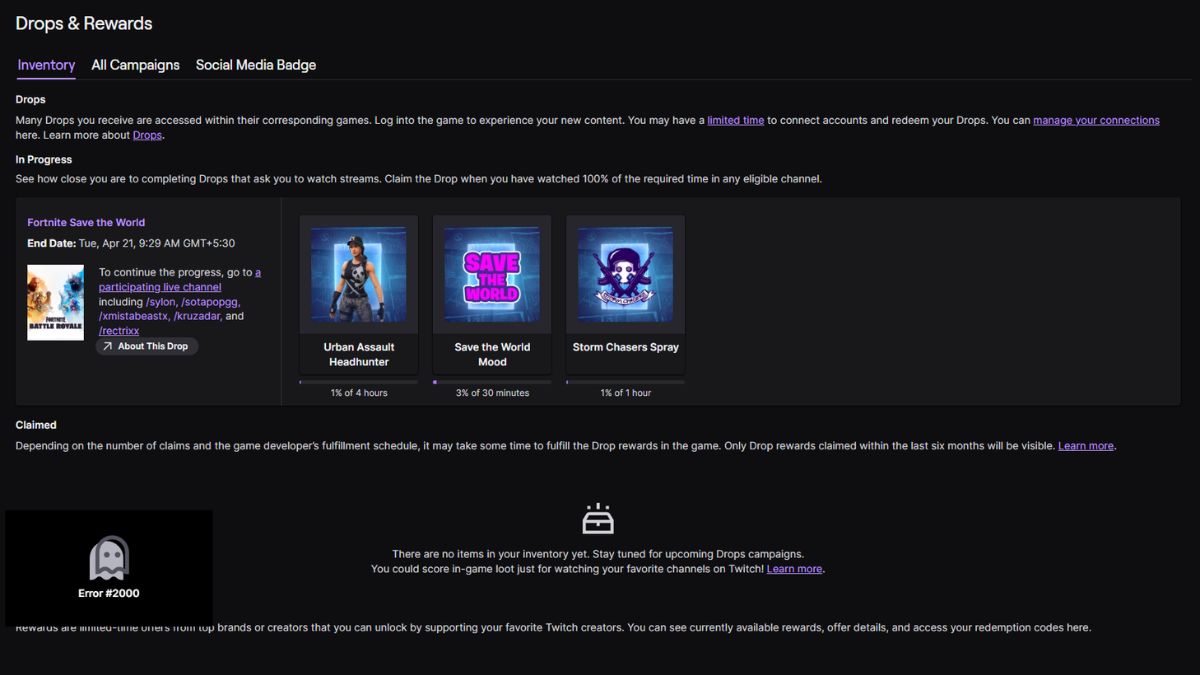
If you’ve returned to Fortnite’s original PvE mode now that Save the World is free-to-play, Epic has handed out a tidy set of Twitch Drops to get you started. There are three items in this drop run: a small emoticon, a spray, and a Legendary Urban Assault Headhunter hero. Scoring that Legendary feels like finding a retro arcade token in your pocket.
| Reward | Watch Time |
|---|---|
| STW Mood Emoticon | 30 Minutes |
| Storm Chasers Spray | 1 Hour |
| Legendary Urban Assault Headhunter Hero | 4 Hours |
What are the Fortnite Save the World Twitch Drops?
They’re timed rewards delivered through Twitch when you watch designated Save the World streams. The list above shows the three tiers and how long you must watch. Epic and Twitch handle the delivery; you only need to claim them via Twitch’s Drops & Rewards menu after you hit each milestone.
When is the last date to claim the Fortnite Save the World Twitch Drops?
The event runs from April 16, 2026 to April 20, 2026. That four-day window is your one clear shot to earn the Legendary hero for free—don’t assume it’ll appear in the Item Shop later.
What streams do I have to watch for the Fortnite Save the World Twitch Drops?
Only Save the World-tagged streams count. If a creator is in the Battle Royale playlist, your watch time won’t register. Look for the Fortnite category, then confirm the stream has the “Drops” tag and is specifically playing Save the World content.
How to Get Fortnite Save the World Twitch Drops
I stepped through the linking process live with a streamer and saw how a missed click cost a viewer an hour of watch time—don’t let that be you.
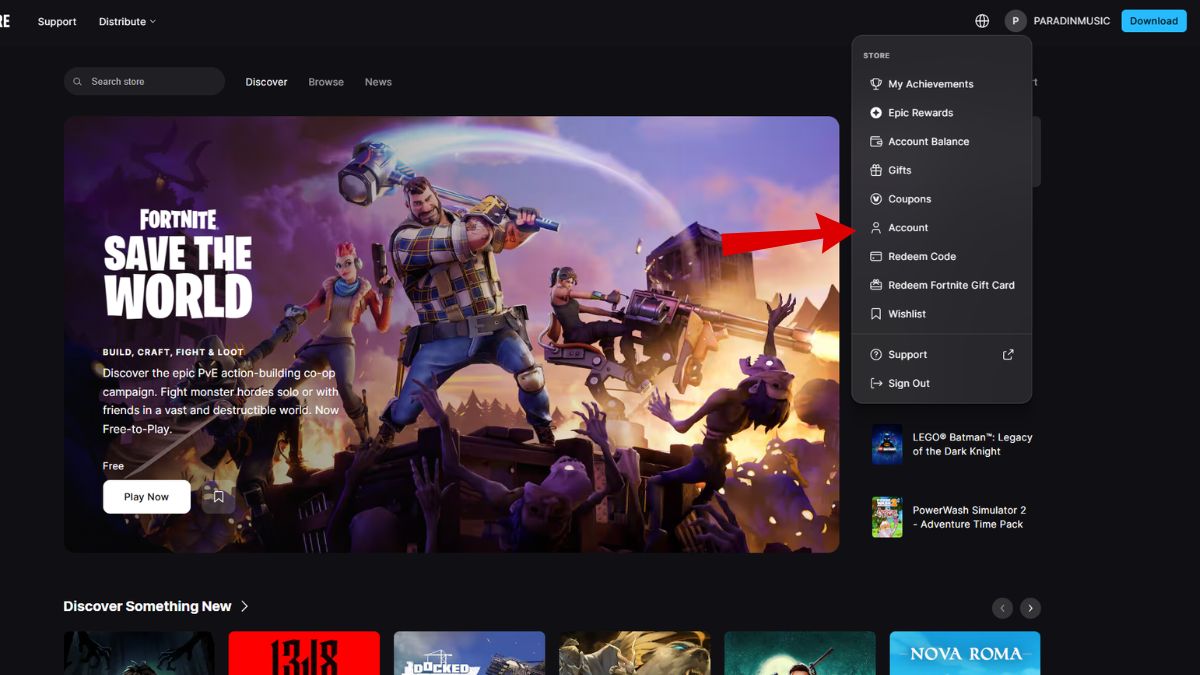
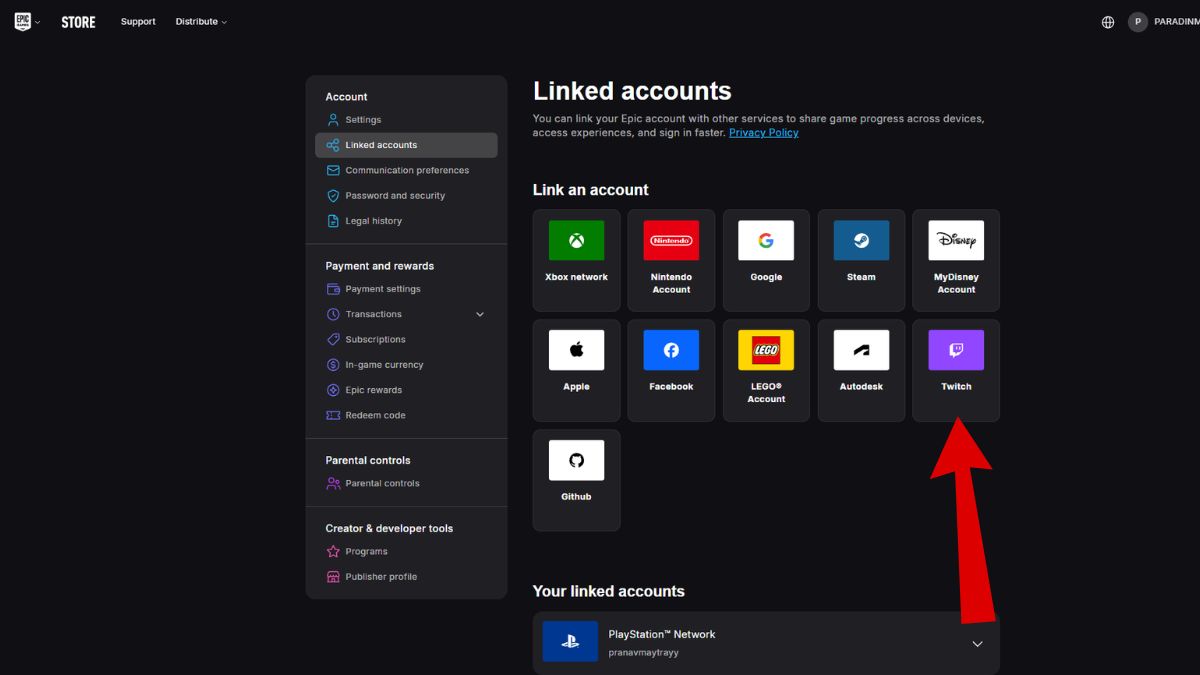
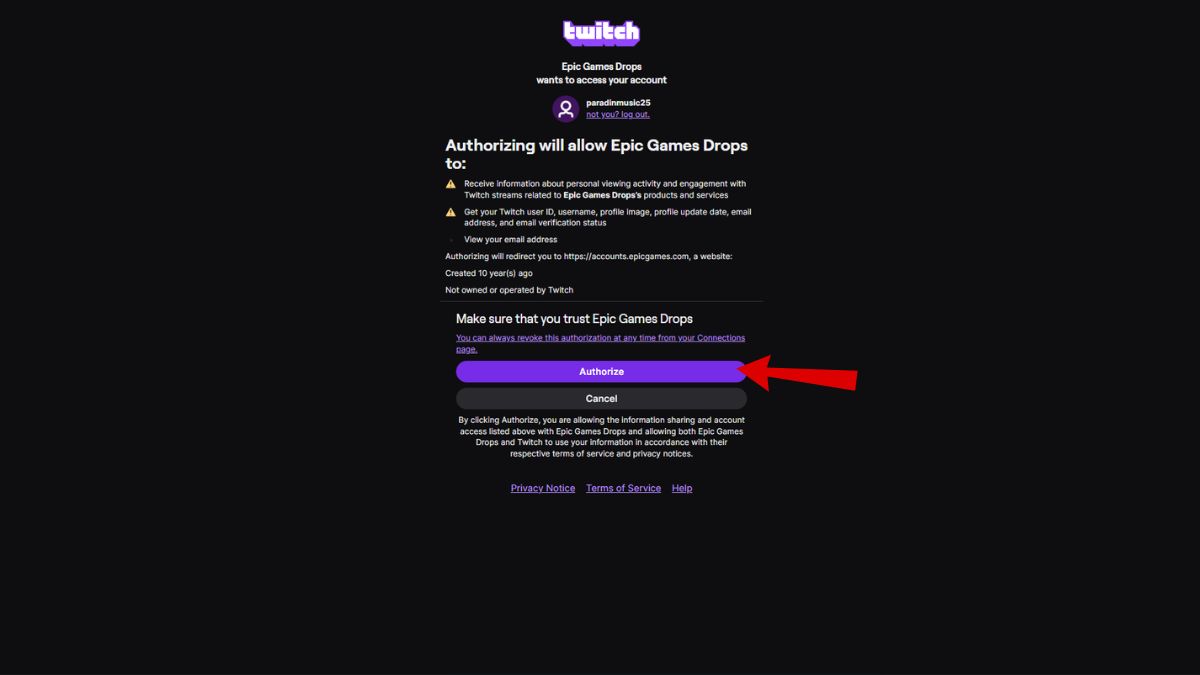
- Go to the Epic Games Store account settings and open Linked Accounts. Find the Twitch icon and click Connect. Follow the authorization prompts to pair your Twitch and Epic accounts.
- If you’ve linked before, disconnect and reconnect the accounts to reset the handshake; I recommend this if you’ve had Drops fail in past events.
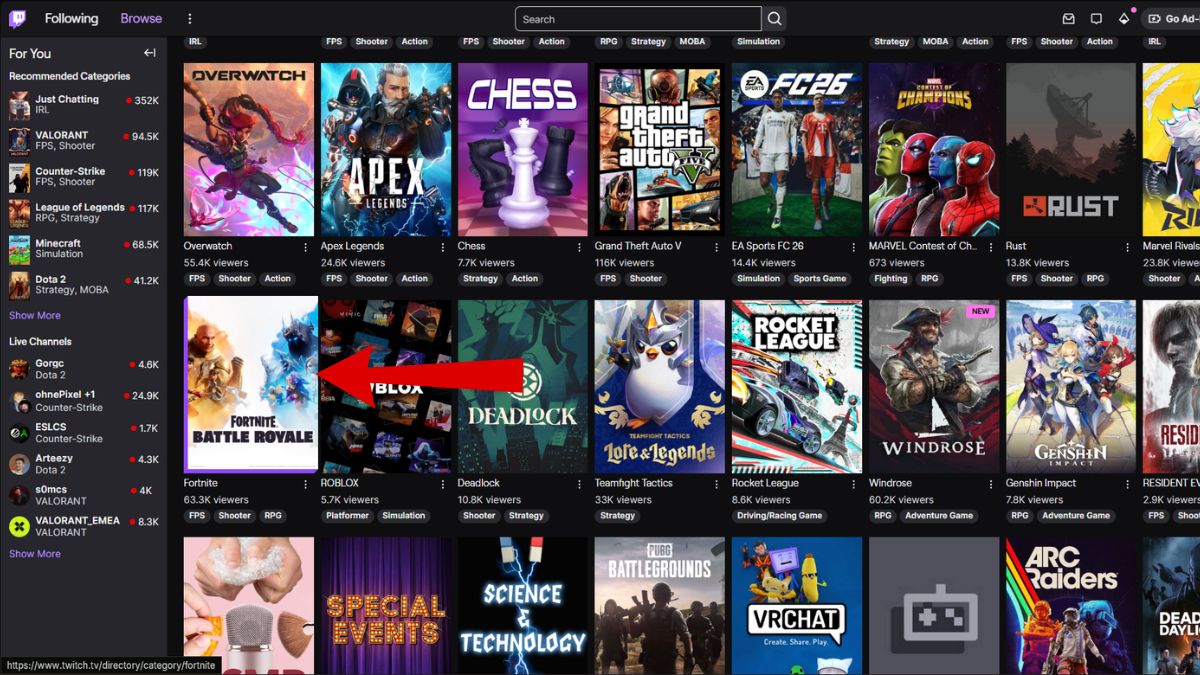
- In Twitch, head to the Fortnite category and filter for streams with the “Drops” tag—then confirm the stream is running Save the World.
- Watch with audio enabled. Twitch can stop tracking muted or backgrounded tabs, so keep the stream audible or the window active.
- When you hit a milestone, Twitch will notify you. Open Drops & Rewards and manually click Claim to move the items into your Epic account.
- Claimed items should appear in your Fortnite library within 24 hours.
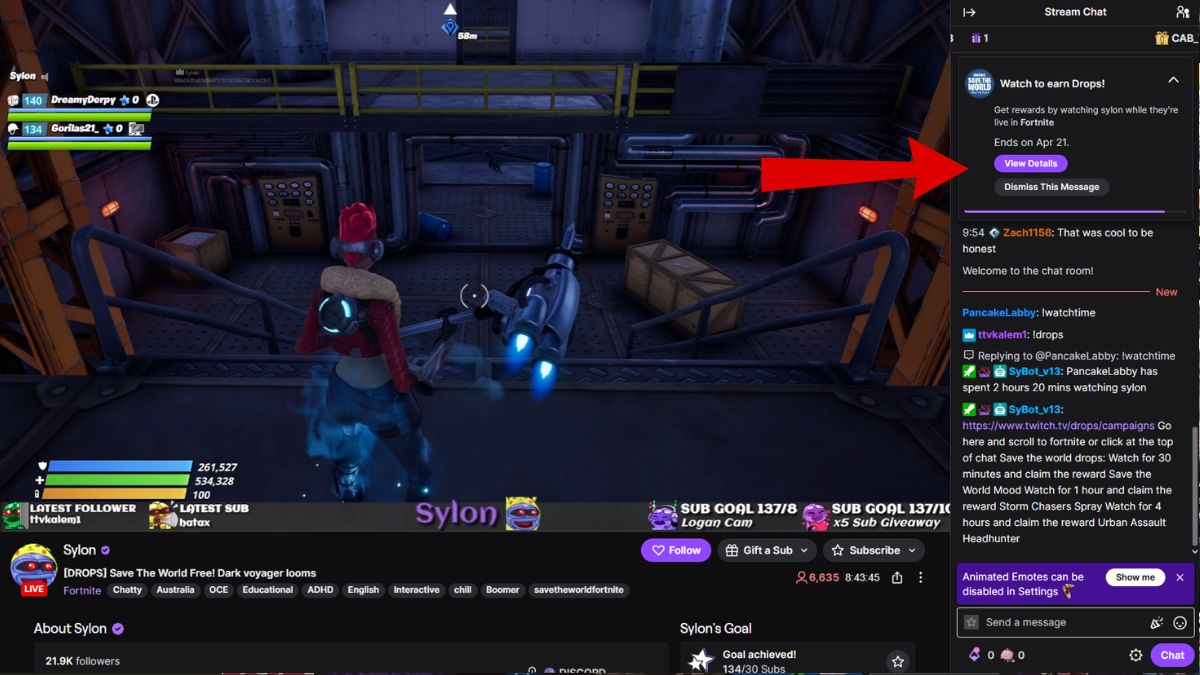
A few extra tips from my own stream tests: follow creators who actually play Save the World, watch during off-peak hours if you want quieter chat, and set a timer for the four-hour mark if you’re hunting the Legendary hero. The event is a short window—April 16–20, 2026—so plan your viewing sessions.
Epic has been seeding Save the World with free cosmetics like the new Jess skin, and these Drops are clearly meant to drive attention back to the mode. Expect more patches and Twitch-linked promos, given how Epic has paired Fortnite with the Twitch platform and the Epic Games Store in previous campaigns.
The simplest course: link your accounts on the Epic Games Store, watch Save the World streams with Drops enabled, claim in Twitch’s Drops & Rewards, and check Fortnite within 24 hours.
Are you going to binge the streams and claim the Legendary Headhunter yourself or wait to see if Epic sells it later?