
I clicked the Event tab and found nothing but a blank menu. My stomach tightened — hours of play felt like they might have led nowhere. That was the second I realized the Astronomer’s Journey was hiding in plain sight.
I’ll walk you through how to get access to the Astronomer’s Journey Star Path so you don’t replay that moment. I’ve tested the steps on Nintendo Switch, Steam and PlayStation builds of Disney Dreamlight Valley and compared notes with Merlin’s quest text, so you can move with confidence.
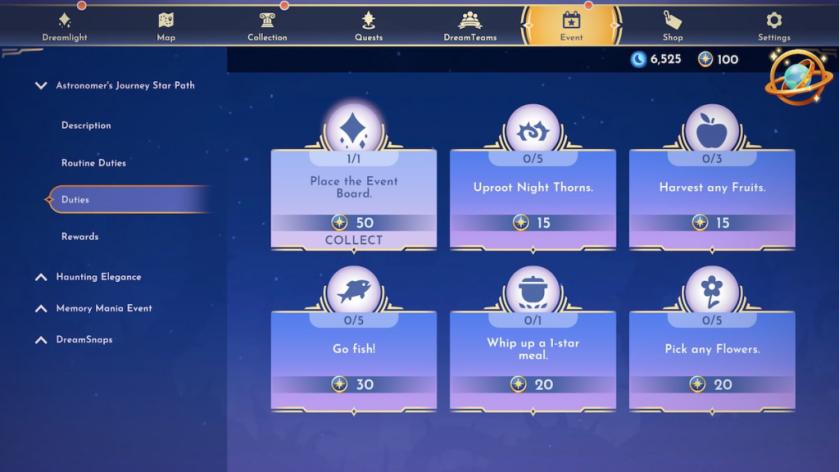
The first time you meet Merlin he hands you a quest and waits. How to get Astronomer’s Journey Star Path in Disney Dreamlight Valley
Merlin’s quest titled On the Path of Stars is the gate. You must accept and progress through it until the Event Board is placed in your valley — only then will Astronomer’s Journey appear for you to access. The quest shows up as soon as you open your first new area after meeting Merida or completing the initial tutorial beats, so if you’re missing it, double-check your quest log.
How do I start Merlin’s On the Path of Stars quest?
Open your quest menu and look for Merlin’s portrait. If he isn’t flagged there, visit Merlin in his usual spot and trigger the conversation — that kicks off On the Path of Stars. Progress through the objective list until a duty asks you to place the Event Board; that placement is the practical milestone that brings Astronomer’s Journey into view.
The Astronomer’s Journey is a secret telescope tucked into a crowded attic.

The Event Board sits like a public notice outside the shop you pass every day. How to view Astronomer’s Journey Star Path in Disney Dreamlight Valley
Once you place the Event Board during Merlin’s quest, Astronomer’s Journey becomes available in two places:
- Approach the Event Board. Interact with the physical board in your valley any time to browse duties and claim Tokens.
- Open the Event page from the main menu. The Astronomer’s Journey tab appears between DreamTeams and Shop as soon as the event is activated — accessible whether you prefer keyboard on Steam or controller on Switch.
Where is the Event Board located?
It’s placed where Merlin’s quest asks you to put it; that location is permanent and visible on your map with an icon. If you missed it, check areas you’ve chosen for decoration — the board doesn’t teleport once set.
Note: the event stays visible only until you claim every prize. You’ll likely earn more Tokens than you need; those leftovers cannot be spent elsewhere and will disappear once the event finishes. Gameloft designed Astronomer’s Journey as a one-off experience, so treat your Tokens like limited stock.

I checked the event timer and found none — it never expires. How long is the Astronomer’s Journey Star Path in Disney Dreamlight Valley?
Astronomer’s Journey is permanent in the sense that it remains accessible after Merlin’s Event Board is in place until you claim every prize. There’s no seasonal clock or limited window like other timed events in DDV. That makes it unique among in-game events: you can tackle duties at your own pace.
Is the Astronomer’s Journey permanent?
Yes — it remains until every prize is collected. Once you claim the final item, the page and the Tokens vanish. If you play on Xbox, Switch, or PC via Steam or the Epic Games Store, the behavior is consistent across platforms thanks to Gameloft’s cross-release design.
Treat this guide as a map stitched with constellations. Will you hoard Tokens and savor the rewards, or spend them fast and close the chapter for good?