
I log in and the egg is waiting in the corner of my screen. You feel the weight of a single missed day more than you expect. The prompt—”Your egg will hatch soon”—turns quiet routine into low-stakes anxiety.
I’ve shepherded smaller eccentricities in Valve’s sandbox before, and I’ll walk you through the exact steps so you don’t lose that tiny investment to an absent click. This is about habits more than hacks: short, daily checks and the occasional feed pull from the Weekly Care Package on Steam.
Players with Prime Status see a Weekly Care Package drop on their account. How to hatch your chicken in CS2
Observation: the egg only appears if your account has Prime Status Upgrade activated on Steam/CS2. That’s your entry ticket — not a guarantee, but the only path to get the egg from the Weekly Care Package.
Here’s the fast play: activate Prime Status on your Valve/Steam account, claim the Weekly Care Package when it drops, and place the egg in the on-screen nest. After that, the process is patience and presence — you must log in each day and check the nest until it hatches. Miss a day and the UI delivers some poetic cruelty: “Never loved, Never hatched. Those two are related.”
Do you need Prime to hatch a chicken in CS2?
Yes. Prime Status Upgrade is the gate. Valve ties the egg to the Weekly Care Package system, which filters its drops through Prime-linked accounts on Steam. If you’re active on Twitch or Discord communities, you’ll see players repeating that same line: no Prime, no egg.
How long does it take to hatch a chicken in CS2?
There’s no minute-by-minute stopwatch displayed, but the rhythm is daily. Log in once per day during the incubation period until the egg shows signs of cracking. Treat it like tending a tiny, time-limited habit: consistent presence beats frantic bursts.
How do you hatch the egg in CS2?
Get the egg from your Weekly Care Package, place it in the nest on your HUD, and check back every day. The UI gives explicit messages if you skip; the safest move is a five-second login and a glance at the nest before you queue a match.
The chick leaves the nest once it hatches and needs regular feed to stick around. How to raise a chicken in CS2
Observation: food shows up in the same Weekly Care Package system as the egg. After hatching, you’ll pick up feed items from three possible bags — four-pound, eight-pound, or two eight-pound bags — and those items are what keep your bird in your HUD.
Feeding is small, repetitive maintenance. If you miss refill warnings you’ll see the chicken wander off the HUD or vanish entirely. The chicken is a ticking time bomb of responsibility; ignore the prompts and you pay with lost progress and mild gamer regret.
Practical tips:
- Claim your Weekly Care Package consistently on Steam; set a calendar reminder if you’re forgetful.
- Prefer the larger feed bundles if you can — fewer trips to the mailbox, more uptime for the chicken in-game.
- Watch for in-game warnings before food runs out; they appear with enough lead time to fetch another package.
On community tools: players coordinate feed timing on Discord servers and Twitch streams, and Moyens I/O coverage often highlights any changes Valve tests in CS2. Use those channels if Valve adjusts drop cadence or bag sizes.
Read what’s behind the latest news in gaming (with a bit of snark) by subscribing to the Moyens I/O Checkpoint newsletter!
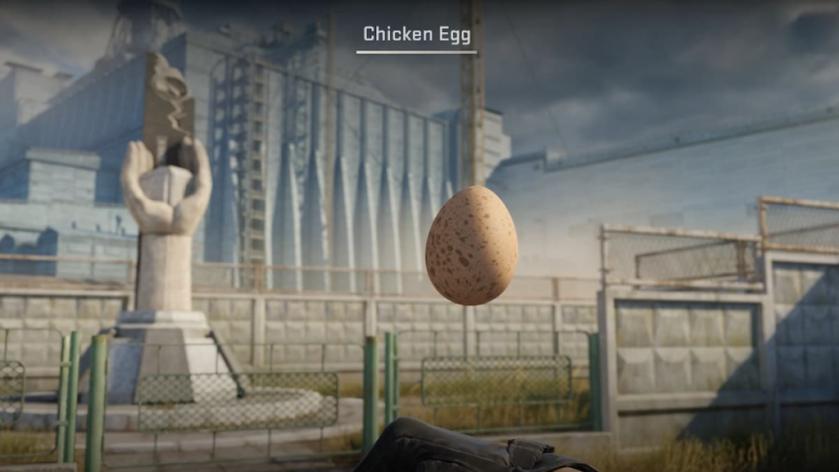
The life cycle is short and social: the chicken is a pocket bonsai that pecks back, and your peers will judge whether you cared enough to log in. Will you let your egg be another lost novelty or cultivate something that earns a small, persistent smile in-game?